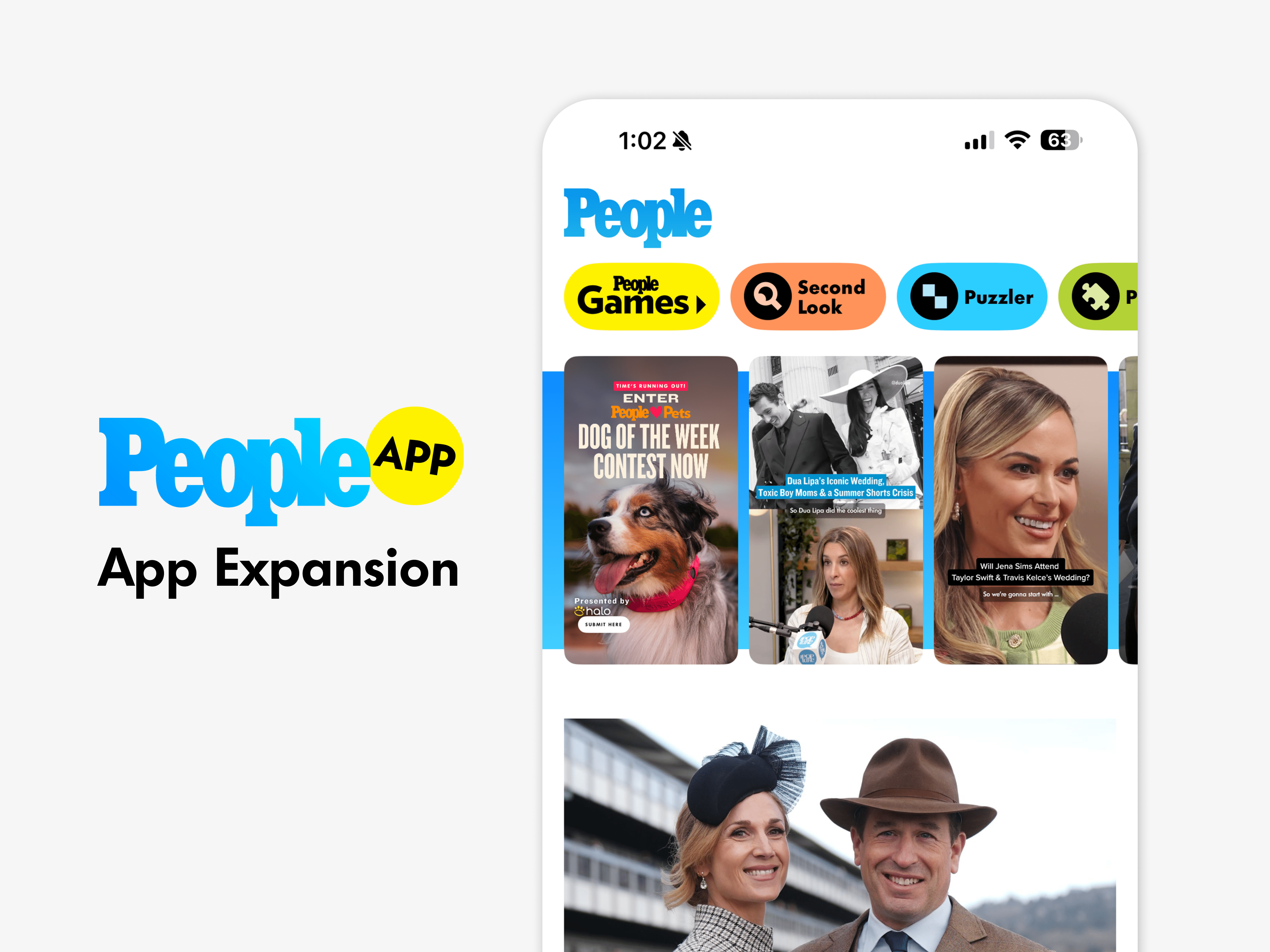
People App Design System
About the project
Timeline
Aug - Nov 2025
My role
Lead Product Designer
Platforms
Mobile
Problem
The PEOPLE App launched without an app-specific design system because the existing foundation was built for PEOPLE.com. As the app grew, the team needed a scalable system to keep new features consistent, easier to build, and less dependent on one-off design decisions.
Goal
Create a scalable design system that supported the PEOPLE App as its own mobile product, separate from the website experience. The system needed to define reusable components, visual styles, interaction patterns, and documentation that made future design work easier and improved collaboration with developers.
Outcomes & Results
The PEOPLE App design system created a scalable foundation for post-launch product growth, supporting 60+ reusable components across onboarding, content formats, collections, games, account flows, and lifecycle experiences. The system helped reduce design production time by 21% and improved developer handoff by giving teams clearer specs, shared patterns, and reusable component guidance.
The system also reduced one-off feature requests by 40% by giving product and stakeholders a clearer framework for evaluating new ideas against existing patterns. It was shared with larger design teams across the company and became a reference point for future PEOPLE Inc. design systems.
Key Learnings
A System Should Fit the Product
The PEOPLE App needed a design system built around mobile behavior, not just a translation of the website brand. App-specific components and interaction patterns helped the product feel distinct while still staying connected to the larger PEOPLE identity.
Systems Grow Through Use
The strongest parts of the system came from patterns tested through real product work. Building the system incrementally as new features launched made it more practical, easier to maintain, and more useful for future designers.
Shared Systems Scale Teams
Reusable components, clear documentation, and consistent specs made collaboration with developers easier and reduced ambiguity during implementation. Sharing the system with larger design teams also showed how app-level decisions could inform broader product standards across PEOPLE Inc.
"How might we create a scalable app design system that helps PEOPLE move faster, stay visually consistent, and support future product growth beyond the initial launch?"
Grid System
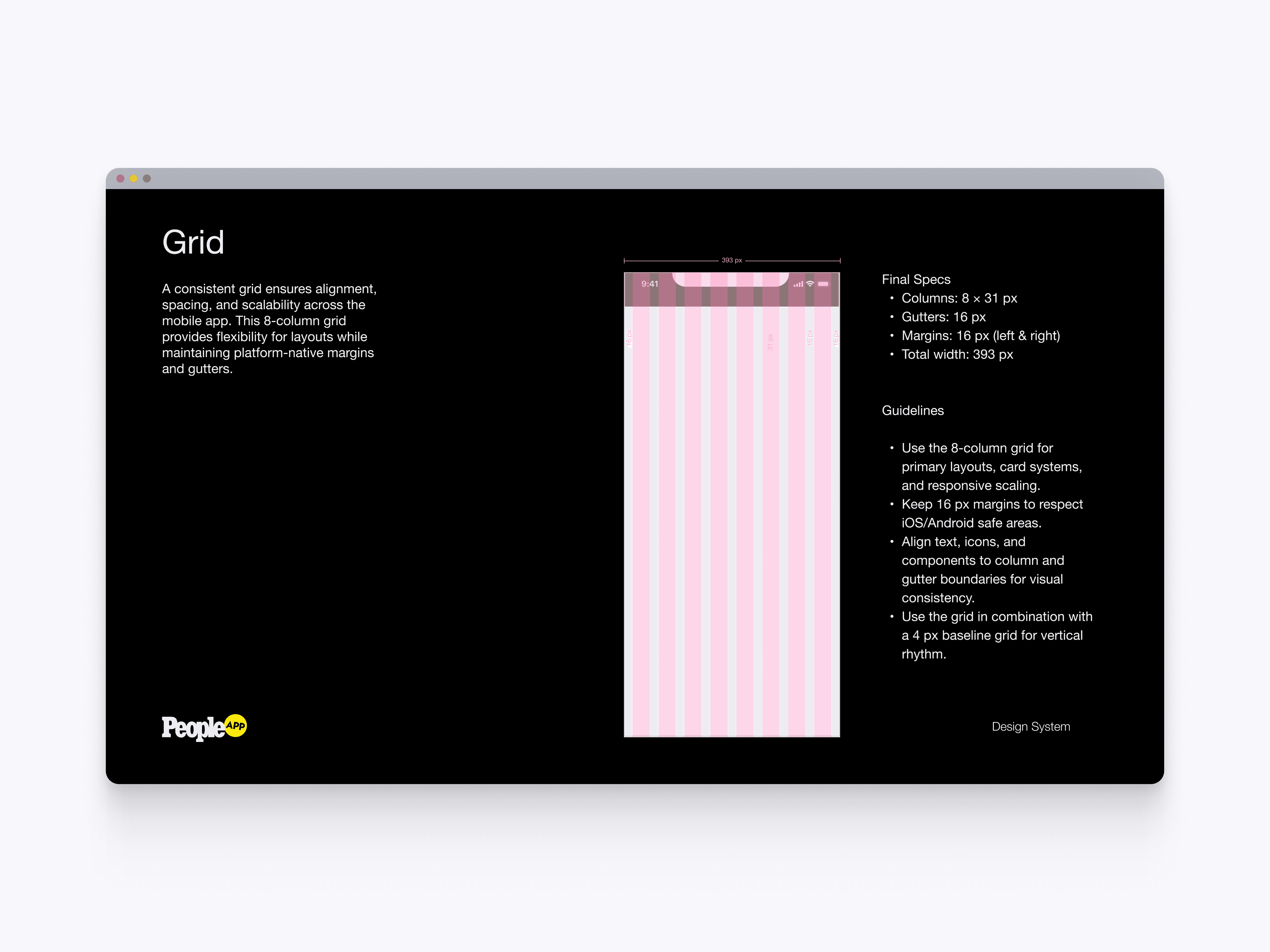
The grid system defines the app’s core layout structure using an 8-column mobile grid with consistent margins and gutters. This gave designers and developers a shared foundation for alignment, spacing, responsive scaling, and visual consistency across the app.
Touch Interactions
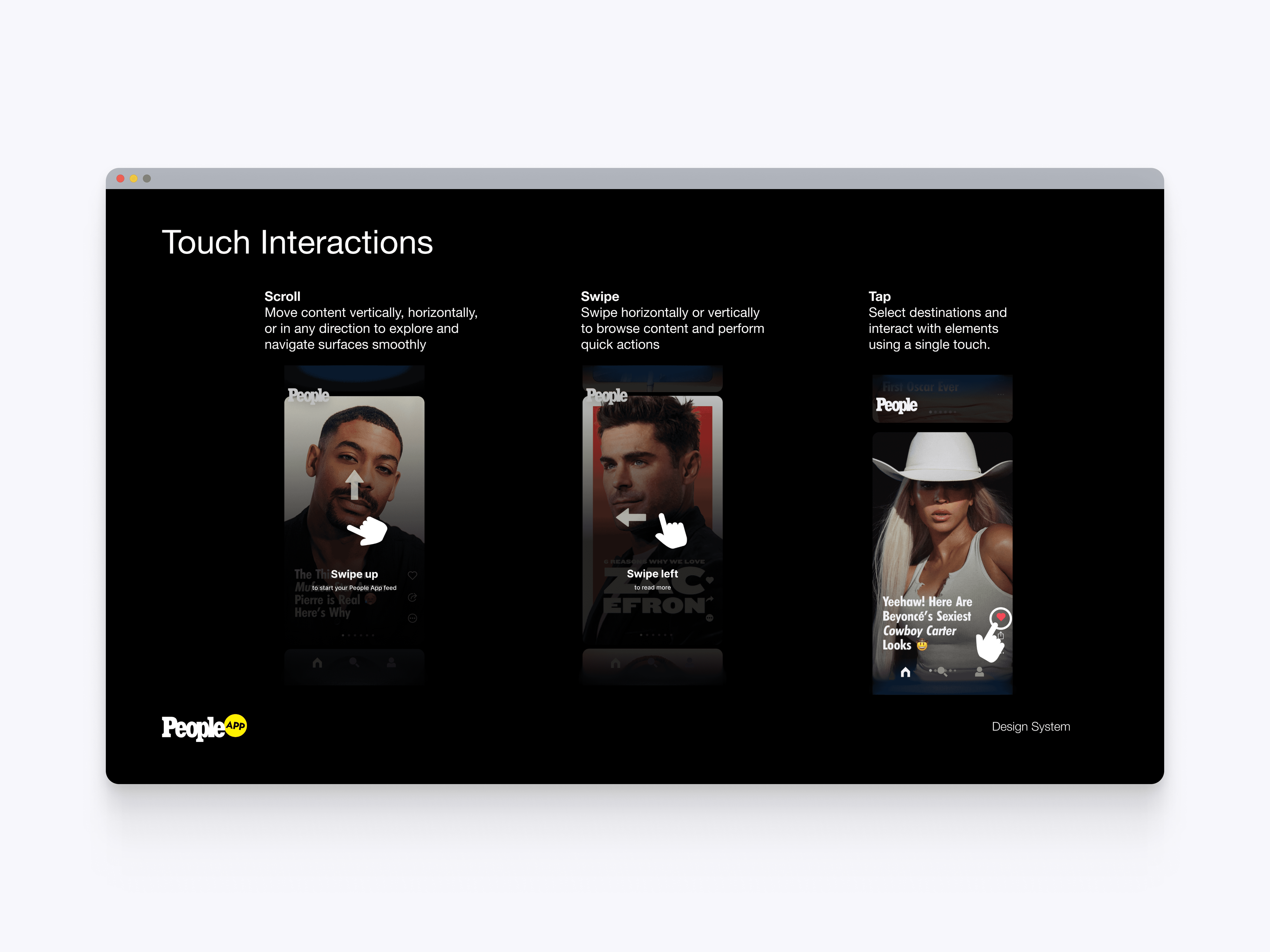
The touch interaction guidelines define core mobile behaviors such as scrolling, swiping, and tapping. These patterns helped create a more intuitive app experience while giving teams clear rules for how users move through content.
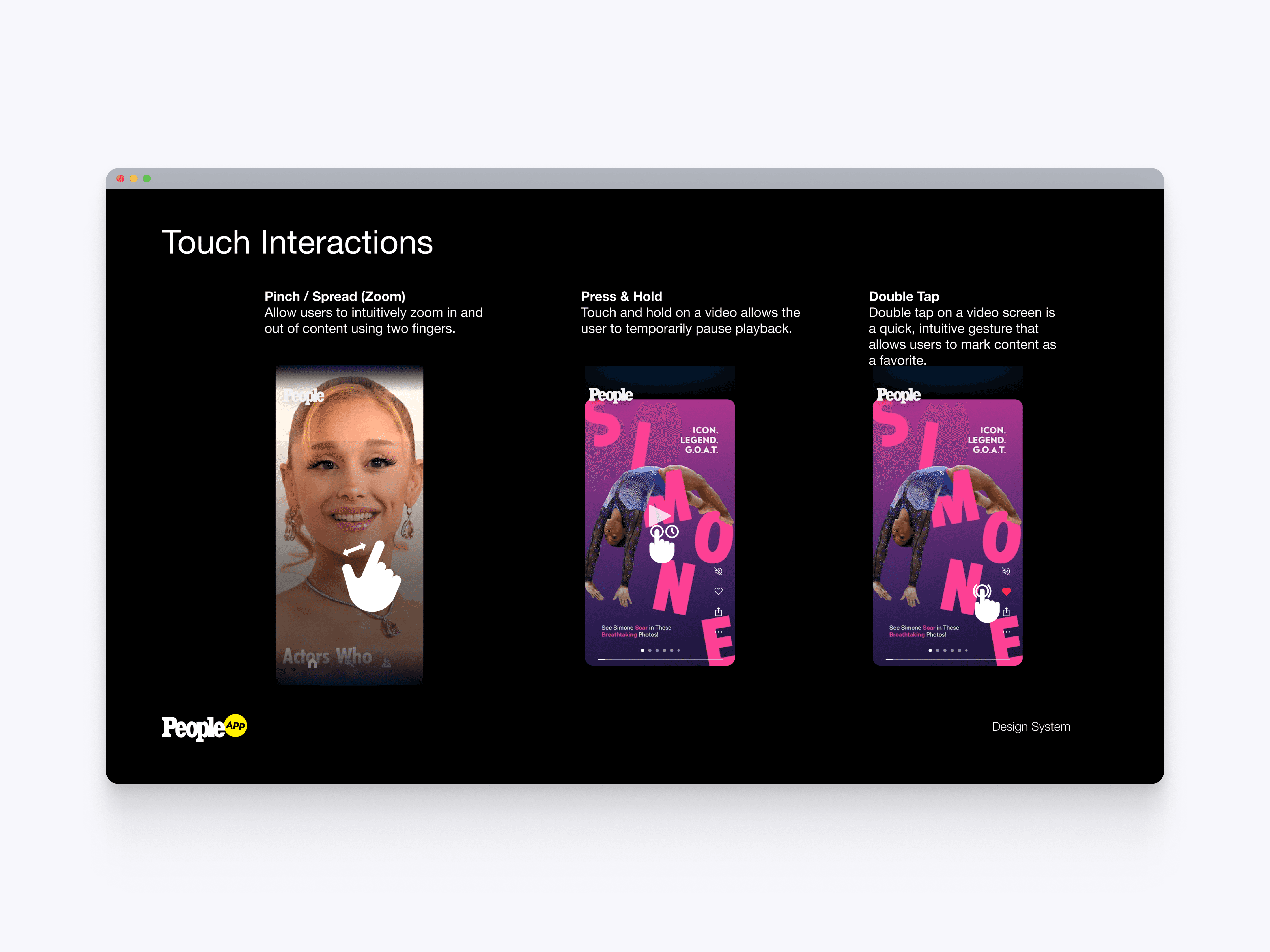
Gesture Patterns
The gesture pattern documentation defines more advanced interactions such as pinch to zoom, press and hold, and double tap. These rules helped standardize how users interact with media, video, and favorite actions across the app.
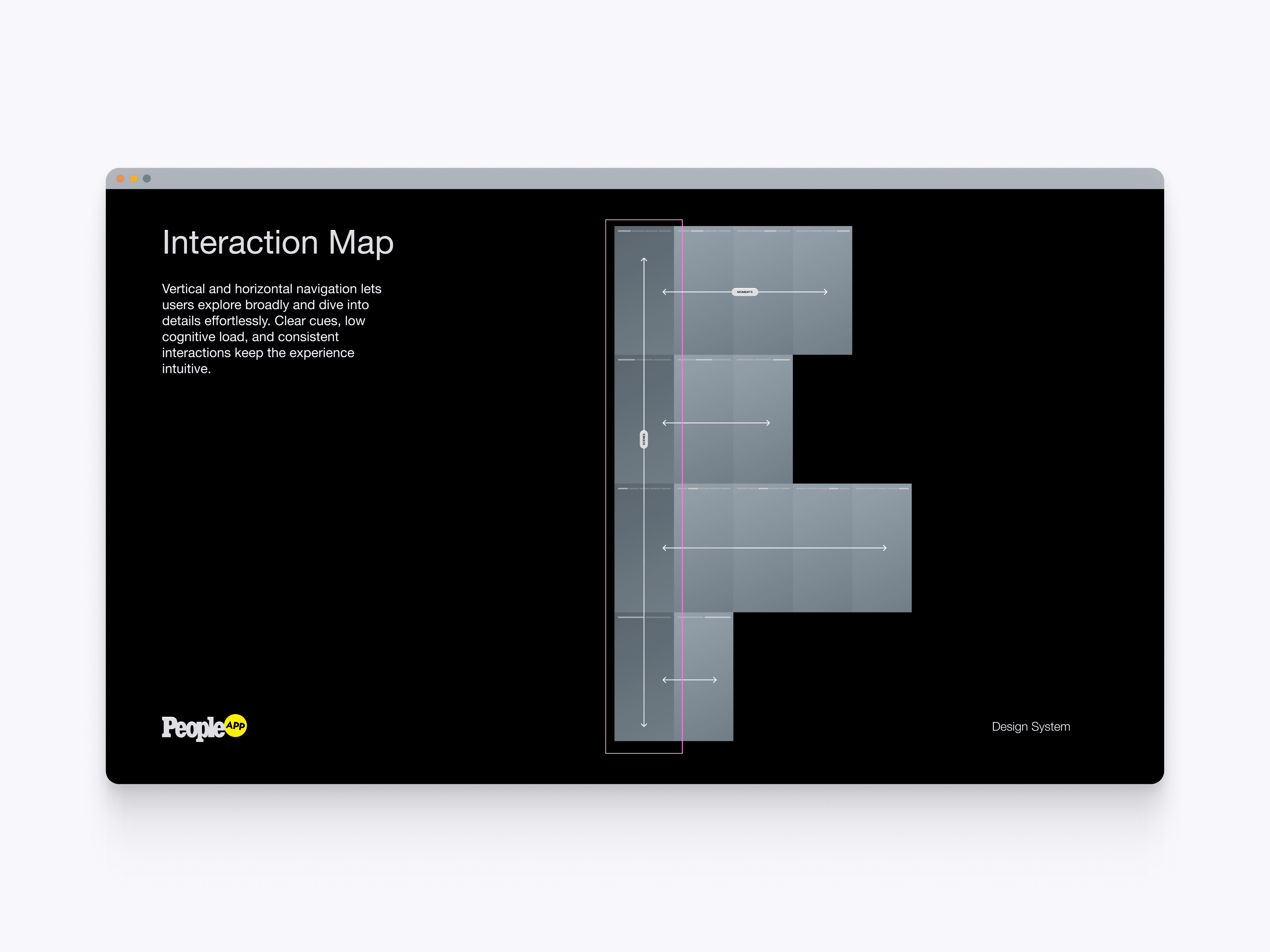
Interaction Map
The interaction map outlines how vertical and horizontal navigation work together across the PEOPLE app experience. This created a clear model for browsing broadly, moving through story moments, and diving into deeper content without overwhelming users.
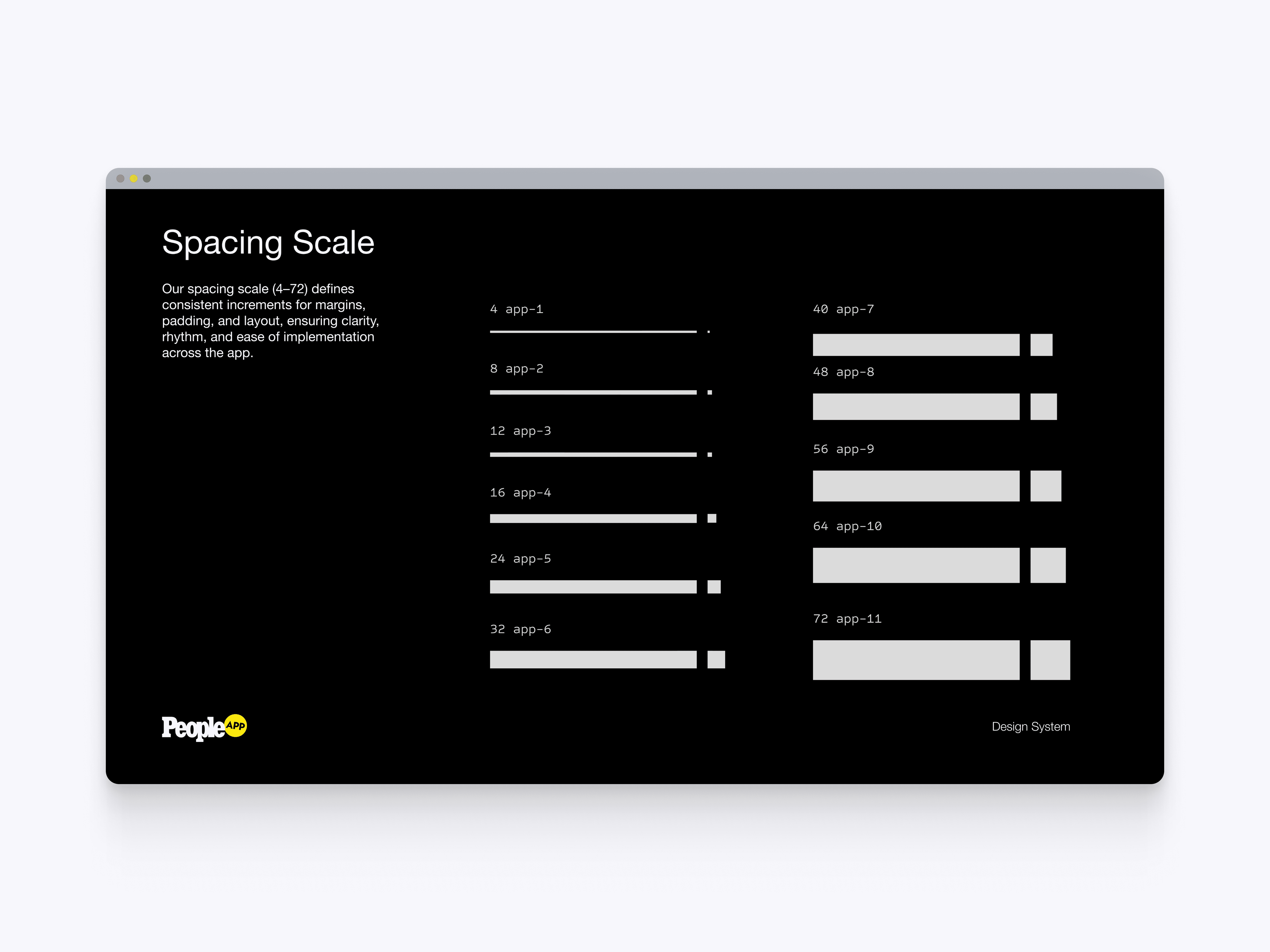
Spacing Scale
The spacing scale defines consistent increments for margins, padding, layout rhythm, and component spacing. This helped maintain visual clarity across the app while making implementation easier for developers.
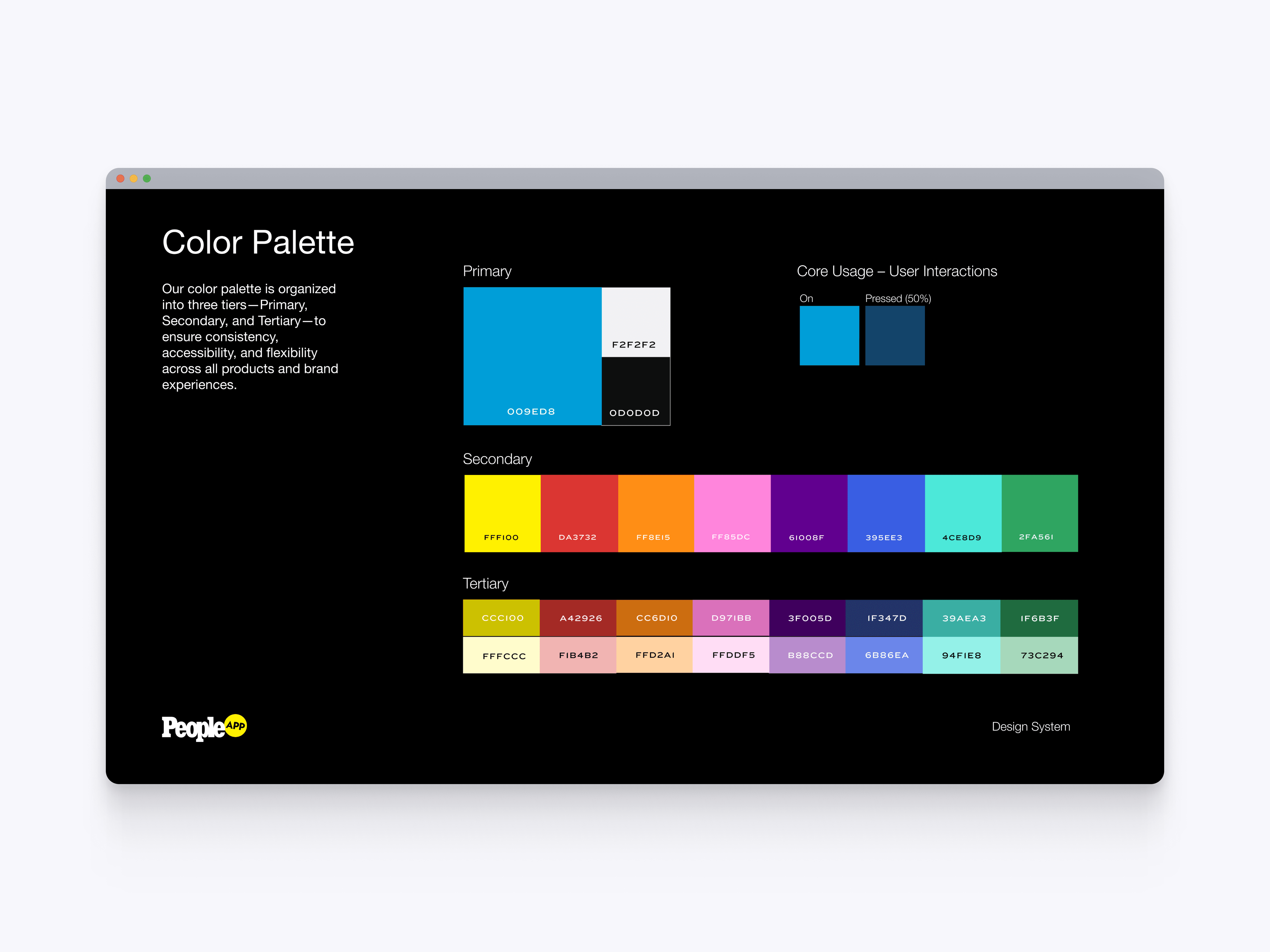
Color Palette
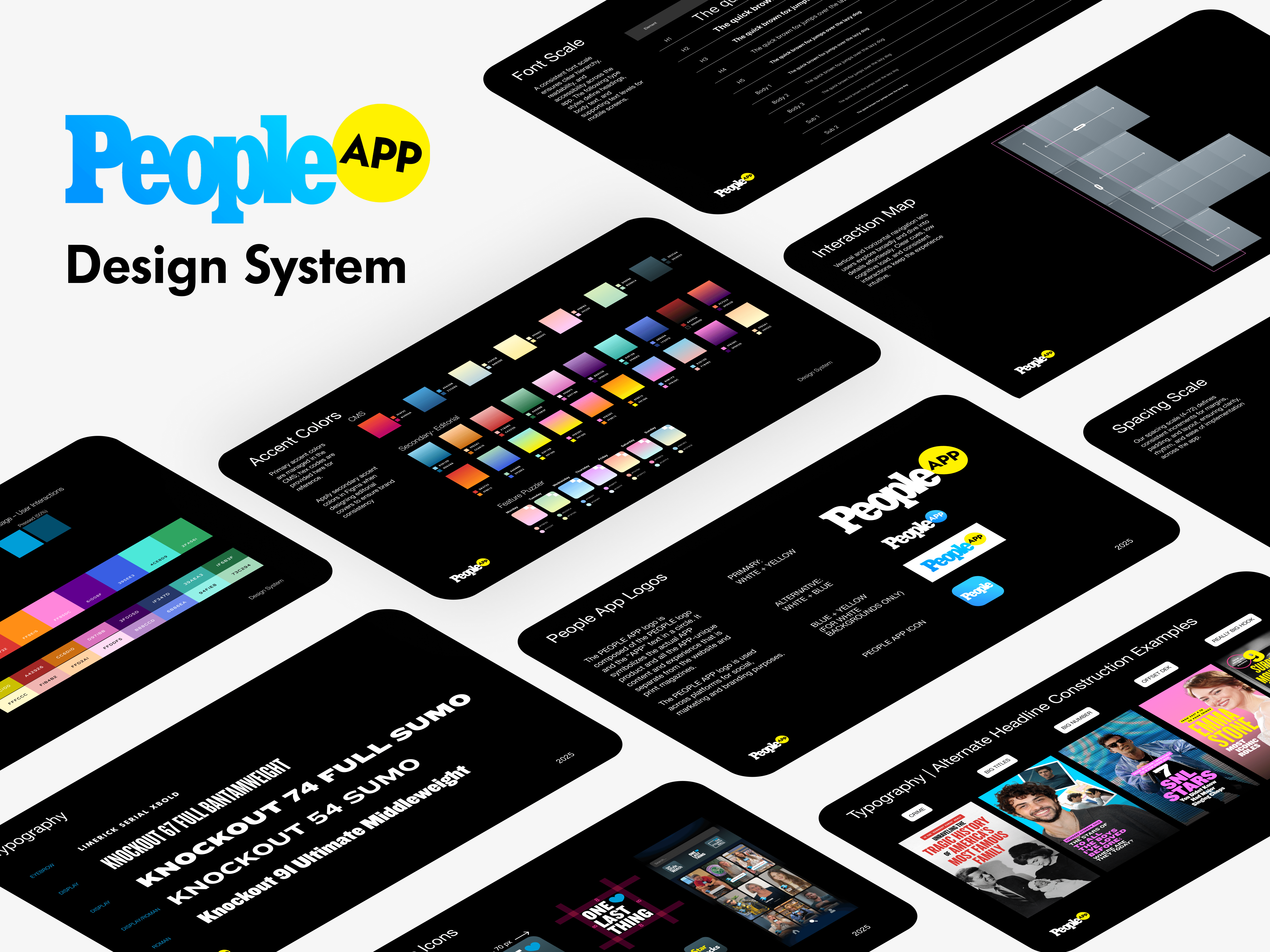
The color palette organizes the PEOPLE App colors into primary, secondary, and tertiary tiers. This gave the app a flexible visual system for brand expression, interaction states, accessibility, and editorial variety.
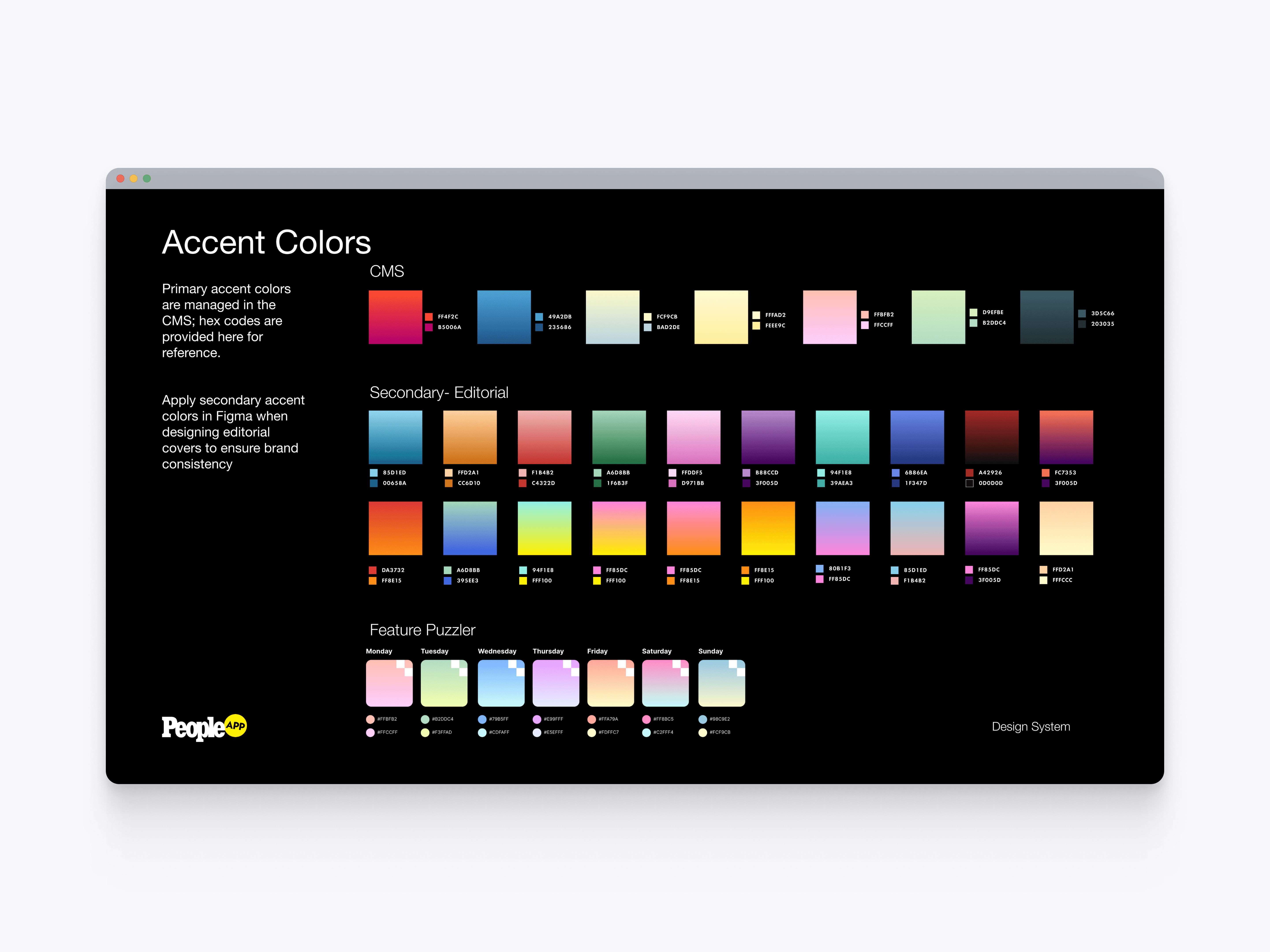
Accent Colors
The accent color system defines CMS-managed colors, editorial gradients, and feature-specific palettes. This allowed editorial and product teams to create more expressive content moments while staying within a controlled visual framework.
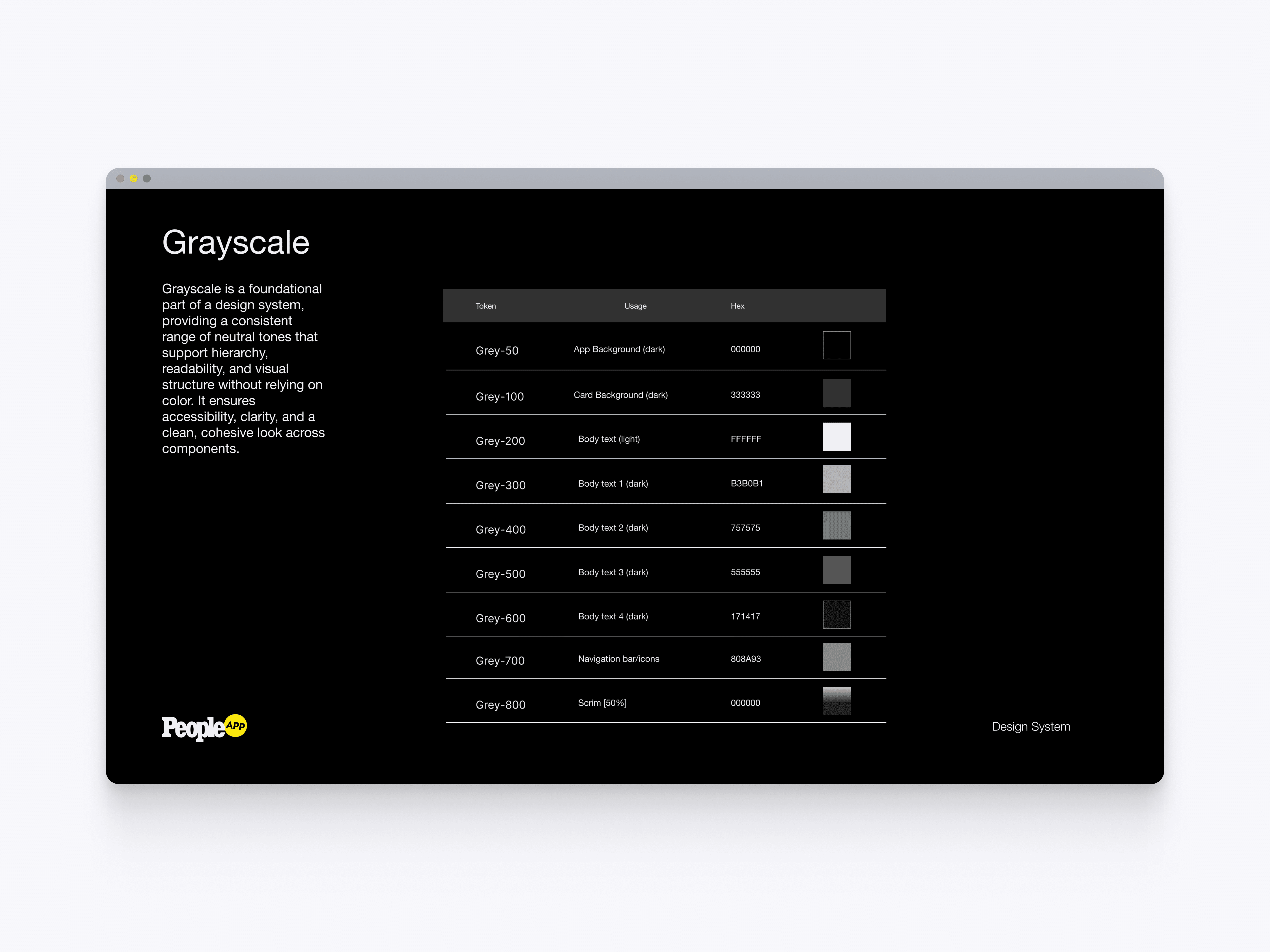
Grayscale Tokens
The grayscale token system defines the app’s dark backgrounds, card surfaces, body text, navigation states, and scrim treatments. These tokens helped maintain hierarchy, readability, and accessibility across the app’s dark interface.
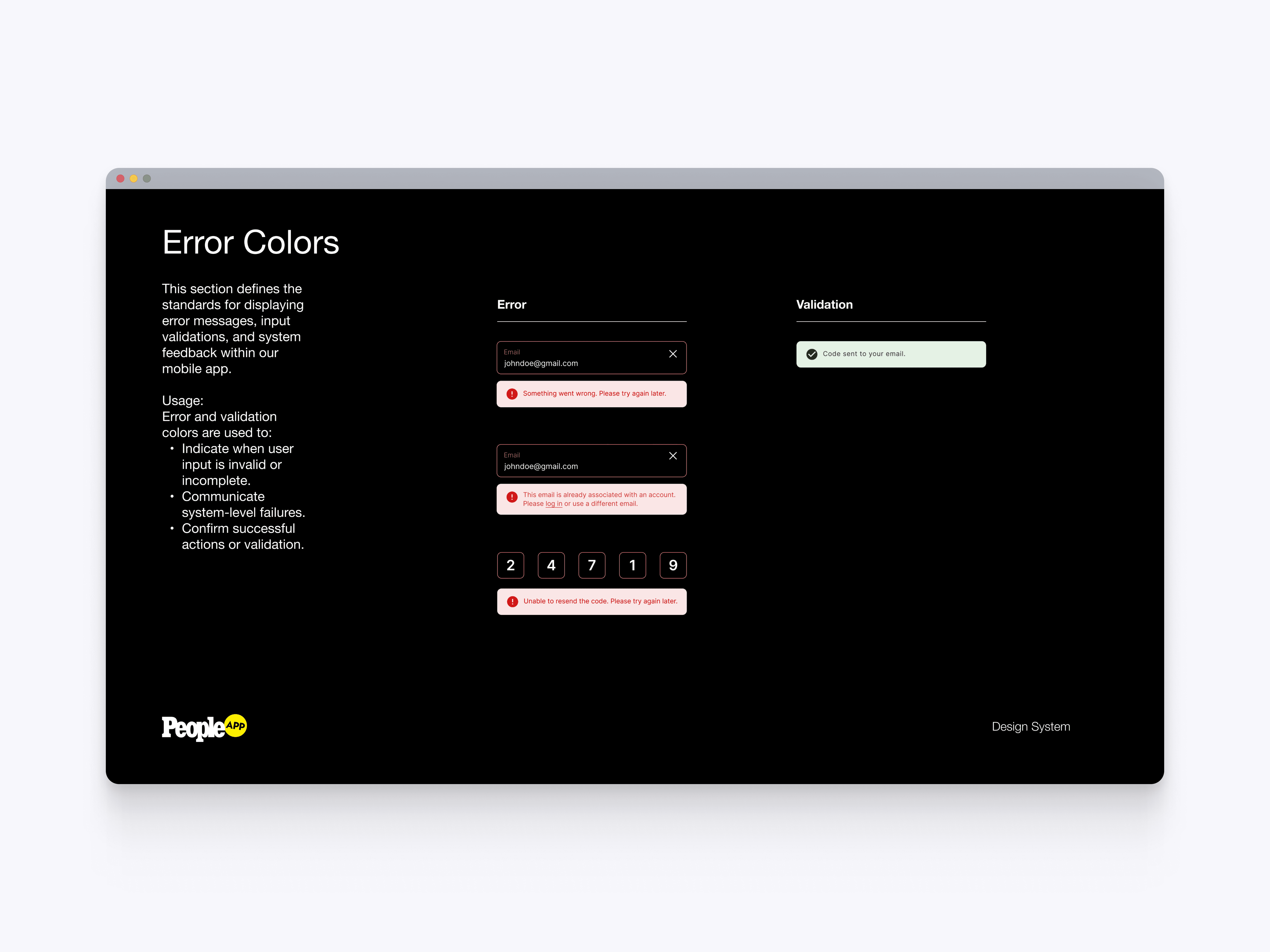
Error Colors
The error color system defines standards for validation, input errors, system feedback, and success messaging. This made form states more consistent and gave users clearer recovery paths during sign-in and account flows.
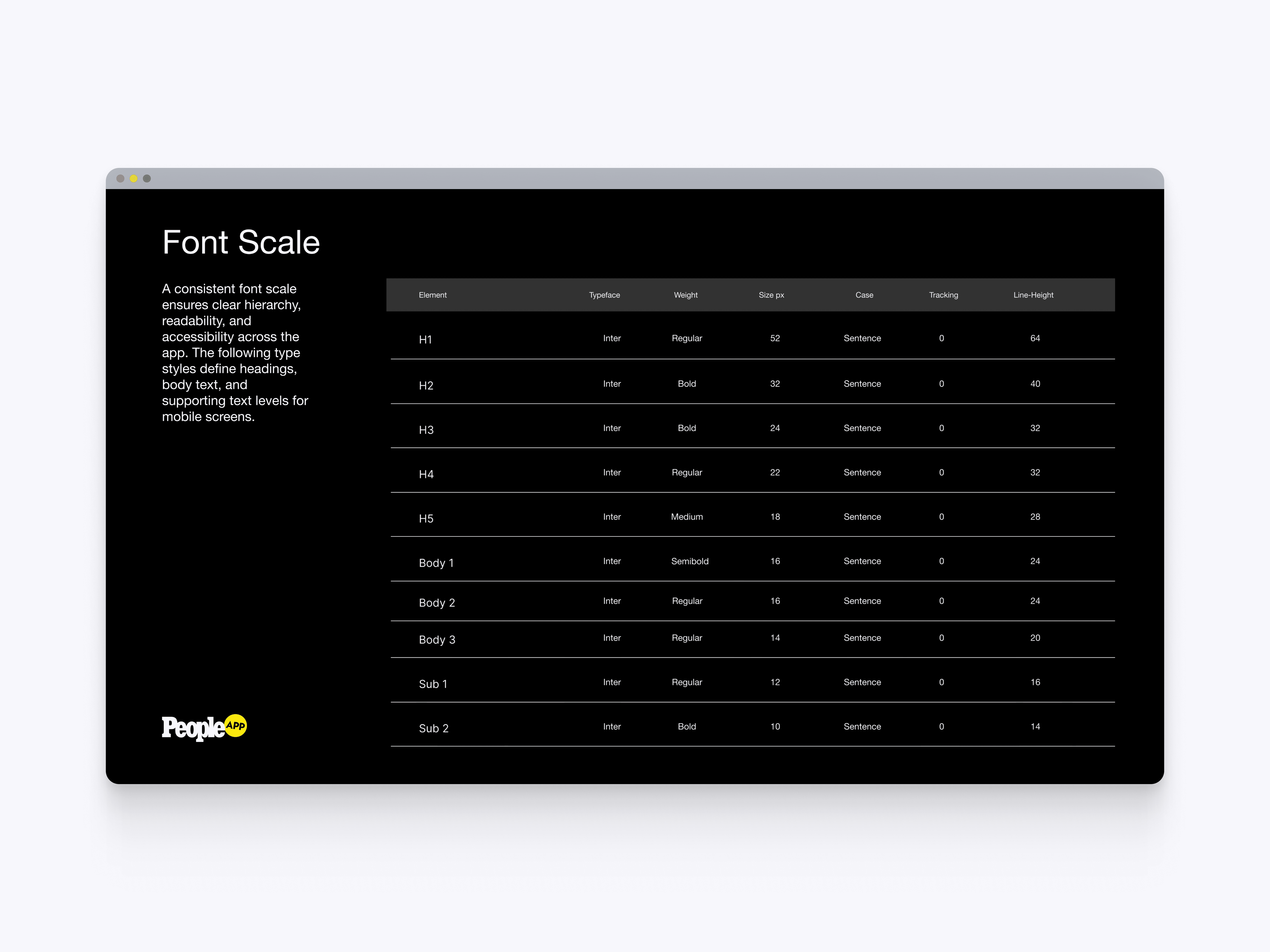
Font Scale
The font scale defines the app’s core type hierarchy across headings, body text, and supporting labels. This helped ensure readability, consistency, and accessible text sizing across mobile screens.
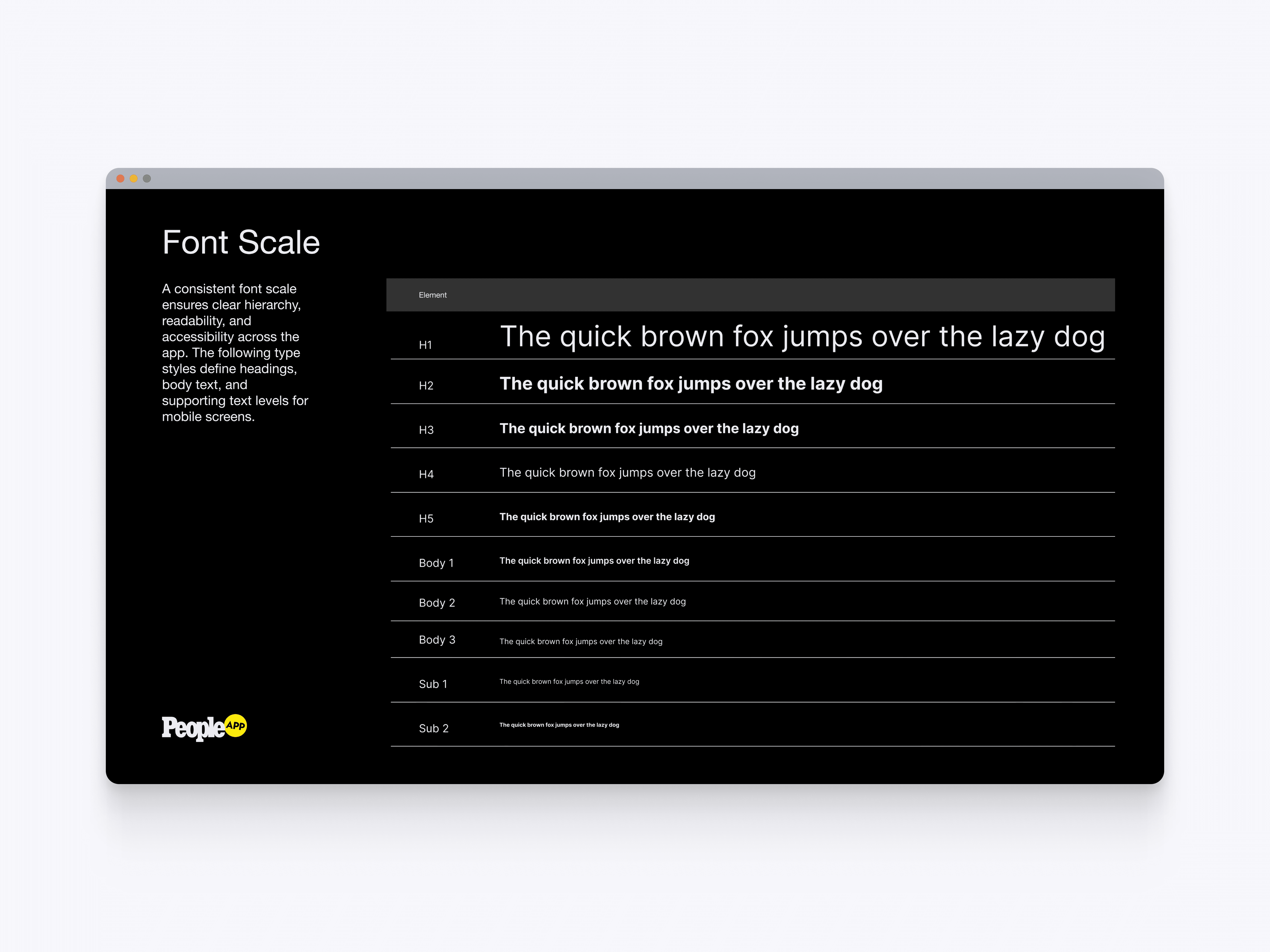
Typography Samples
The typography samples show how each type style appears in context across the app’s hierarchy. This made it easier for designers and developers to understand scale, weight, and visual priority before applying text styles to screens.
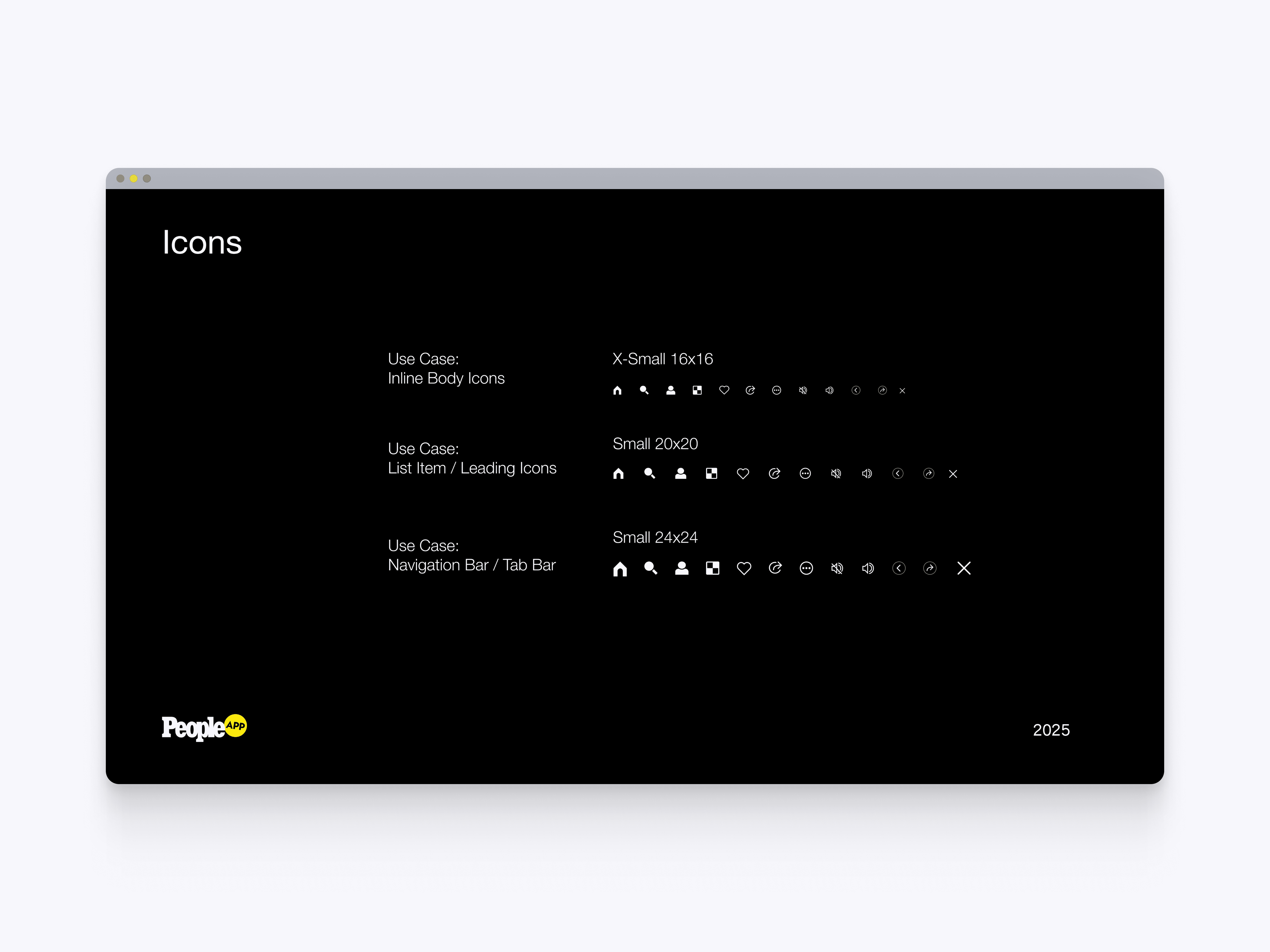
Icon System
The icon system defines reusable app icons across inline, list, and navigation use cases. Standardizing icon sizes and usage helped keep actions, labels, and navigation patterns consistent across the app.
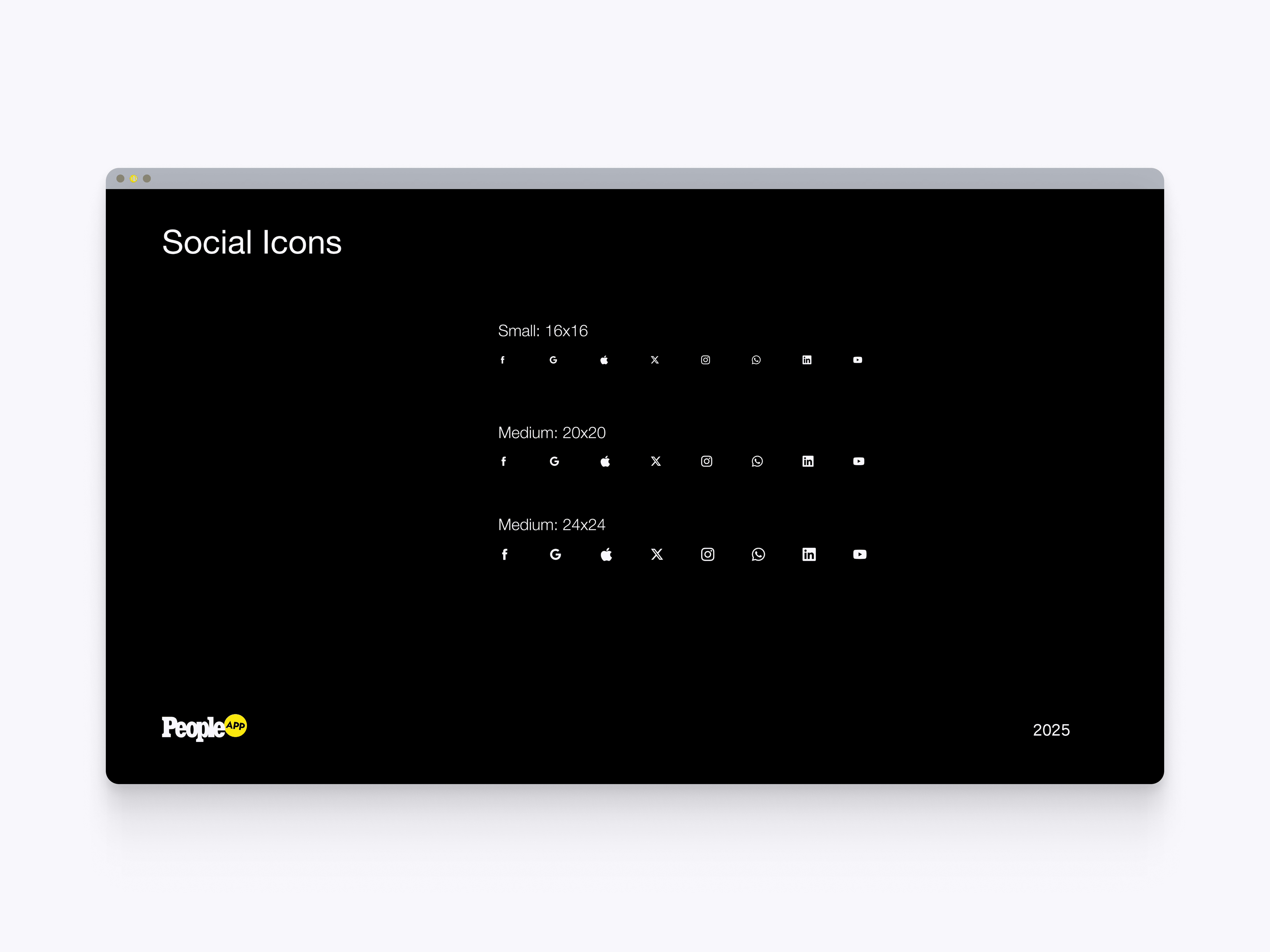
Social Icons
The social icon system defines consistent sizing for platform and authentication icons. This gave sign-in, sharing, and social actions a cleaner structure across small, medium, and larger interface states.
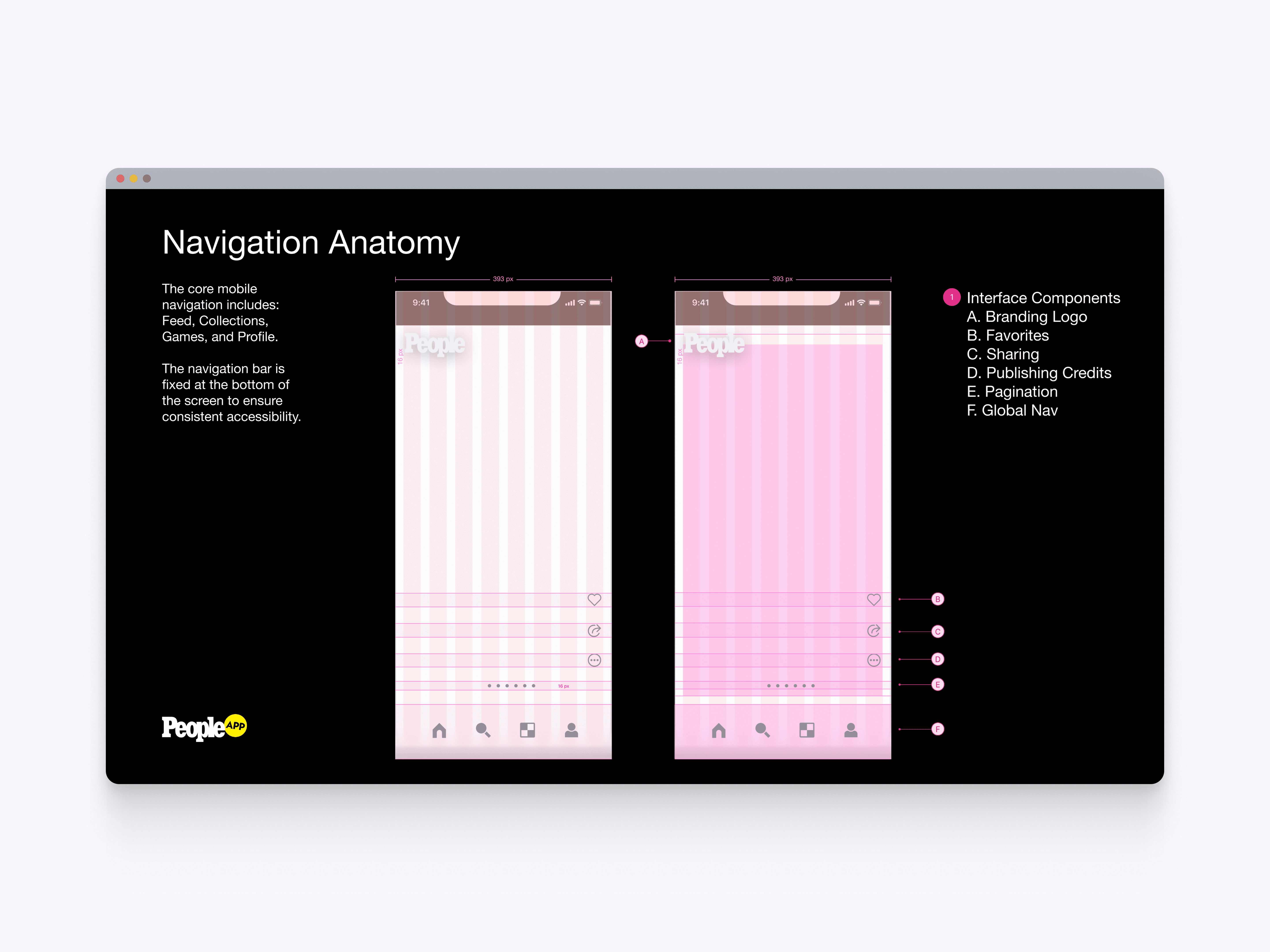
Navigation Anatomy
The navigation anatomy breaks down the app’s core interface structure across branding, favorites, sharing, publishing credits, pagination, and global navigation. This helped standardize how key controls appear within immersive content screens.
Global Navigation
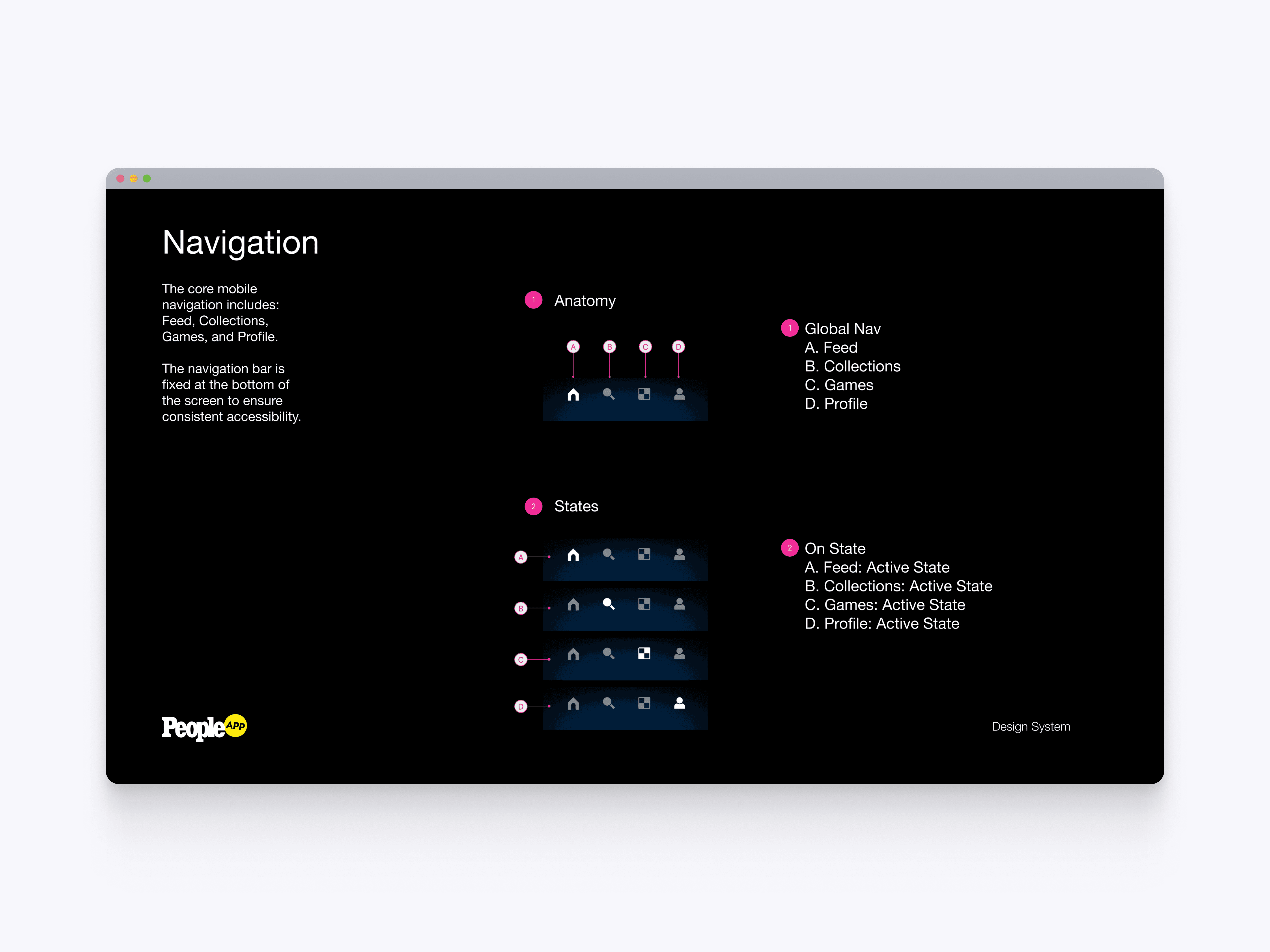
The global navigation system defines the bottom tab bar across Feed, Collections, Games, and Profile. Clear active states and fixed positioning helped users move through the app consistently while keeping primary destinations accessible.
Buttons
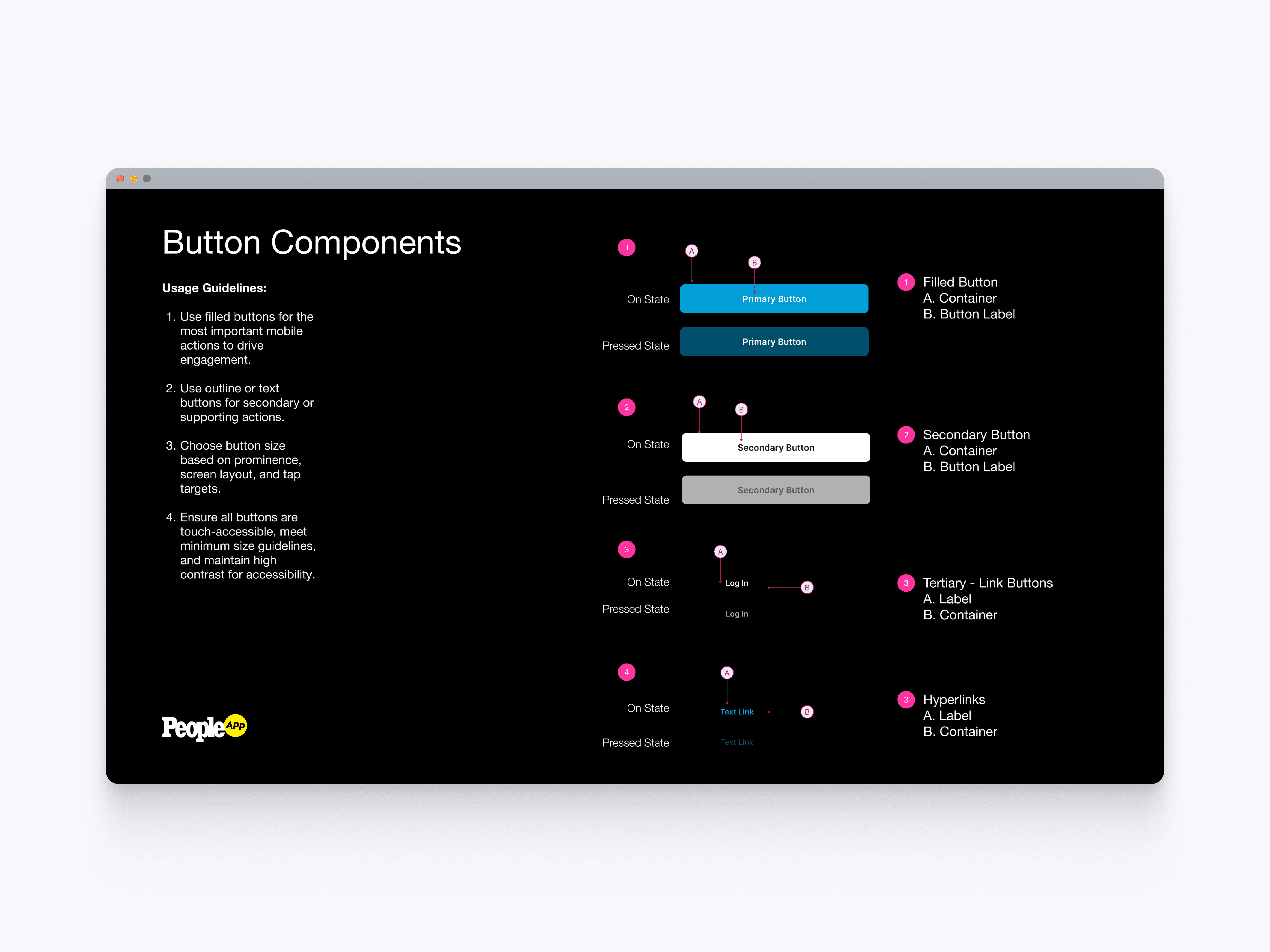
The button component system defines filled, secondary, tertiary, and hyperlink actions across default and pressed states. This gave teams clear rules for action hierarchy, accessibility, tap targets, and consistent implementation.
Tool Tip
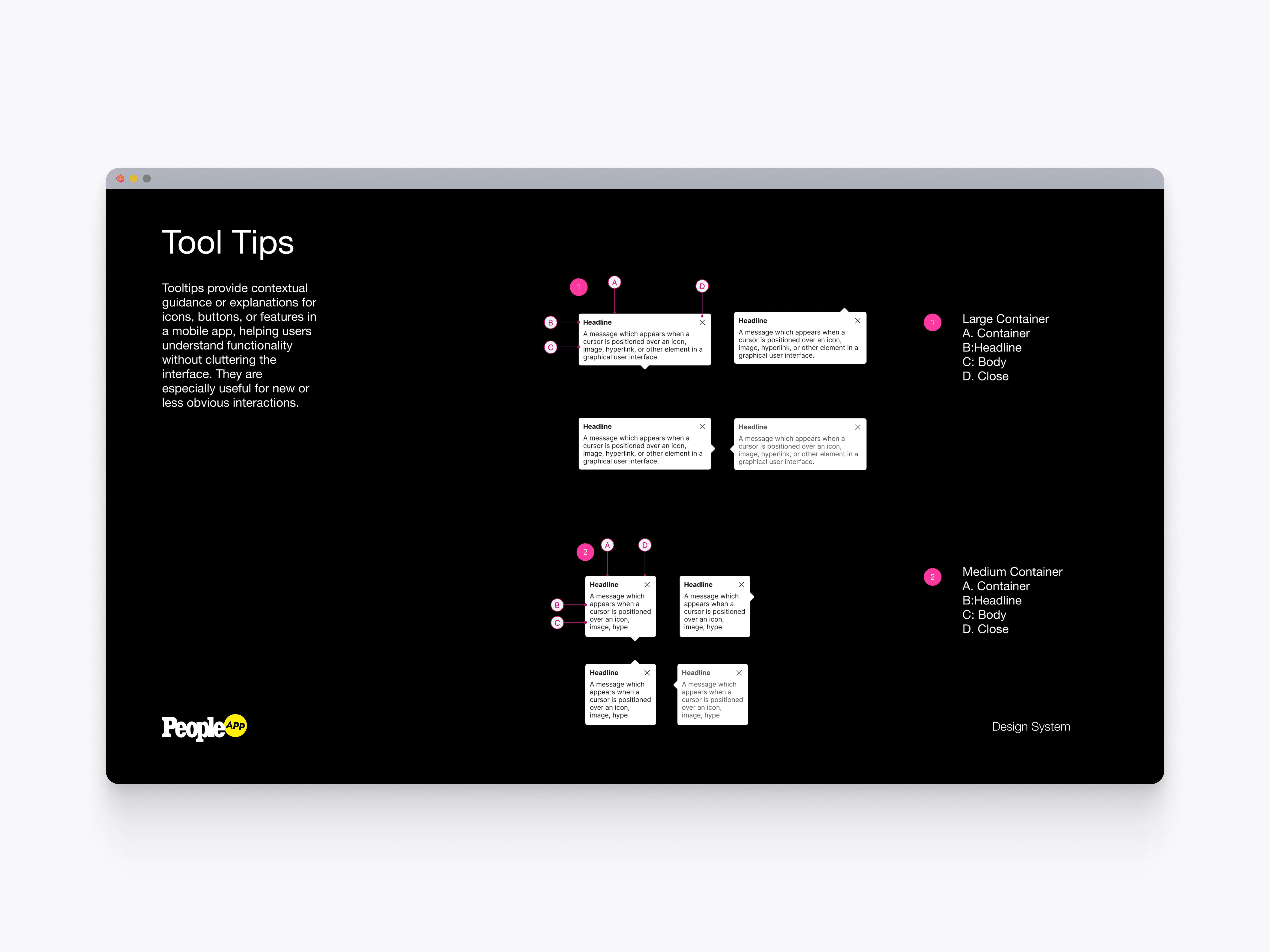
The tooltip component system defines contextual guidance for icons, buttons, and unfamiliar app features. These components helped explain new interactions without cluttering the interface or interrupting the user experience.
Tool Tip Guidelines
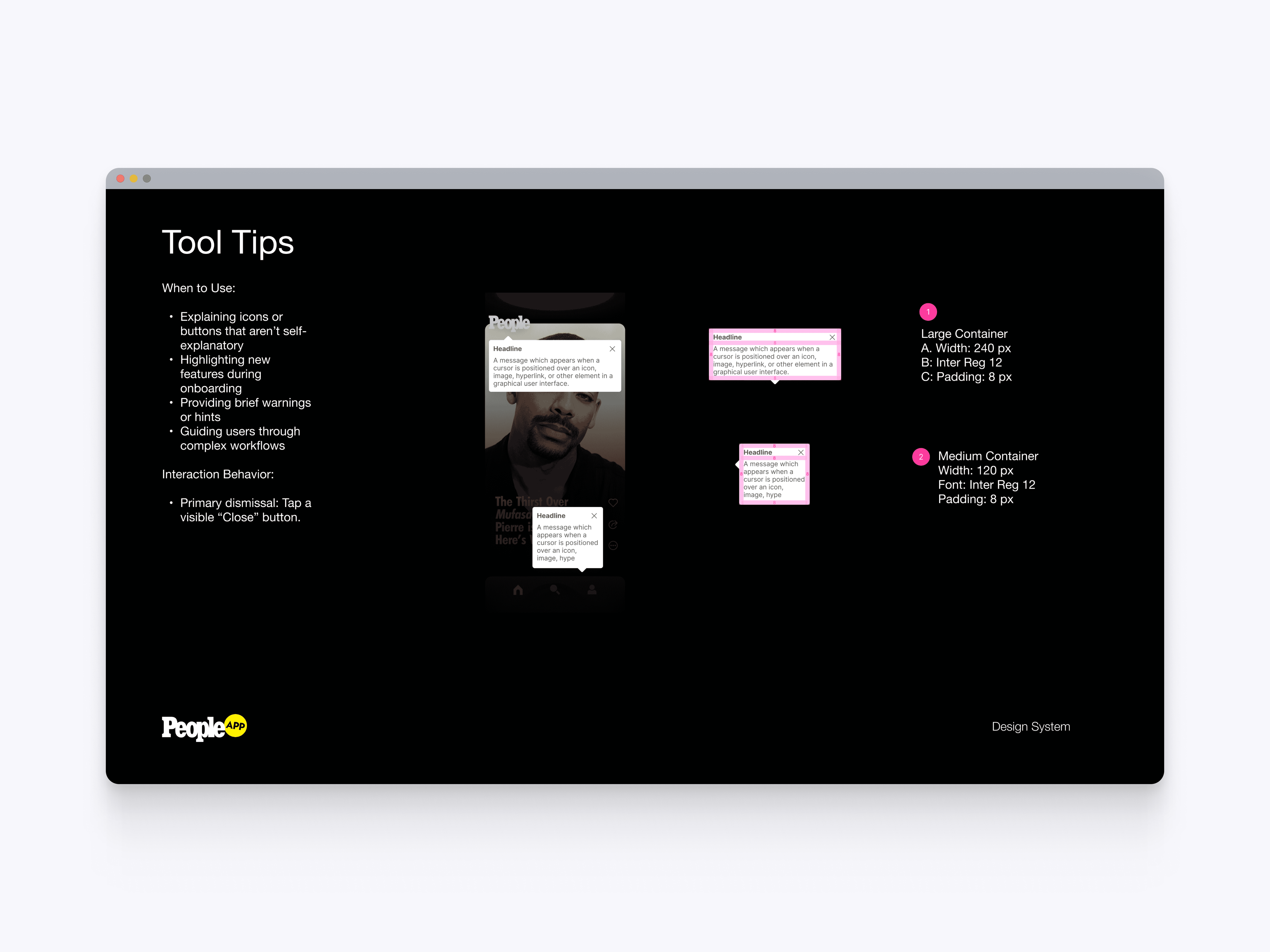
The tooltip guidelines define when to use tooltips, how they behave, and how they should be dismissed. This created a consistent approach for onboarding, hints, warnings, and complex workflow guidance across the app.
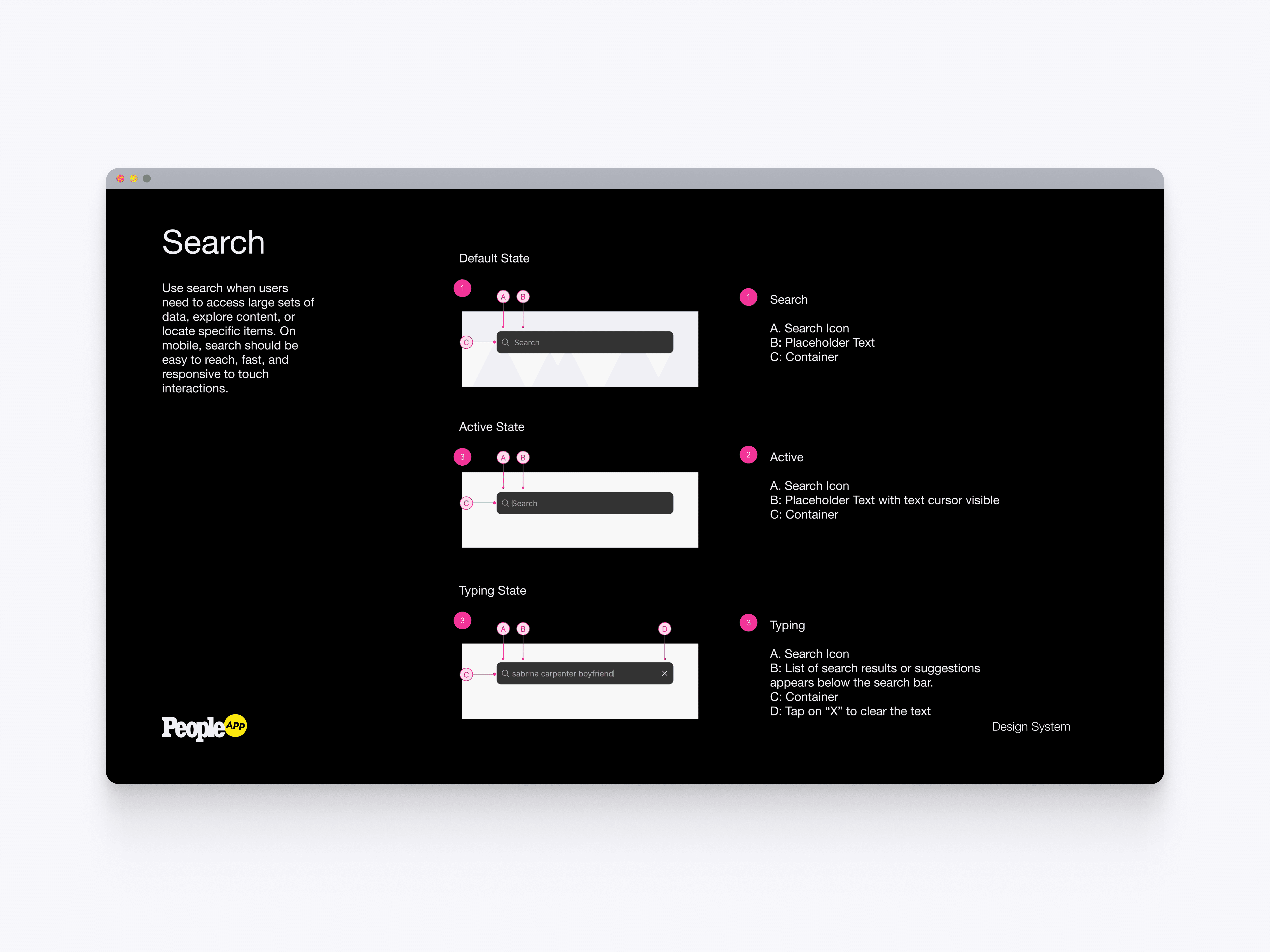
Search
The search component defines default, active, and typing states for search interactions. This gave teams a reusable pattern for search bars, placeholder text, clear actions, and responsive input behavior.
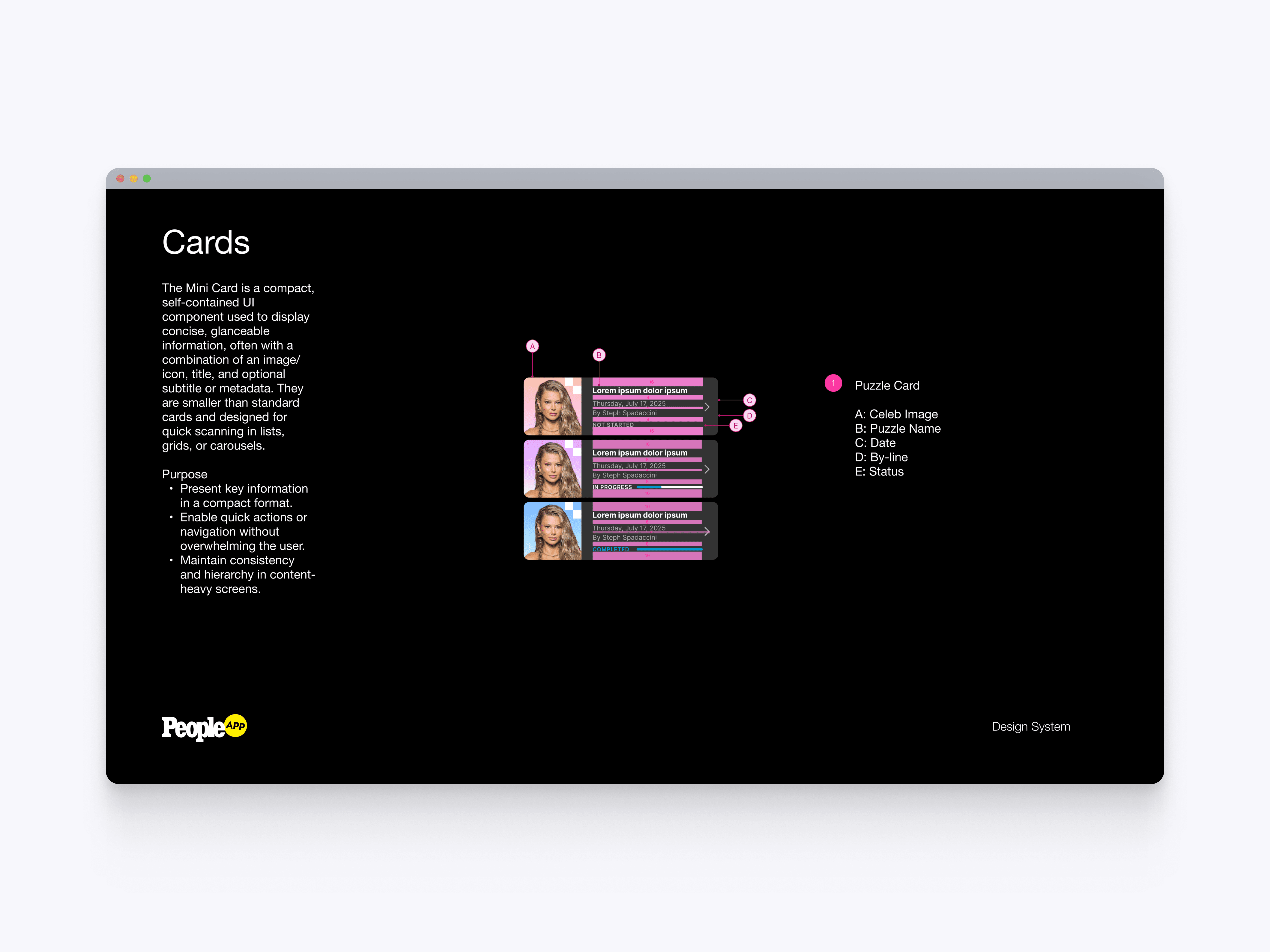
Cards
The mini card component defines a compact layout for scannable content, puzzle entries, metadata, and status labels. This helped support dense content areas while preserving hierarchy, clarity, and quick navigation.
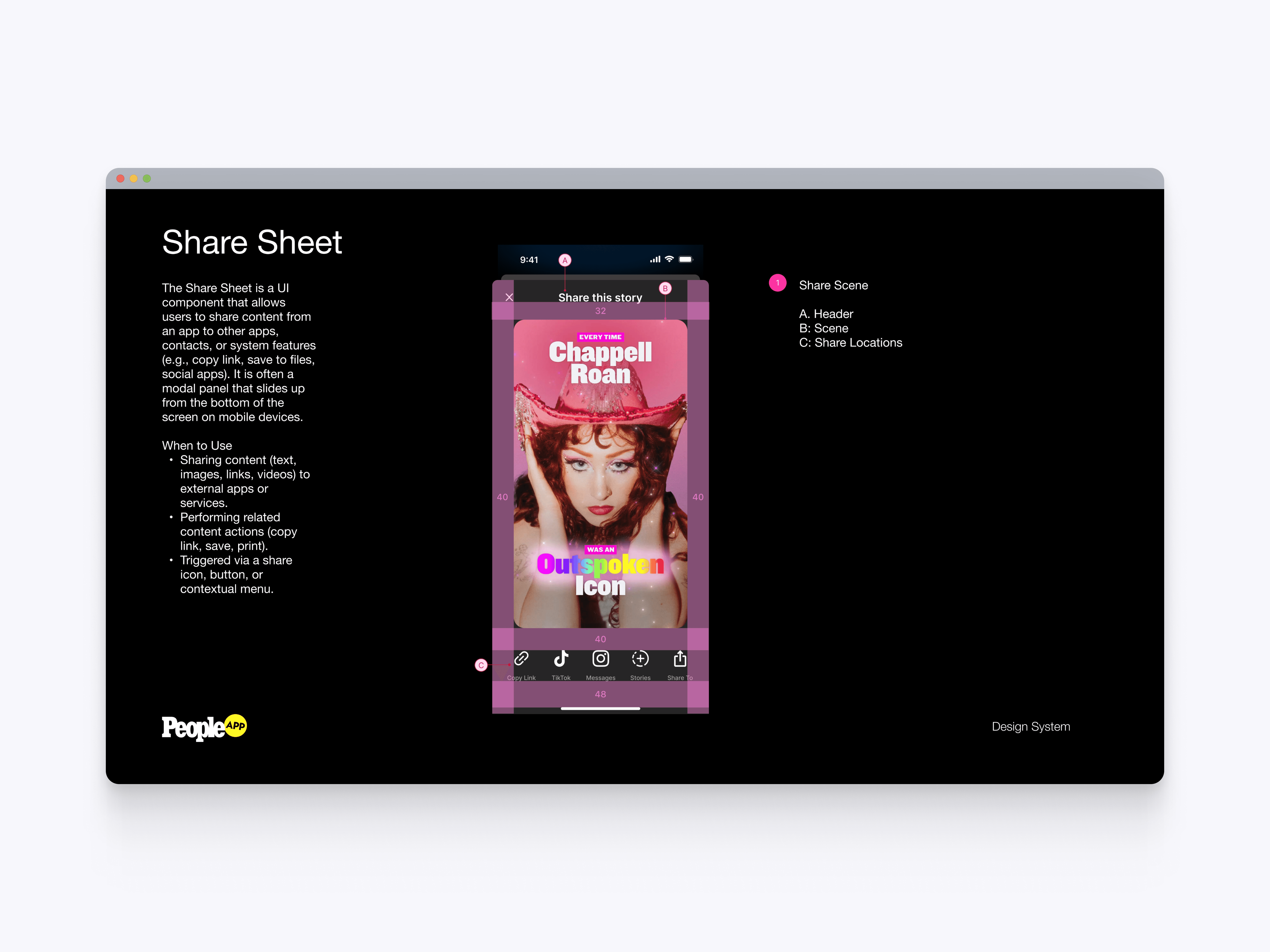
Share Sheet
The share sheet component defines how users share PEOPLE content to other apps, contacts, and system destinations. This created a consistent sharing pattern for story scenes while keeping key actions easy to access from the bottom of the screen.
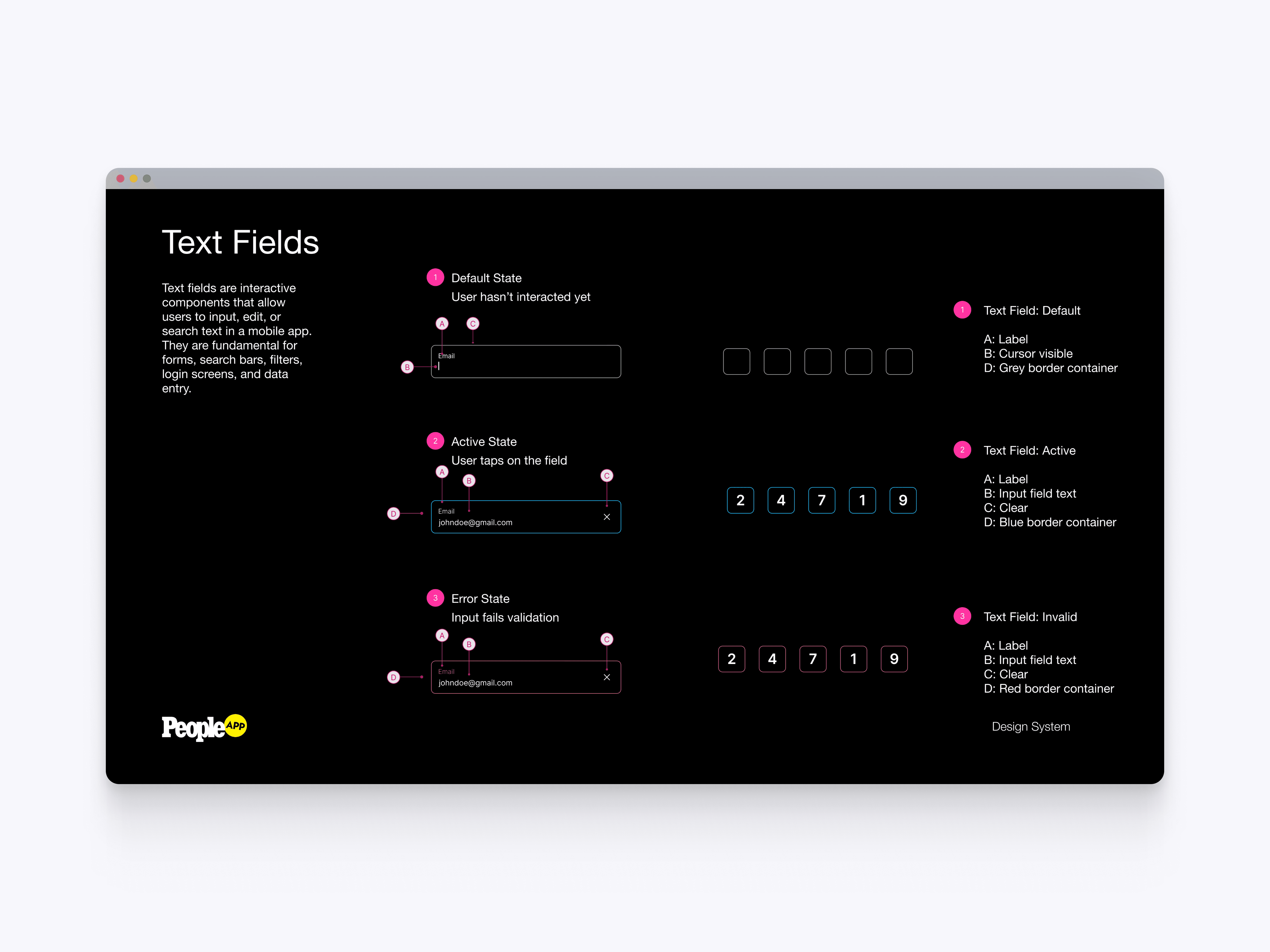
Text Fields
The text field system defines default, active, and error states for forms, search bars, login screens, and data entry. This helped standardize input behavior across the app while giving users clear feedback during account and verification flows.
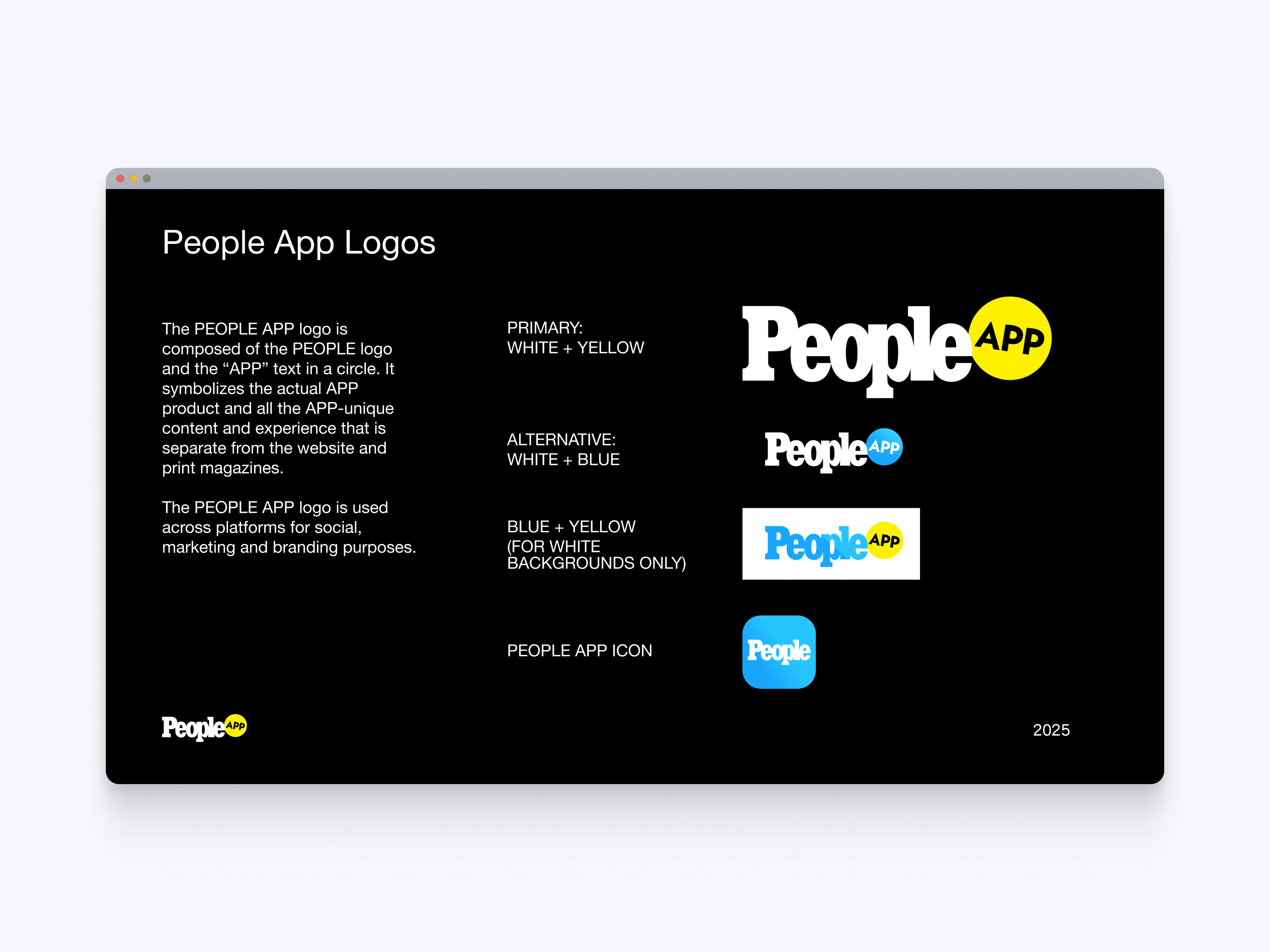
App Logo System
The app logo system defines primary, alternate, and icon versions of the PEOPLE App brand. This helped separate the app experience from PEOPLE.com while maintaining a clear connection to the larger PEOPLE identity.
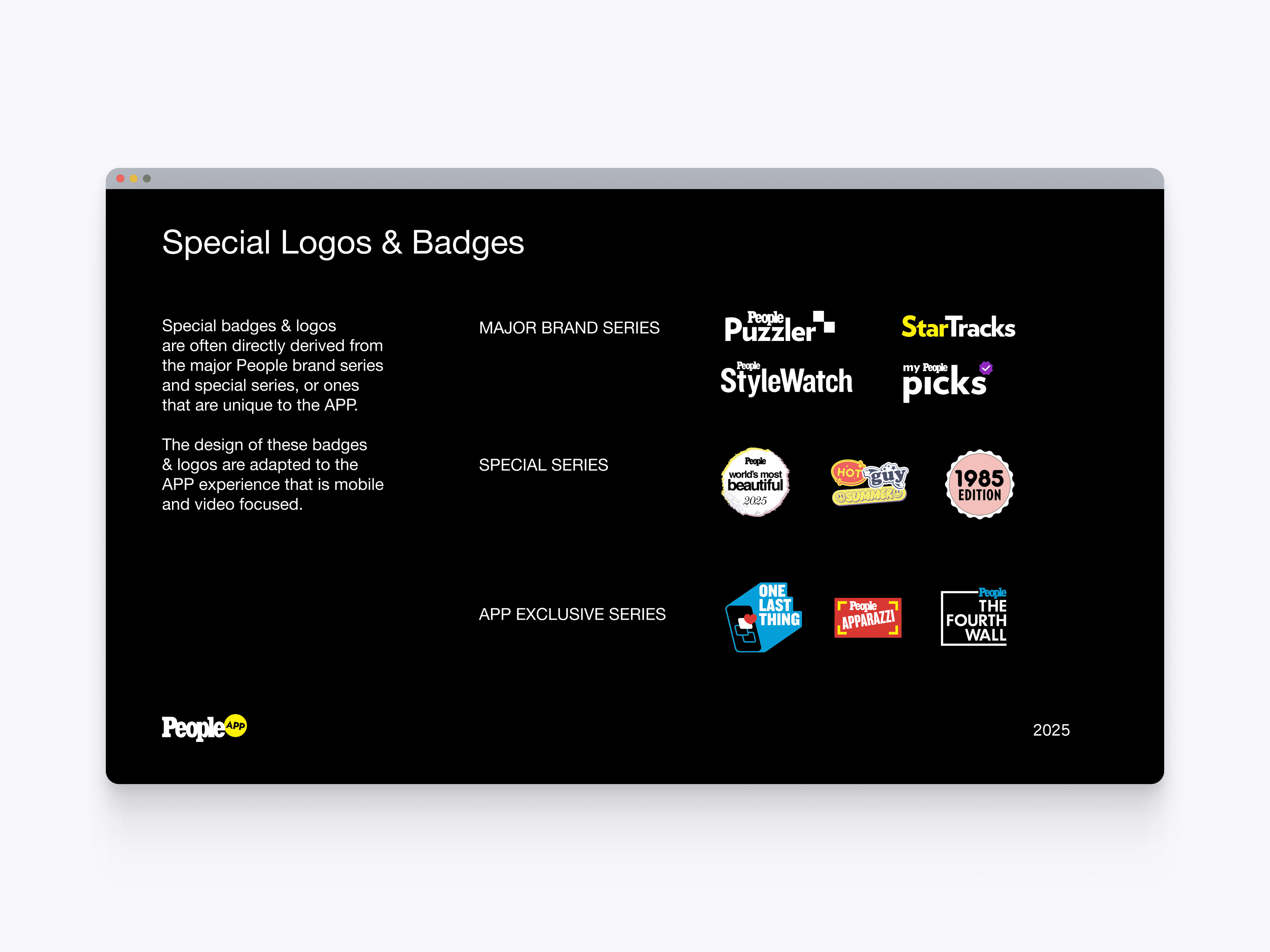
Special Logos & Badges
The logos and badges system organizes major brand series, special series, and app-exclusive identities. This gave editorial and product teams a consistent way to represent franchises, collections, and branded content inside the app.
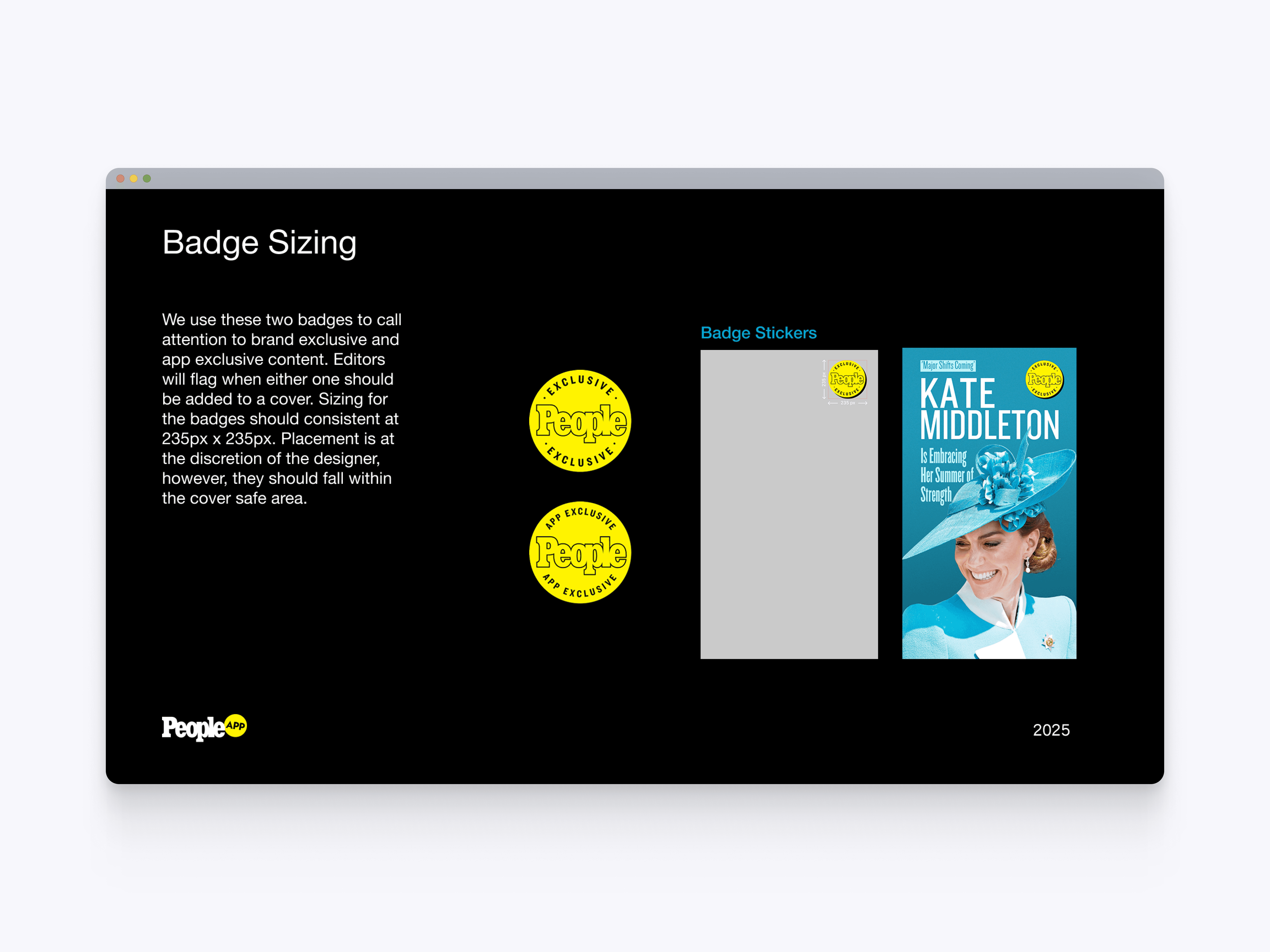
Badge Sizing
The badge sizing guidelines define how exclusive and app-only badges should scale and sit within editorial covers. This helped keep branded callouts visible, consistent, and safely placed across app-exclusive content.
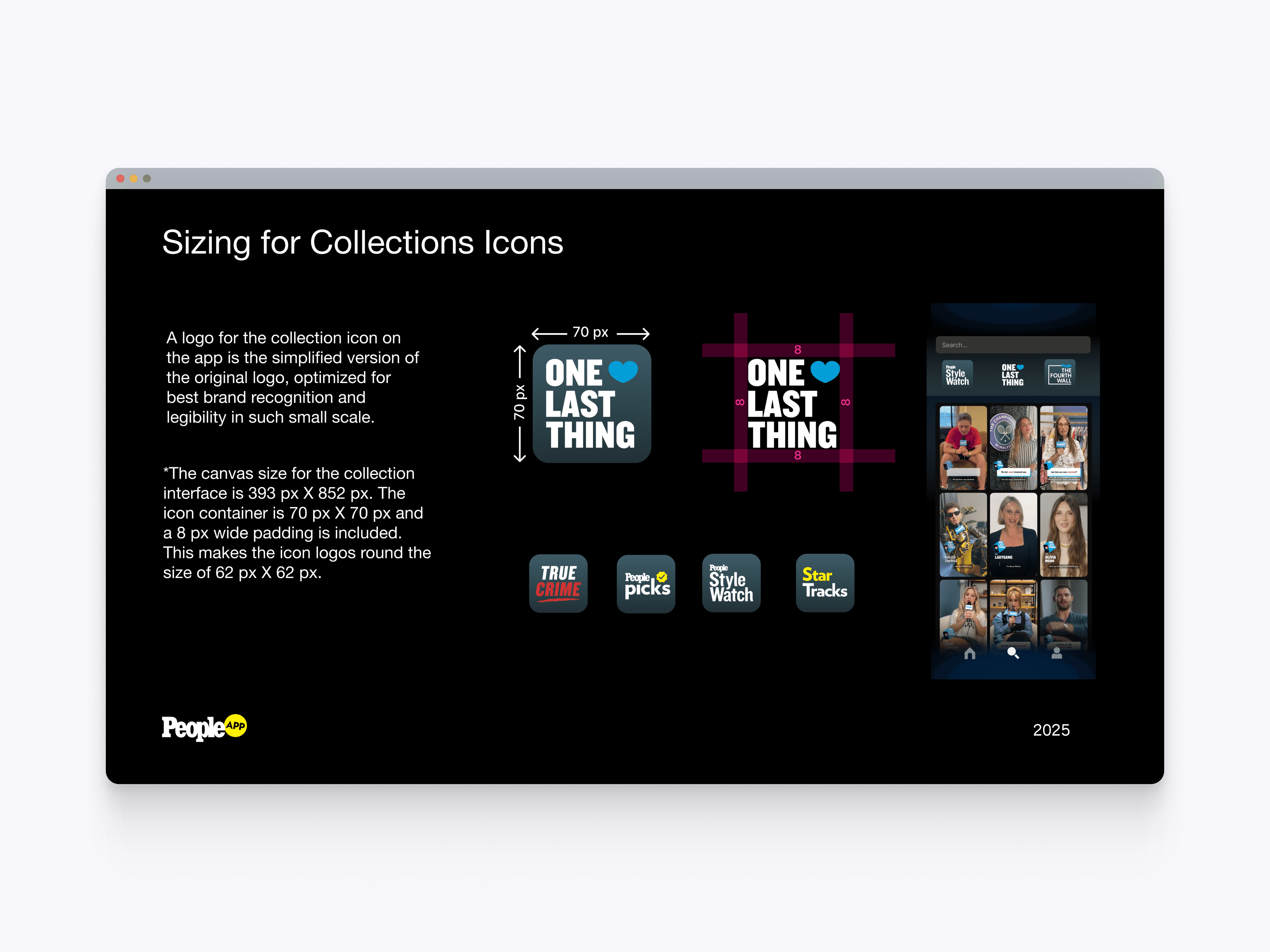
Collection Icon Sizing
The collection icon sizing system defines how franchise logos are simplified and scaled for small app surfaces. This helped maintain brand recognition and legibility across the Collections feed and carousel navigation.

Eyebrow Typography
The eyebrow typography examples show how supporting labels can add context, hierarchy, and editorial tone to story covers. These variations helped create more flexible visual treatments while keeping headlines scannable and structured.
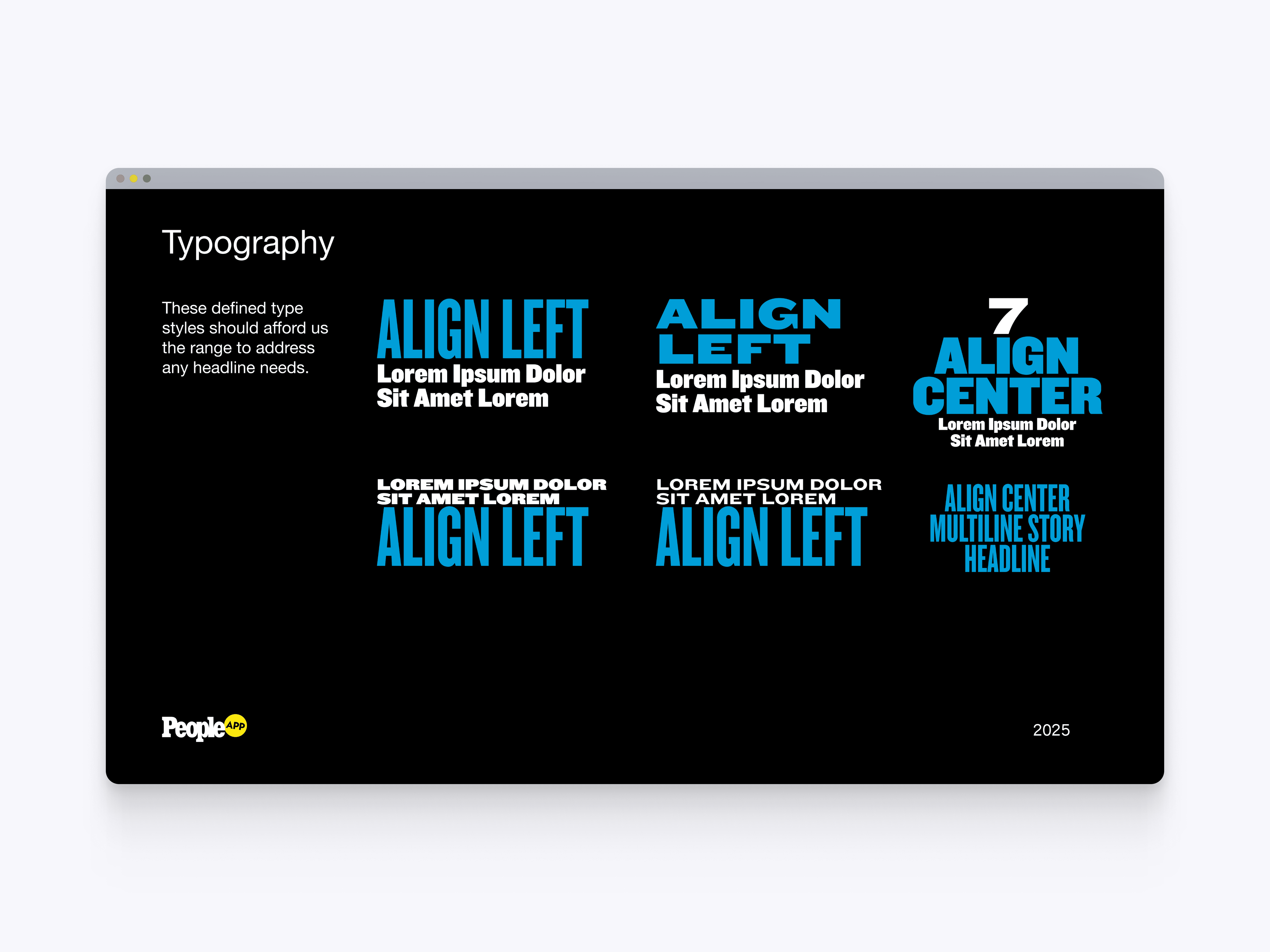
Headline Typography
The headline typography system defines flexible layouts for large editorial story treatments. This gave the app a stronger visual language for entertainment content while supporting different alignments, headline lengths, and emphasis levels.
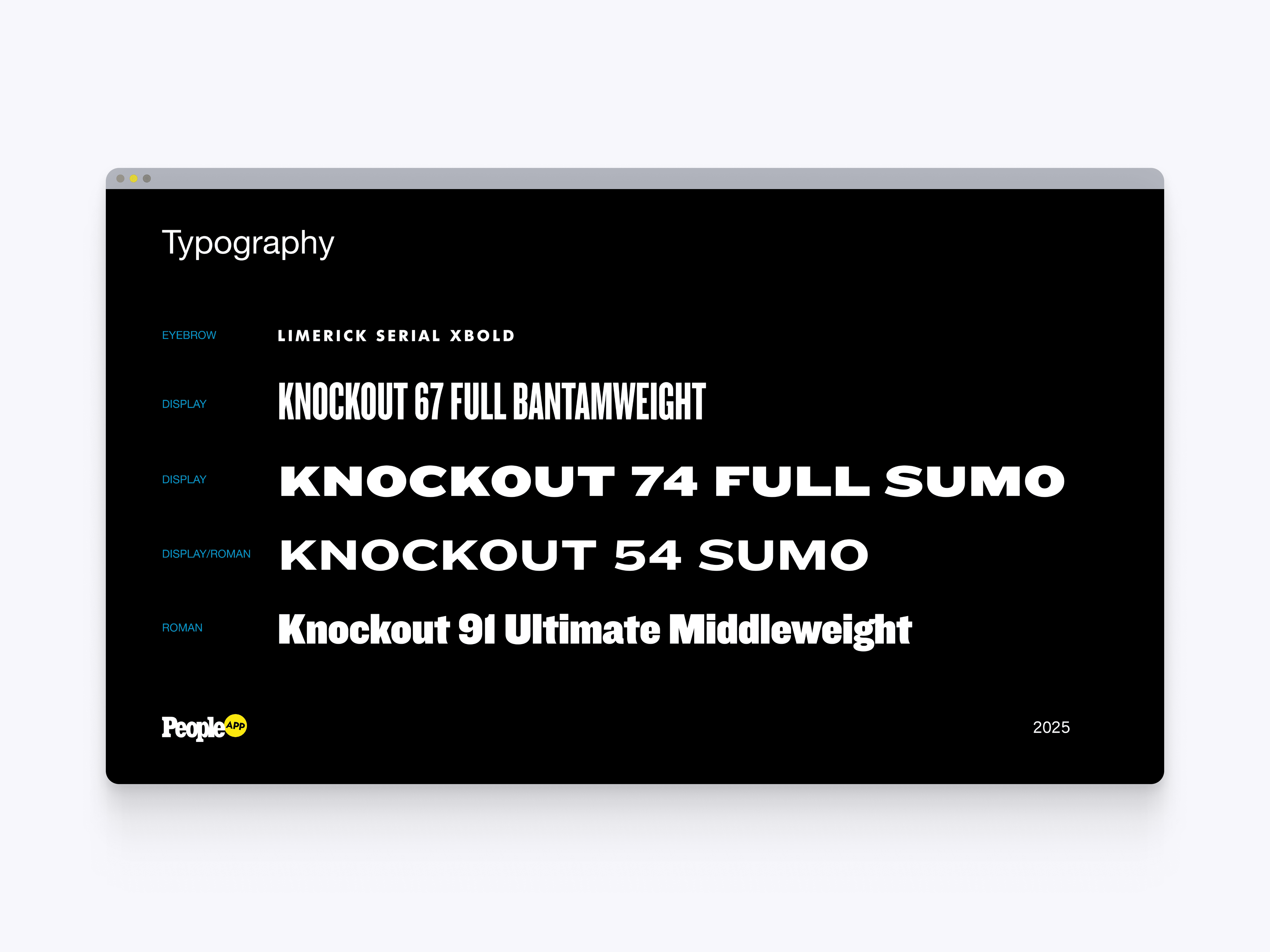
Display Type System
The display type system defines the expressive typefaces used for high-impact editorial moments. This helped the app create a more distinct visual identity while giving designers clear rules for headline styling and brand expression.
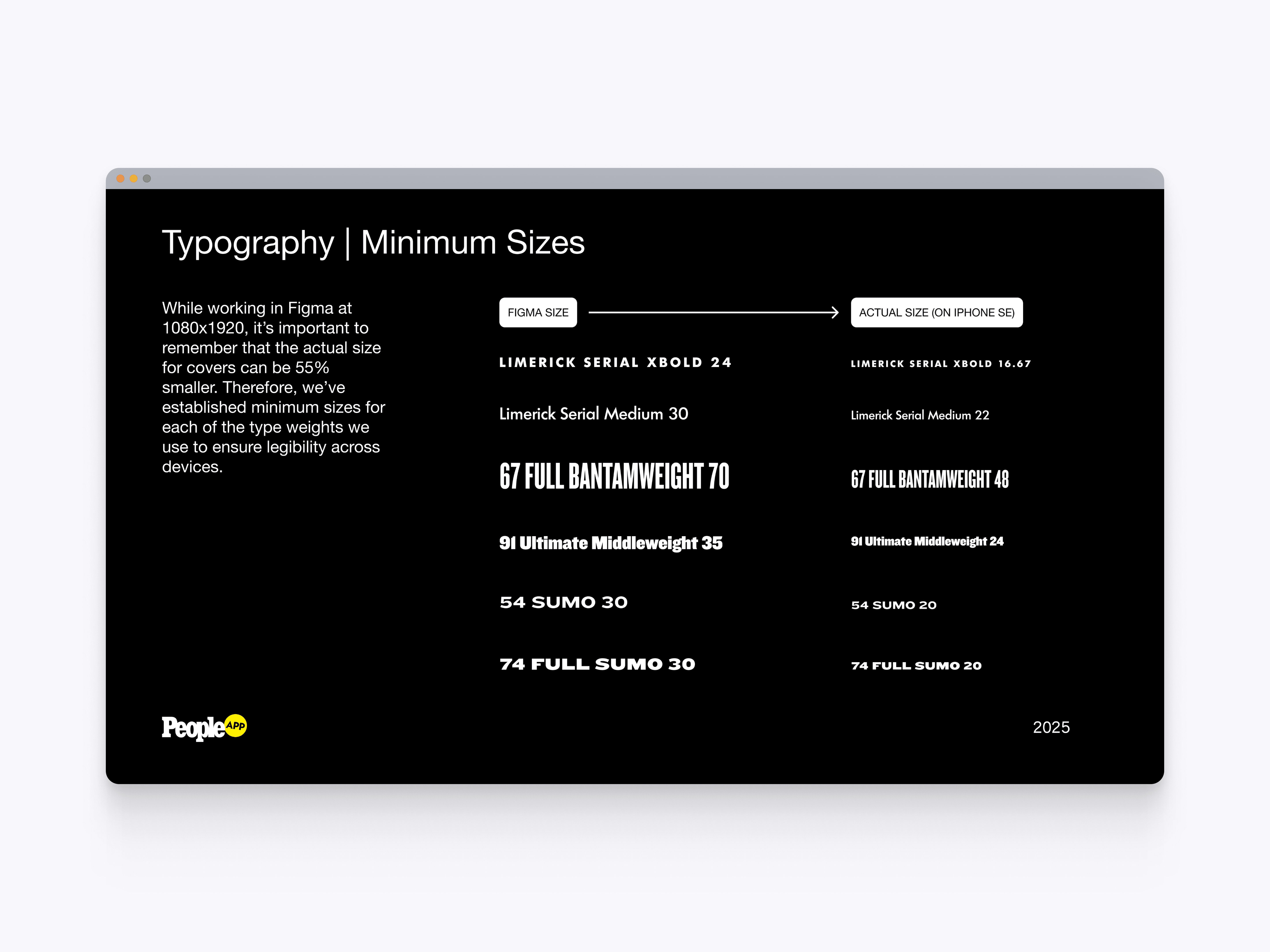
Typography Minimums
The typography minimum size guidelines define legibility rules for mobile story covers across device sizes. This helped ensure editorial text stayed readable when designs scaled down from Figma layouts to real phone screens.

Basic Headline Examples
The basic headline examples show standard ways to combine imagery, badges, eyebrows, and headline typography on story covers. These examples helped designers create consistent editorial layouts without reinventing the structure for every story.
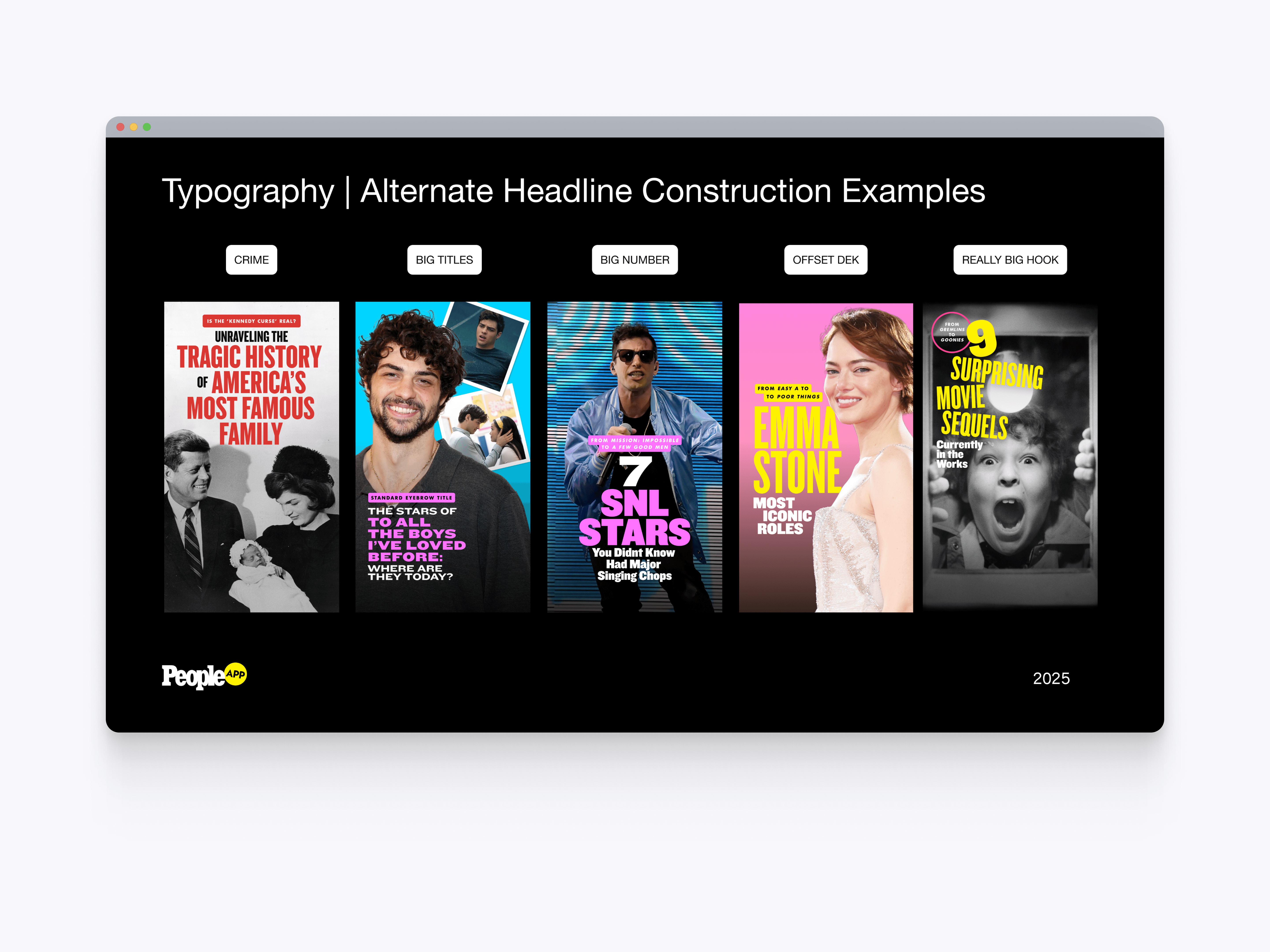
Alternate Headline Examples
The alternate headline examples show more expressive layout options for crime stories, big titles, number-led covers, offset decks, and oversized hooks. These patterns gave the app more editorial range while keeping each treatment grounded in the same design system.