People App 1.0
About the project
Timeline
Oct '24 - June '25
My role
Product Designer
Platforms
Mobile
Problem
PEOPLE had a large digital audience, but no dedicated mobile app experience built for fast, visual entertainment discovery. The challenge was creating a new product from scratch that could bring articles, videos, celebrity news, and editorial packages into a more app-native format.
Goal
Launch the first version of the PEOPLE App as a polished, scalable mobile product. The experience needed to support onboarding, content discovery, account creation, search, saved content, and a flexible foundation for future growth.
Outcomes & Results
The PEOPLE App launched at #1 in the App Store and grew to 750K+ downloads within 12 months. The product scaled to 265K monthly active users and contributed to 2.1M monthly sessions across the platform since release.
The launch gave PEOPLE a new owned mobile channel for entertainment discovery and created the foundation for future engagement features, including collections, games, puzzles, and retention-focused lifecycle flows.
Key Learnings
Designing for Launch Means Prioritizing the Foundation
For a 1.0 release, the most important design work was creating a strong product foundation rather than solving every future use case at once. Core flows like onboarding, navigation, content discovery, account creation, and permissions had to be simple, scalable, and ready for post-launch iteration.
Onboarding Is an Activation Tool
The first-time user experience had to quickly show users how the app worked and why it was worth returning to. Guest access, account creation, permission prompts, and gesture education became key parts of reducing friction and improving early engagement.
Cross-Functional Design Requires Clarity
As the sole designer, I had to make decisions easy for product, engineering, editorial, marketing, acquisition, and stakeholders to understand. Clear specs, direct rationale, and fast iteration helped keep the product aligned while moving from concept to launch on a tight timeline.
"How might we turn PEOPLE’s entertainment content into a mobile-first app experience that makes discovering, browsing, and returning to stories feel effortless?"
Account Creation Flow
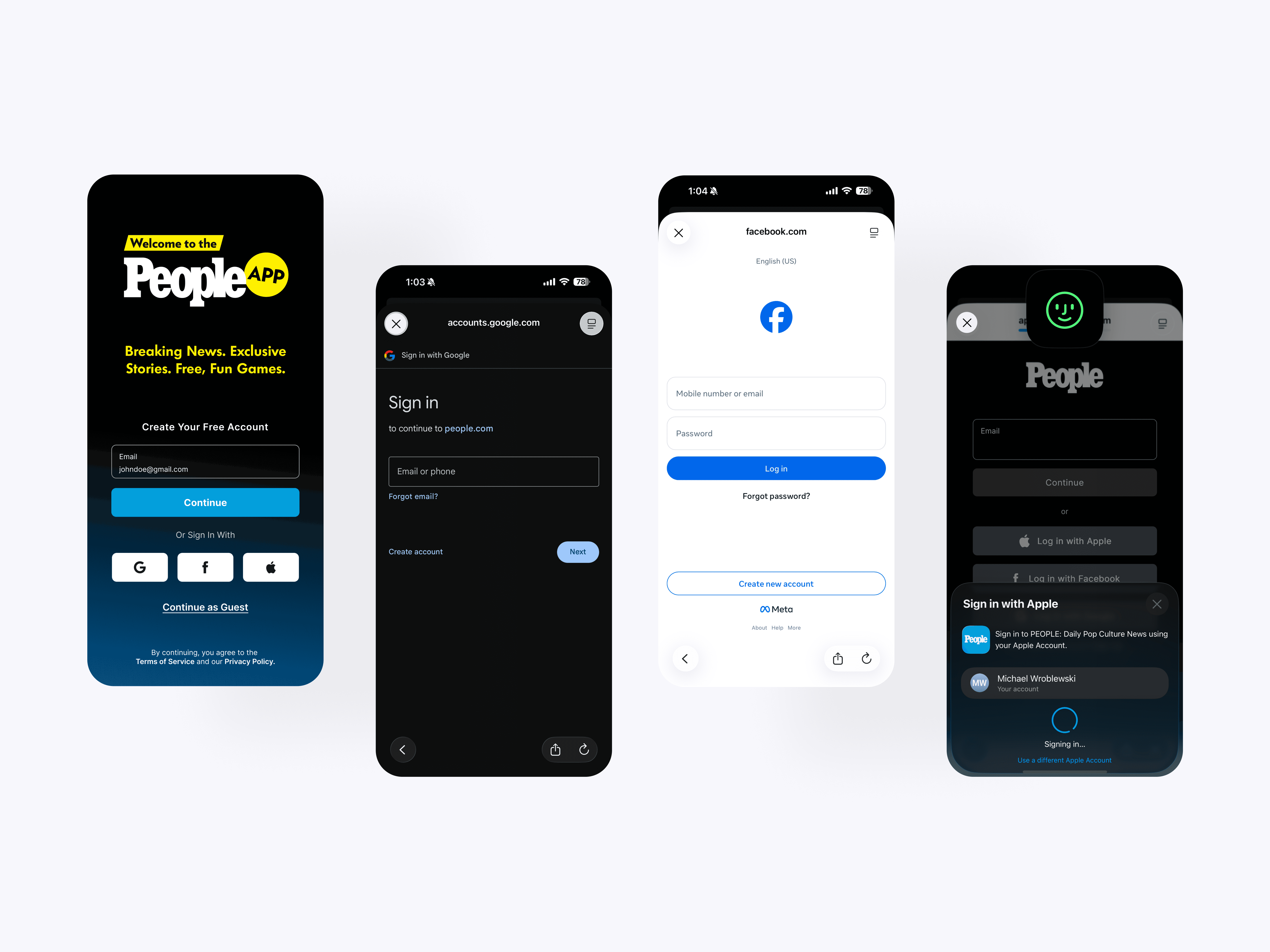
The account creation screen gives users multiple ways to join the PEOPLE app, including email, guest access, and social sign-in. This creates a flexible onboarding experience that helps new users enter the app quickly with less friction.
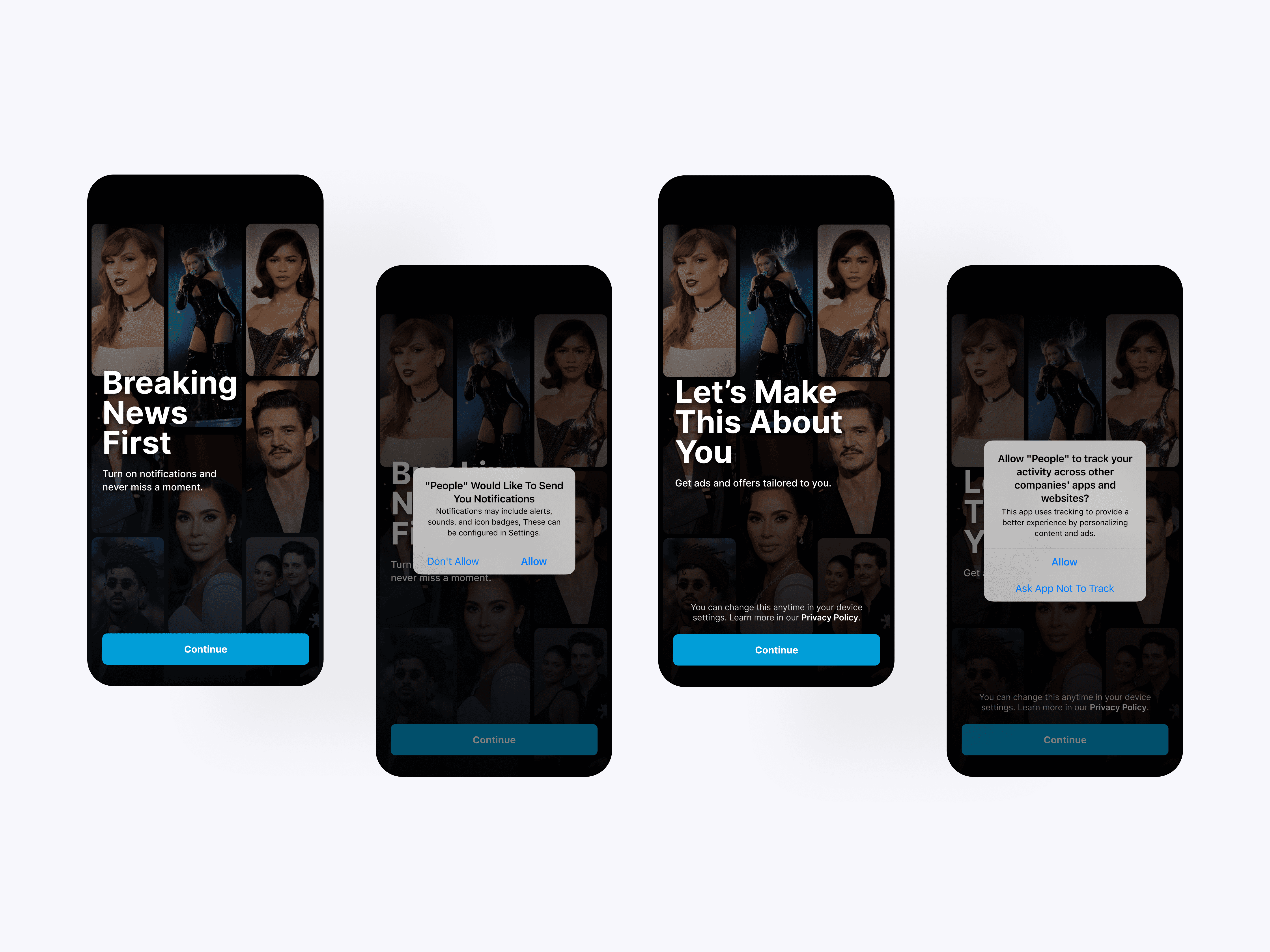
Permission Onboarding
The permission onboarding screens introduce push notifications and tracking prompts with clear user-facing value. Each screen gives users context before the system prompt appears, making the request feel more intentional and easier to understand.
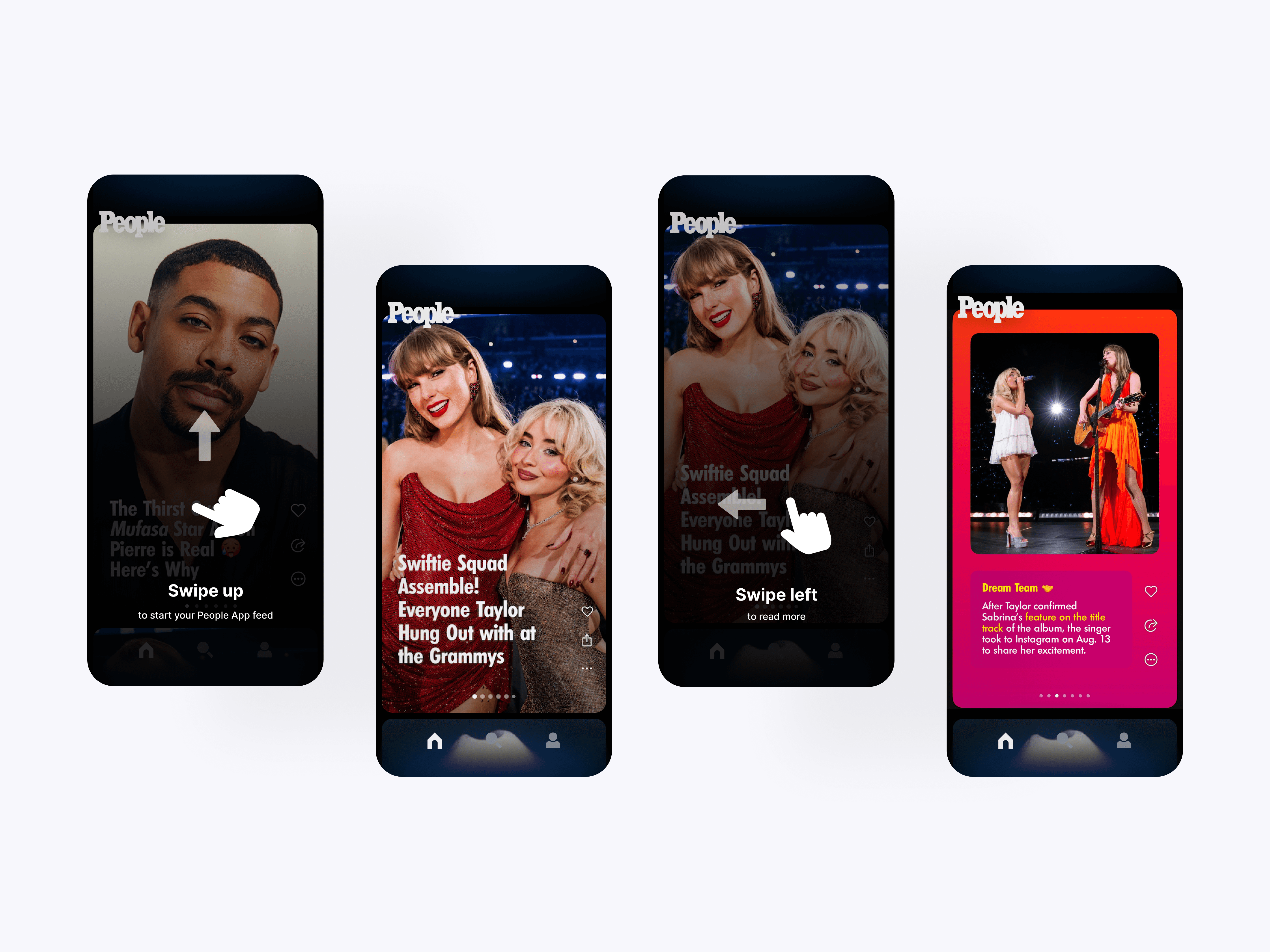
Gesture Education
The gesture education screens teach users how to navigate the PEOPLE app feed through simple swipe cues. These lightweight overlays help users understand vertical and horizontal movement without slowing down the browsing experience.
Core App Navigation
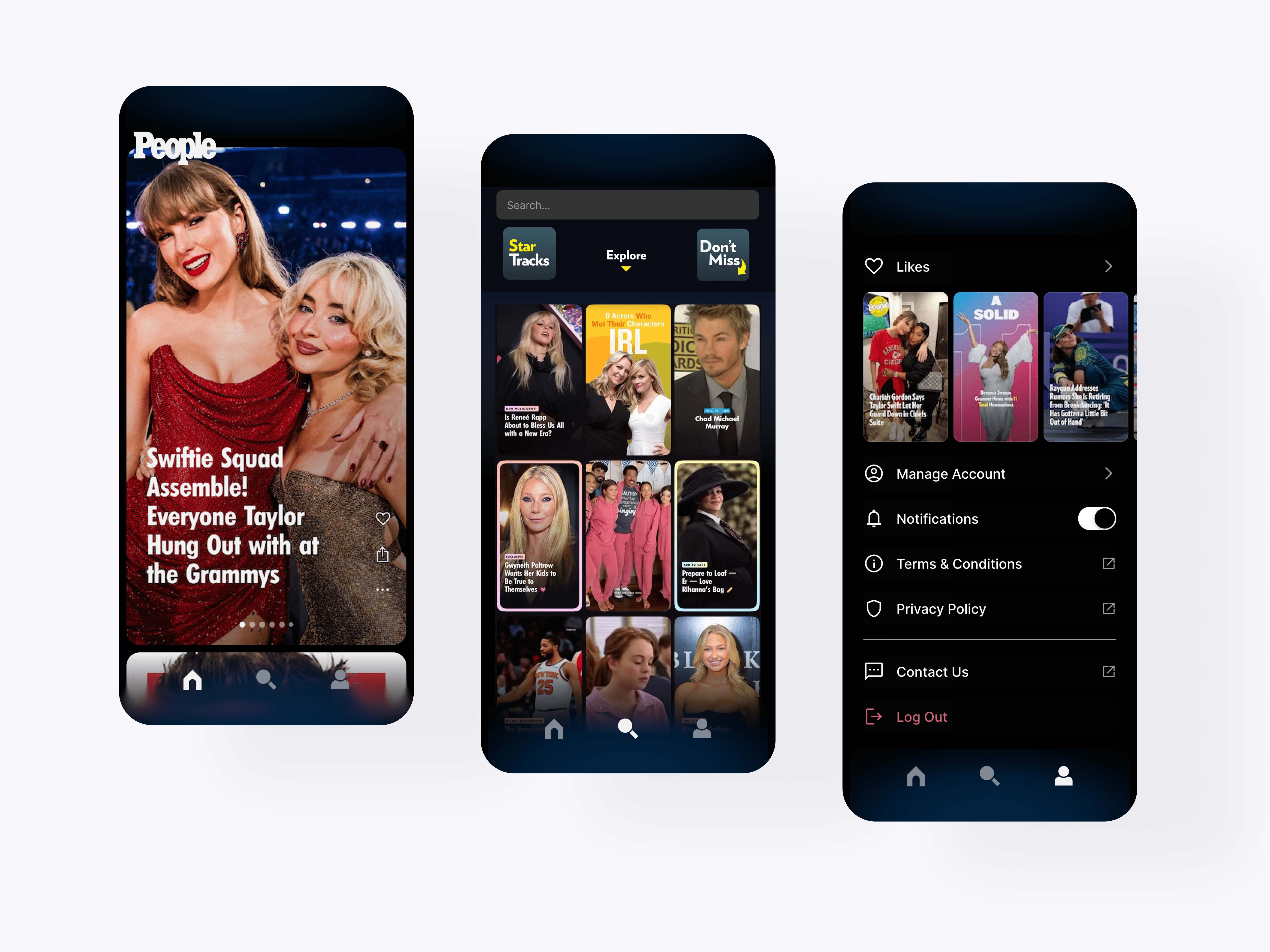
The core app navigation organizes the experience around Feed, Explore, and Account. This structure gives users a clear way to browse stories, discover new content, and manage their saved items and settings.
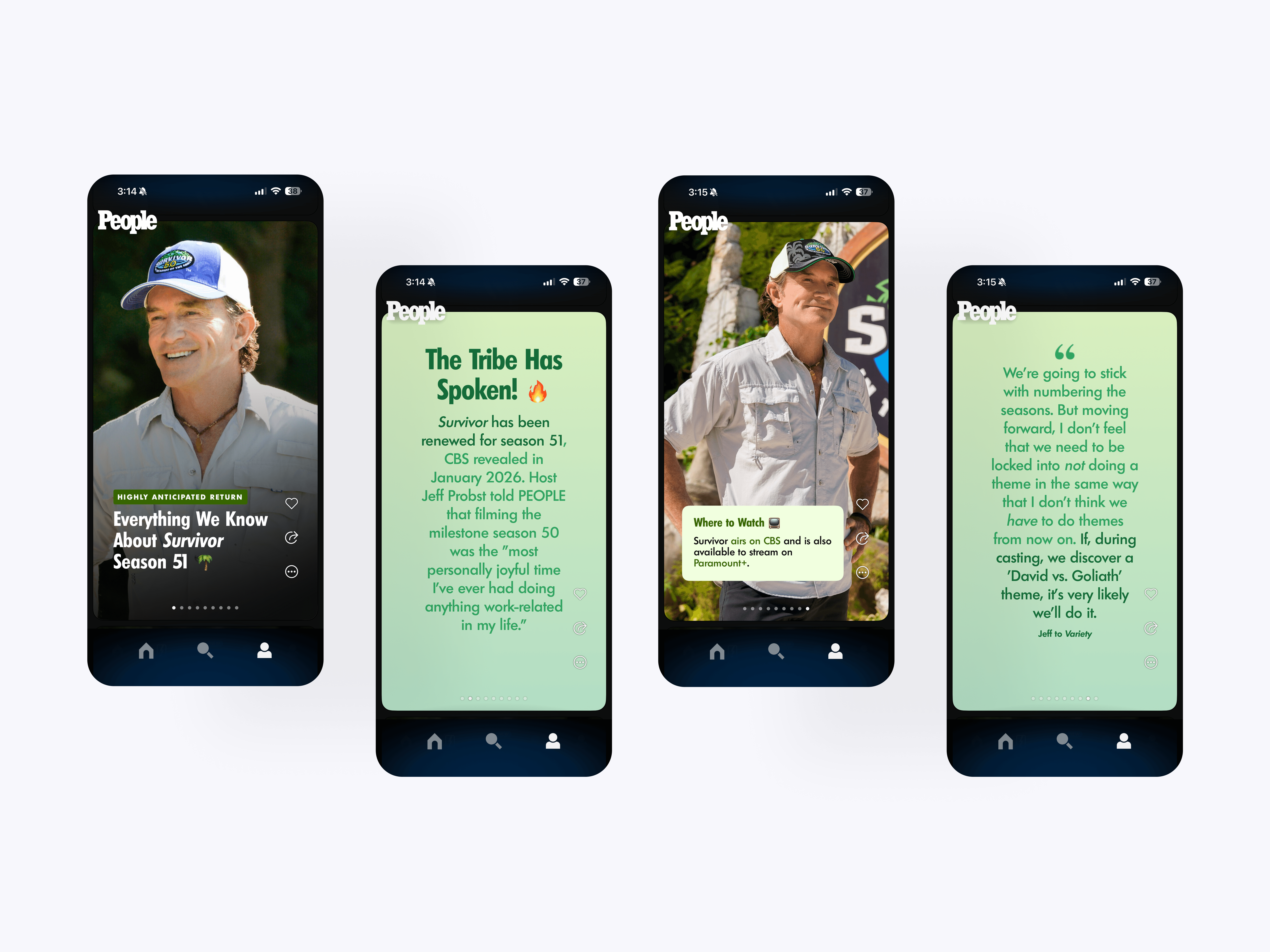
Horizontal Story Scenes
The horizontal story scenes were the first content format used to expand the PEOPLE app beyond a single vertical feed. Users could swipe through connected story moments, giving editorial content a more visual and interactive structure.

Content Scene System
The content format system builds on the original horizontal scene model with more ways to present PEOPLE stories, including image, video, quote, article, and informational layouts. These formats give editorial content more flexibility while keeping the browsing experience consistent and easy to understand.
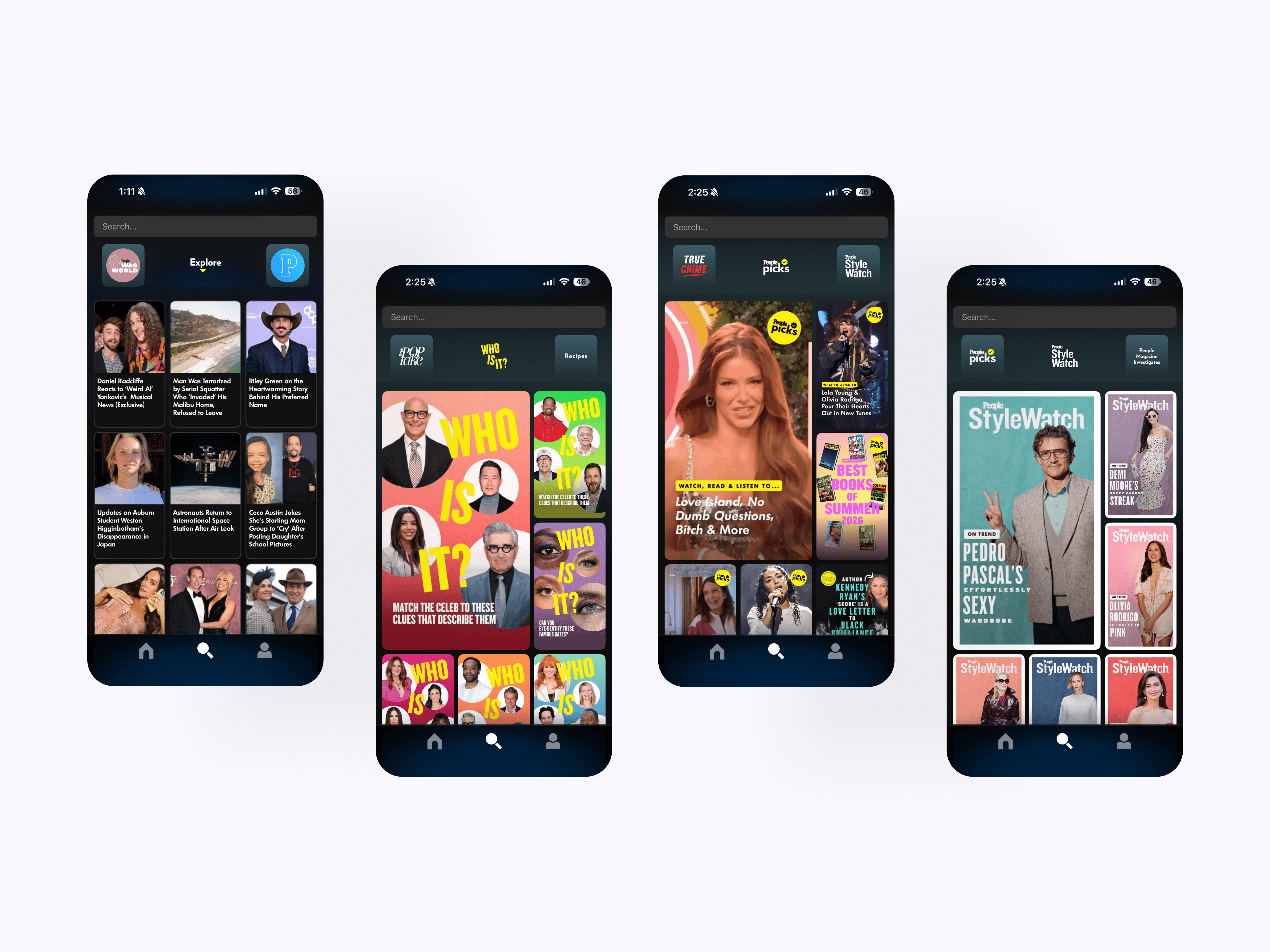
Explore Page & Collections Discovery
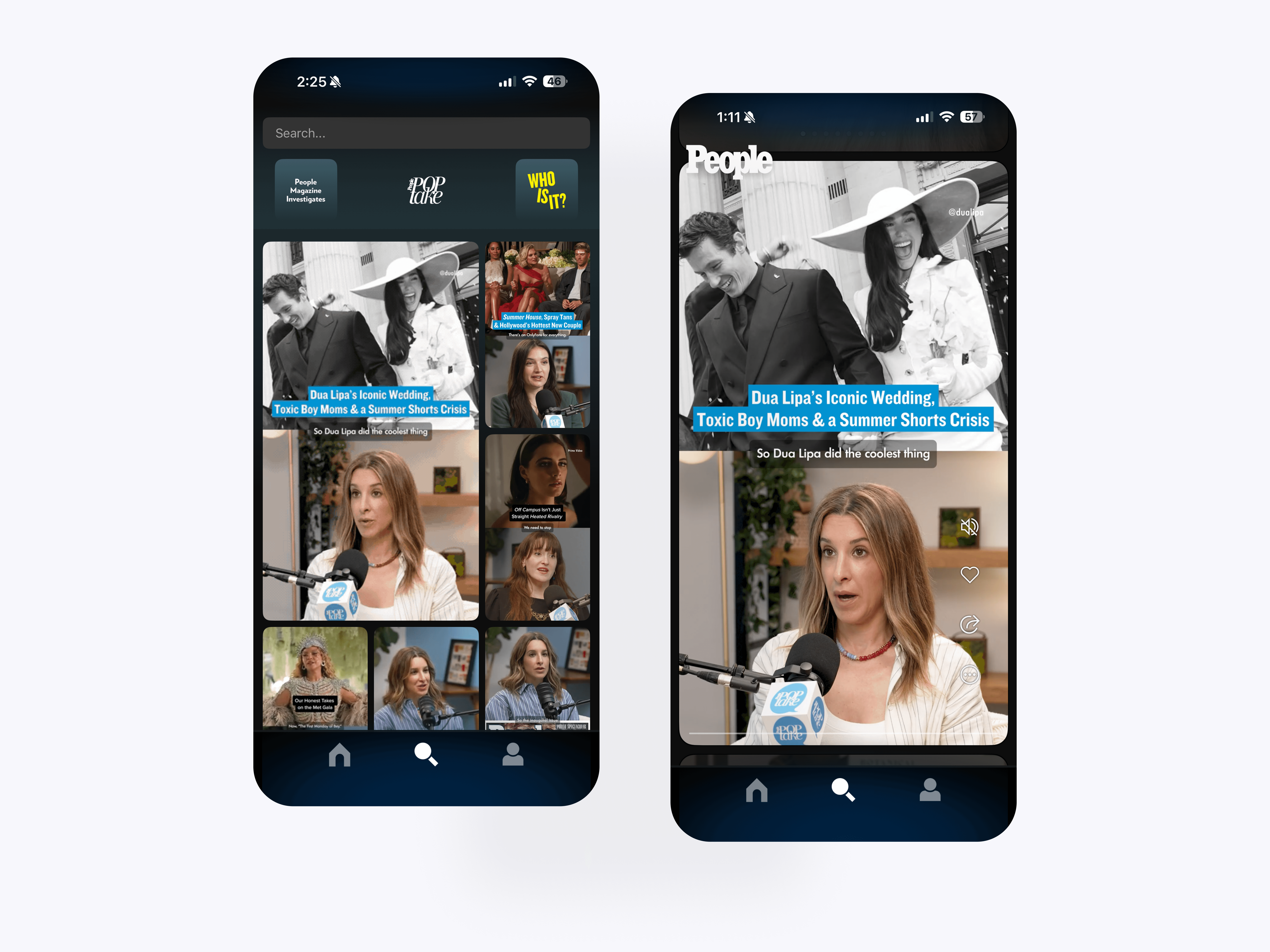
The Explore and collections feed gives users a dedicated way to browse curated PEOPLE story packages beyond the main feed. Collections group related stories around a topic, franchise, or editorial theme, letting users swipe through connected content from one focused entry point.
Collections Feed
The collections feed presents curated PEOPLE story groups in a more immersive, swipeable format. Users can move through themed editorial content while liking, sharing, and continuing into deeper stories.
Search Experience
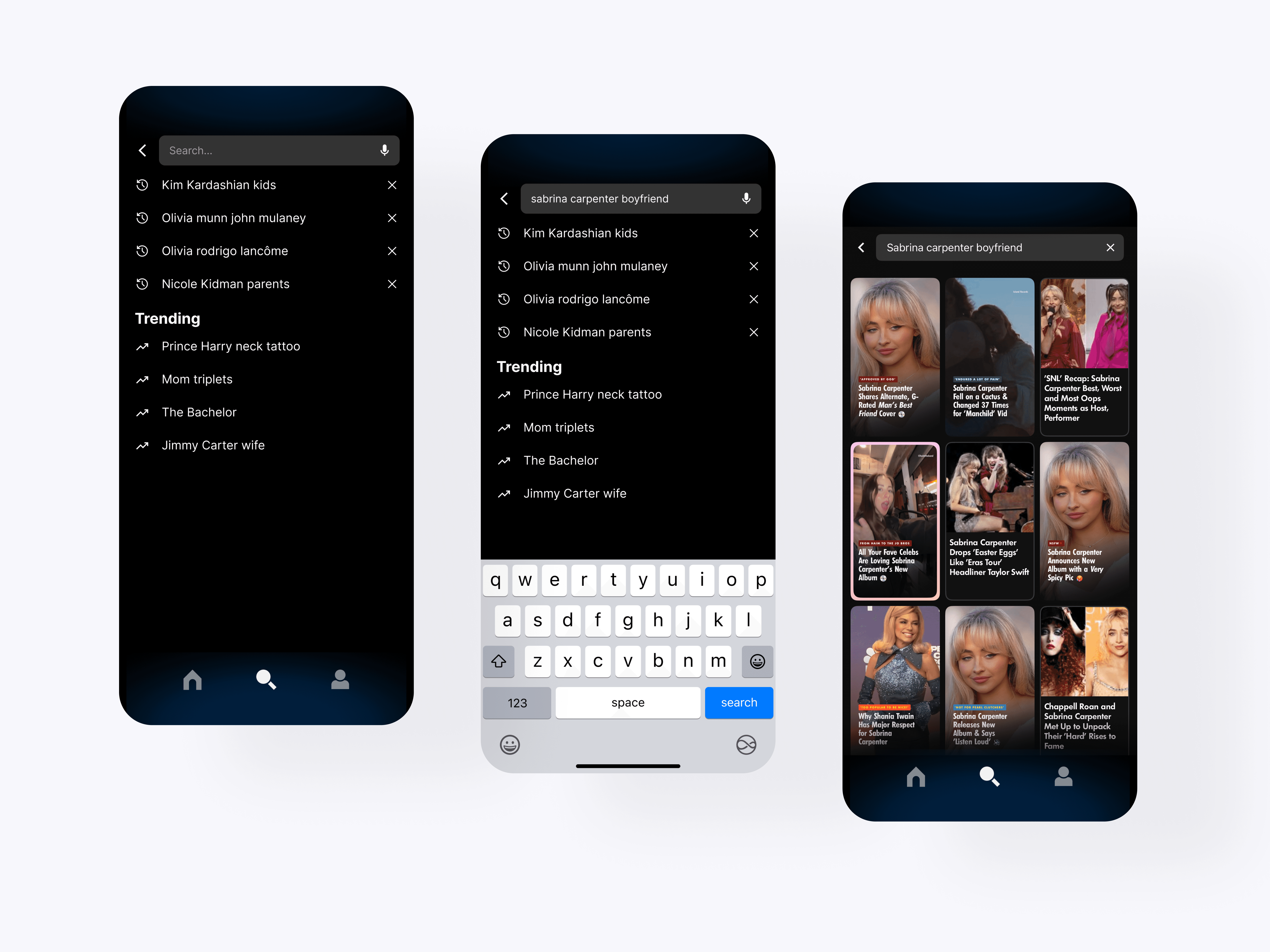
The search experience includes recent searches, trending topics, keyboard states, and visual results. This gives users a faster way to find specific celebrities, stories, and topics while still encouraging discovery.
Article Reading
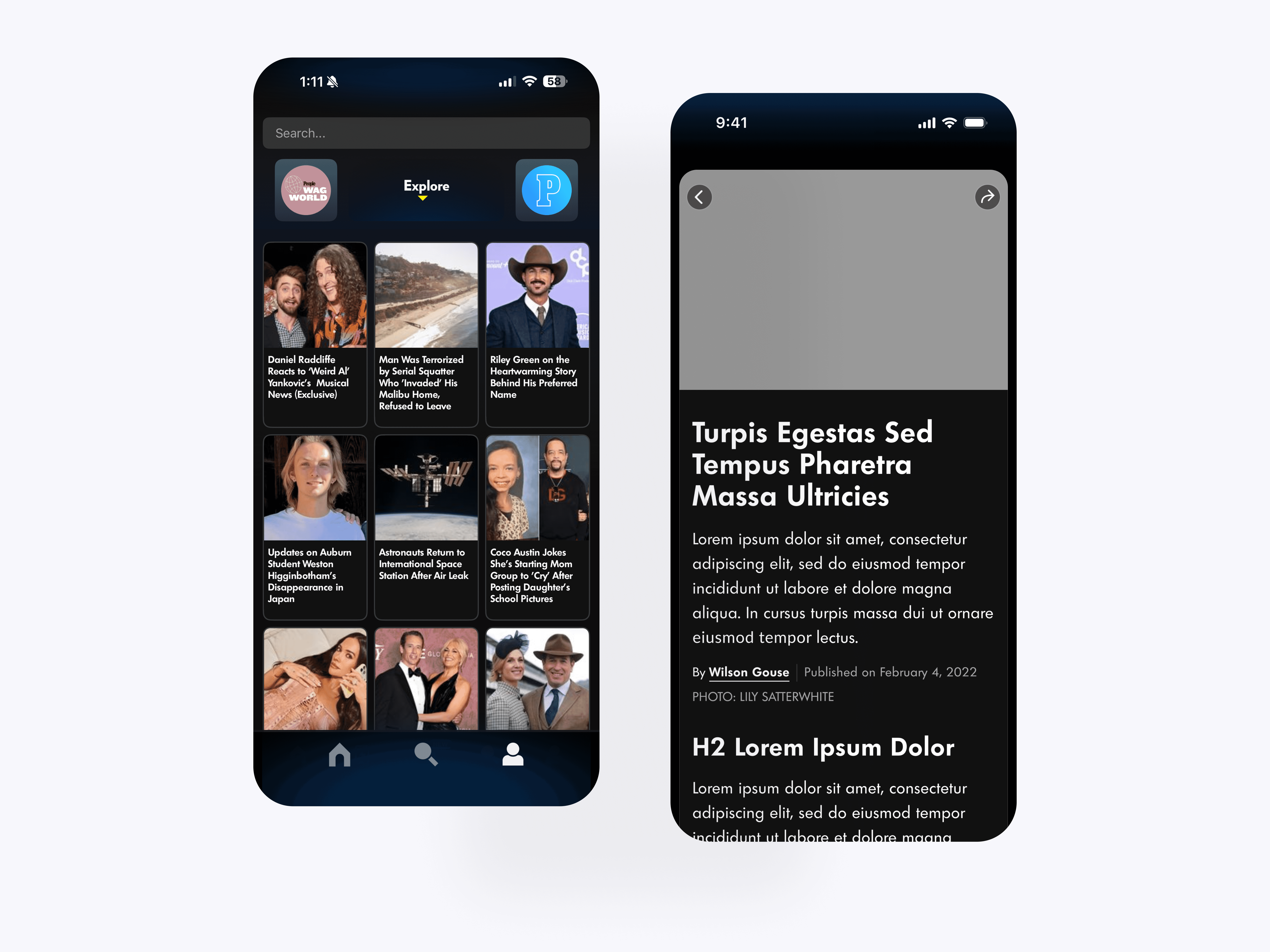
The article reading flow connects visual story discovery with long-form PEOPLE editorial content. Users can move from a feed card into a full article while keeping the app’s dark, immersive visual system intact.
Account Hub
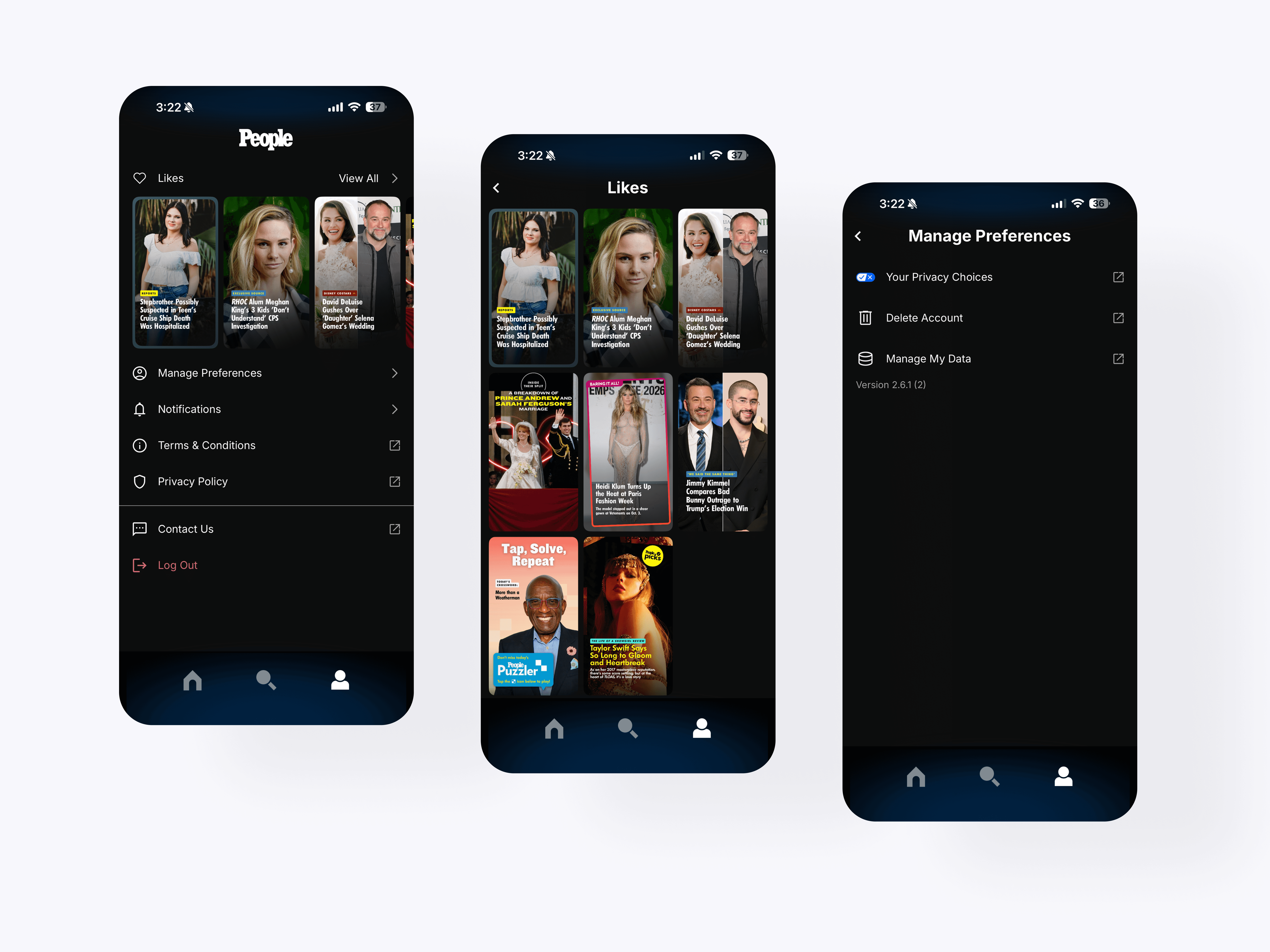
The account hub brings likes, preferences, notifications, privacy, support, and account management into one place. This gives users a simple way to control their experience and return to saved content.
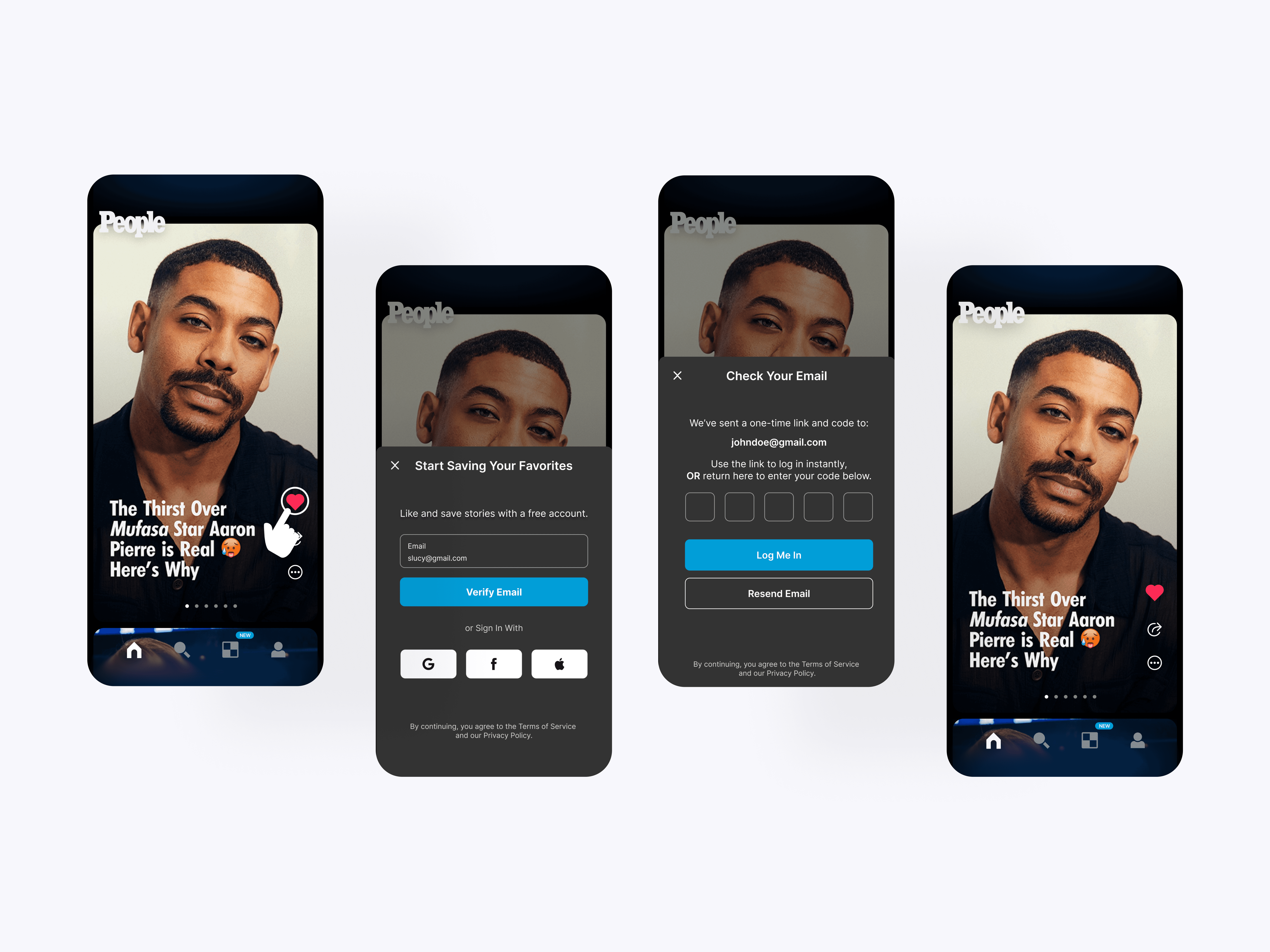
Guest Mode - Likes
The save to favorites flow introduces account creation at the moment a user tries to like a scene. This turns a high-intent action into a natural sign-up prompt while still keeping the content experience accessible.
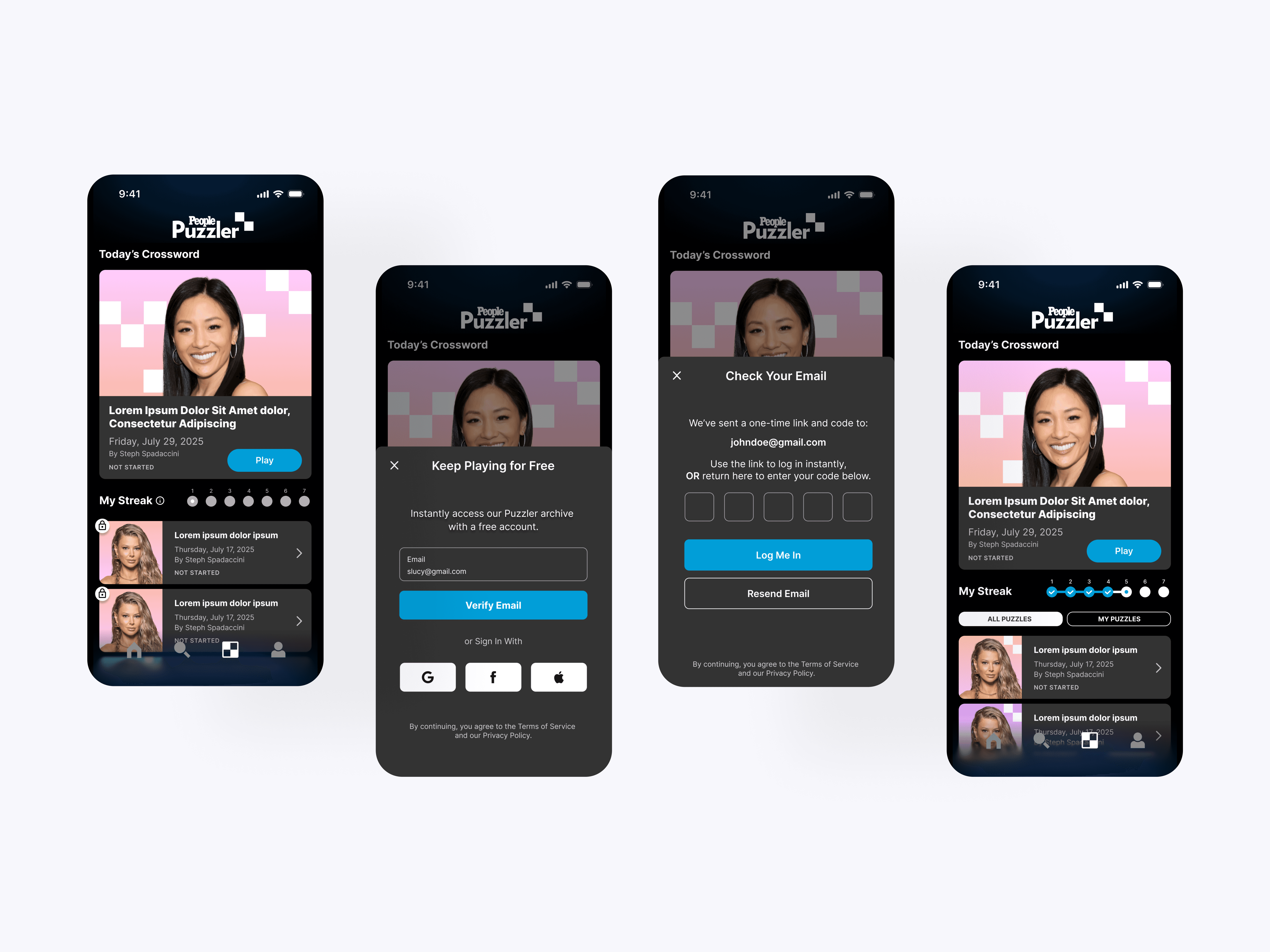
Game Archive Access
The Puzzler access flow introduces users to PEOPLE’s daily crossword experience and puzzle archive. Users can preview available puzzles while account creation unlocks continued play and saved progress.
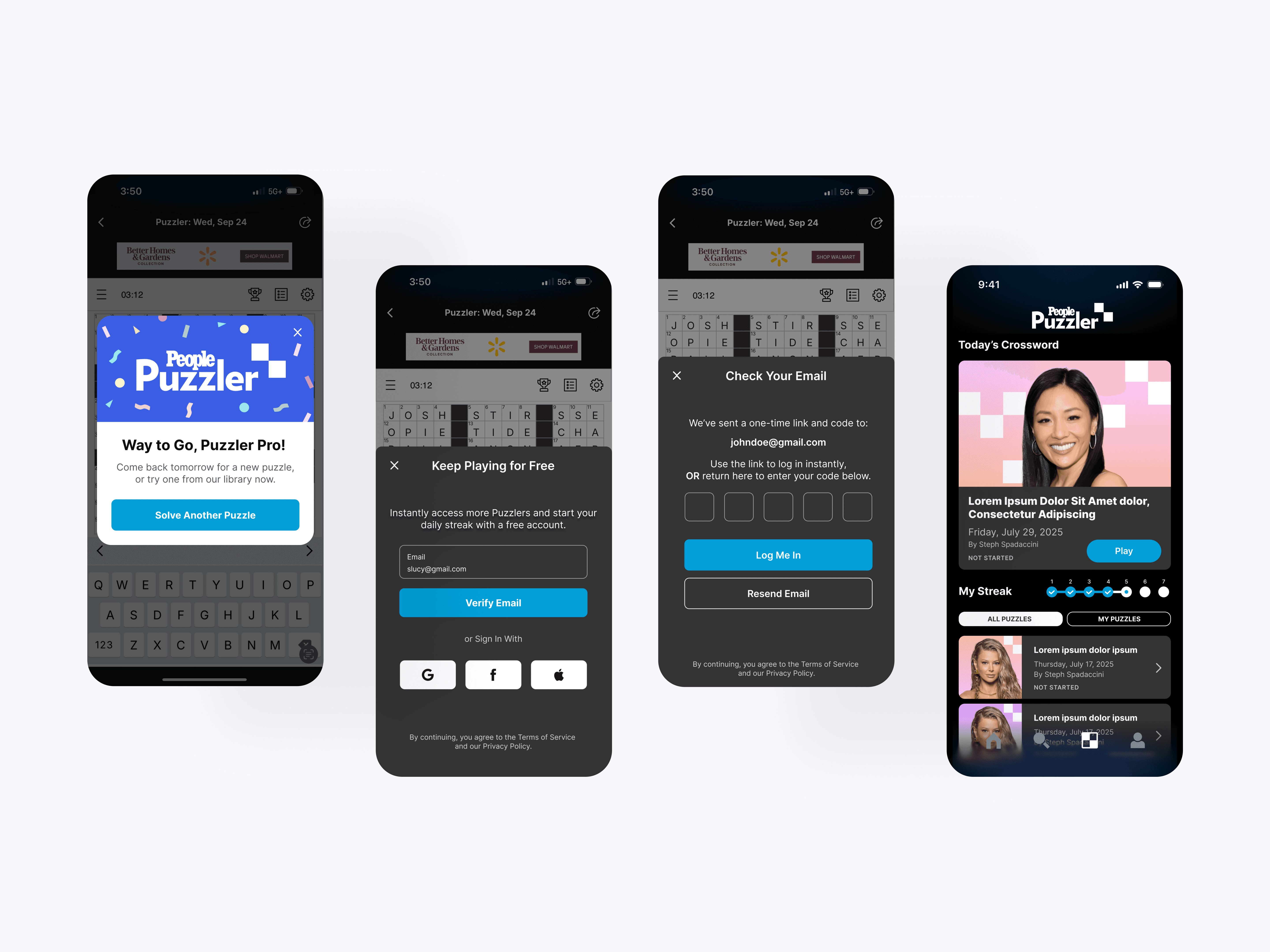
Game Retention
The Puzzler retention screens support daily play through completion states, streaks, archives, and account prompts. These moments encourage users to come back, continue solving, and build a longer-term habit.
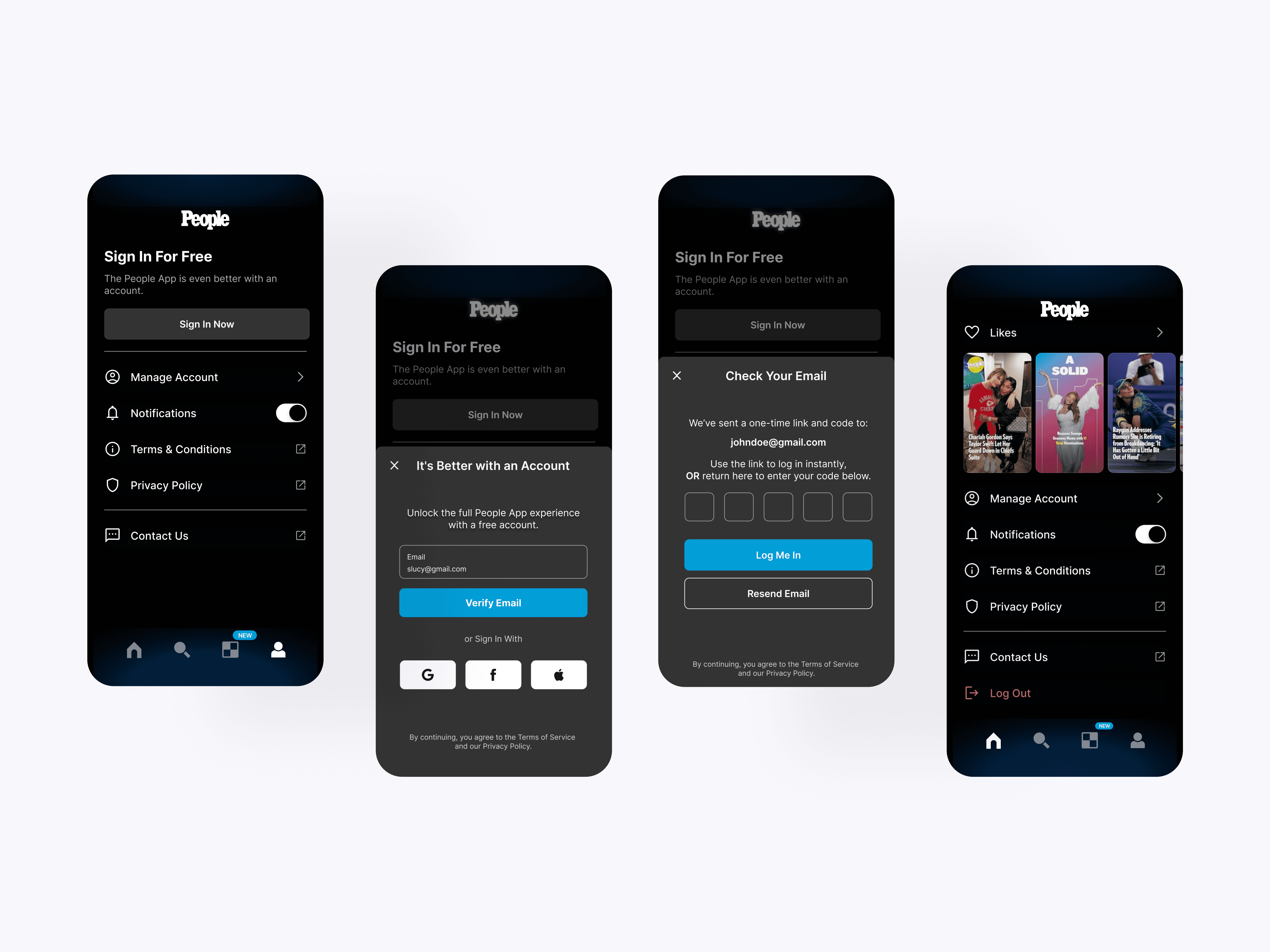
Signed-Out Account
The signed-out account state explains the value of creating a free PEOPLE account. Users can continue browsing while clearly seeing how signing in unlocks likes, saved content, and a fuller app experience.
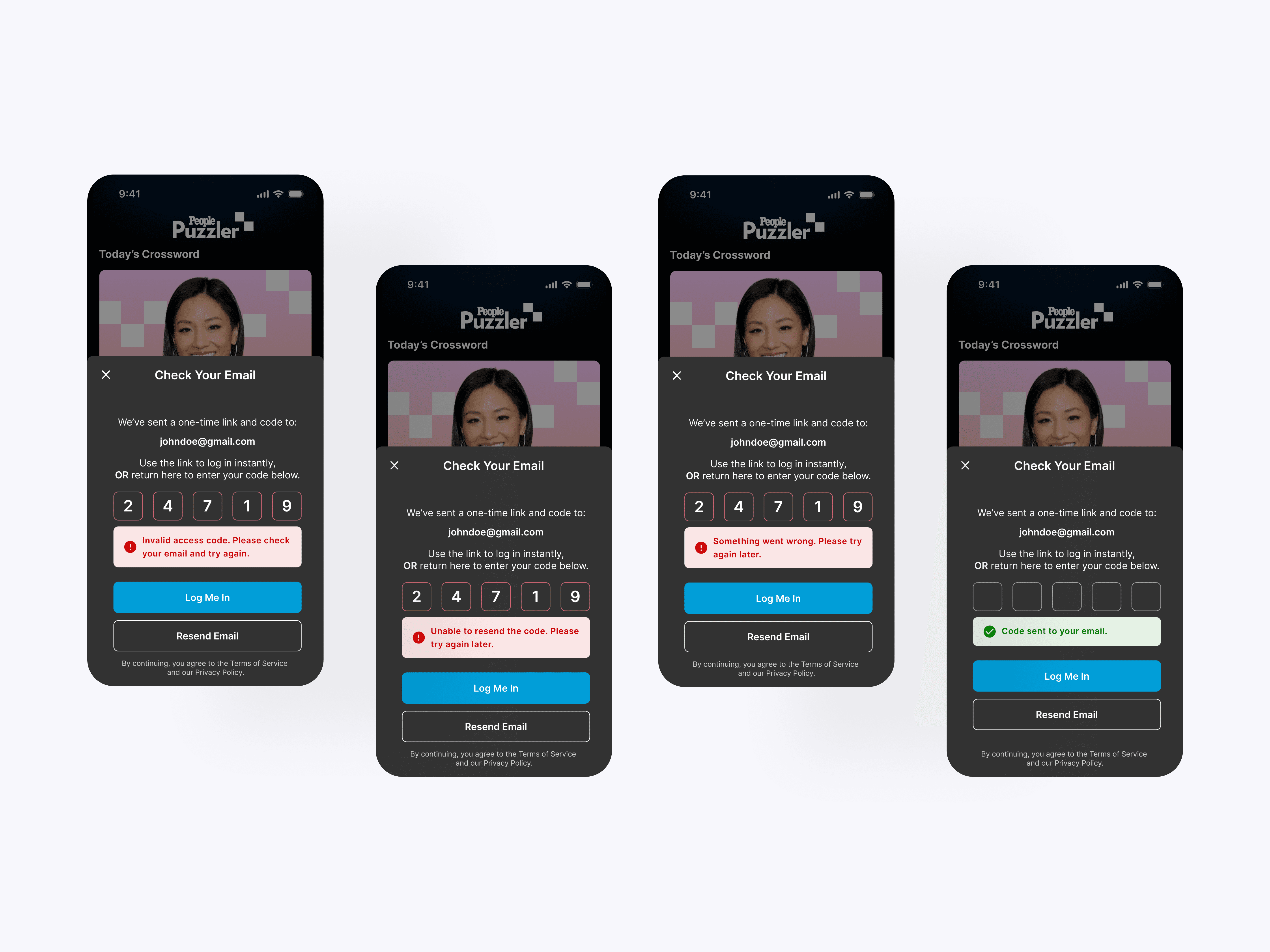
Verification States
The verification states cover email code entry, resend confirmation, invalid codes, and general errors. These screens give users clear feedback and recovery paths during account creation and sign-in.
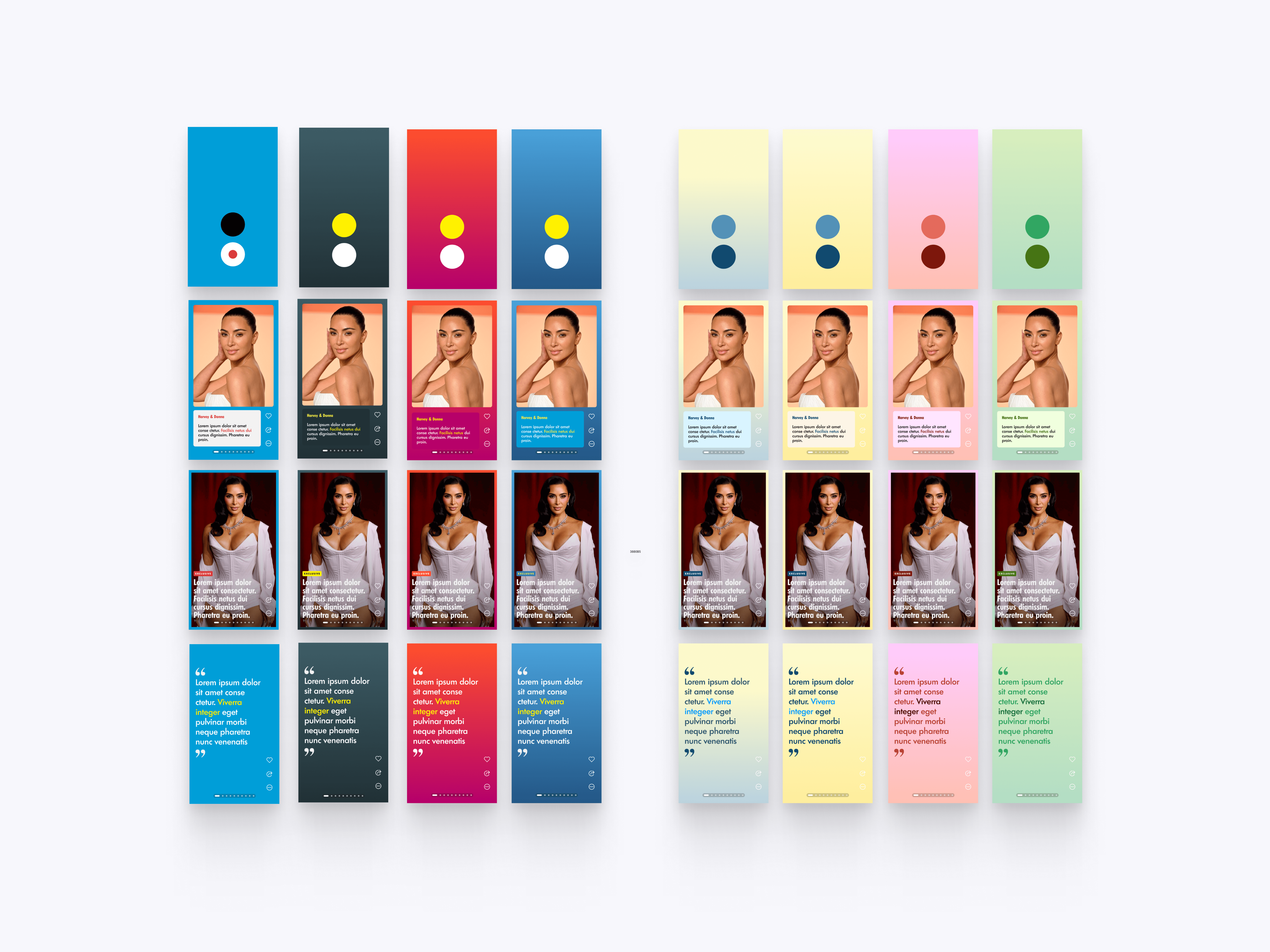
Scene Color Palette
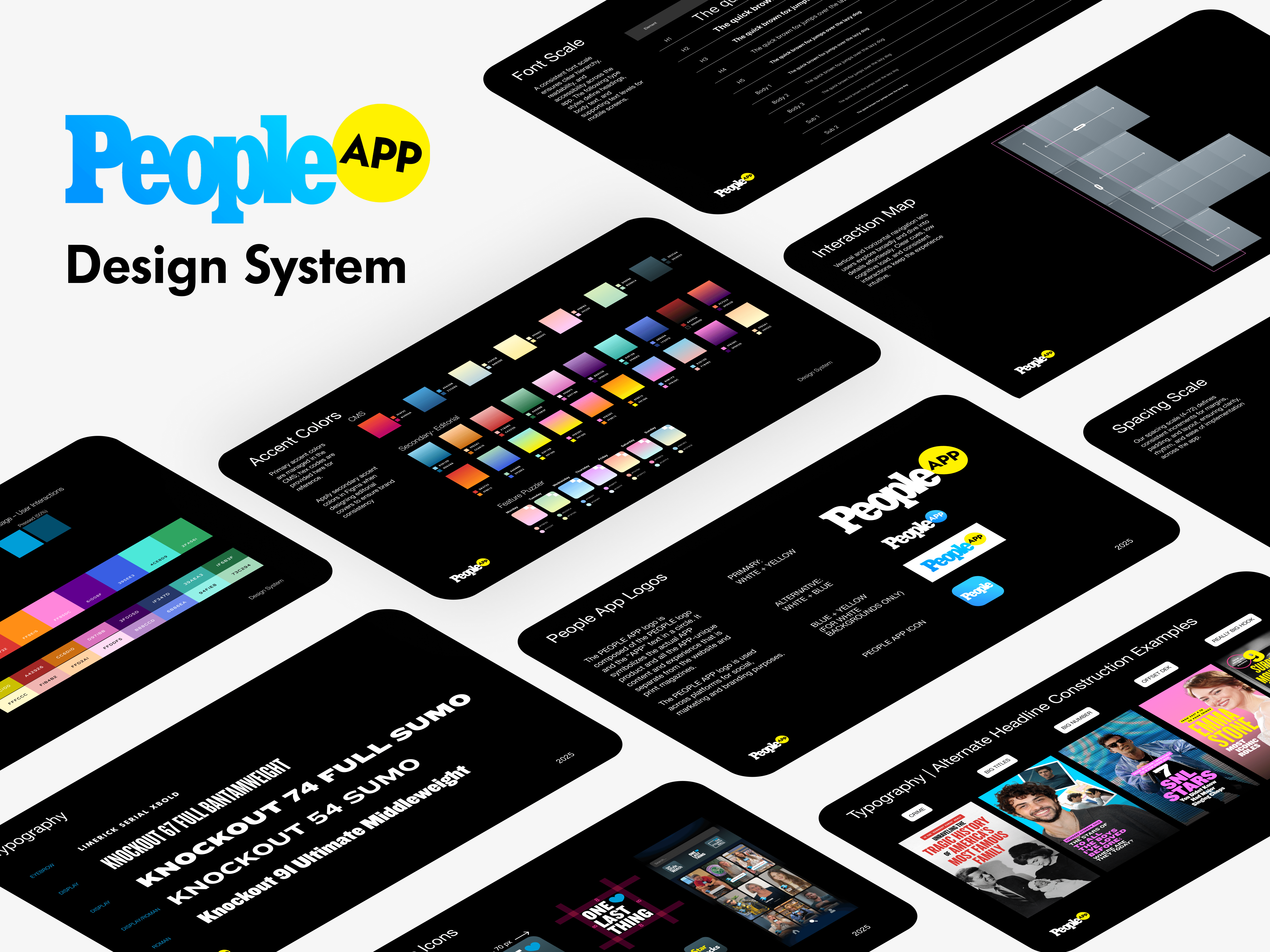
The visual theme system explores color treatments for scenes across story cards, quote slides, and editorial content formats. This gives the PEOPLE app more visual flexibility while keeping each format tied to a consistent design language.
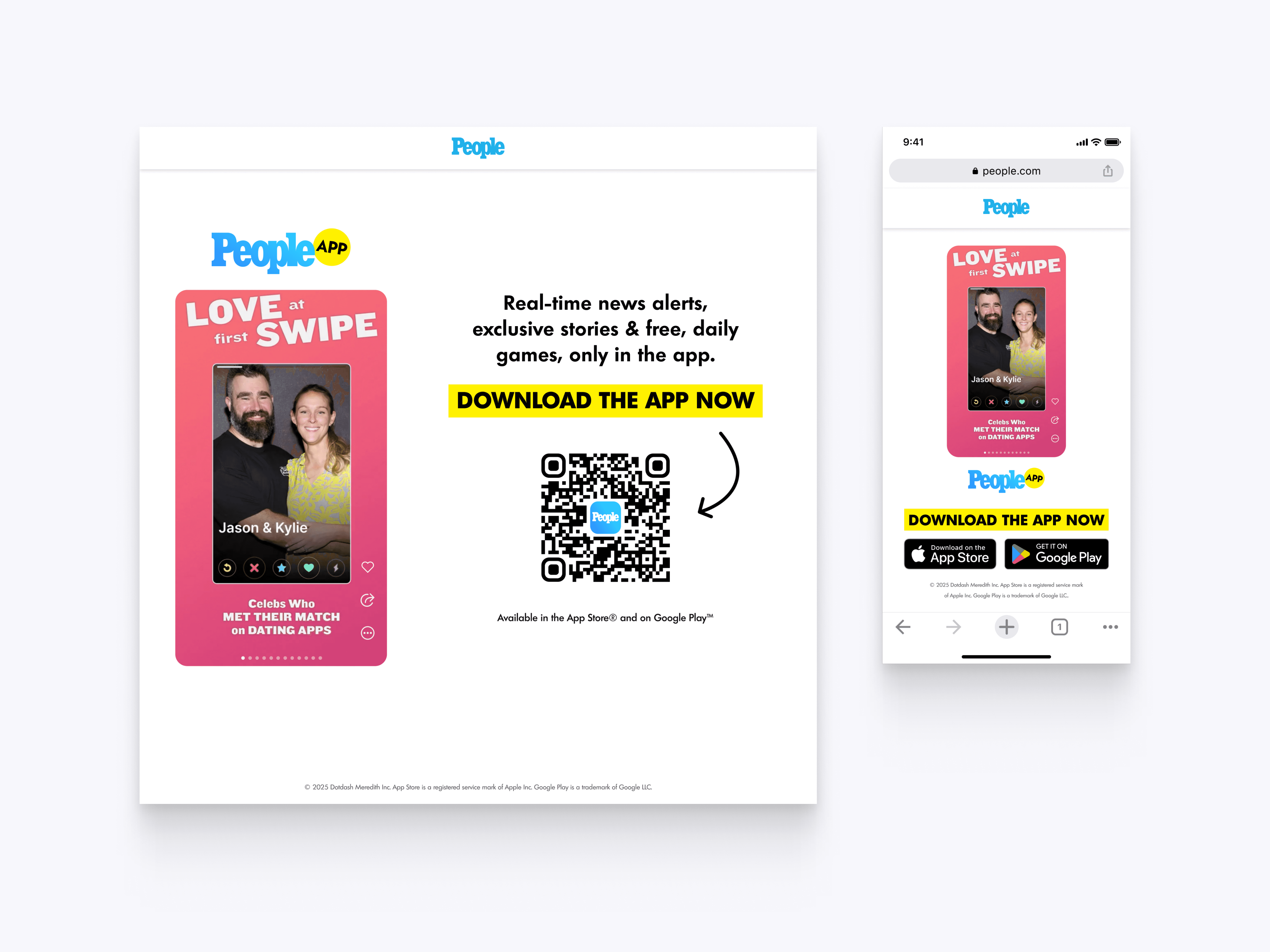
App Download Page
The app download page promotes the PEOPLE app across desktop and mobile web when viewing a scene without the app downloaded. Clear messaging, QR access, and app store buttons help convert web visitors into app users.