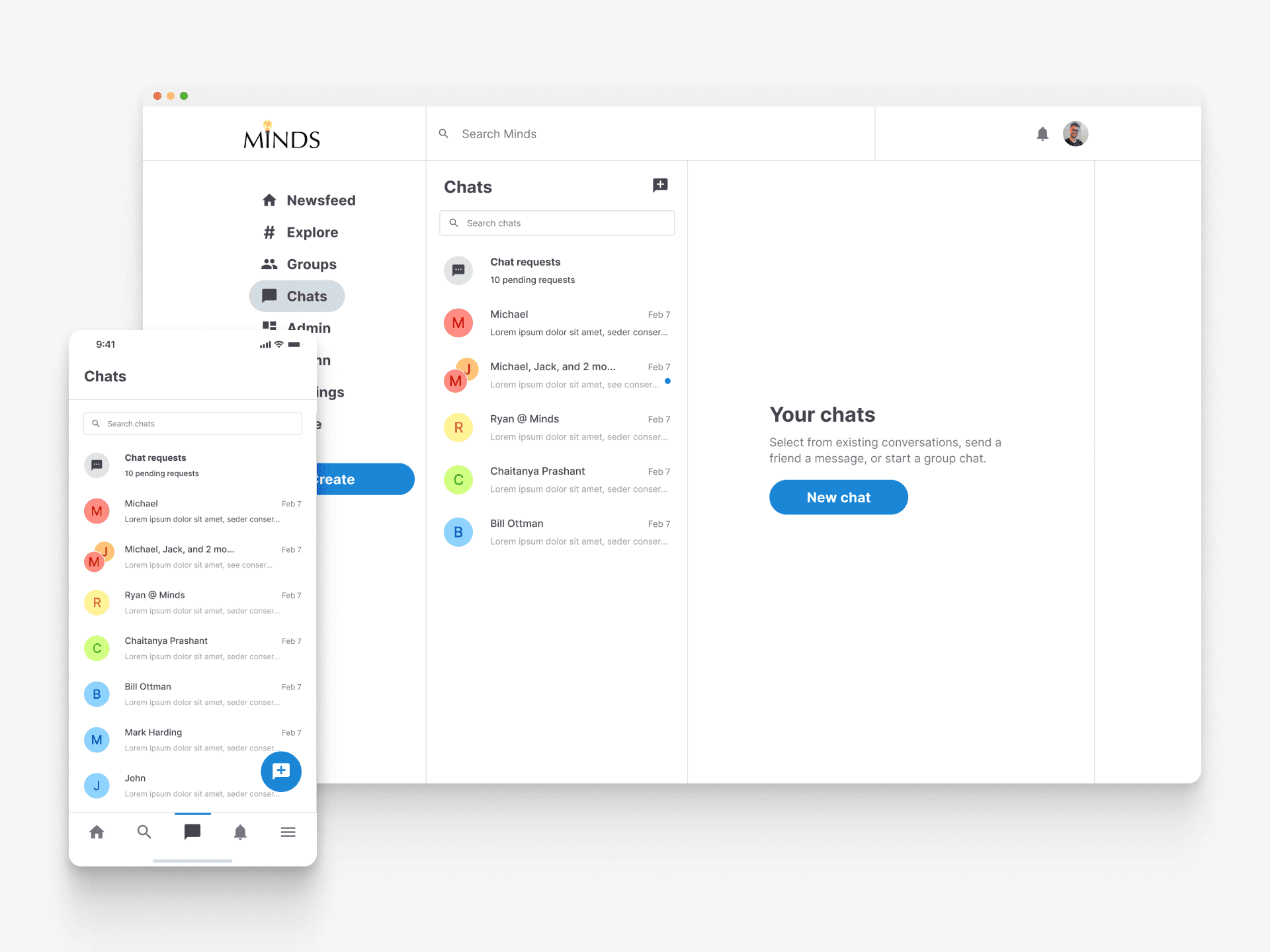
Networks
About the project
Timeline
Sept - Mar 2024
My role
Lead UX Designer
Platforms
Web & Mobile
Problem
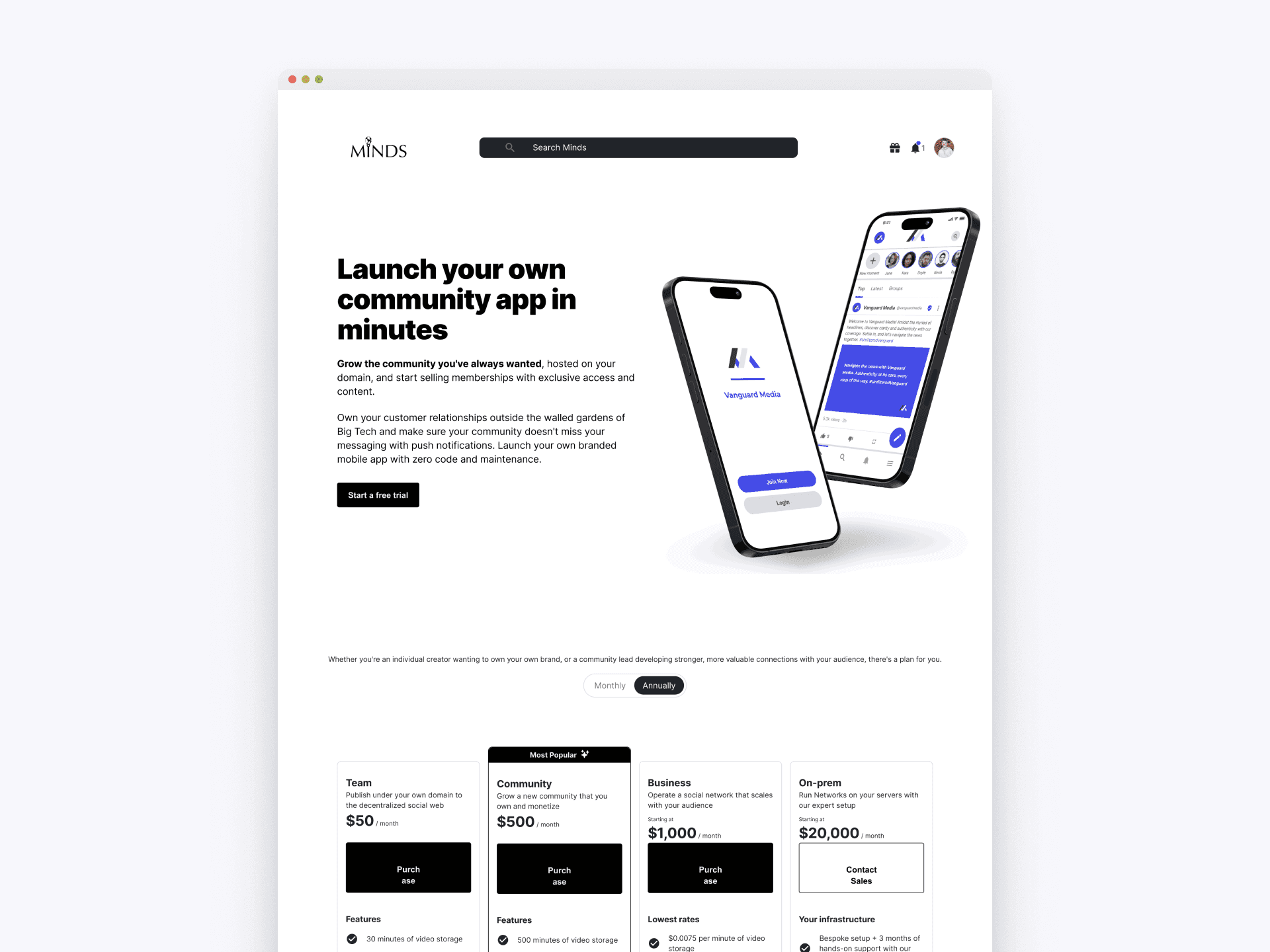
Before Networks, Minds.com primarily relied on a social media platform model, which faced challenges in generating consistent revenue. There was a need to diversify the business model to ensure sustainable growth and profitability.
Goal
To develop and launch a subscription-based SaaS platform that enables users to create customizable social networks easily, ensuring sustainable revenue growth and market expansion.
Outcomes & Results
Revenue Growth
Achieved a 45% increase in subscription-based revenue within the first six months of launching Networks.
User Adoption
Over 100 new networks were created within the first three months, demonstrating strong initial adoption.
Market Reach
Attracted 20 new business clients, expanding our user base and market influence significantly.
Key Learnings
Aligning Business and User Needs
Successfully balancing user-friendly design with robust business features was essential to meet both user expectations and business objectives.
Building Scaleable Infrastructure
Designing a platform that could scale and be customized for various needs was crucial in supporting diverse user requirements and future growth.
Empowering User Through Customization
Providing users with tools to easily create and manage their own networks greatly increased engagement and satisfaction, highlighting the importance of user autonomy in platform design.
"How might we enable users to create their own scalable and customizable social networks with minimal effort, while providing value to businesses looking to build their online communities?"
First Time Network Visit
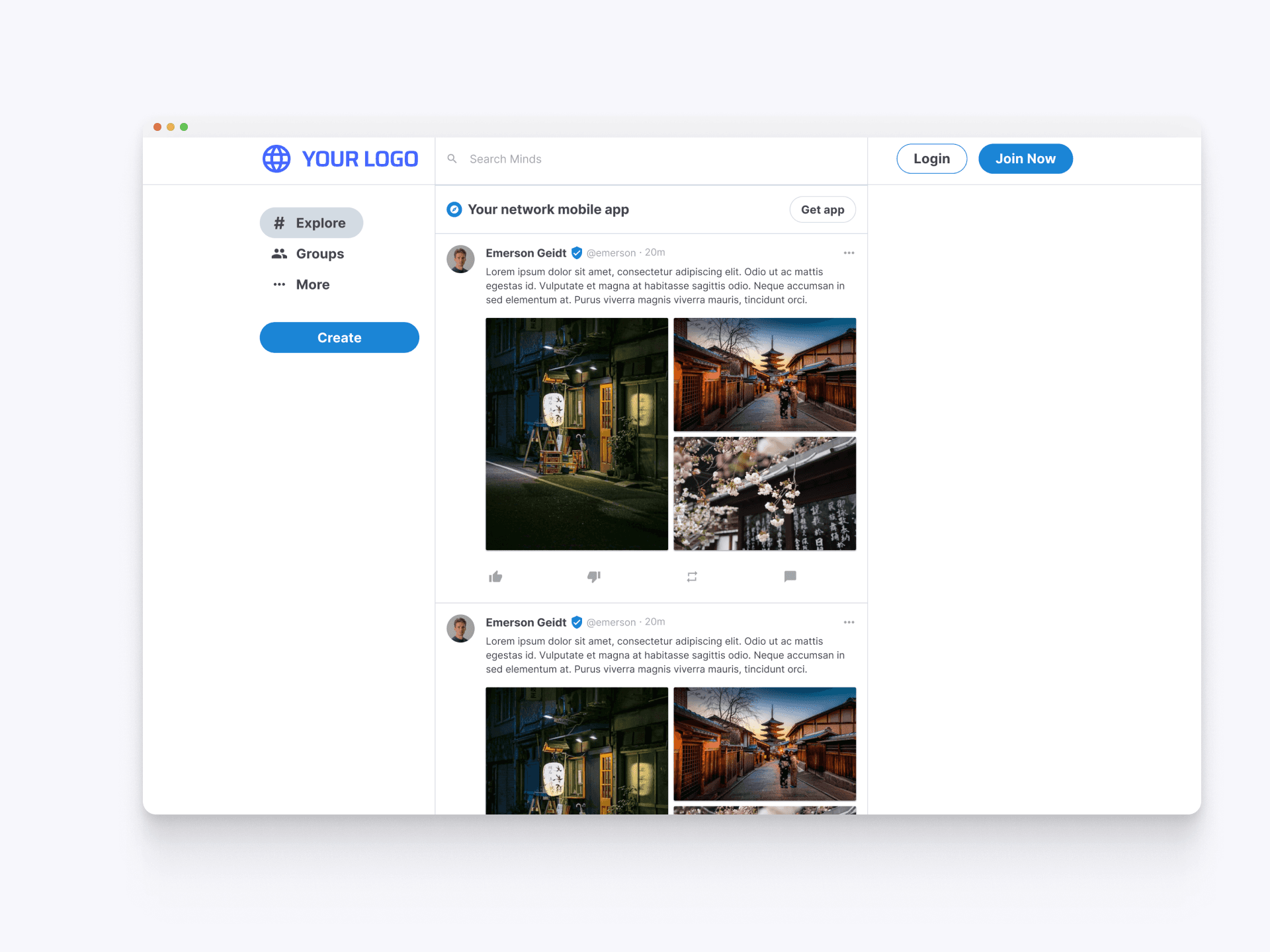
When a user visits a network for the first time without signing up, they see a sample of the network's content. This view acts as both an introduction and a promotional tool, enticing potential users or companies to sign up and engage with the network's community.
Simple Network Sign-Up
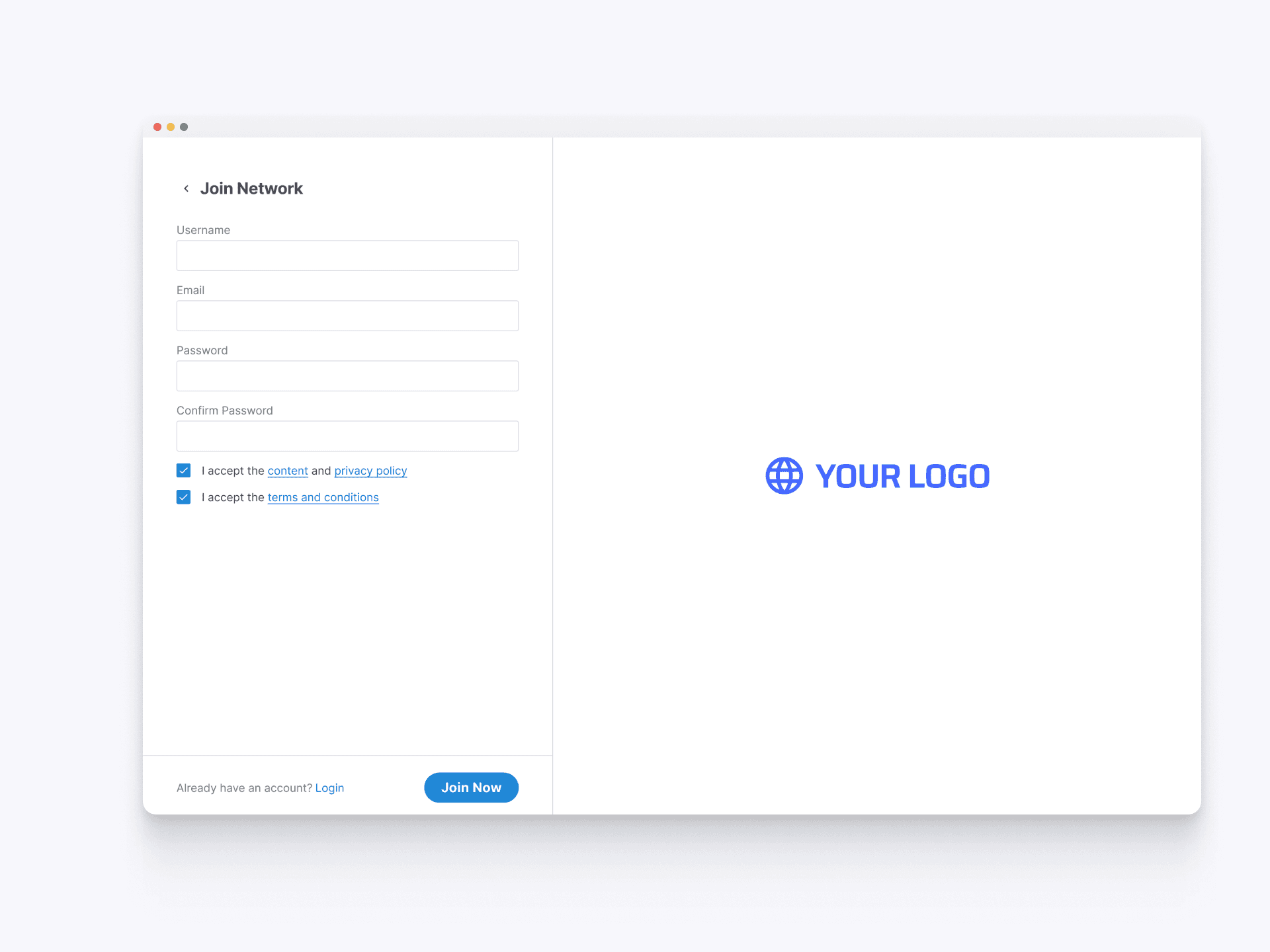
The sign-up screen for a network allows for customization and a simple, streamlined registration process. New users can quickly join by providing basic information and agreeing to terms, ensuring a smooth onboarding experience.
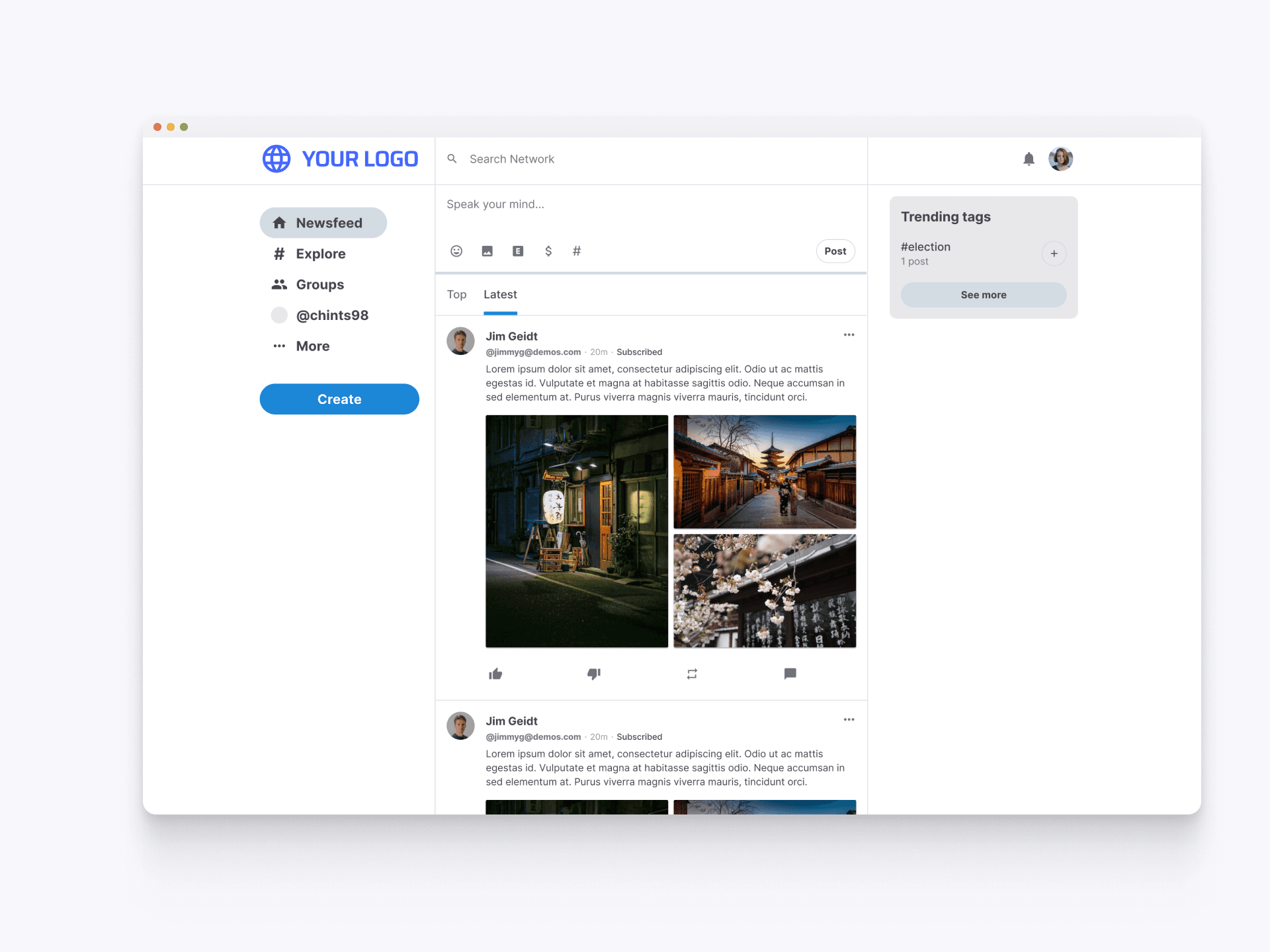
Post-Sign-Up Interface
Immediately after signing up, users are directed to the network's main feed. This interface provides a familiar and engaging experience, allowing users to start exploring content, interacting with posts, and getting involved in the community right away.
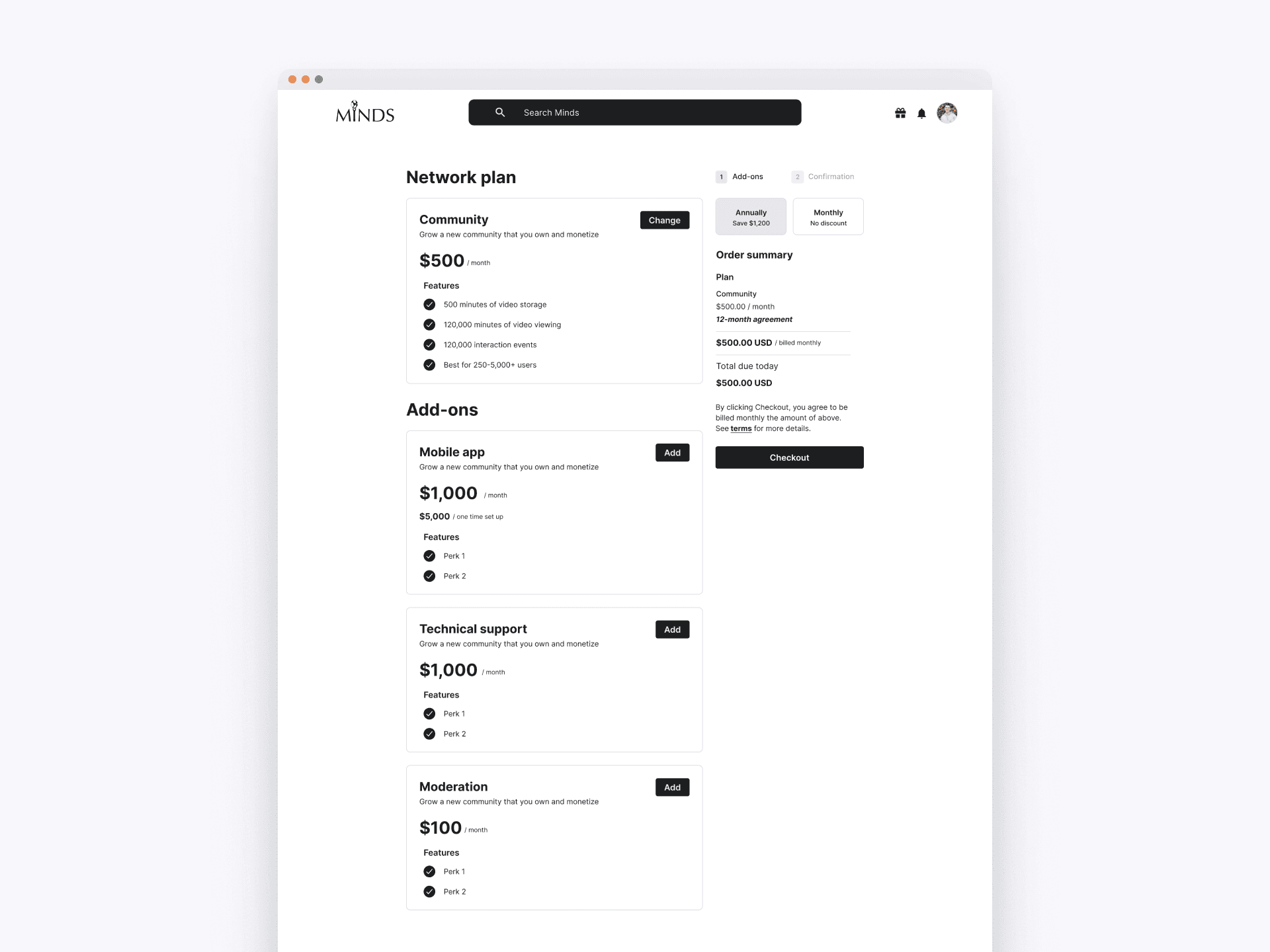
Intial Plan Selection
The checkout experience begins with selecting a network plan. Users can choose from different tiers and add-ons, allowing them to tailor the network's capabilities to their specific needs and budget.
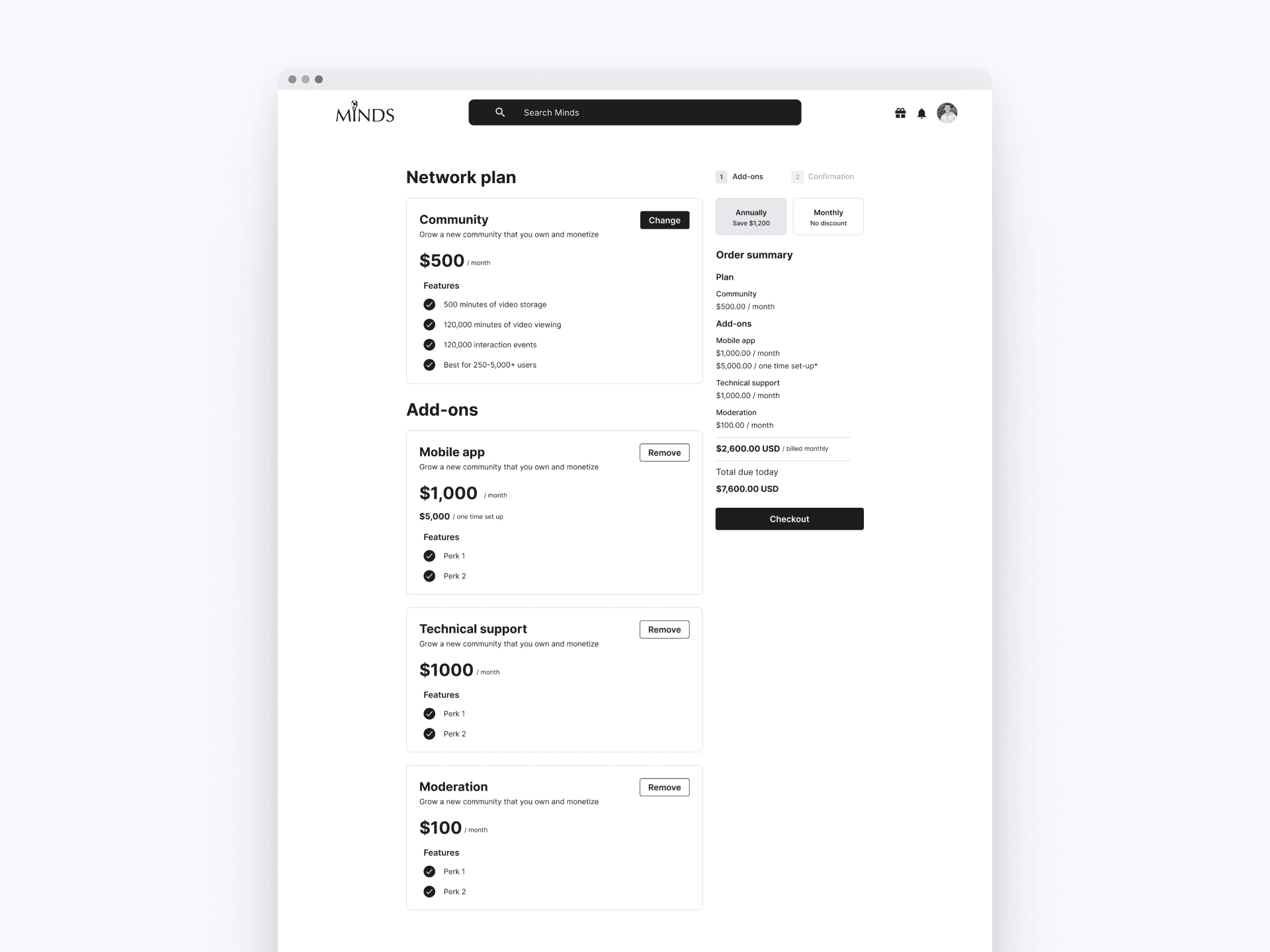
Add-on Selection
After selecting their desired network plan, users can opt for additional services such as a mobile app, technical support, or moderation. This customizable checkout experience allows users to enhance their network's functionality and manage costs effectively.
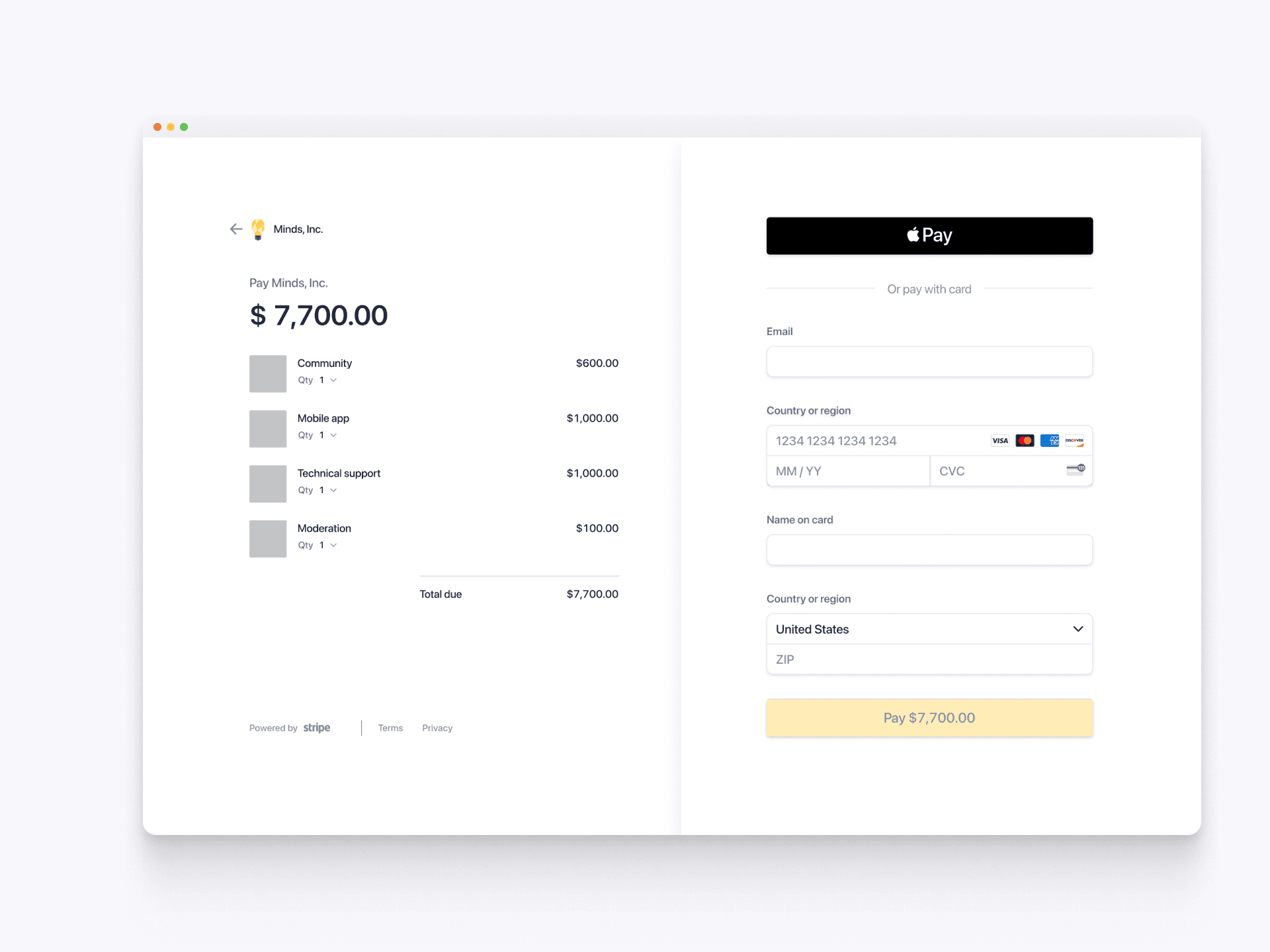
Payment Process
The payment interface simplifies the final transaction step. Users can review their selected plan and add-ons, enter their payment details, and complete the purchase securely through options like Apple Pay, ensuring a smooth and trustworthy checkout process.
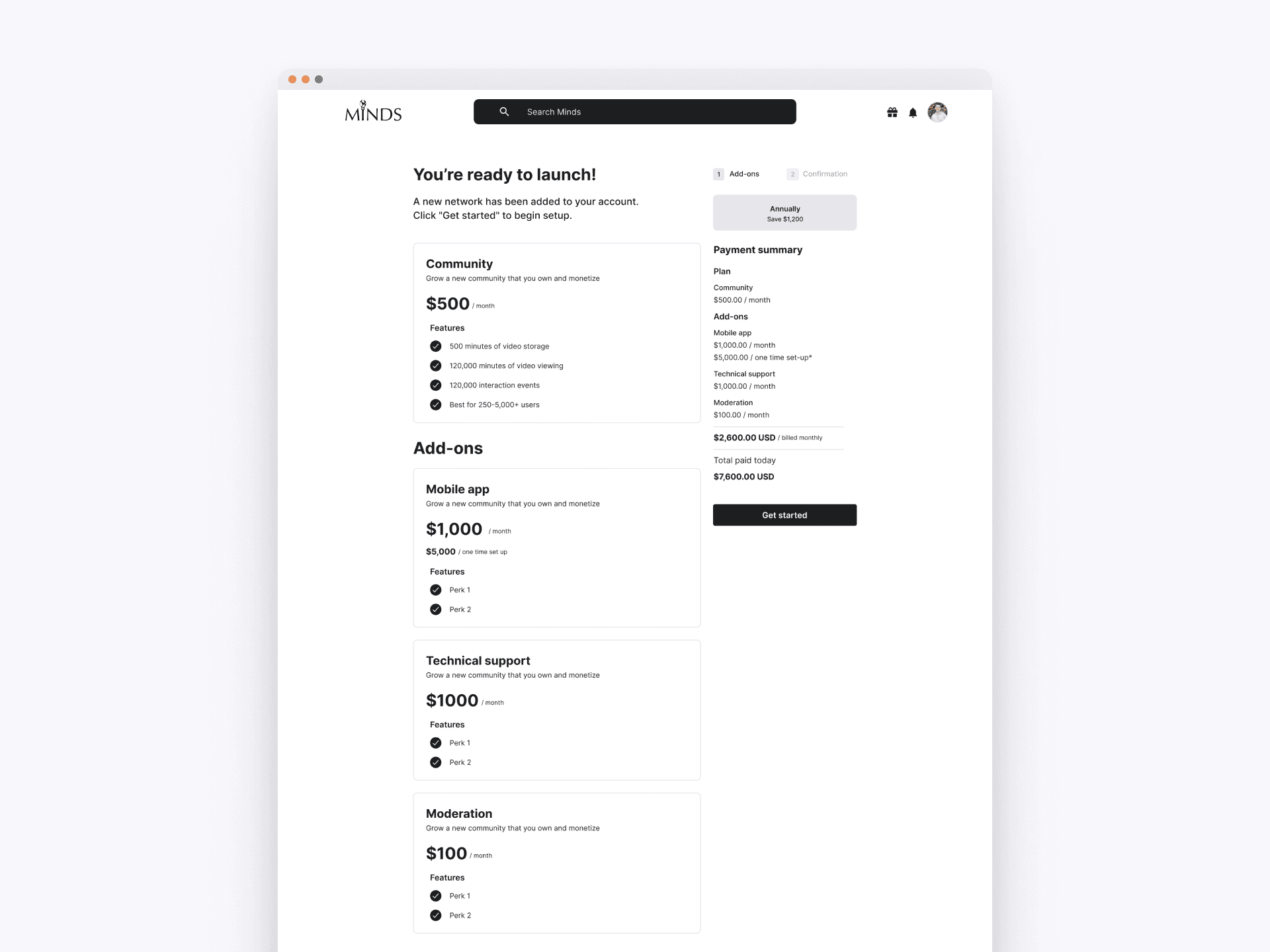
Checkout Process - Confirmation
Upon successful payment, users receive a confirmation that their network is ready to launch. This screen summarizes the chosen plan and add-ons, reinforcing the value and readiness of their new network before they proceed to set it up.
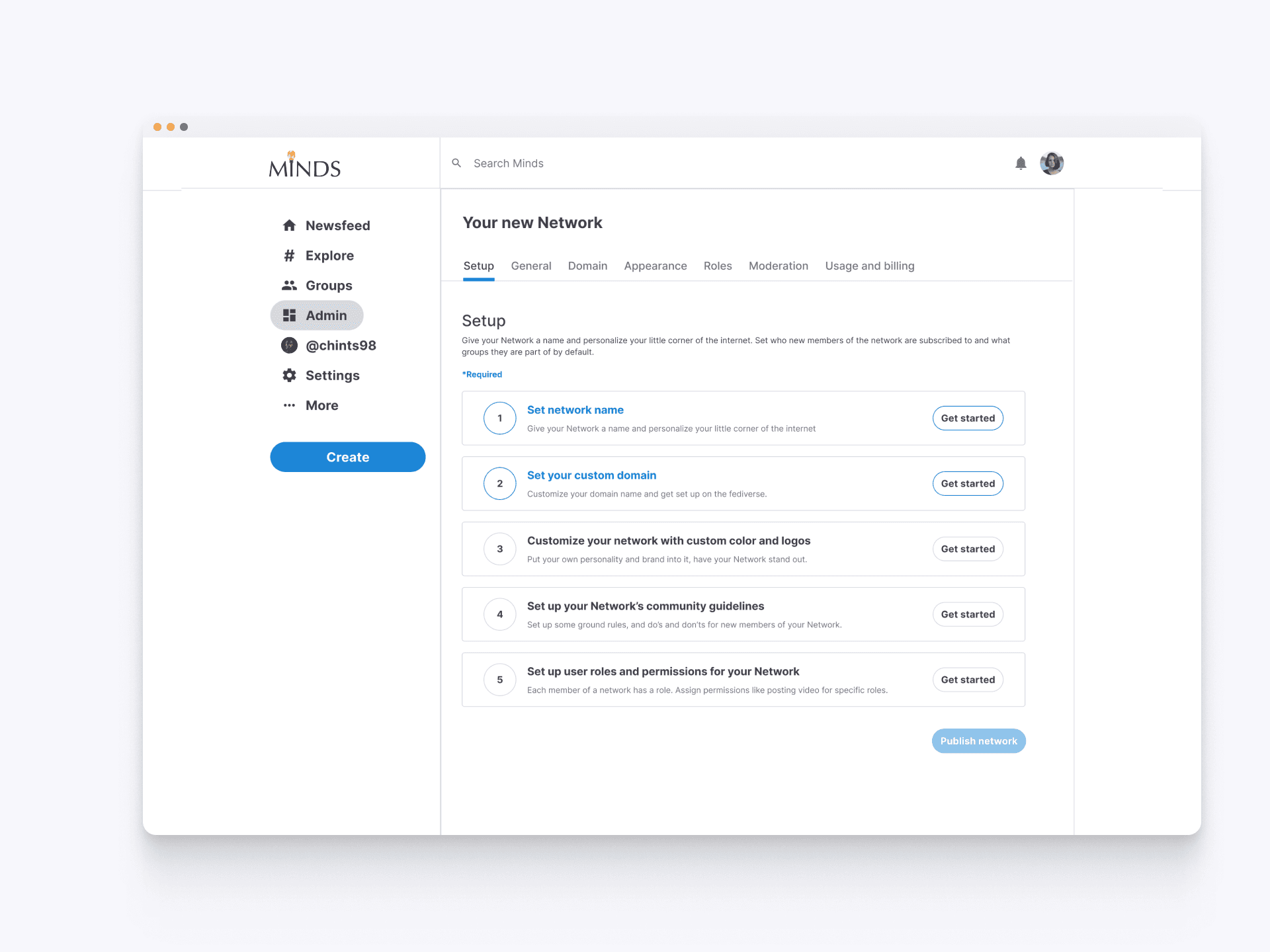
Network Setup Dashboard
The setup dashboard is the first interface new network owners see. It guides them through essential setup steps like naming the network, customizing the domain, and configuring user roles, ensuring a structured and efficient network launch process.
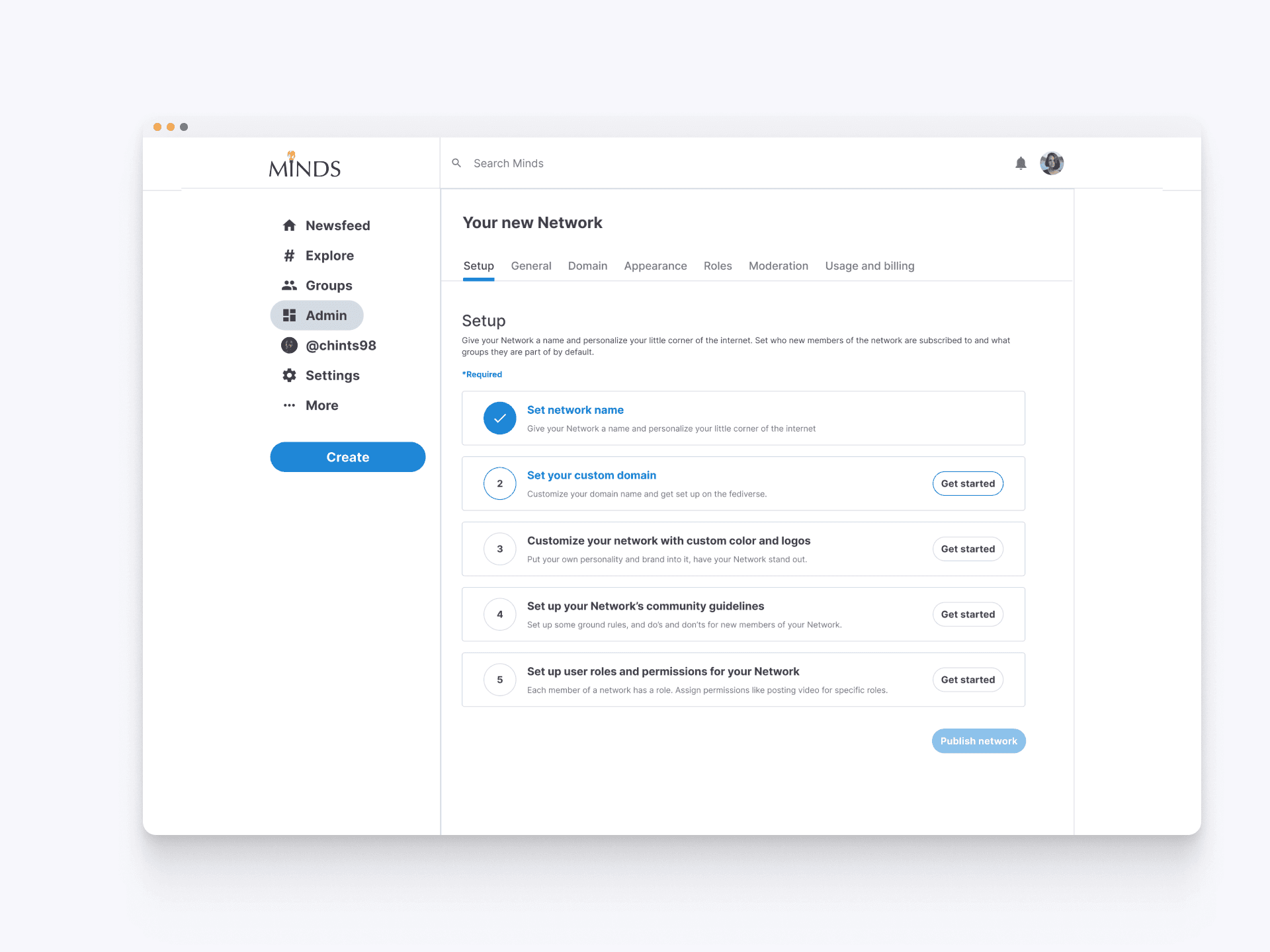
Network Setup Progress
As a network owner completes the steps in the setup checklist, they can easily track their progress. The interface provides a clear visual guide, marking completed tasks with checkmarks and offering quick access to unfinished steps. This organized approach ensures that new network owners can efficiently configure their network, personalize it, and prepare for launch, streamlining the initial setup process.
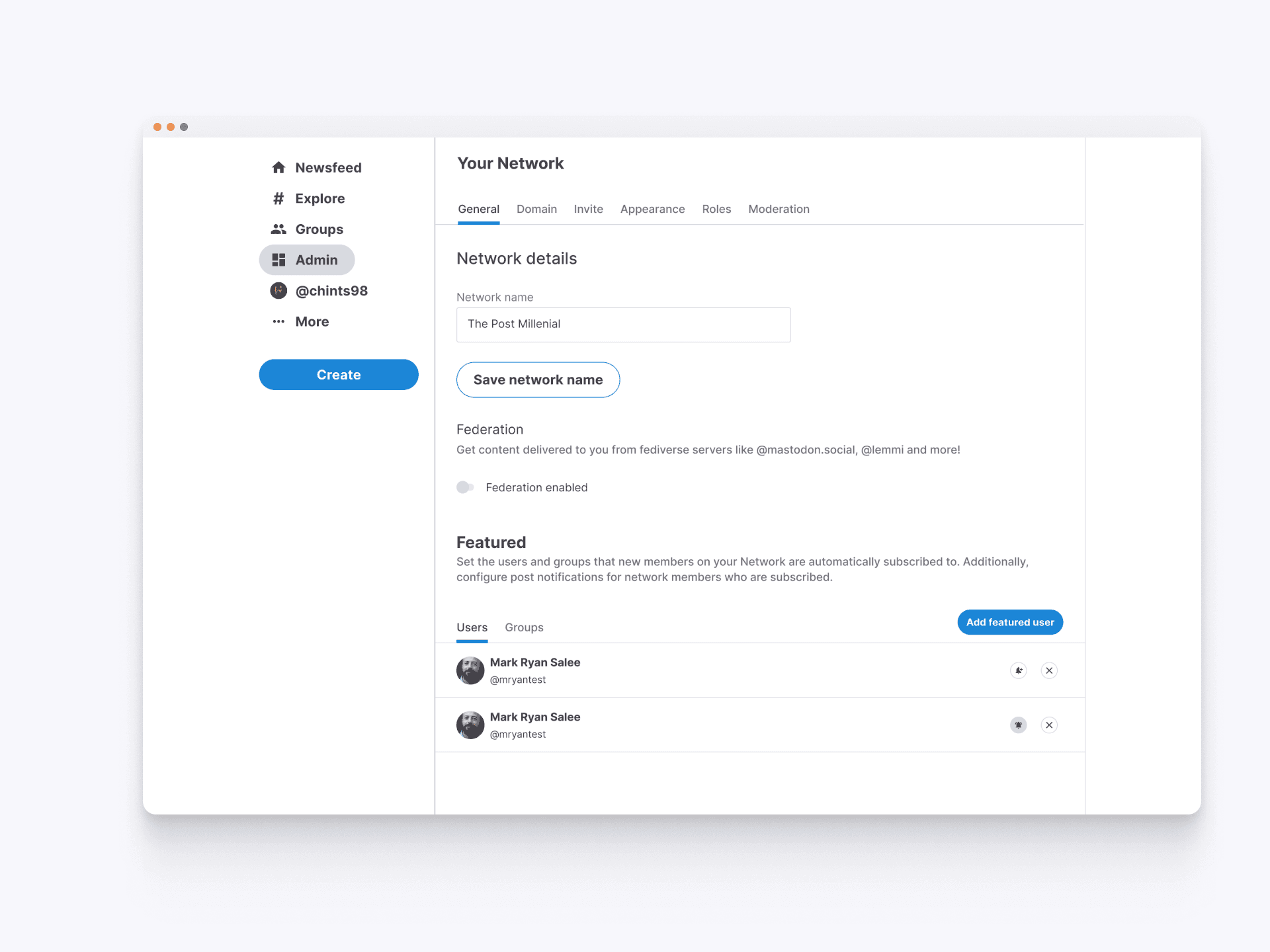
Network General Settings Overview
The General tab of the network admin hub provides essential tools for managing a network's core settings. Admins can set the network name, enable federation to receive content from other servers, and feature specific users or groups. This centralized control panel simplifies the process of customizing and overseeing network operations, ensuring admins can efficiently maintain and personalize their community.
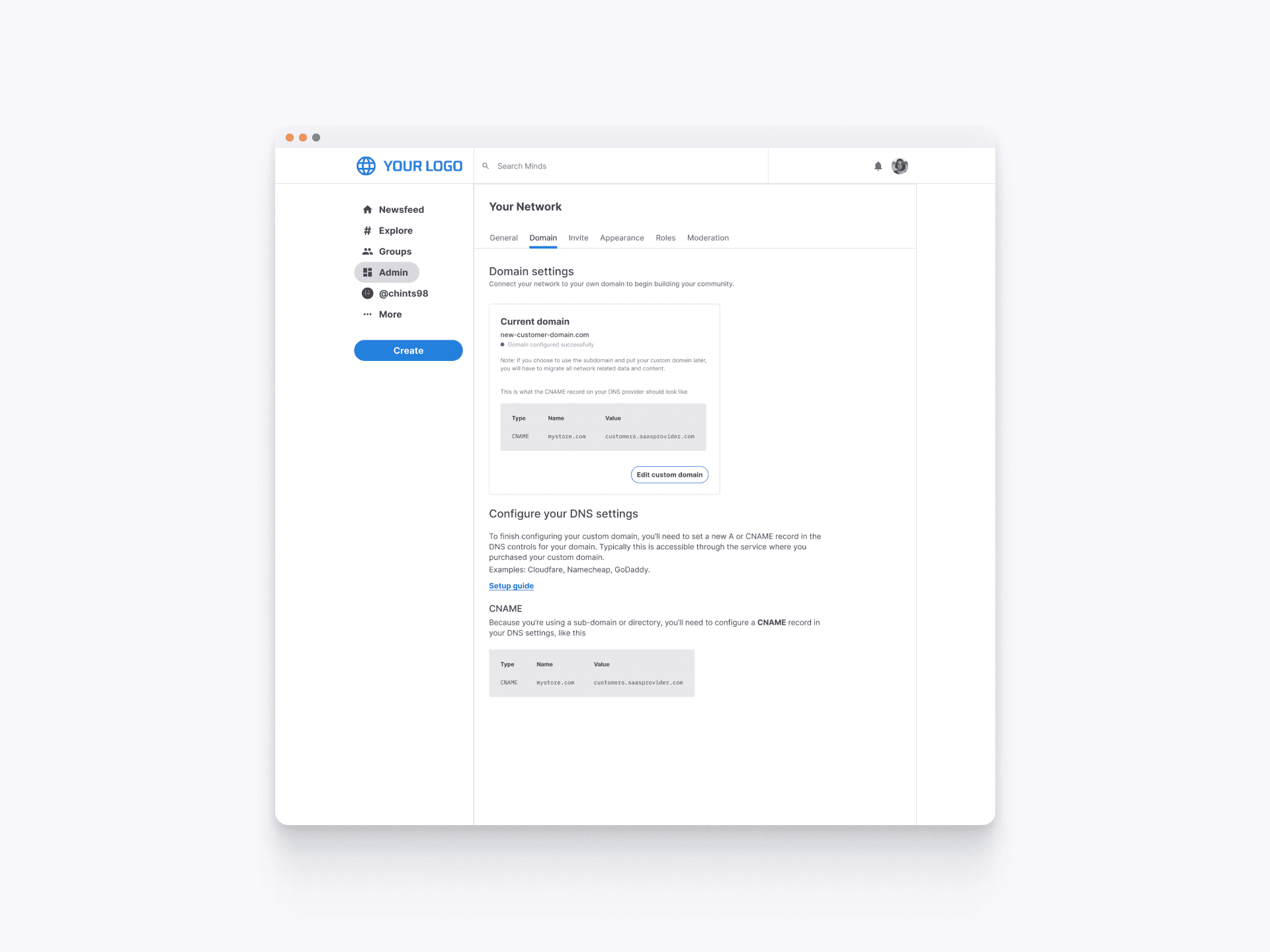
Domain Management for Networks
The Domain tab within the network admin hub allows network owners to configure custom domains for their communities. This feature provides detailed instructions for setting up DNS settings, ensuring a seamless experience for users. With easy-to-follow steps and the ability to edit custom domains, network owners can personalize their network's URL to reflect their brand, enhancing the overall user experience and credibility of their community.
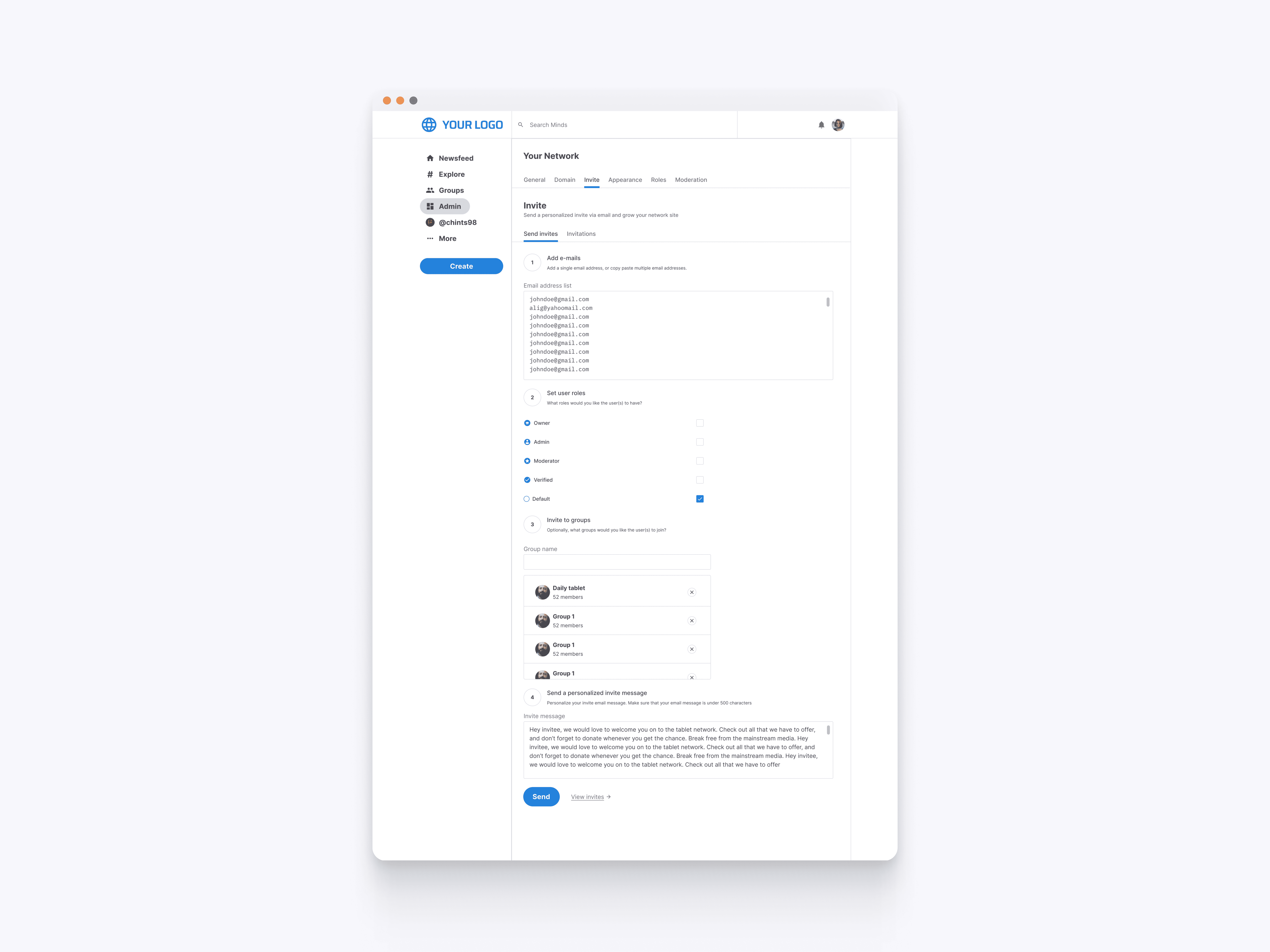
Sending Network Invitations
The Invite tab in the network admin hub allows network owners to efficiently invite new members. Owners can add email addresses, assign roles, and personalize invitation messages. This feature simplifies the process of growing the network, ensuring that new members are properly welcomed and integrated into the community.
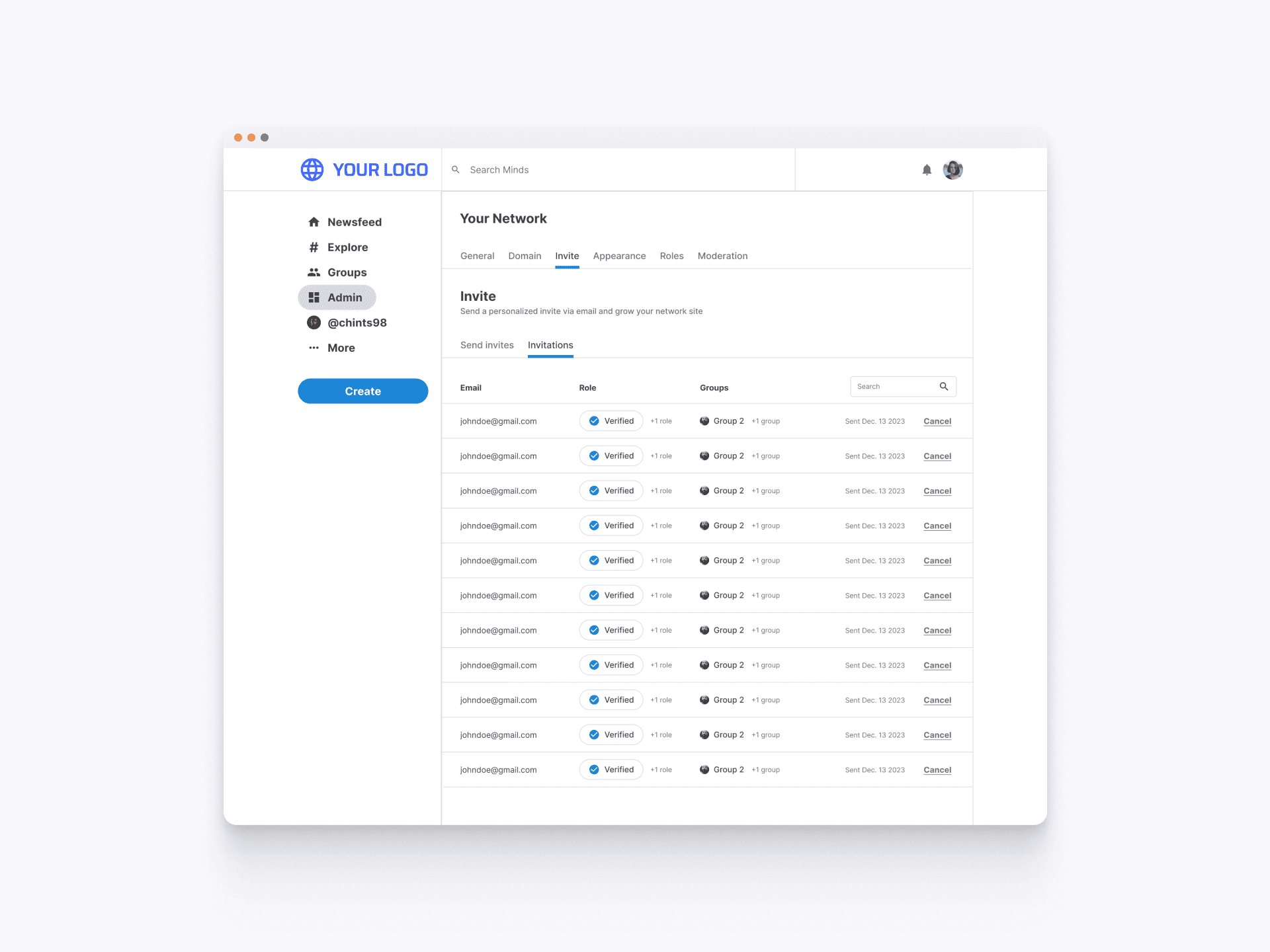
Tracking Sent Invitations
The Sent Invitations section in the Invite tab allows network admins to track all sent invitations. Admins can view details such as the recipient's email, assigned role, groups they are invited to, and the date sent. This section also provides the option to cancel any pending invitations, ensuring admins have full control over the invitation process and can manage their network members efficiently.
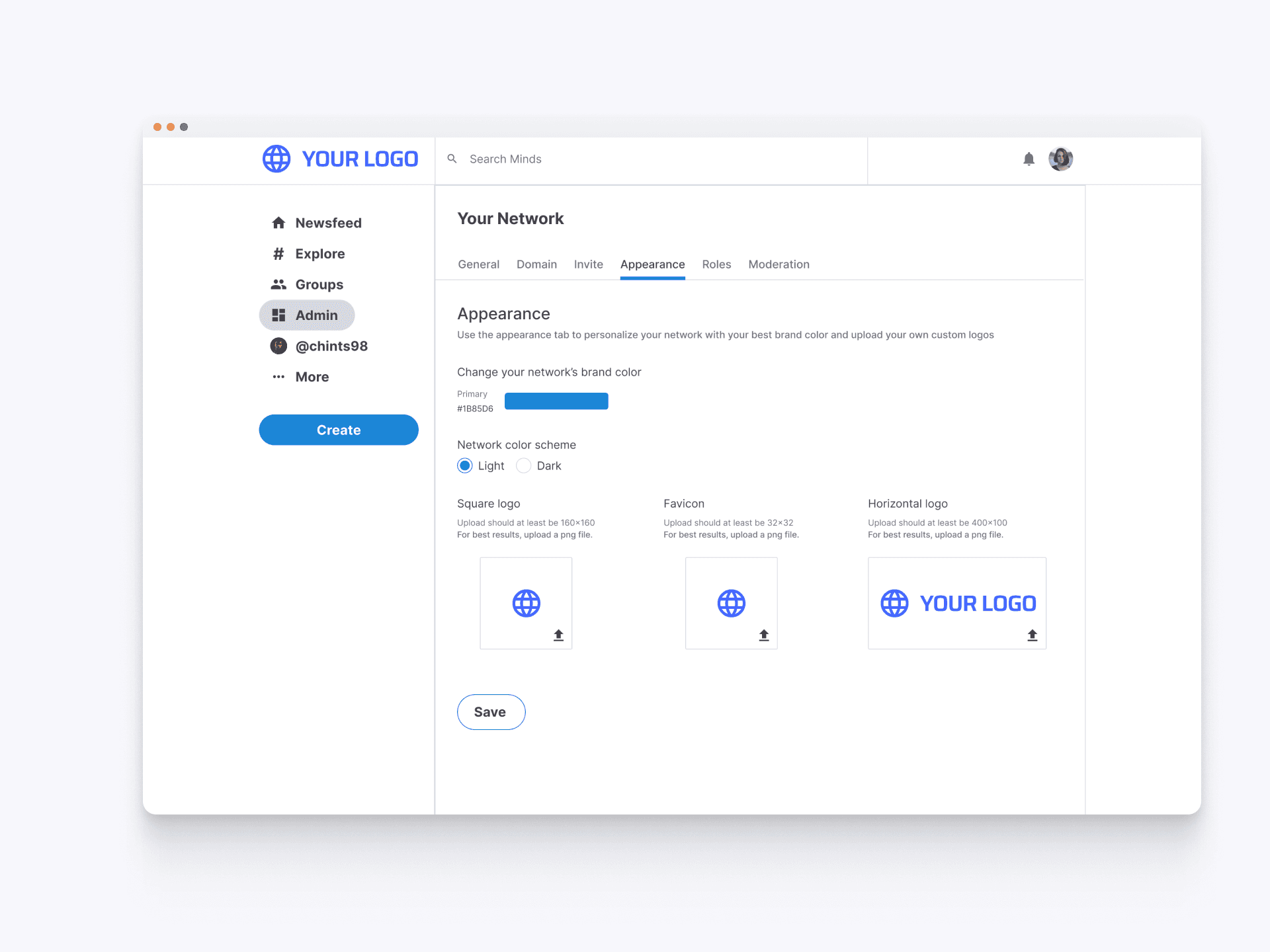
Customizing Network Appearance
The Appearance tab in the network admin hub provides tools for personalizing the network’s visual identity. Network owners can set brand colors, choose between light or dark themes, and upload custom logos for various placements such as square, favicon, and horizontal logo. This ensures that each network can maintain a unique and cohesive brand identity, enhancing the overall aesthetic appeal and user experience.
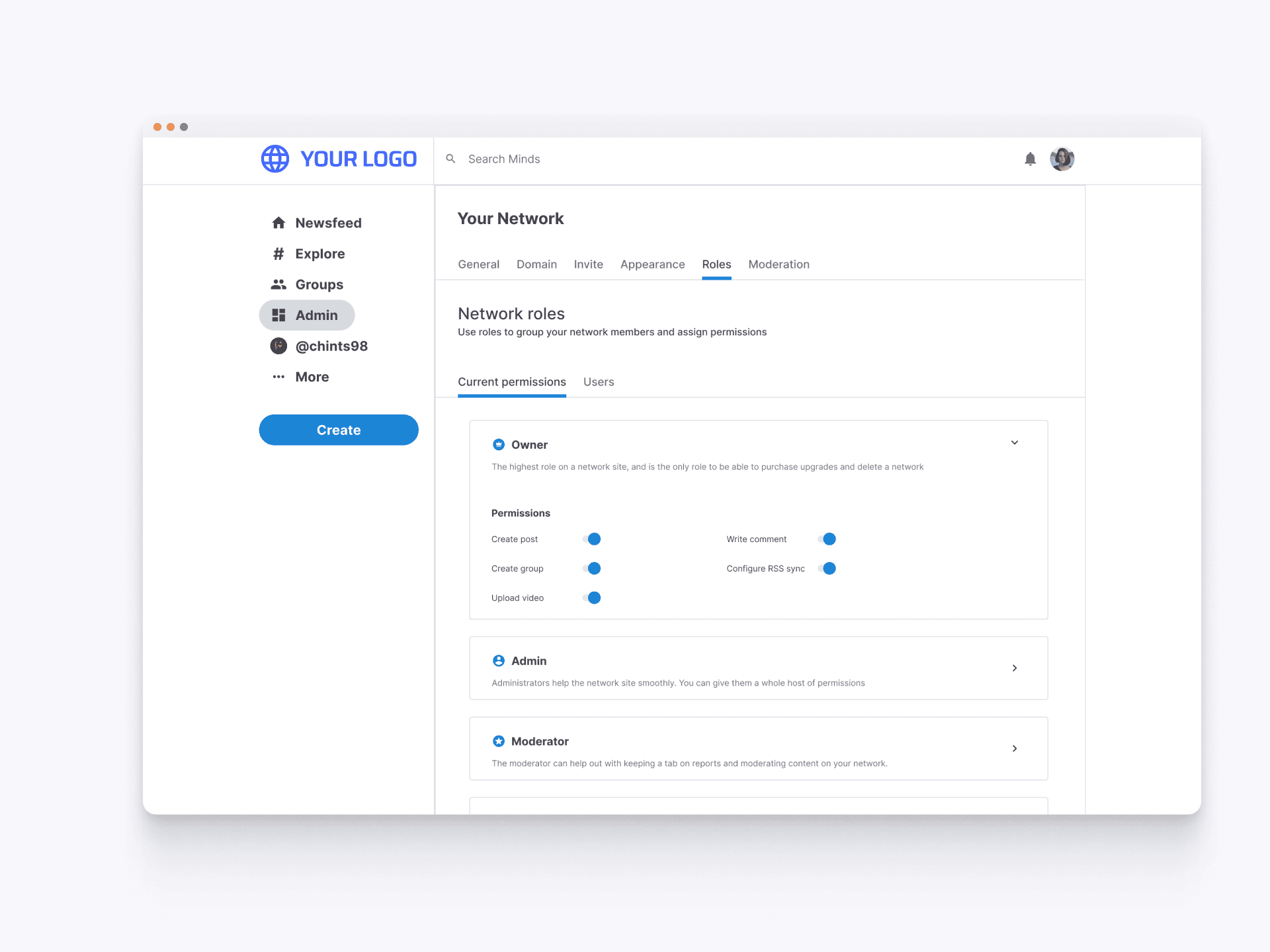
Managing Network Roles
The Roles tab allows network admins to manage and assign different roles to users. This feature provides the flexibility to customize permissions, ensuring each role has the appropriate level of access and responsibilities. Admins can define roles such as Owner, Admin, and Moderator, or a custom role assigning specific tasks and privileges to maintain a well-organized and secure network environment.
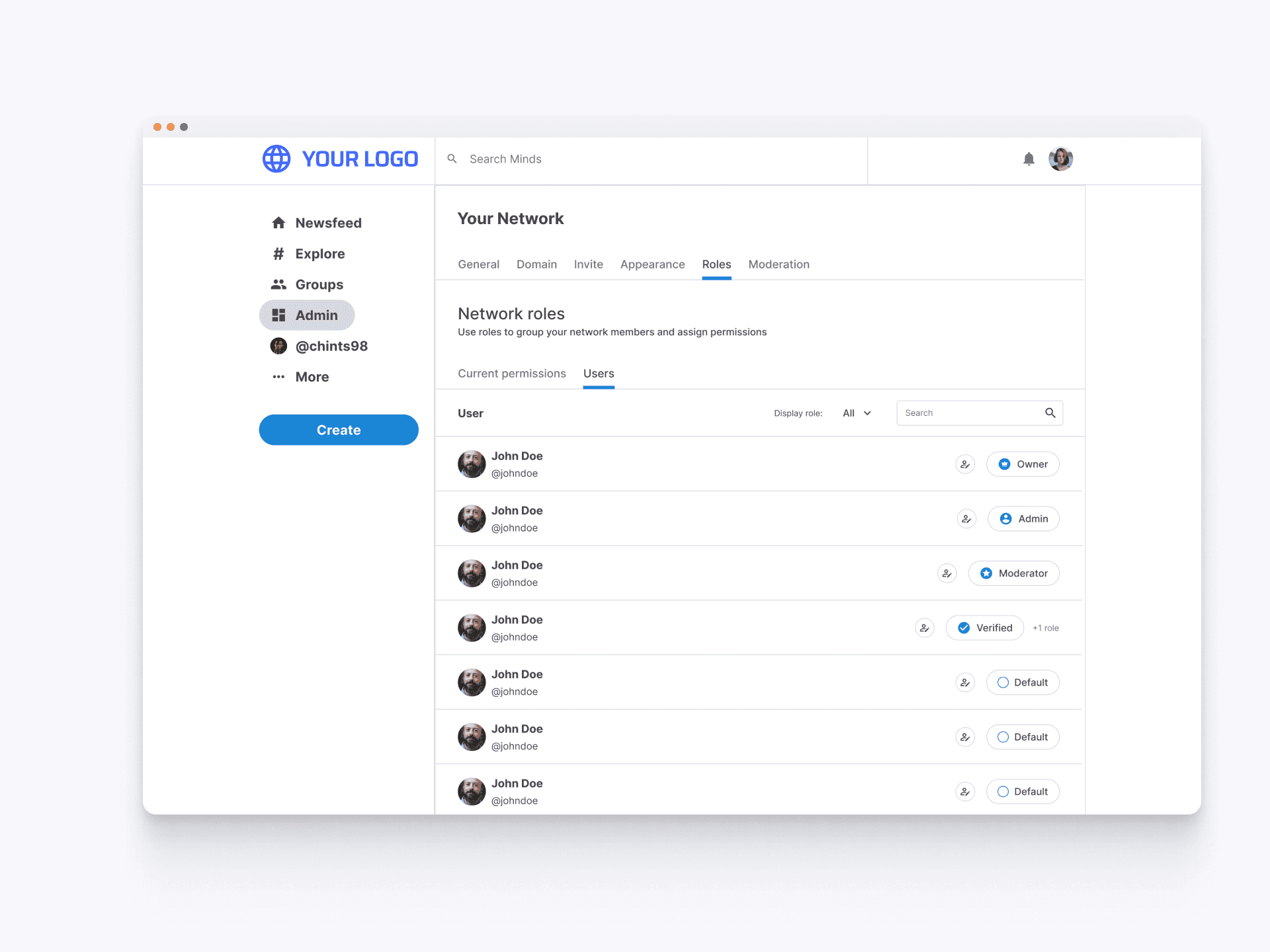
User Permissions
In the Users section of the roles tab admins can and assign roles to users within the network. This section provides a detailed list of users along with their assigned roles and can easily filter and search for users by role, ensuring efficient role management and maintaining an organized structure within the network.
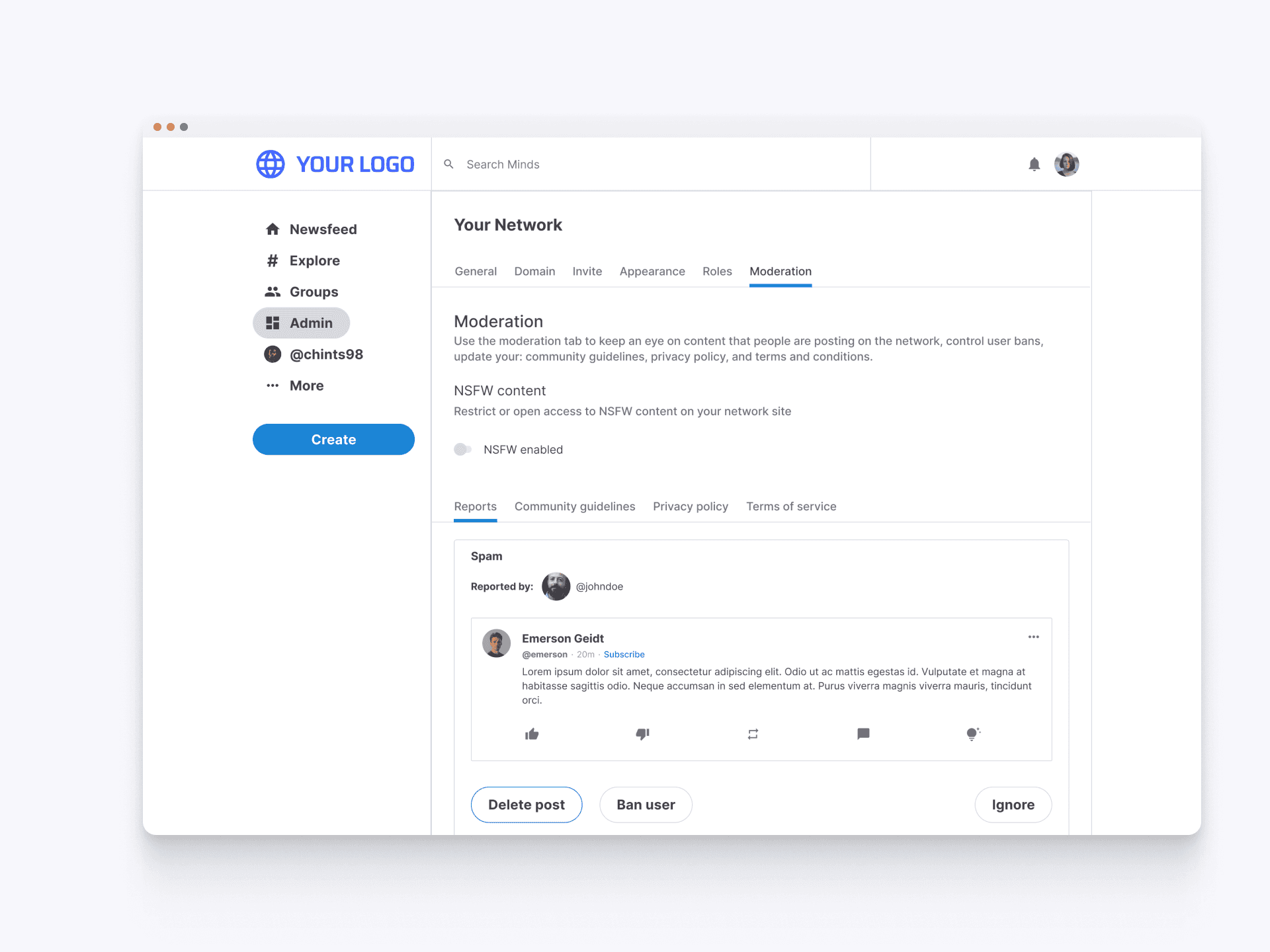
Moderation Reports
The Moderation tab allows network owners to manage reported content efficiently. This section provides options to delete posts, ban users, or ignore reports, ensuring that network guidelines are upheld and the community remains safe and respectful.
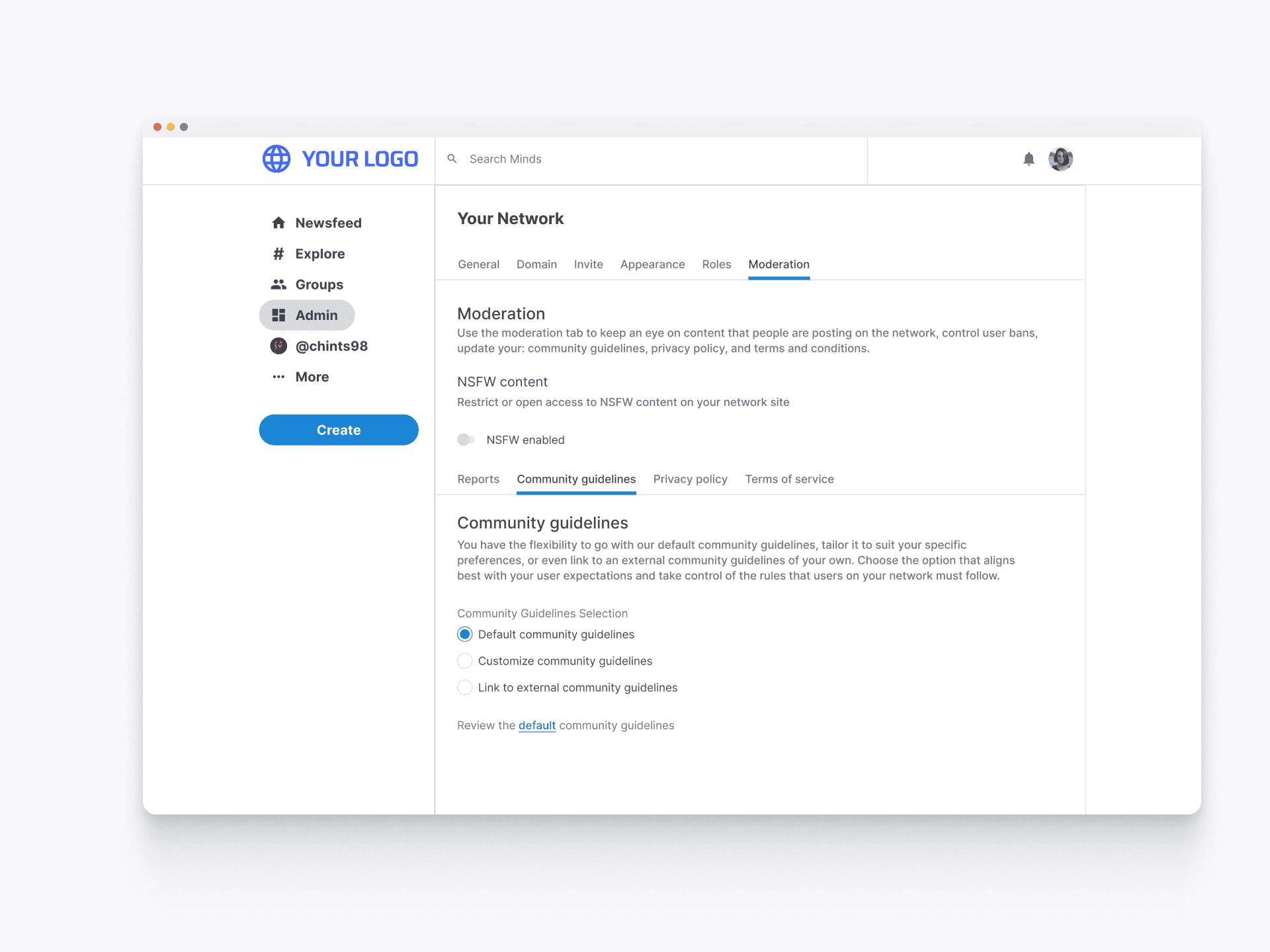
Default Documentation
Admins can select the default community guidelines, privacy policy, and TOS which are pre-set to ensure a basic standard of conduct across the network. This option is ideal for those who prefer a ready-made set of rules to maintain order and safety within their community.
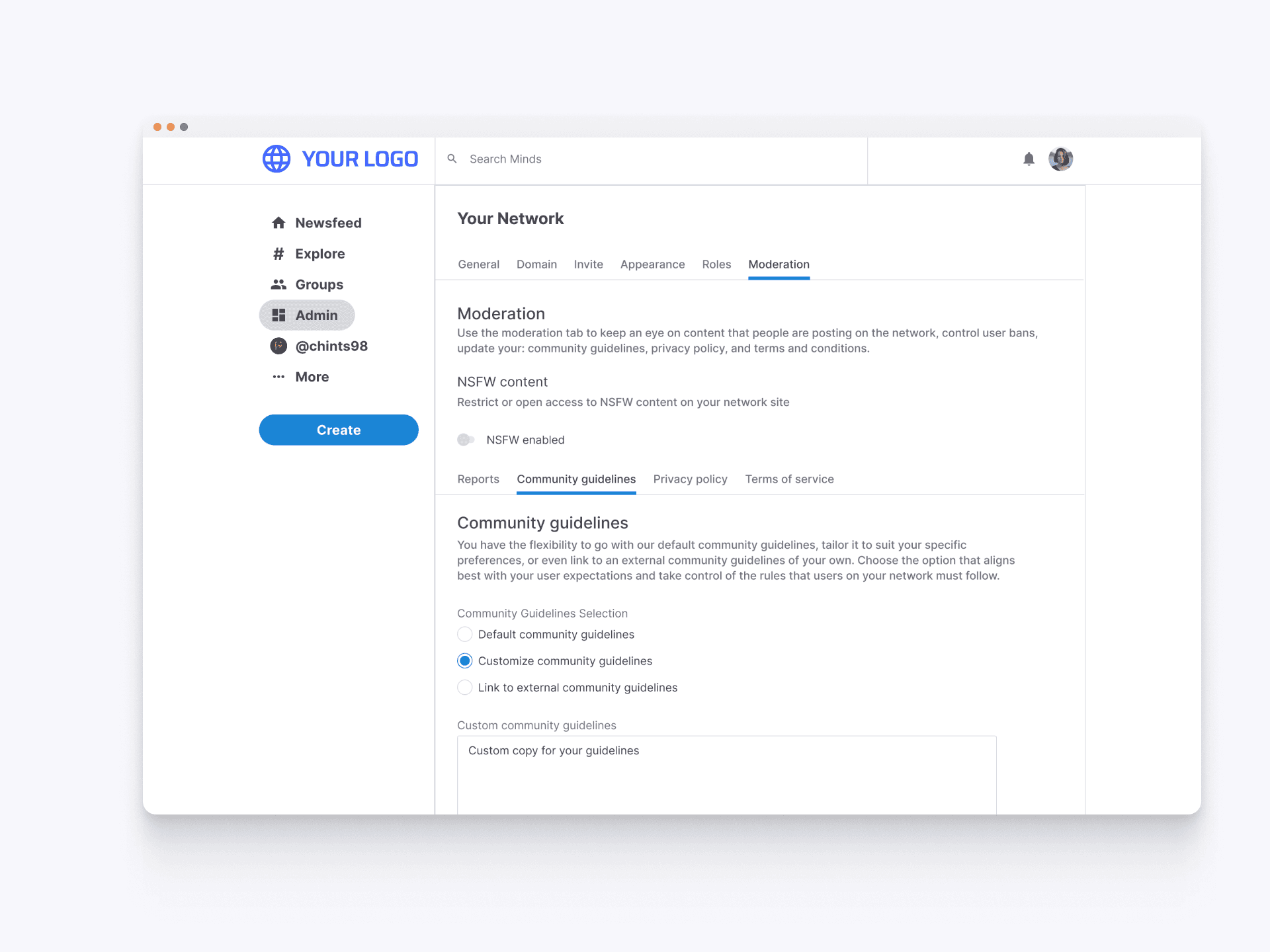
Customize Documentation
Admins can tailor the community guidelines, privacy policy, and TOS to better suit their specific needs. This option allows for detailed customization of the rules, ensuring they align perfectly with the network's unique culture and expectations. Admins can modify existing documentation or create entirely new ones to enforce the desired standards of behavior within their community.
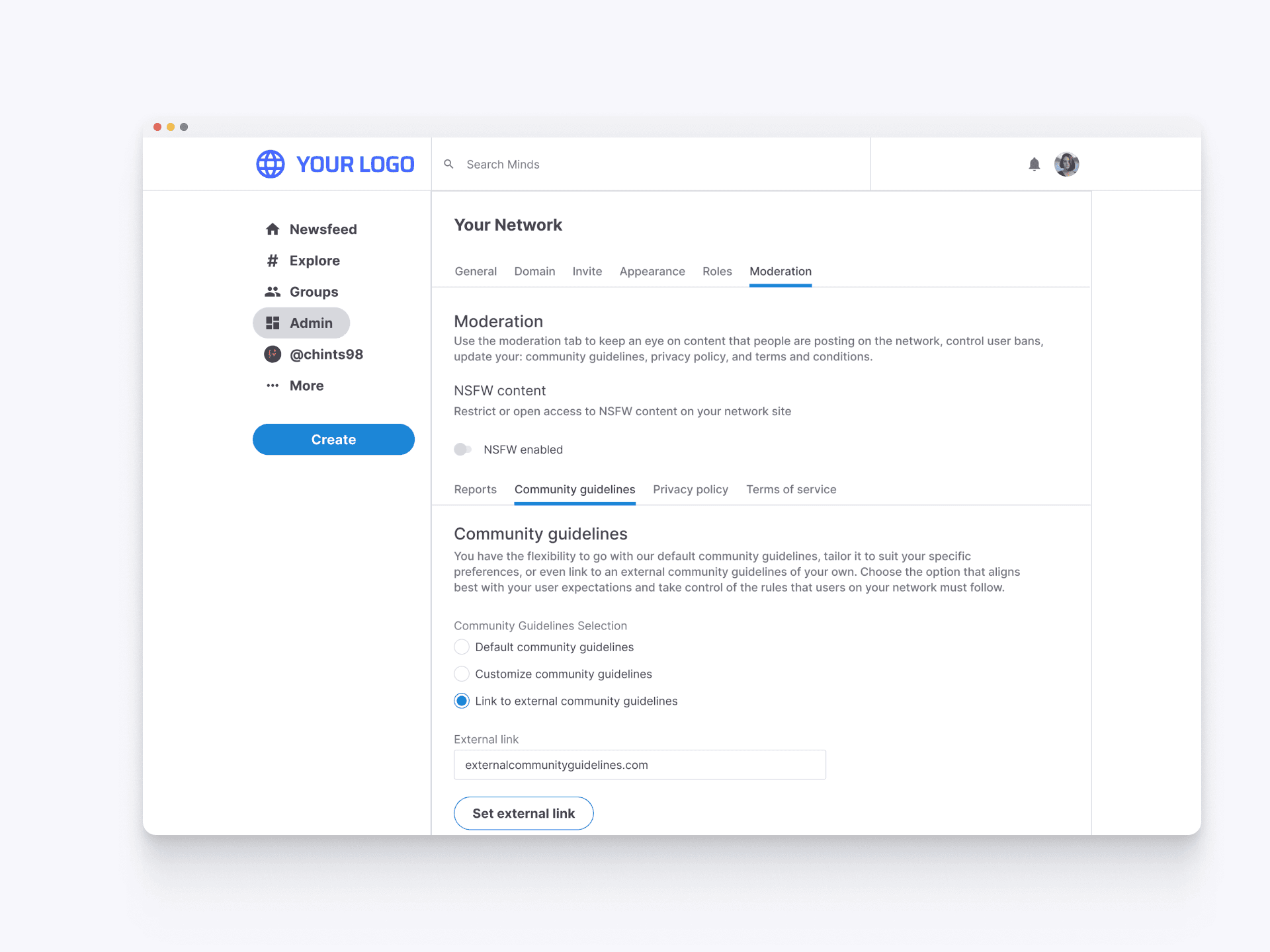
External Documentation
Admins can link to an external set of community guidelines, privacy policy, and TOS . By providing an external link, admins can easily integrate pre-existing or organization-specific rules, ensuring consistency and compliance with broader community standards.
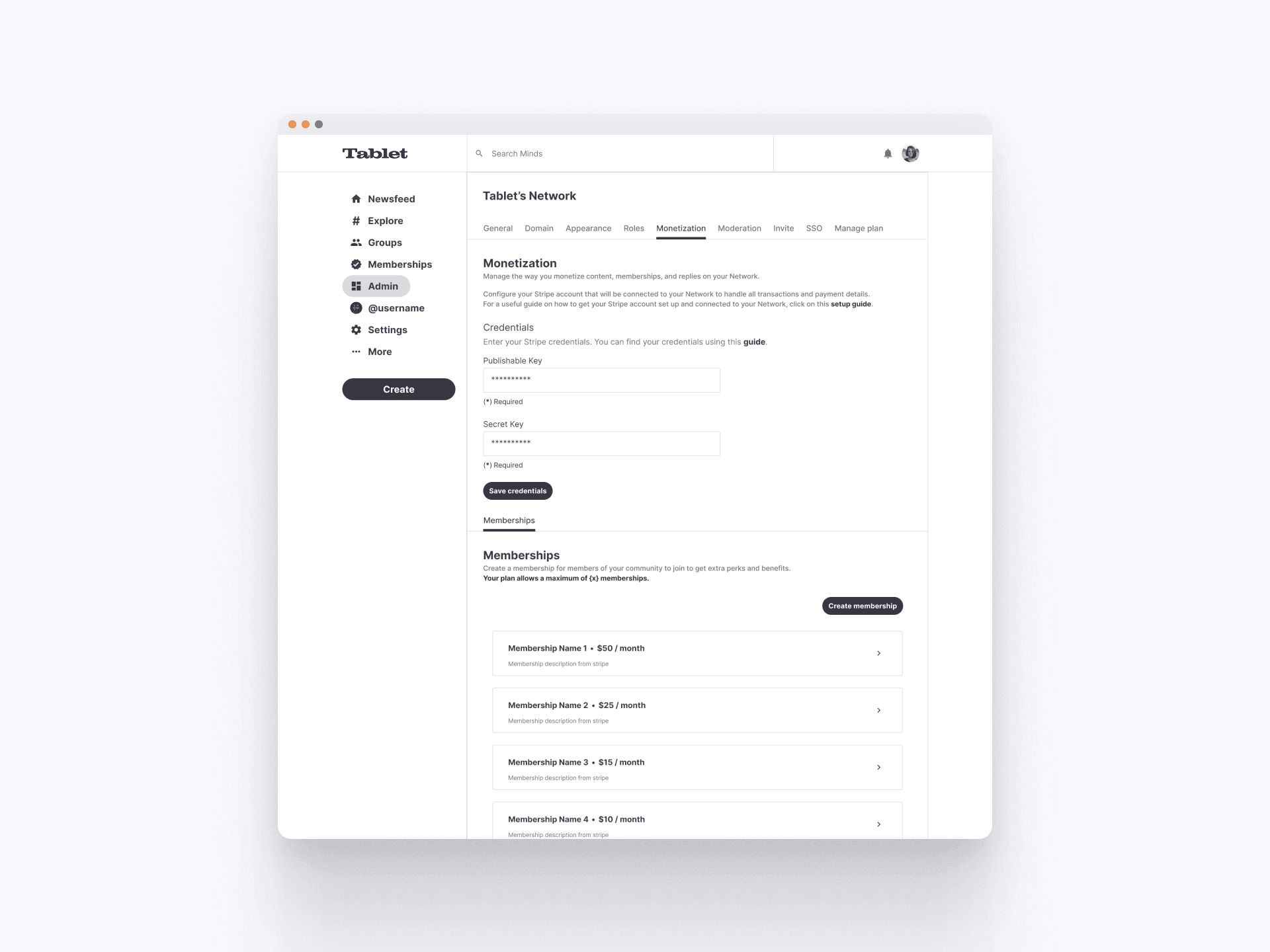
Monetization Tab Overview
The Monetization tab in the network admin hub allows network owners to manage monetization strategies. Admins can configure their Stripe account for handling transactions and create membership tiers. This setup facilitates recurring or one-time subscriptions, offering members exclusive perks and benefits, ultimately enhancing the revenue potential for network owners.
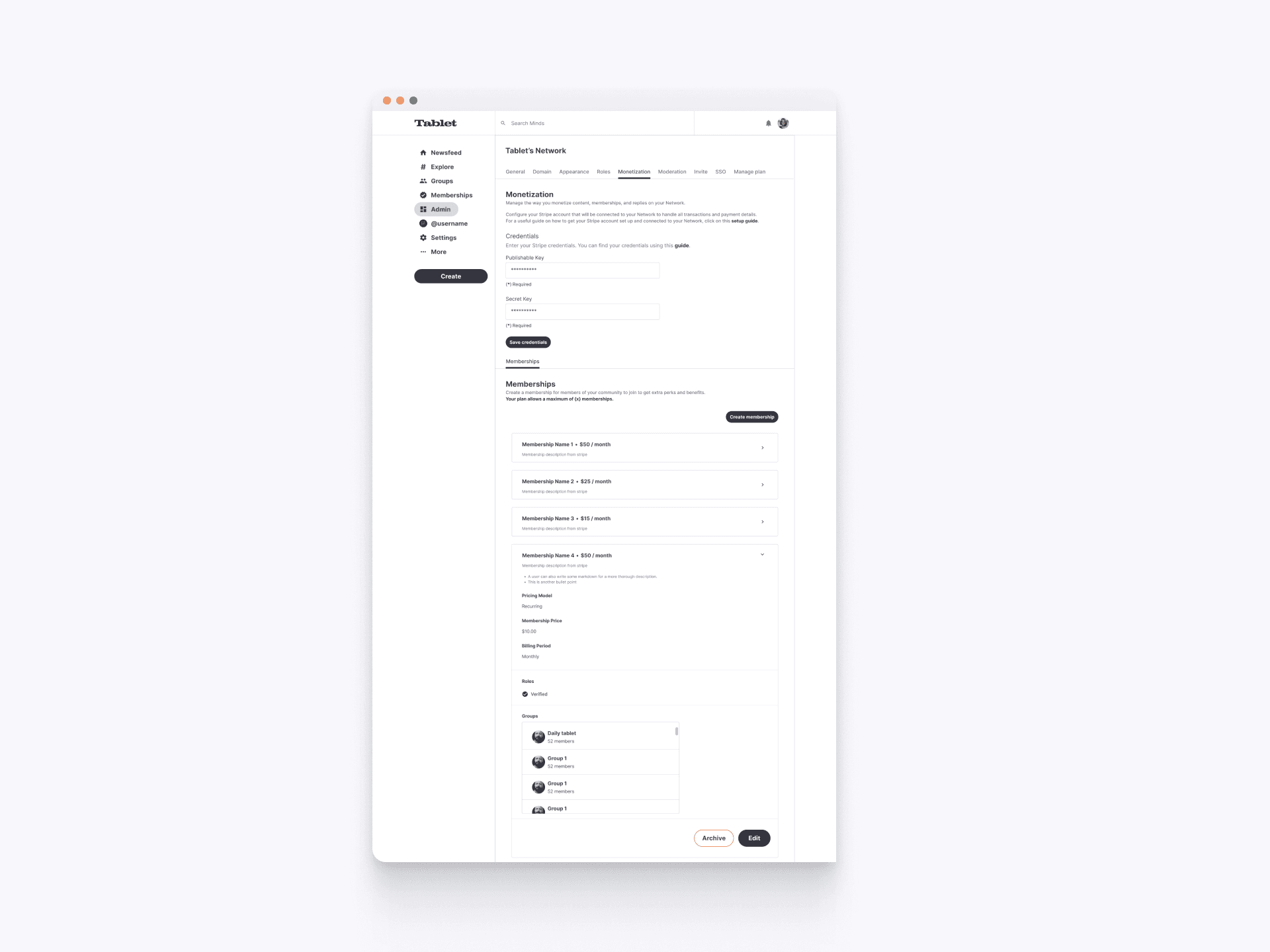
Managing Memberships
The Memberships section within the Monetization tab allows admins to edit, archive, and view details of existing memberships. This includes managing perks, billing periods, and associated groups. The clear layout and functionality help admins maintain organized and efficient membership offerings for their network.
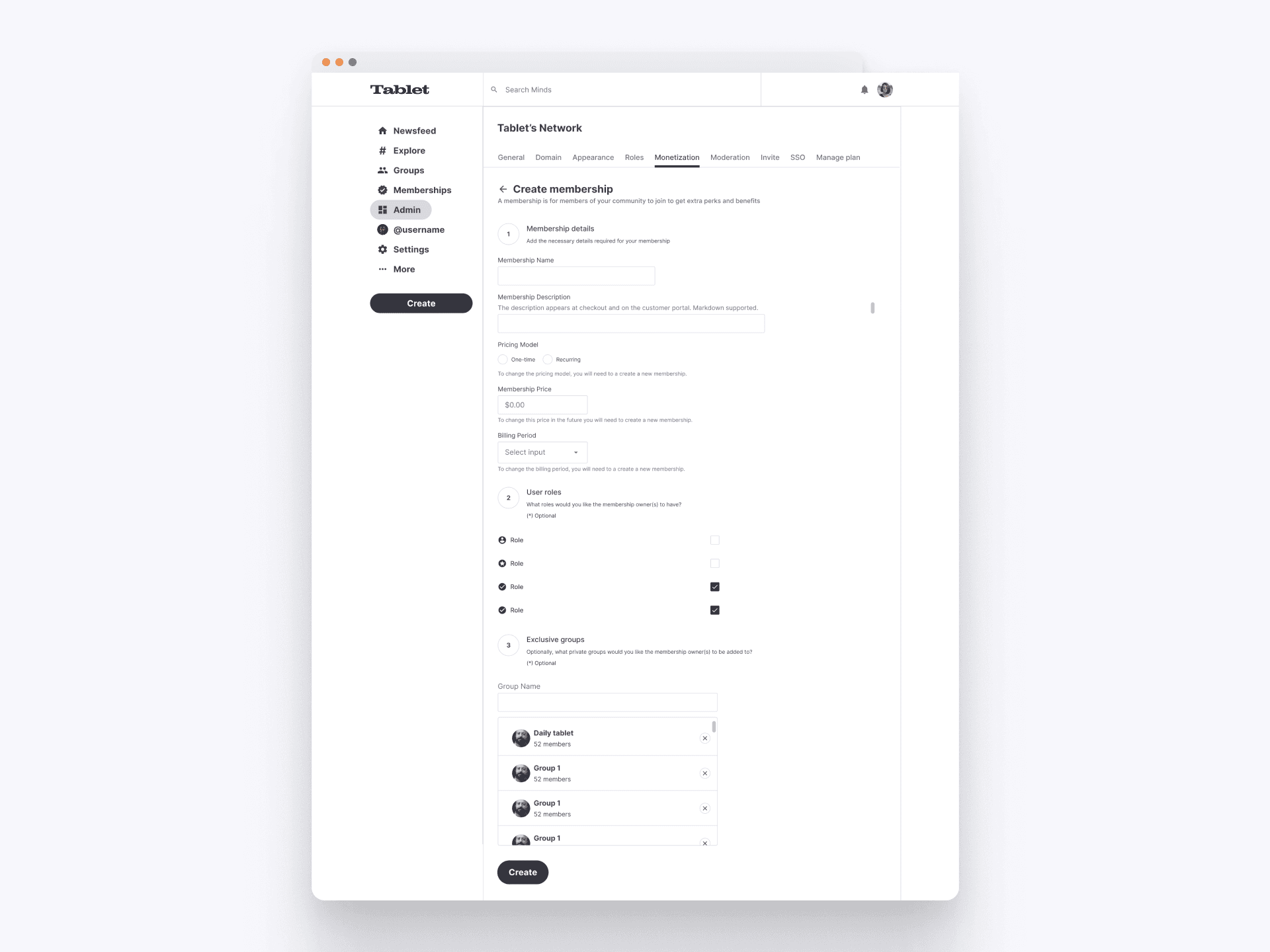
Creating a Membership
The process for creating a membership within the Monetization tab includes defining membership names, setting subscription prices, and assigning specific perks and benefits to members. Admins can easily configure recurring billing periods and manage group memberships, ensuring a flexible and user-friendly setup for network monetization.
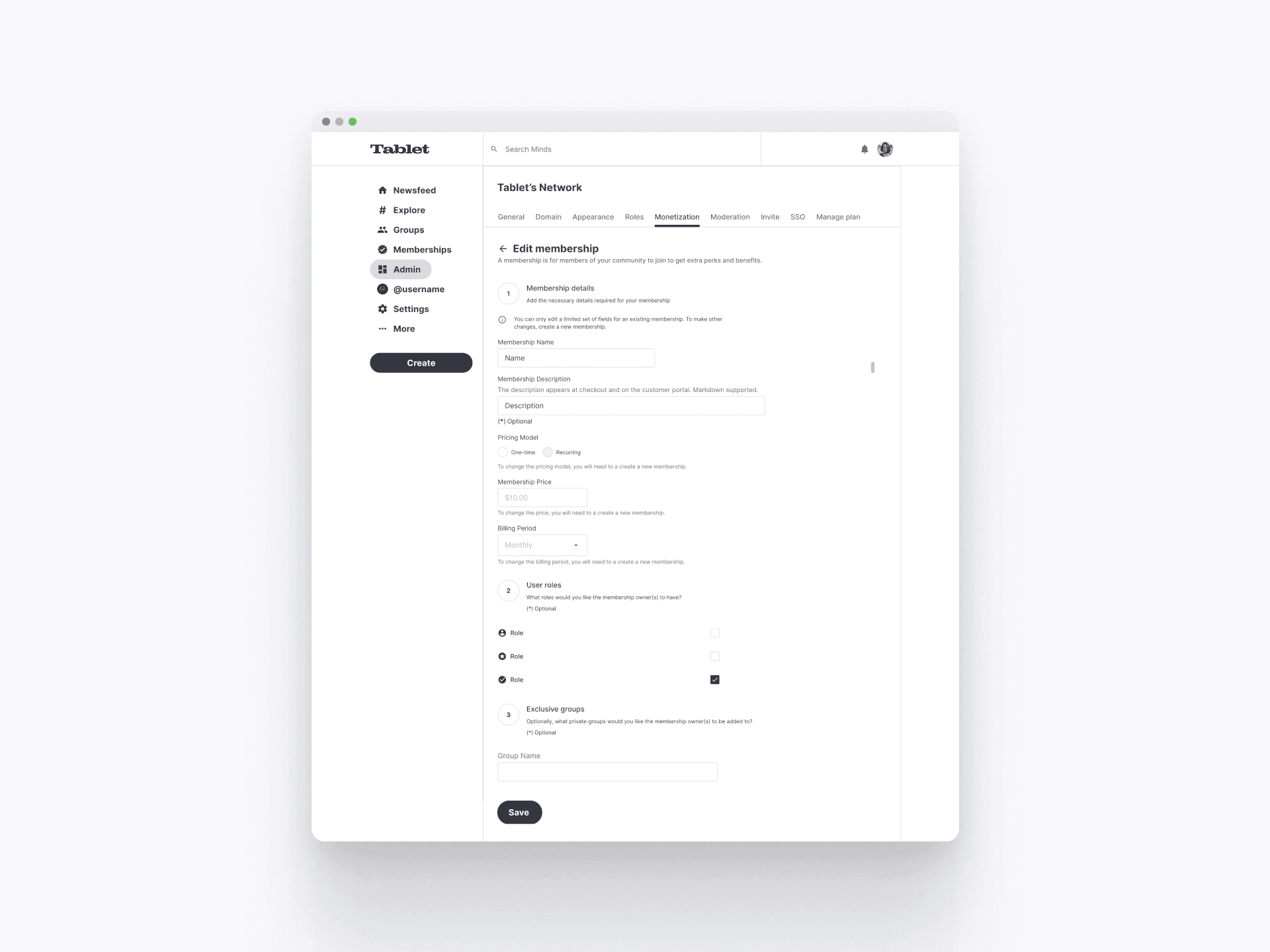
Editing a Membership
The editing process in the monetization tab enables admins to modify existing memberships. Admins can update membership details, change pricing models, adjust billing periods, and refine user roles and group access, ensuring flexibility and control over membership offerings.
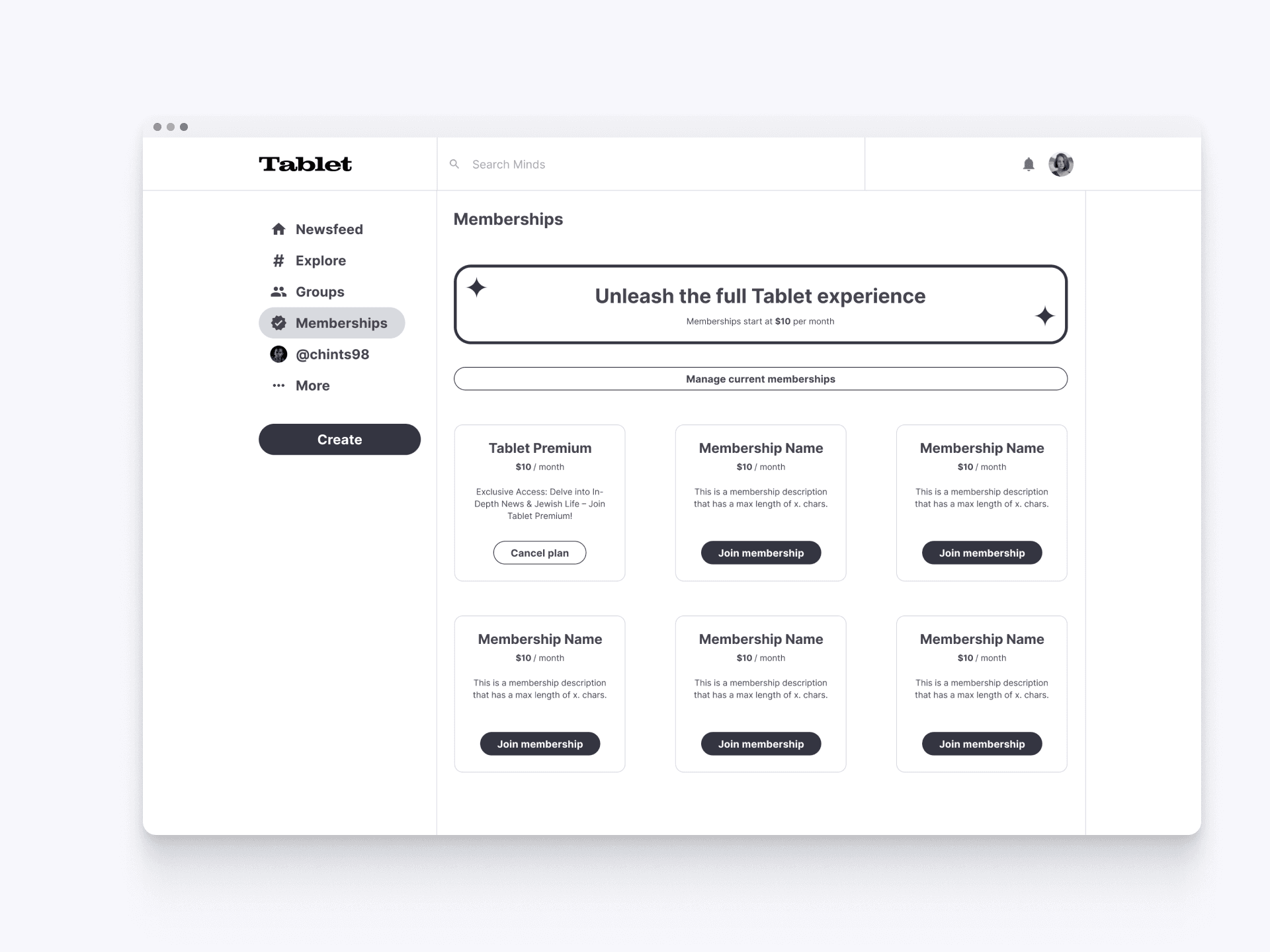
Explore Network Memberships
The Memberships section showcases available subscription plans to network users. Each plan offers unique benefits and pricing, allowing users to select the membership that best suits their needs. This interface clearly displays the features and costs associated with each tier, helping users make informed decisions about joining and engaging with the network at their desired level of access and perks.