Minds Design System
About the project
Timeline
Nov - Jan 2023
My role
Lead UX Designer
Platforms
Web & Mobile
Problem
Minds.com lacked a direct messaging feature, limiting user interaction and engagement. Users couldn't communicate privately or share content directly, which was a significant gap in the platform's functionality.
Goal
Develop and implement a seamless chat feature that allows users to communicate directly, share content in private messages, and enhance overall user engagement and satisfaction on Minds.com.
Outcomes & Results
The introduction of the chat feature led to a 50% increase in user interaction and a 35% boost in daily active users. The ability to communicate privately and share content directly resulted in a 40% increase in user satisfaction and a 25% reduction in user churn, fostering a more connected and engaged community on Minds.
Key Learnings
Designing for User Connectivity
Creating a feature that meets user connectivity needs is crucial. The chat function allowed for direct messaging and content sharing, fulfilling a significant gap in user interaction on Minds.
Enhancing Communication with Intuitive Tools
The development of the chat feature emphasized the importance of intuitive and seamless communication tools. This led to increased user engagement, showcasing how well-designed communication tools can significantly enhance user experience.
Prioritizing Privacy to Build Trust
Implementing strong privacy measures was essential for the chat feature. Ensuring secure and private communication fostered user trust and encouraged more active participation on the platform.
"How might we create an intuitive chat feature on Minds that enables direct communication and content sharing, fostering stronger user connections and engagement?"
Typography System
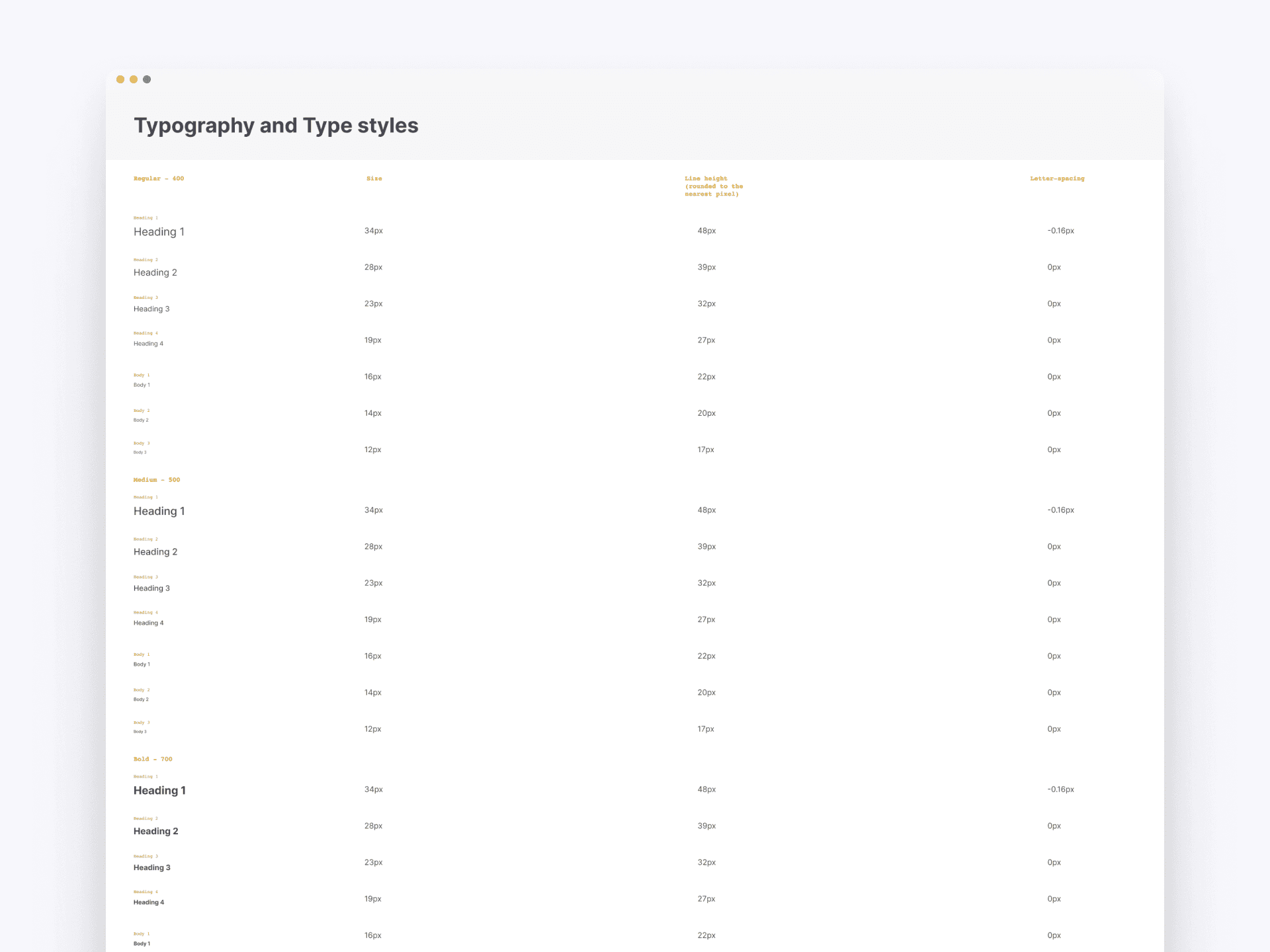
The new typography system in our design system provides a comprehensive guide to type styles, ensuring consistency across all platforms. It includes detailed specifications for various heading and body text styles, each with specific font weights, sizes, line heights, and letter spacings. This standardized approach streamlines the design process and enhances readability and visual hierarchy throughout the application.
Spacing Guidelines
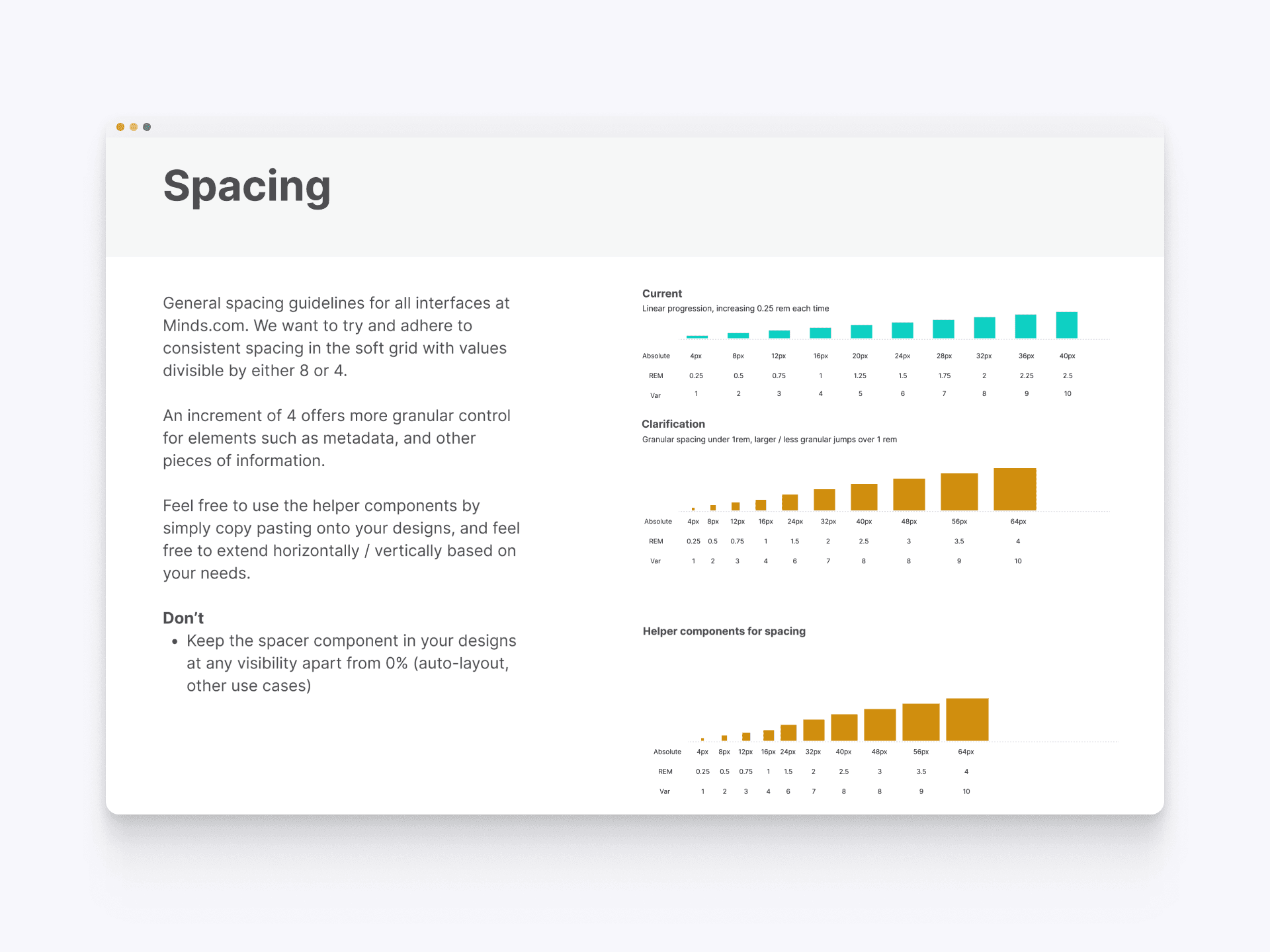
The new spacing system in our design system ensures consistent spacing across all interfaces at Minds.com. By adhering to a soft grid with values divisible by either 8 or 4, it offers granular control over elements like metadata. This approach simplifies design processes, allowing for easy extension and better alignment. The visual guide provides clear examples of linear and granular spacing progressions, enhancing the layout's clarity and visual harmony.
Buttons
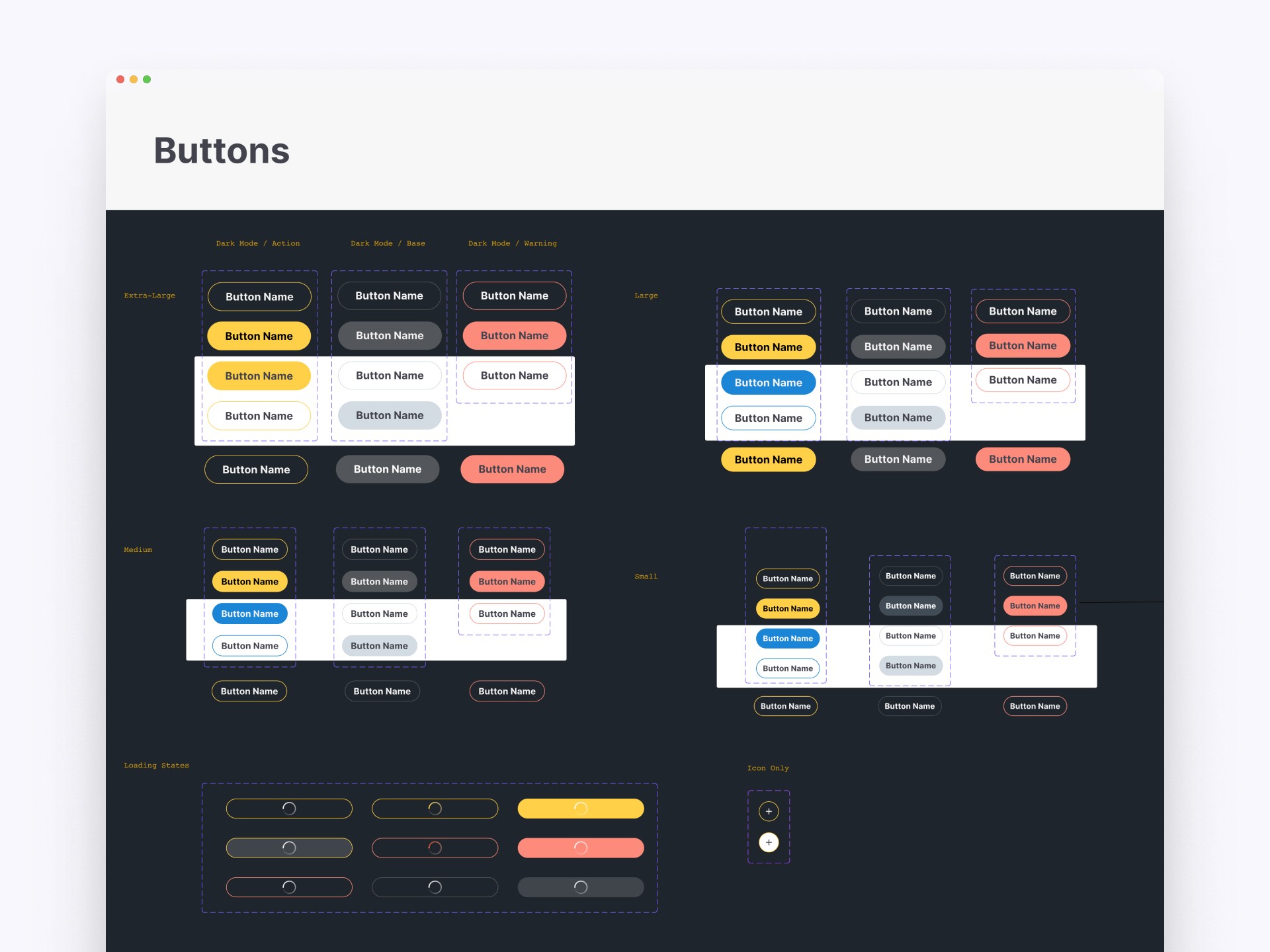
Our design system introduces a comprehensive set of button styles, ensuring visual consistency across the platform. This includes various sizes, color schemes for different modes (dark mode, action, warning), and states (loading, icon-only). The standardized button components streamline the design process and improve the user interface's visual coherence and usability, providing clear and consistent interaction elements for users.
Core Color Palette
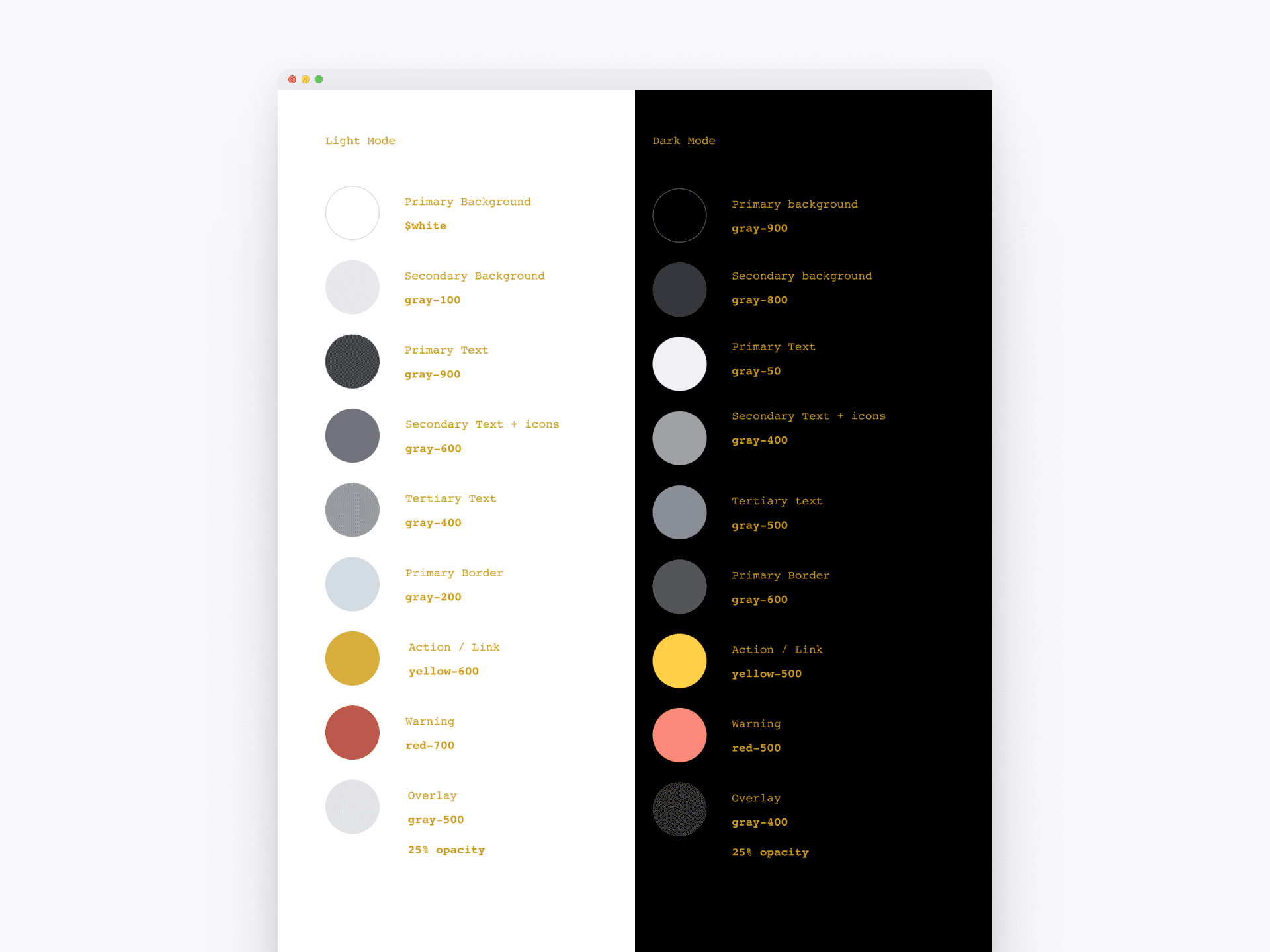
The core color palette in our design system ensures consistency in visual design across all platforms. It includes primary and secondary colors for both light and dark modes, with detailed specifications for text, backgrounds, borders, and accents. This palette ensures brand cohesion and enhances visual accessibility.
Extended Color Palette
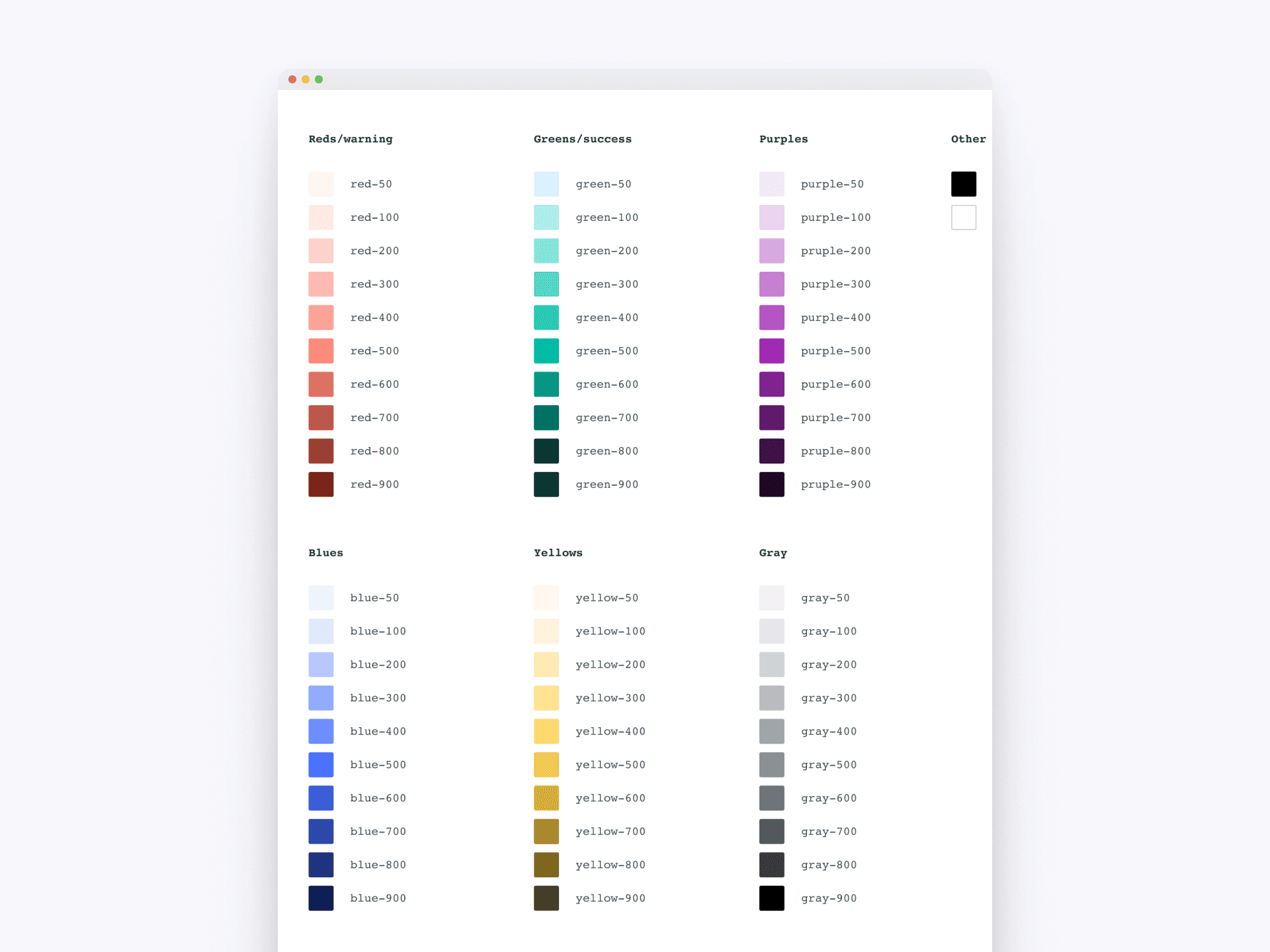
This section of the design system presents an extended color palette to accommodate various design needs. This extended palette supports the primary color scheme, ensuring a cohesive and adaptable design framework.
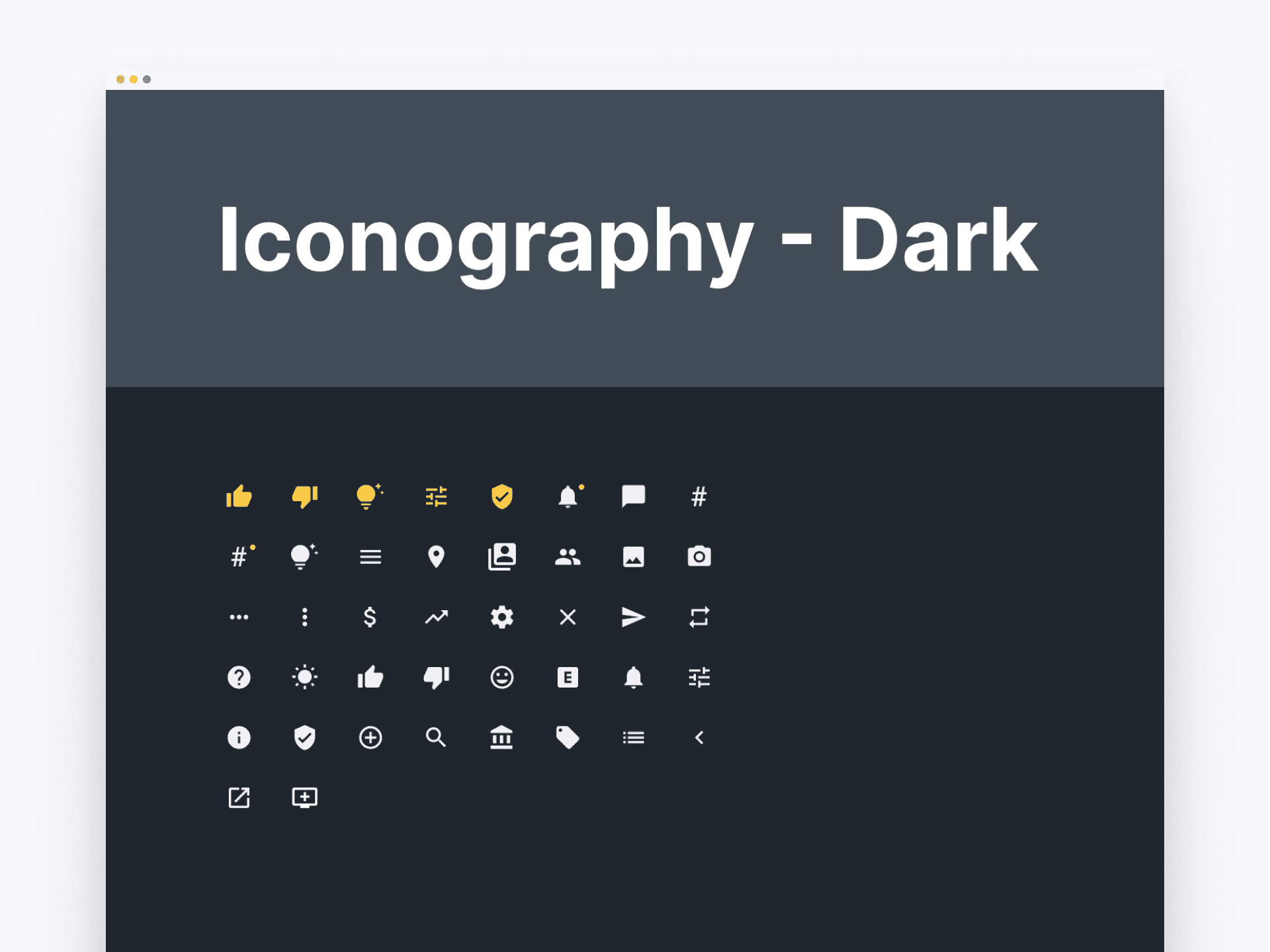
Iconography - Dark Mode
The iconography system for dark mode features a collection of icons designed to complement dark backgrounds. Each icon is crafted with attention to detail, ensuring clarity and visual appeal. This cohesive set enhances usability and aesthetics in dark mode interfaces.
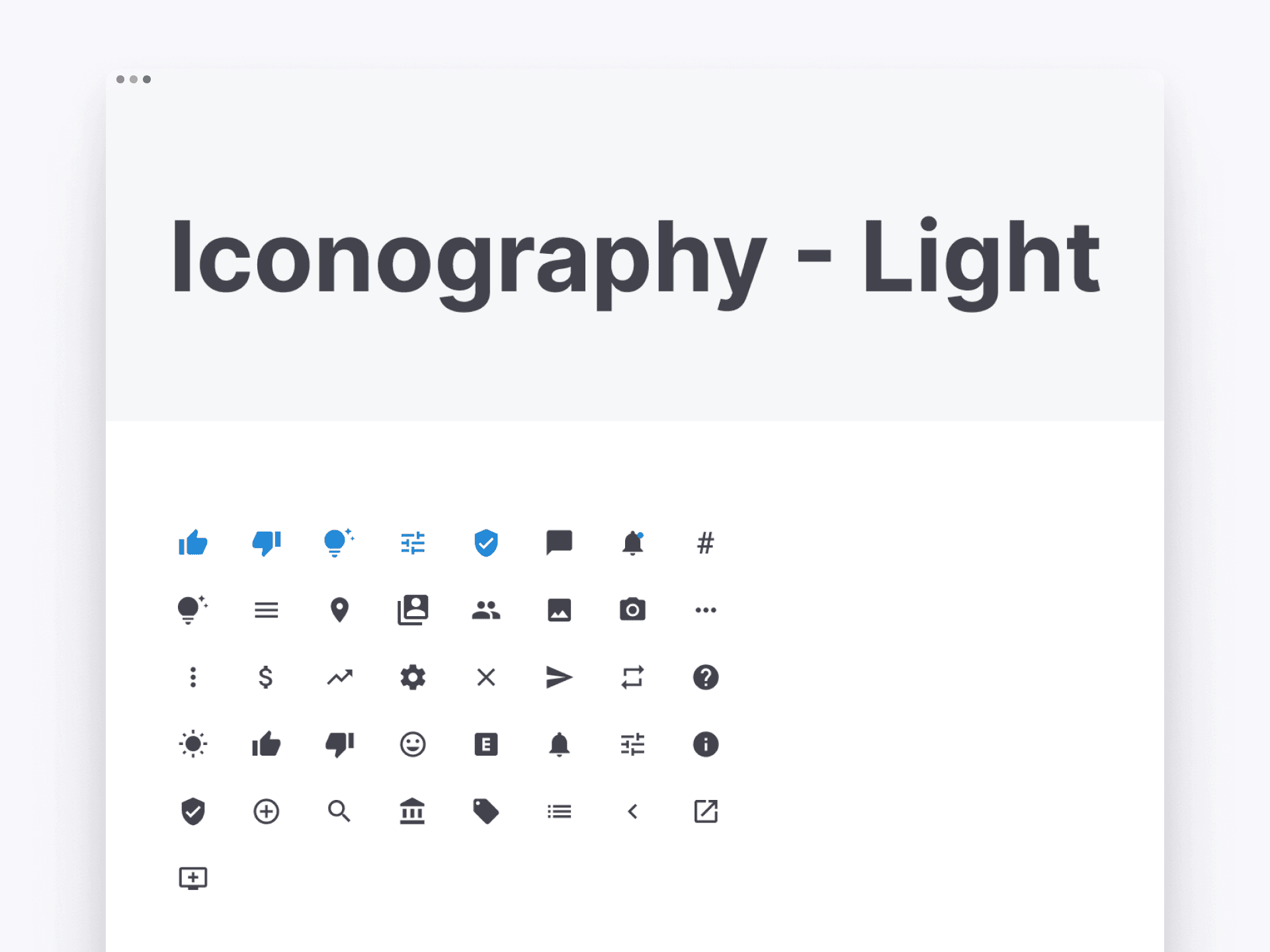
Iconography - Light Mode
The iconography system for light mode includes a comprehensive collection of icons optimized for light backgrounds. Designed for clarity and visual appeal, these icons ensure a consistent and intuitive user experience across all light mode interfaces.
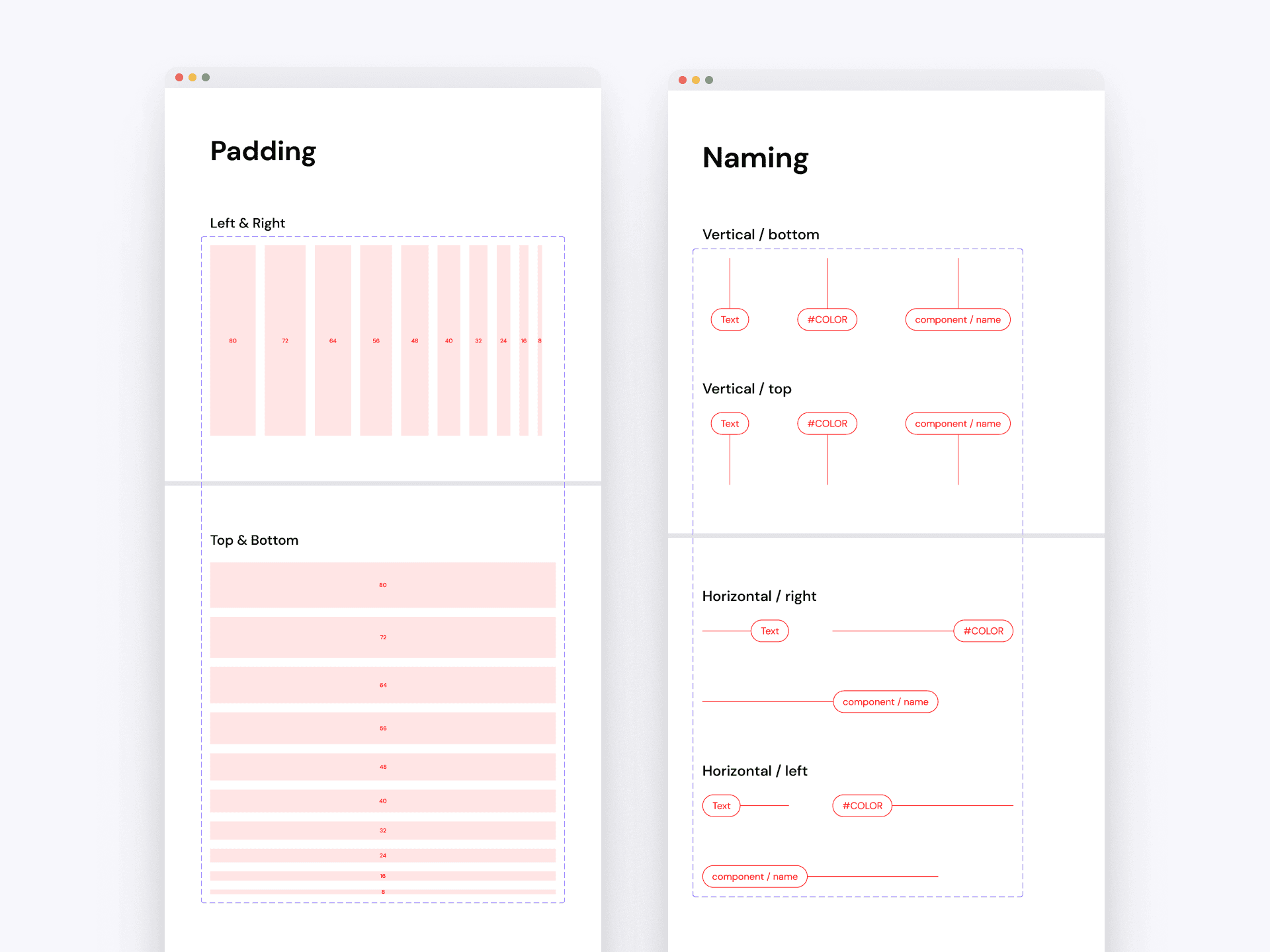
Padding and Naming Conventions
The padding guidelines in ensures consistent padding on all sides, enhancing the visual structure and readability of the content. Our naming conventions includes detailed guidelines for naming elements based on their position and function, facilitating better communication and collaboration among design and development teams.
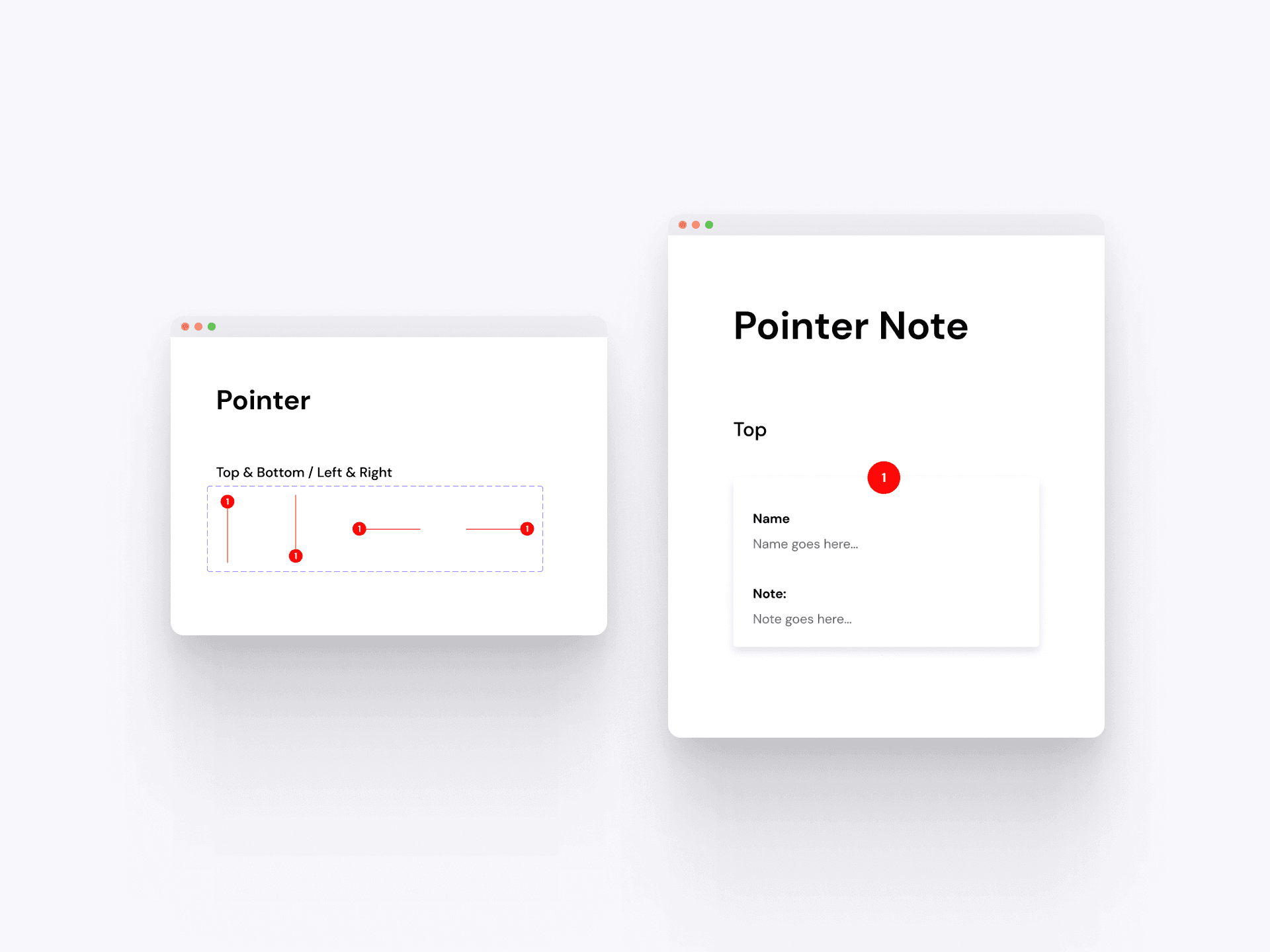
Pointer Elements
The pointer elements in our design system include detailed guidelines for positioning and styling pointers. This system ensures consistent visual indicators for interactive elements, enhancing user experience and interaction throughout the application.
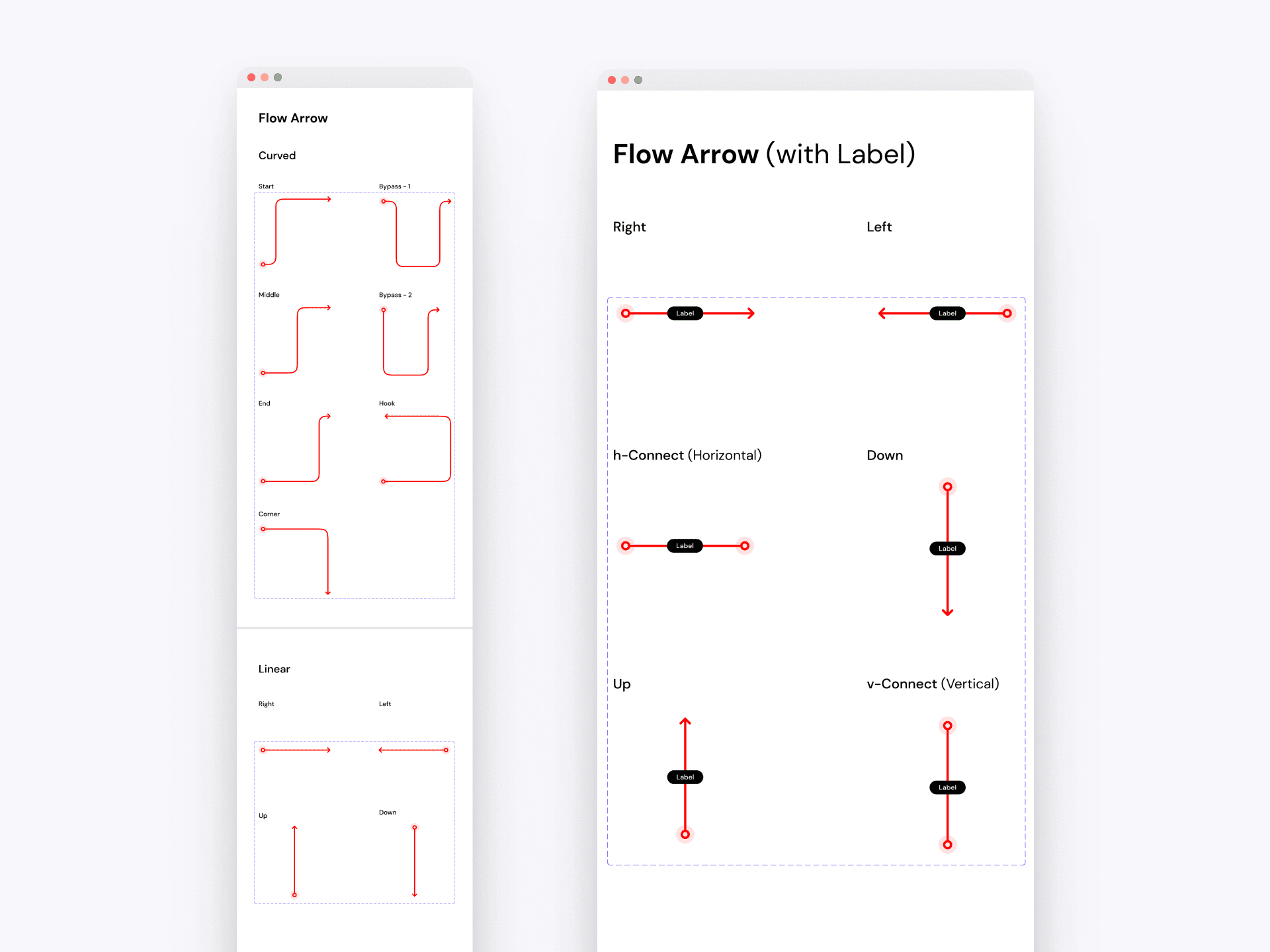
Flow Arrows
The flow arrows in our design system provide clear guidelines for creating directional indicators. Available in both curved and linear styles, these components ensure consistent and intuitive visual cues for user navigation and process flows within the application.
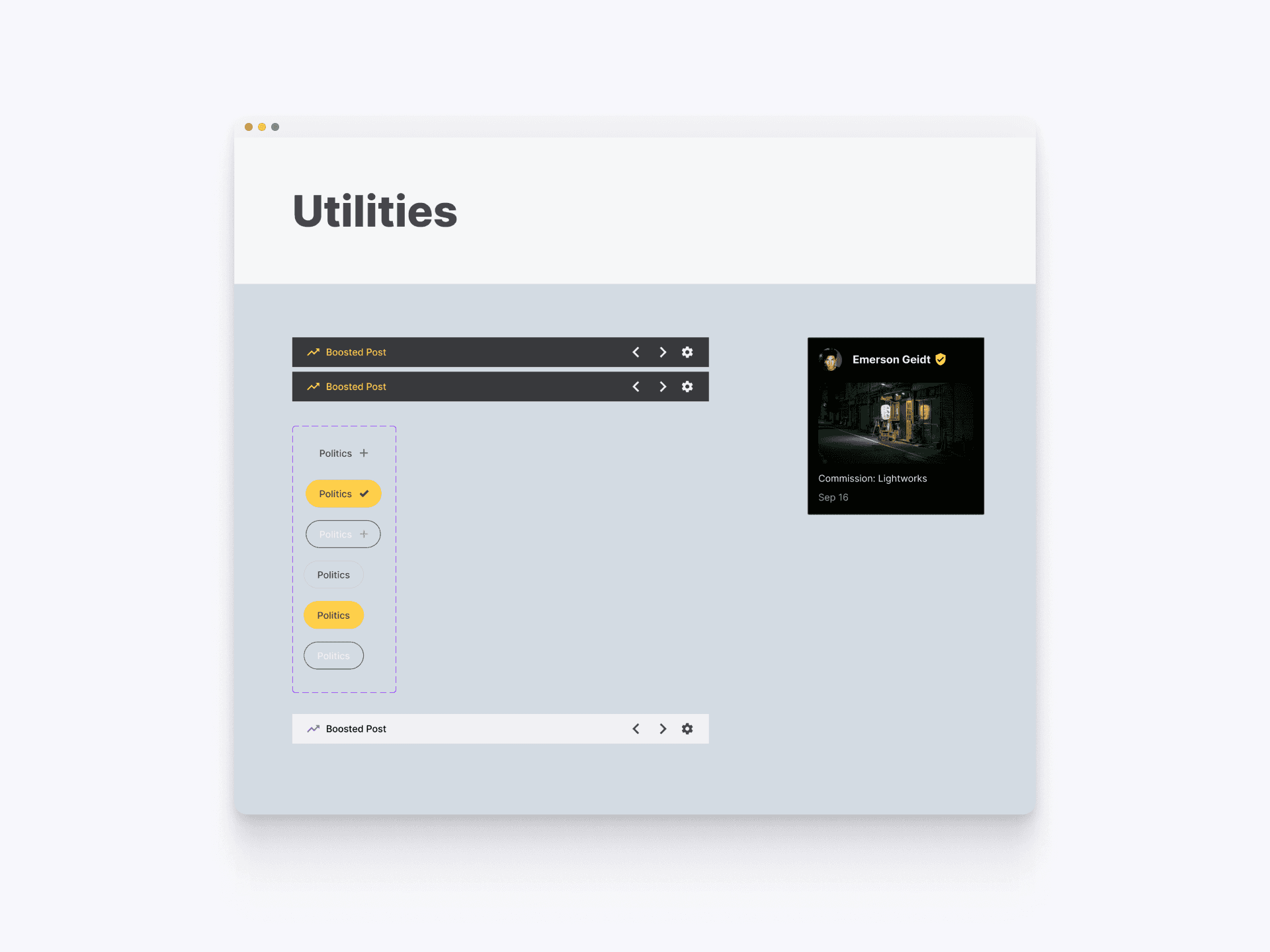
Utility Components - Web
The web utility components in our design system offer a range of interactive elements that enhance user engagement and navigation. These include boosted posts, category tags, and other utility elements designed for intuitive interaction.
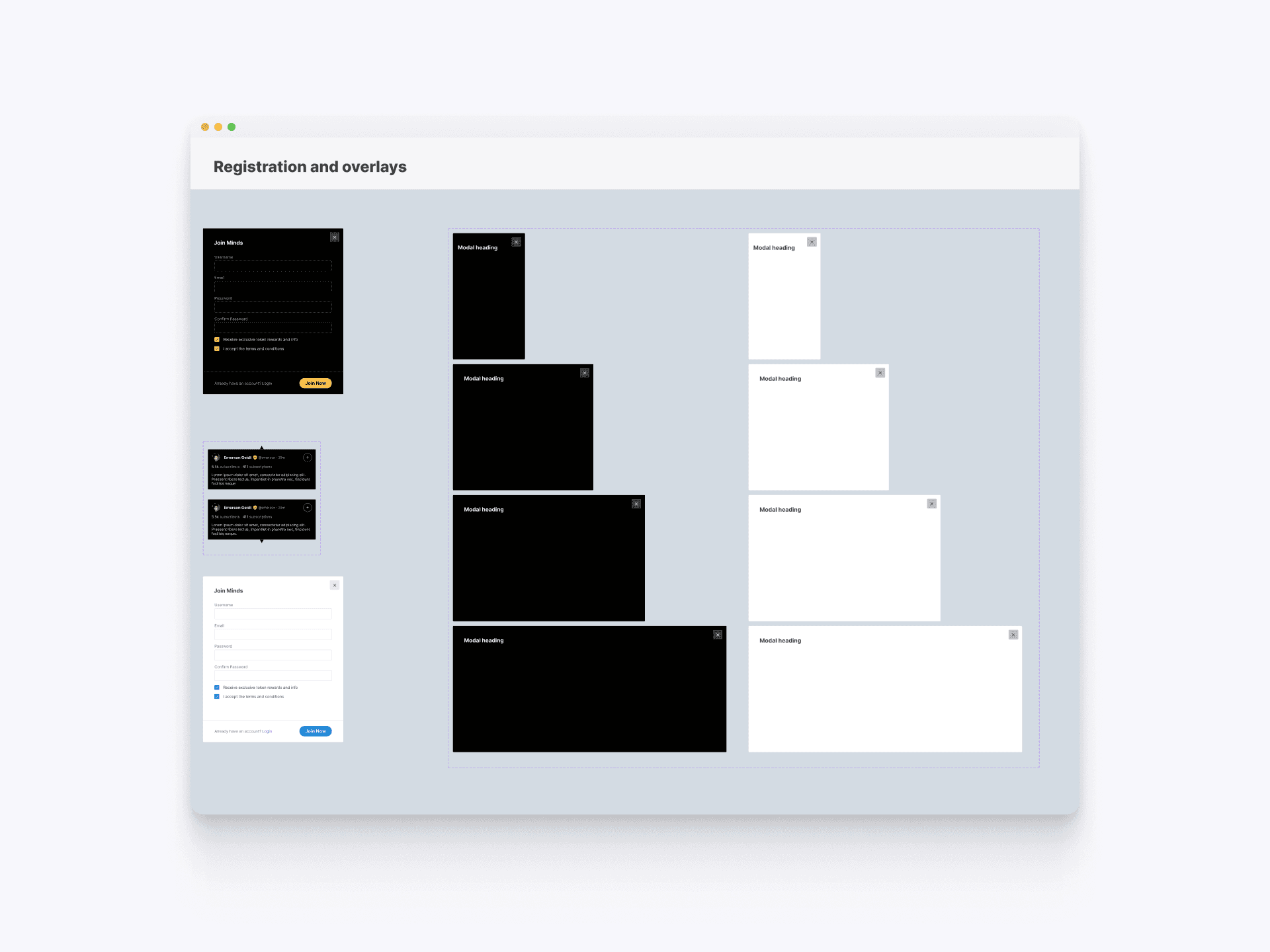
Registrations and Overlays - Web
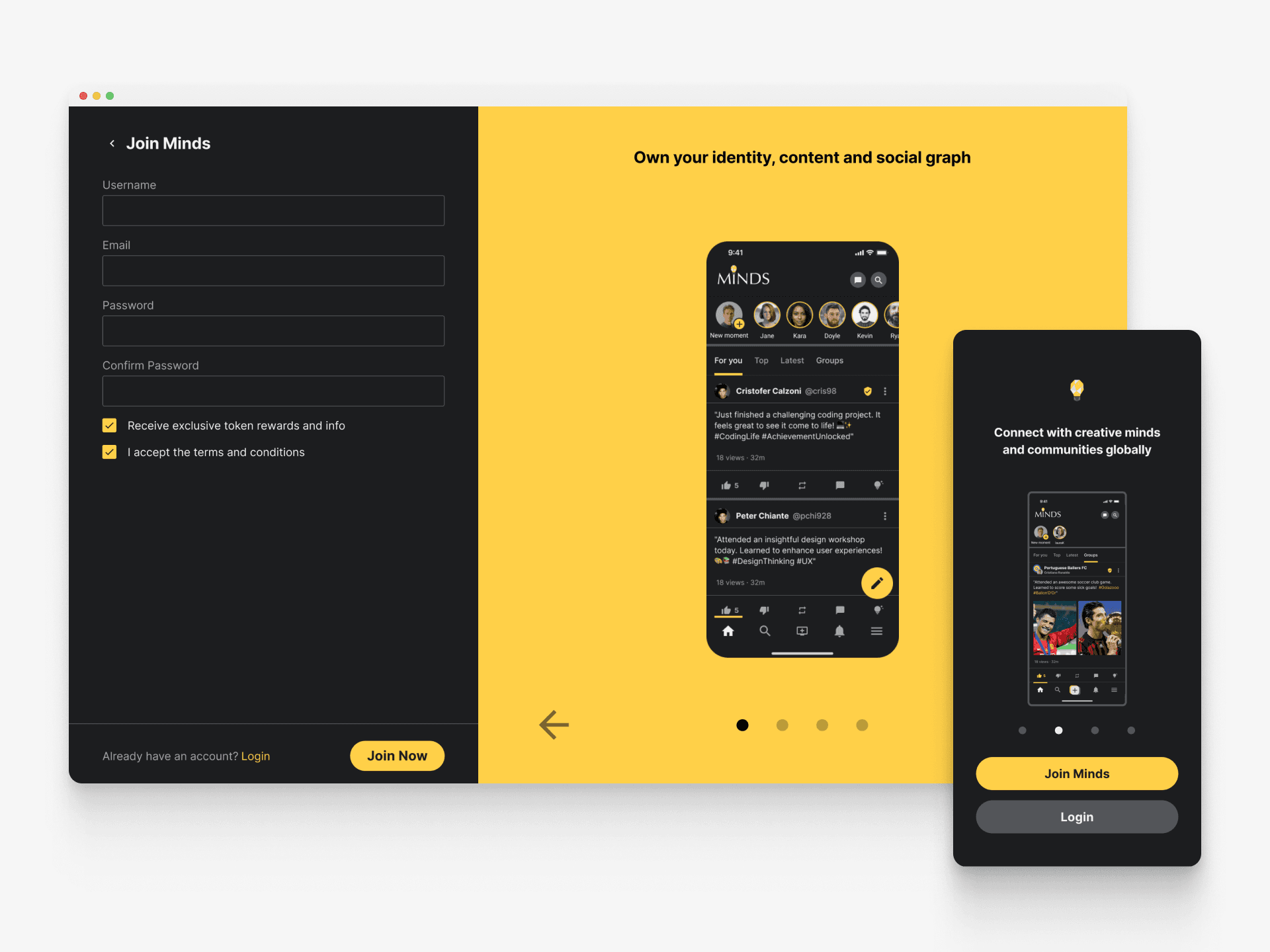
After implementing our redesign of the mobile web app, the team found a 70% increase in user adoption with increased traffic to their site. They observed heightened engagement levels from both new and existing users, coupled with a notable surge in traffic originating from new users.
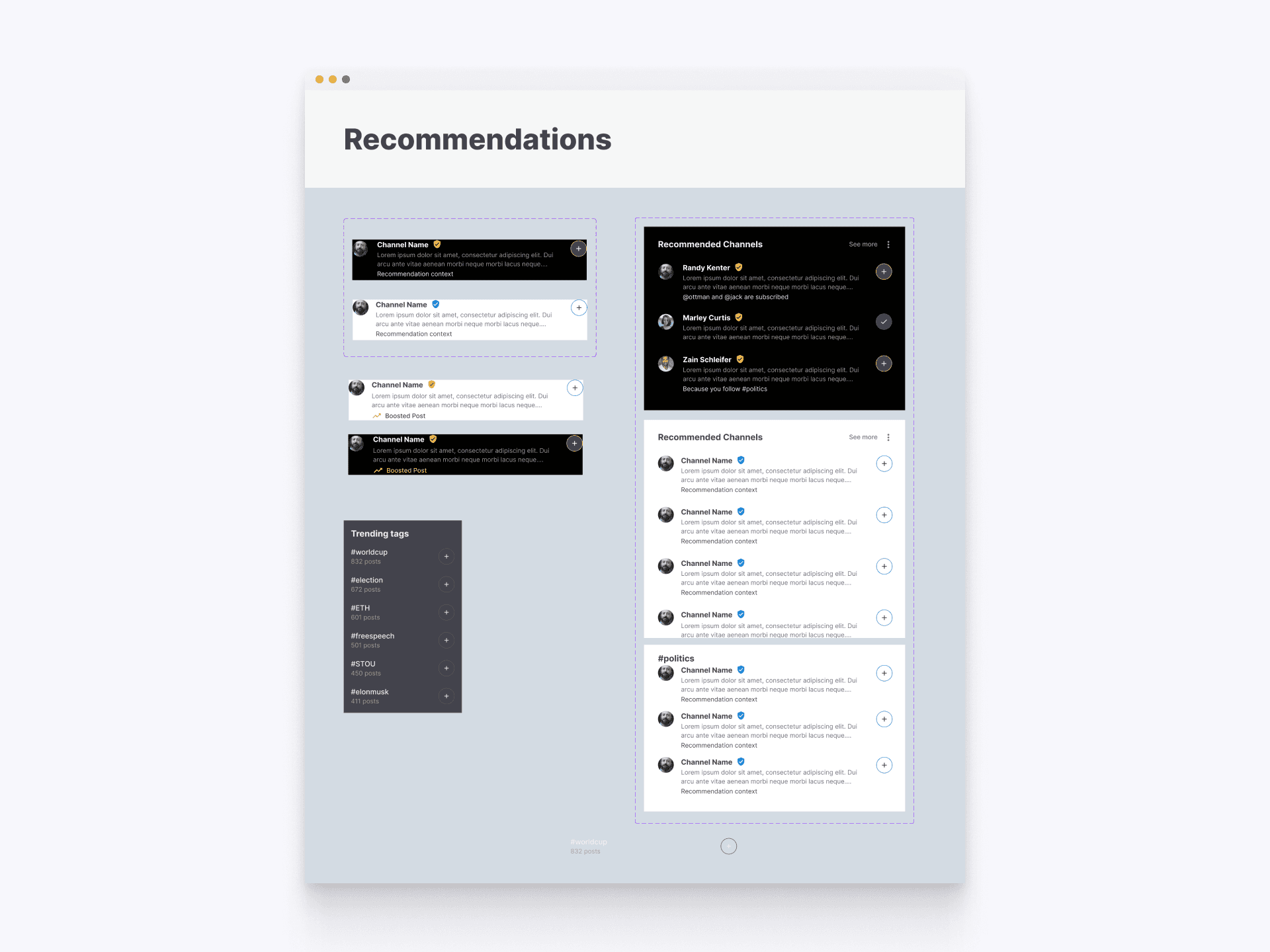
Recommendations - Web
The recommendation components in our design system provide a standardized approach for displaying suggested content and channels to users. This system ensures that recommendations are visually consistent and engaging, improving content discovery and user engagement.
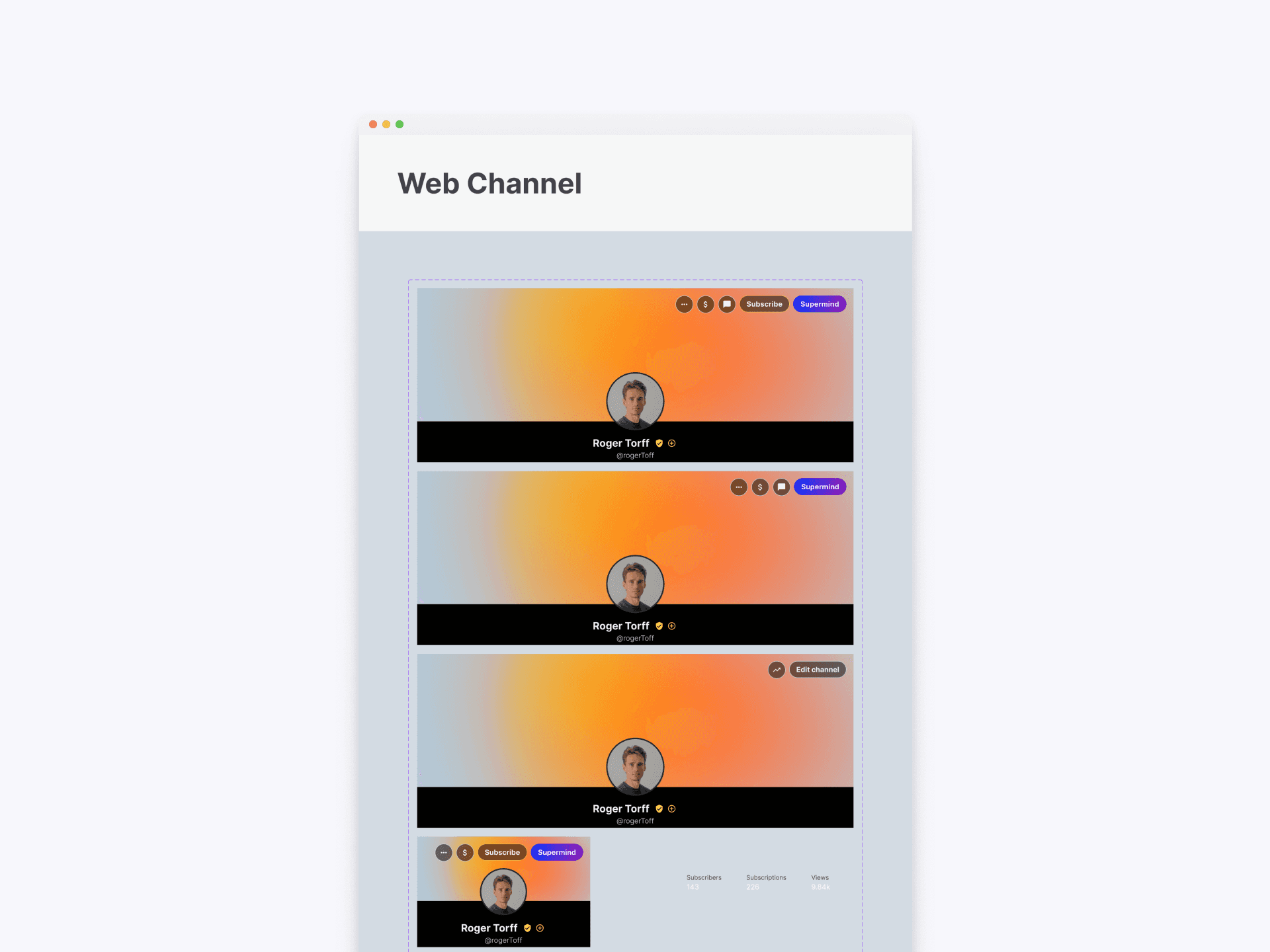
User Channel - Web
The web channel components in our design system offer a cohesive design for user channels, ensuring a consistent and branded experience across the platform. These components include styles and layouts for various channel elements, enhancing user profiles and content presentation.
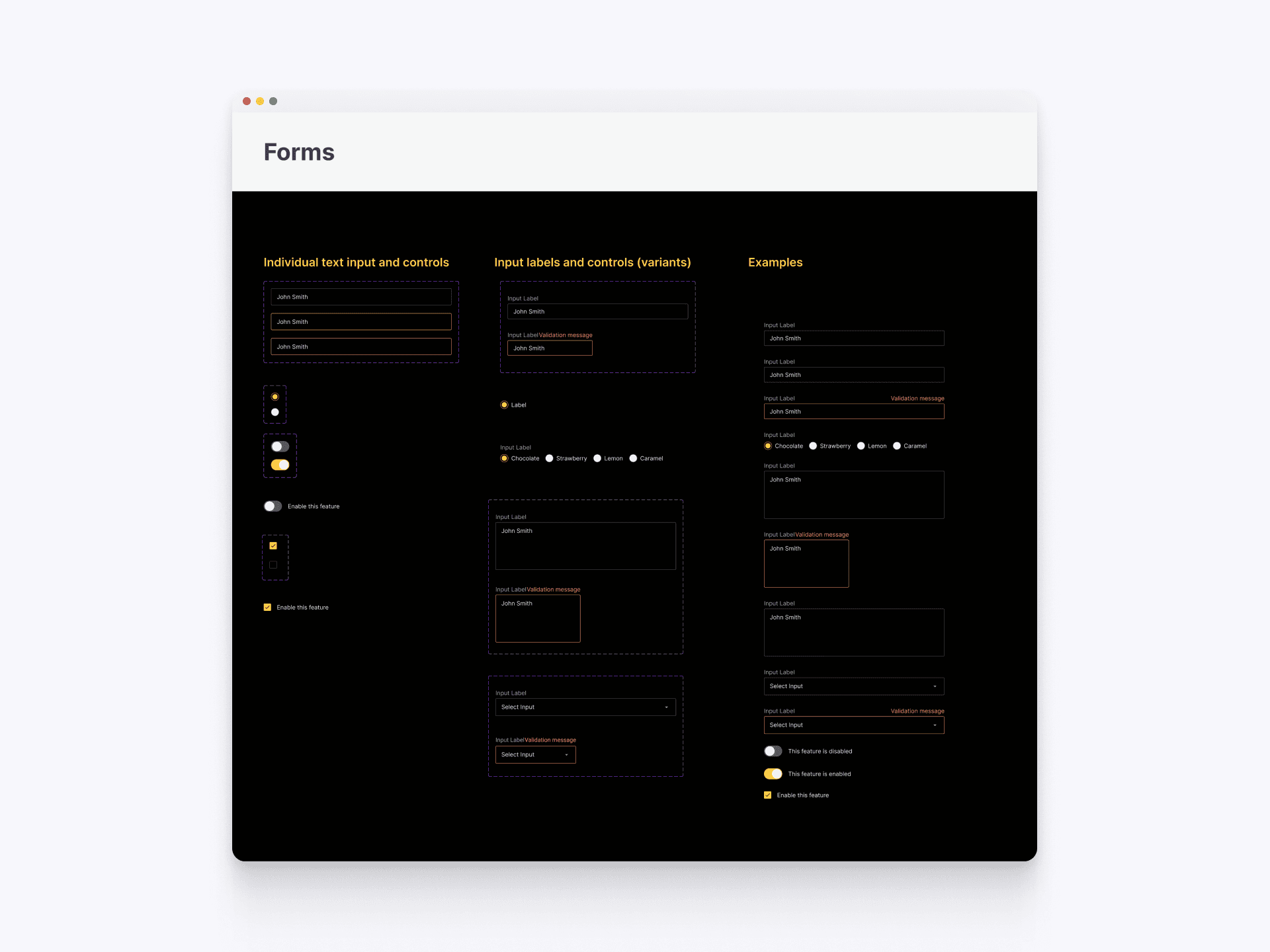
Forms - Web
The form components in our design system provide a comprehensive guide to creating consistent and user-friendly input fields, labels, and validation messages. This system ensures that all forms are visually coherent and accessible, enhancing the overall user experience and interaction.
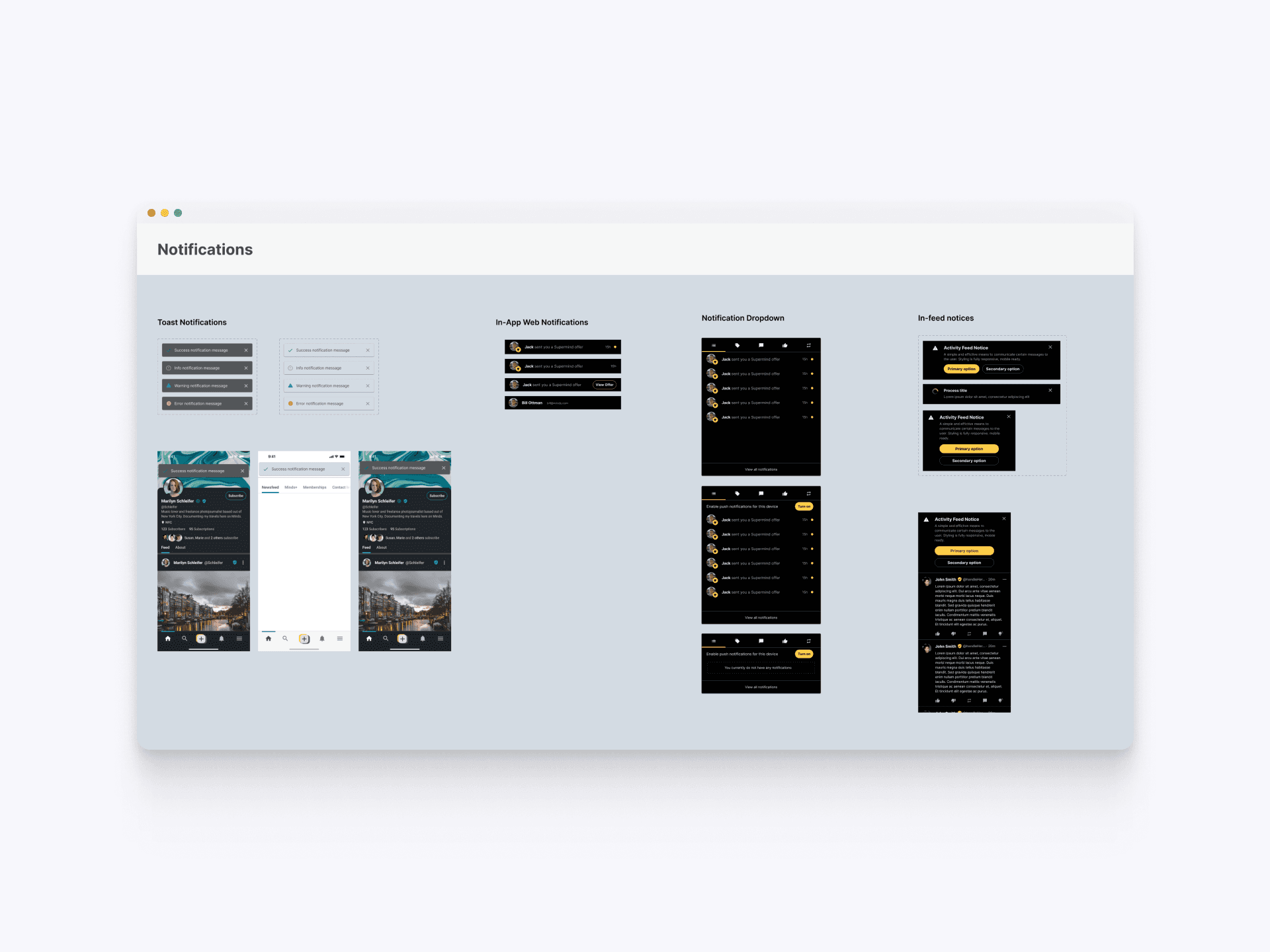
Notifications - Web
The notification components in our design system standardize the approach for alerting users. This system includes toast notifications, in-app notifications, and notification dropdowns, ensuring consistent and effective communication with users across different contexts.
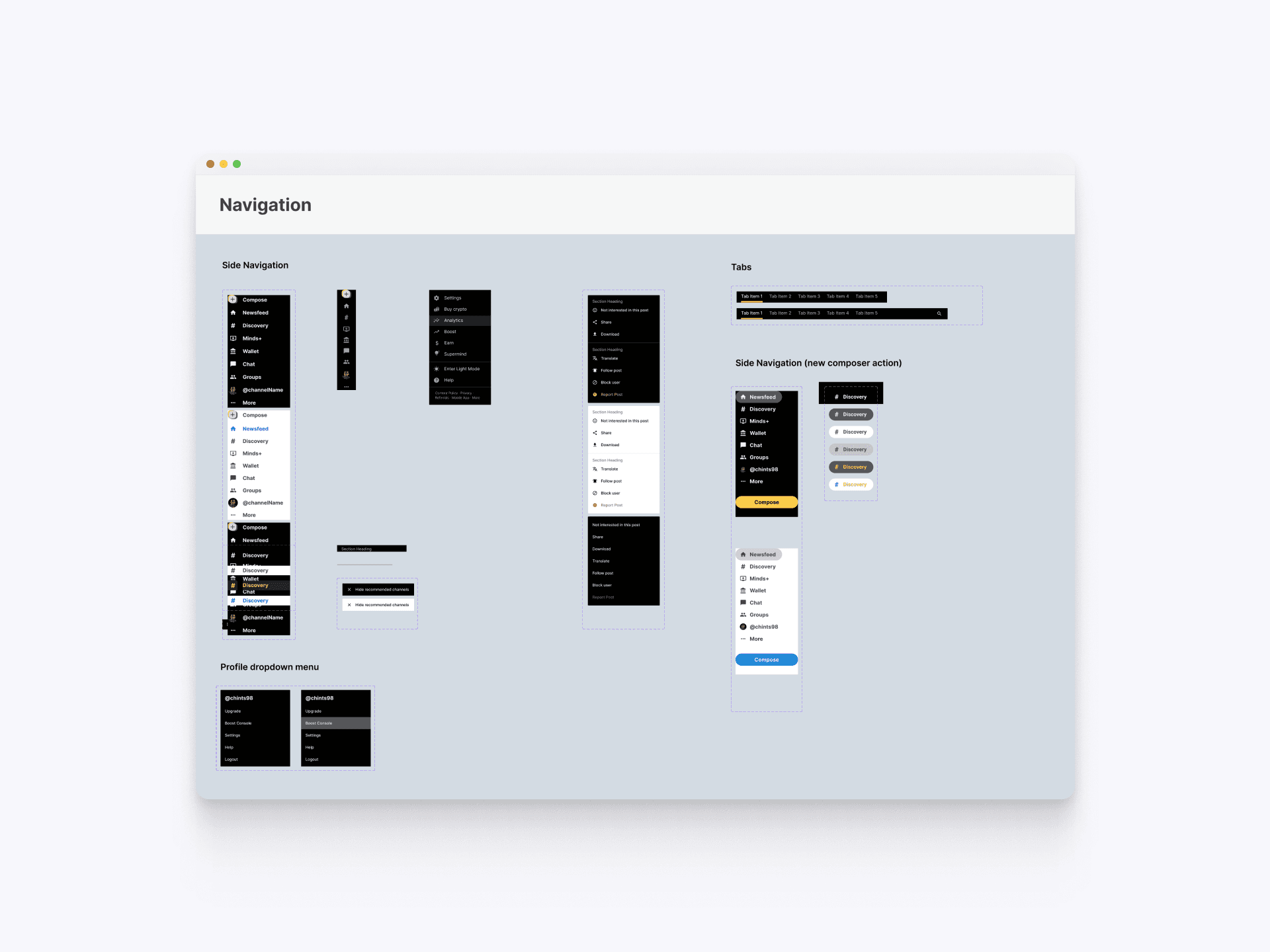
Navigation - Web
The navigation components in our design system provide a consistent and intuitive user experience across the platform. This collection includes side navigation, tabs, and profile dropdown menus, ensuring cohesive and efficient navigation. The side navigation offers easy access to major sections, while the tabs and dropdown menus enhance usability by organizing options and settings logically.
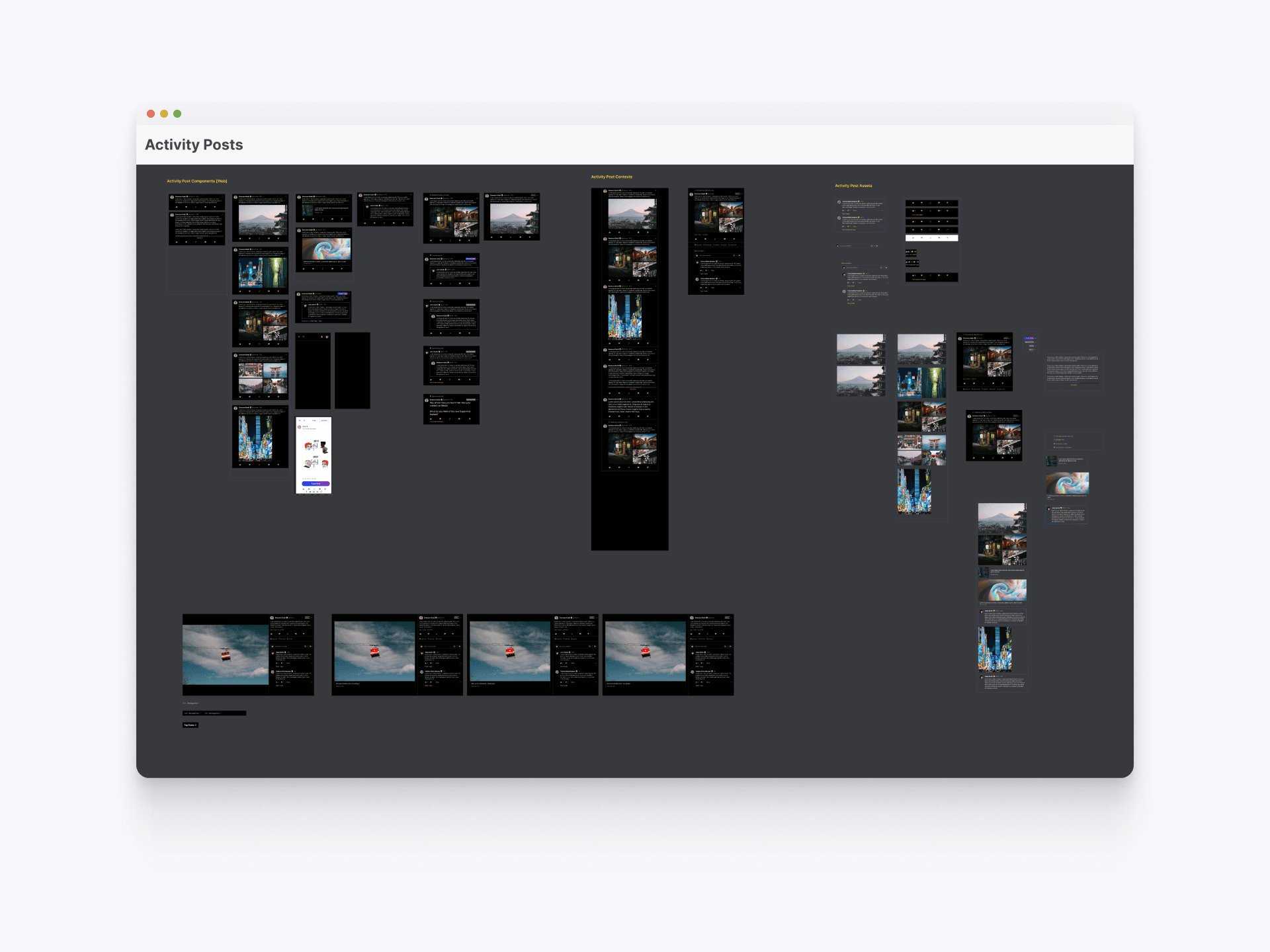
Activity Post - Web
The activity post components in our design system standardize the way user posts are displayed across the platform. This system includes specifications for various post types, ensuring consistency in layout, interaction, and visual design. The standardized approach enhances user engagement and content discoverability by maintaining a uniform presentation.
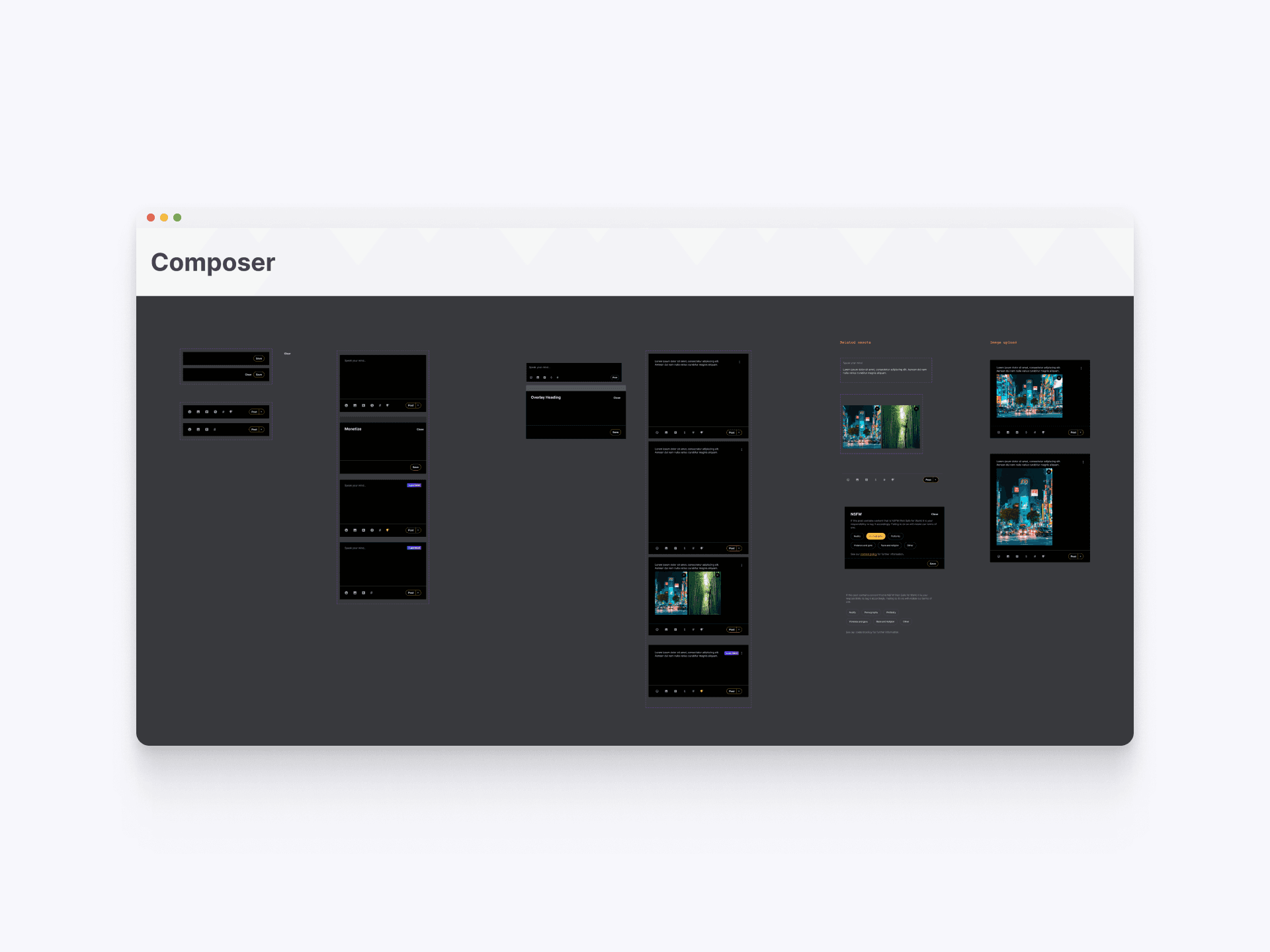
Composer - Web
The composer components in our design system streamline the creation of user content, providing a consistent interface for drafting and publishing posts. This system includes various states and styles for the composer, ensuring an intuitive and user-friendly experience. The standardized design facilitates efficient content creation and enhances overall user interaction.
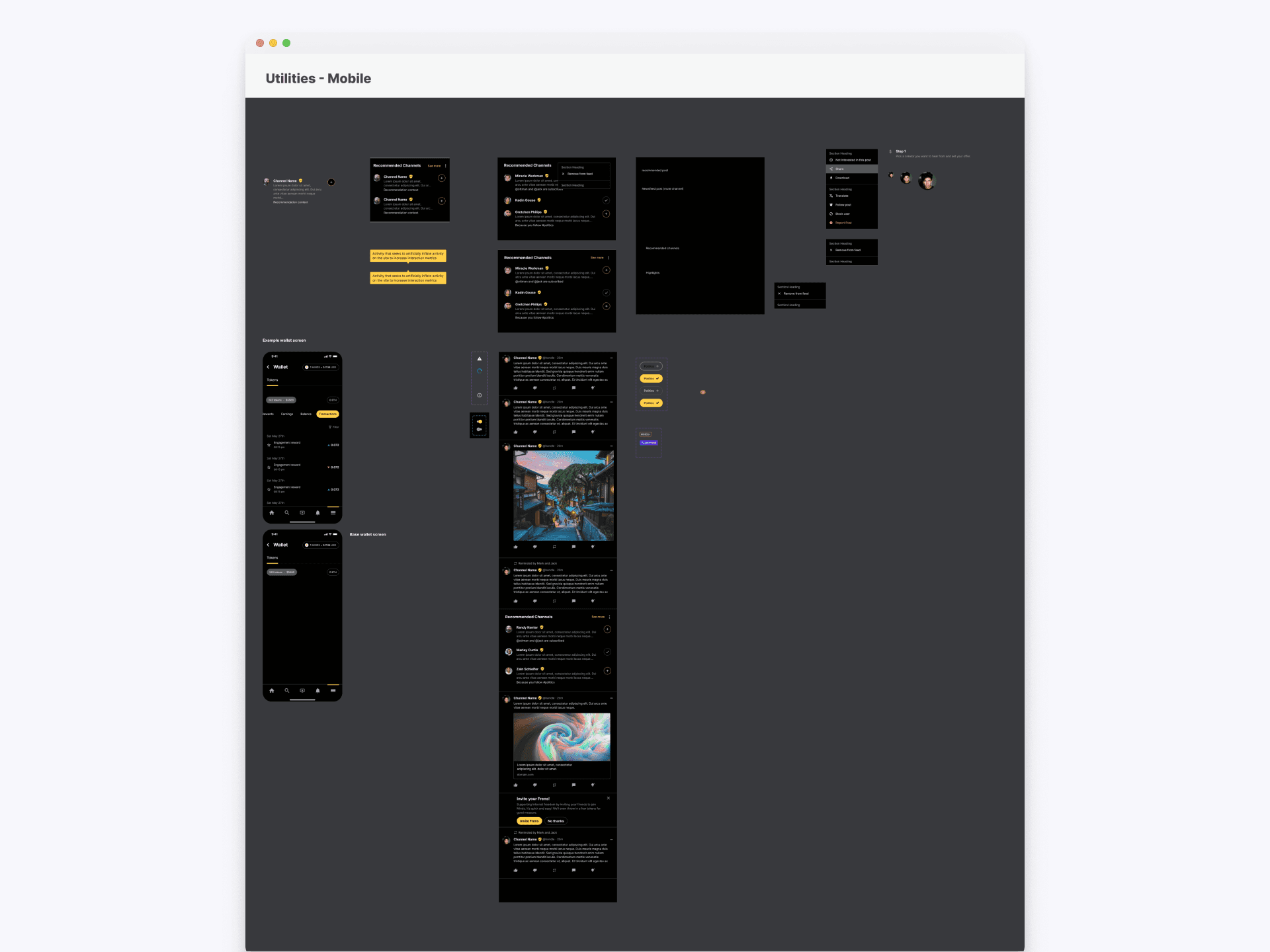
Utilities - Mobile
The utility components in our design system for mobile ensure consistency and usability across different functionalities. This collection includes elements such as recommended channels, notification prompts, and boosted posts, all designed to be responsive and intuitive on mobile devices. The system ensures that these components maintain visual coherence and enhance user interaction on the mobile platform.
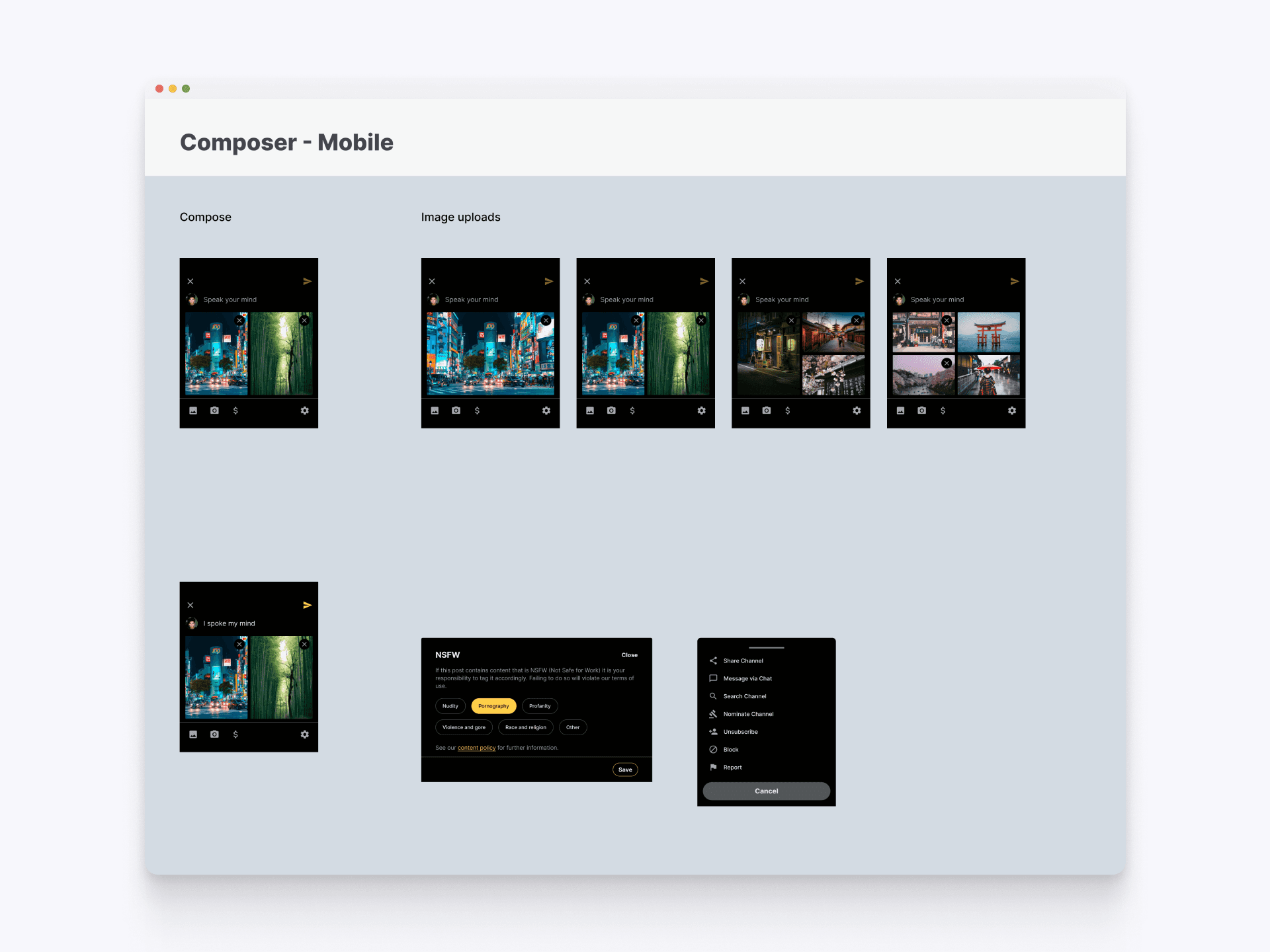
Composer - Mobile
The composer components on mobile within our design system provide guidelines for creating consistent and intuitive post creation interfaces. This includes detailed specifications for composing text, uploading images, and setting content visibility preferences. By standardizing these elements, the design system ensures a cohesive and user-friendly experience for content creation on mobile devices.
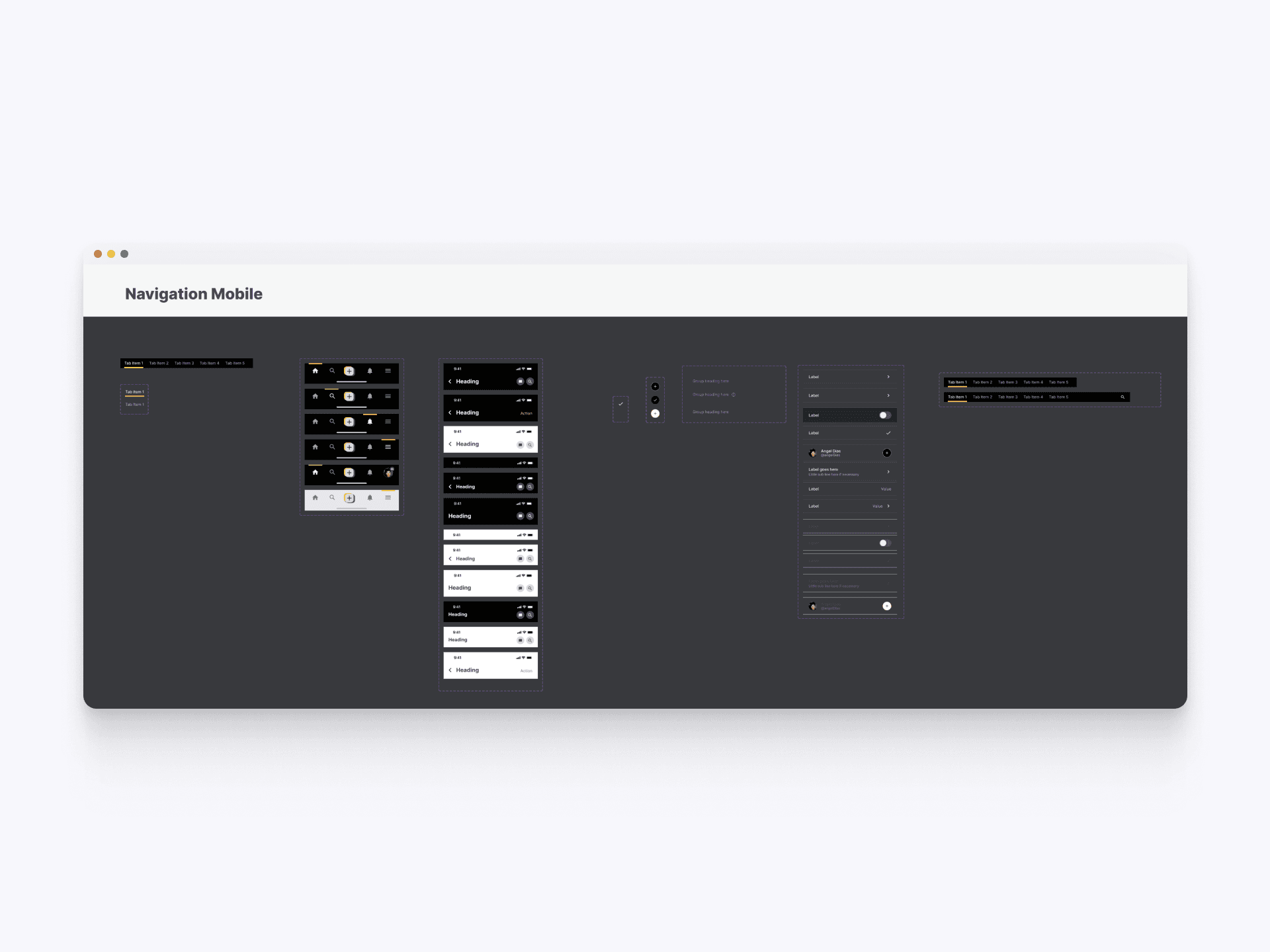
Navigation - Mobile
The navigation components in our design system ensure a seamless and intuitive user experience on mobile devices. This includes side navigation, tabs, and profile dropdown menus, all designed for consistency and ease of use. The components are optimized for mobile interaction, providing a coherent navigation structure that enhances user engagement and accessibility across the application.
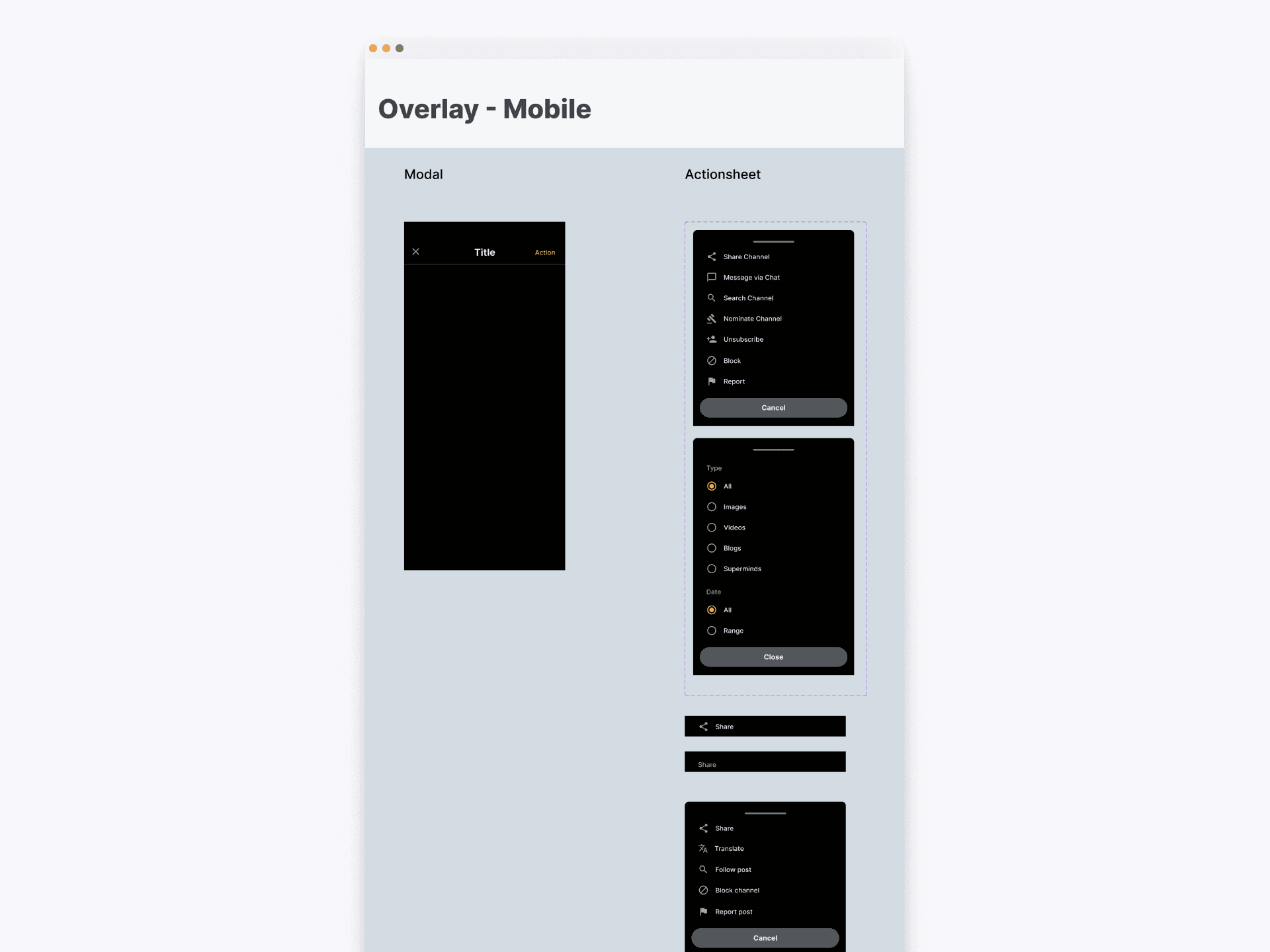
Overlay - Mobile
This collection includes modals and actionsheets, providing standardized guidelines for their design and interaction. The components are designed to be versatile and visually coherent, enhancing the overall user experience by maintaining uniformity in overlay presentations and actions throughout the application.
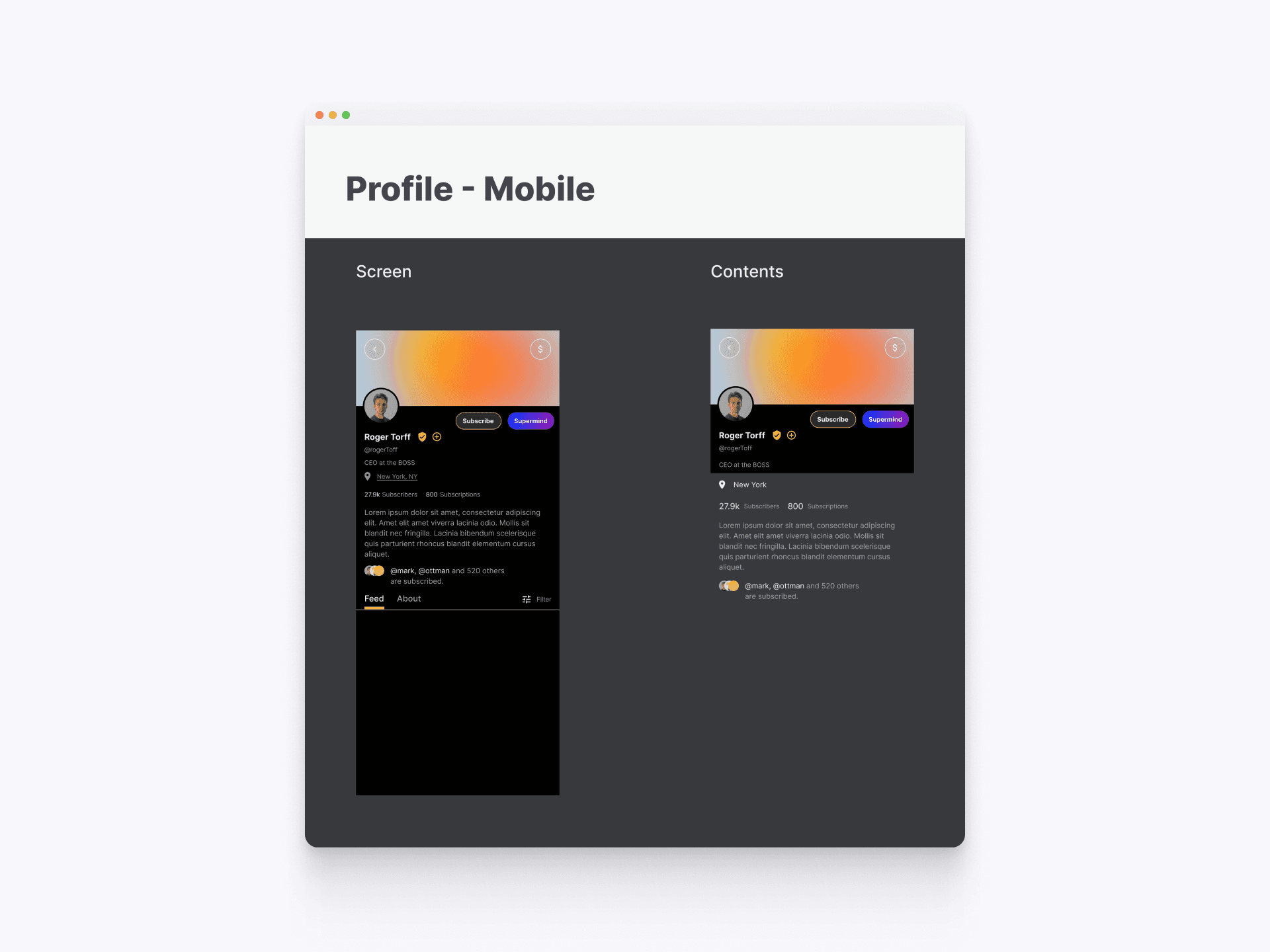
Profile - Mobile
The profile components in our design system provide a cohesive design for user profiles on mobile devices. The system ensures a consistent and branded experience across the platform. These components include styles and layouts for various profile elements, enhancing the presentation of user information and content.
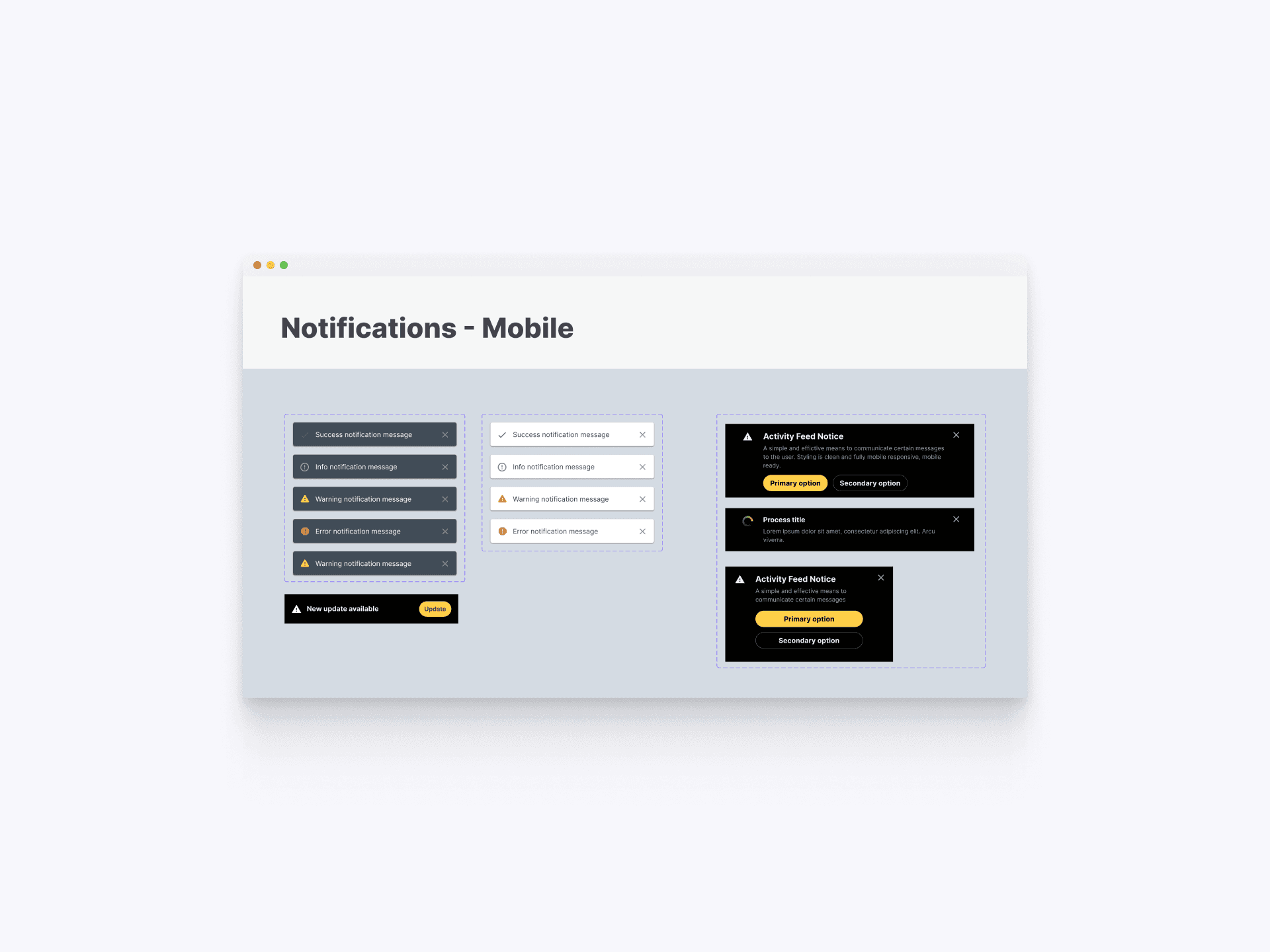
Notifications - Mobile
The notification components in our design system for mobile platforms ensure consistent and effective communication of messages to users. This comprehensive set includes various styles of notifications such as success, info, warning, error messages, activity feed notices, and process titles The system also supports different interaction options, ensuring users can easily respond to notifications.
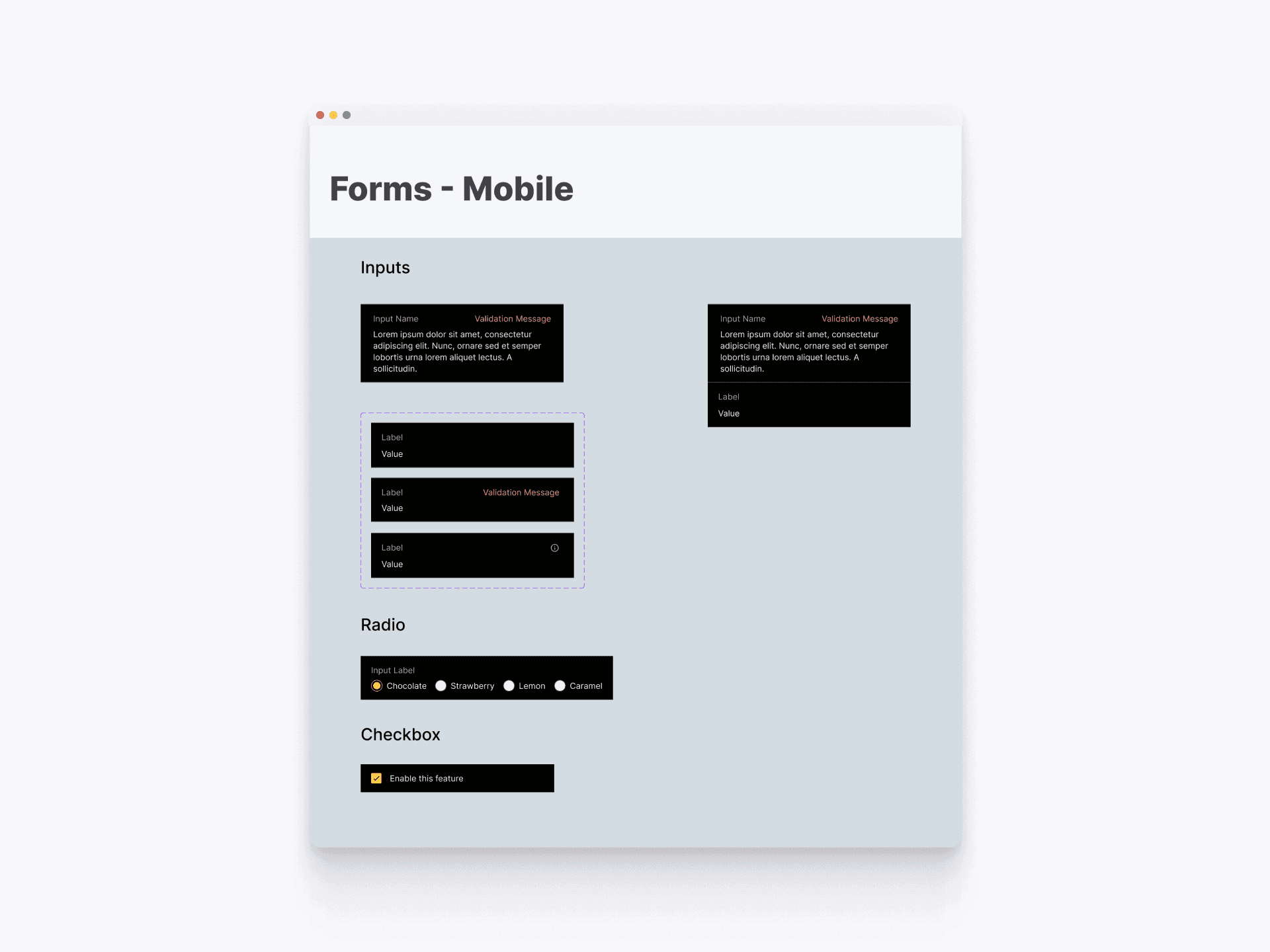
Forms - Mobile
The forms components in provides detailed guidelines for creating consistent and user-friendly input fields, radio buttons, and checkboxes on mobile devices. The guidelines include specifications for various input styles, validation messages, radio button selections, and checkbox states, streamlining the design and development process for mobile forms.
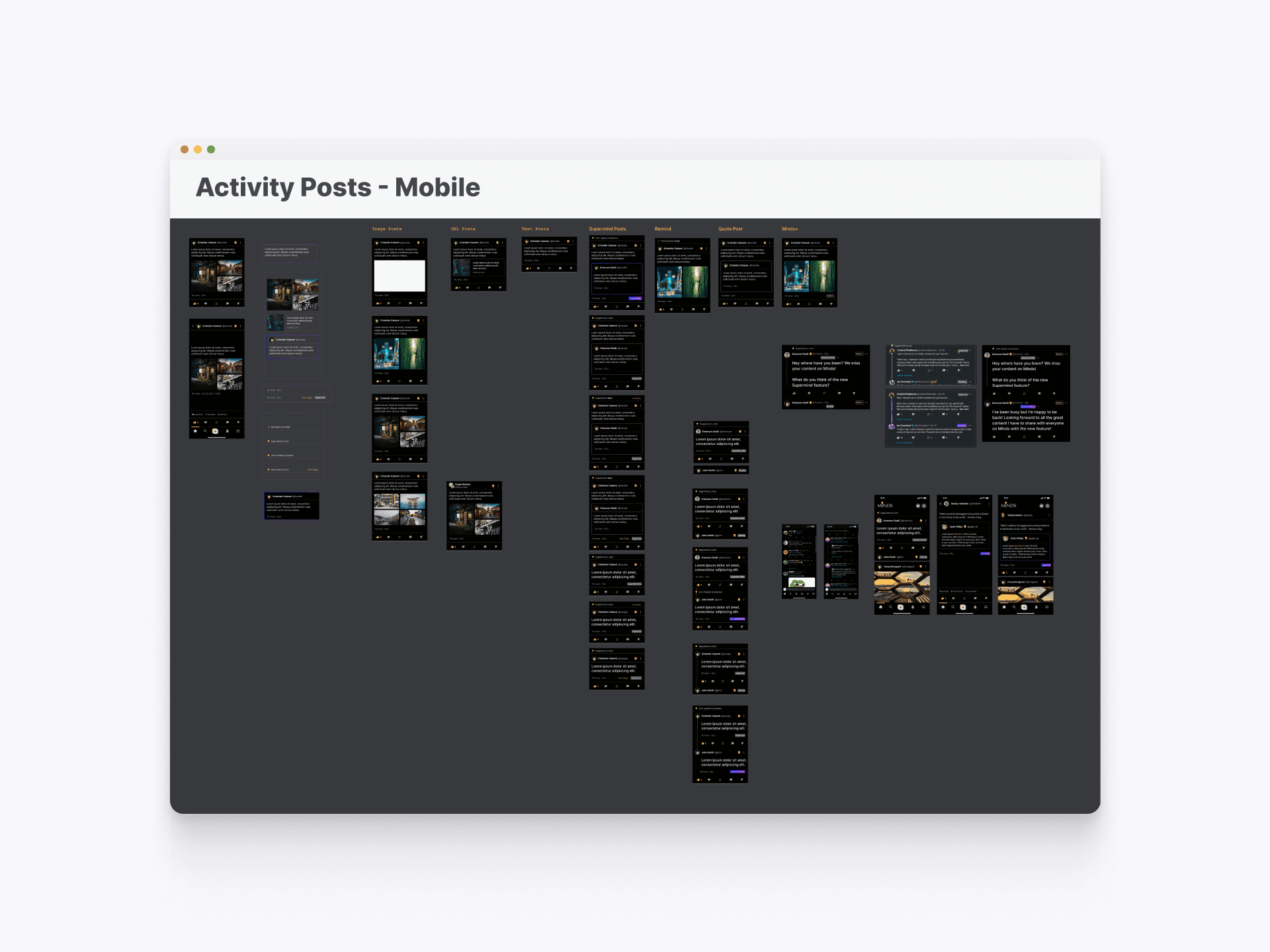
Activity Post - Mobile
The activity post components provide a cohesive and standardized approach to displaying user posts on mobile. This includes various post types such as image posts, text posts, and quoted posts, ensuring consistency and clarity across the platform.