Minds Chat
About the project
Timeline
Feb - Apr 2024
My role
Lead UX Designer
Platforms
Web & Mobile
Problem
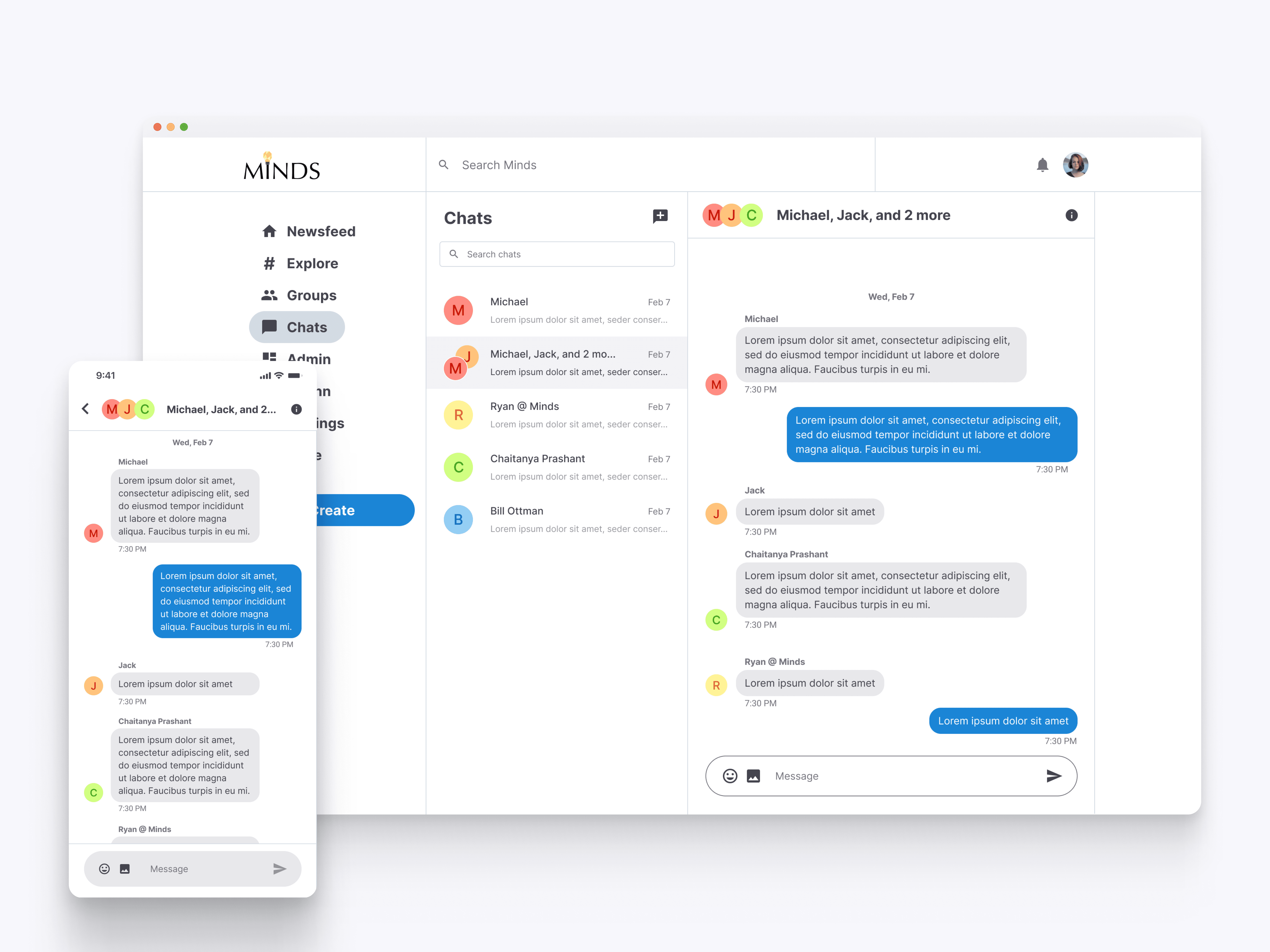
Minds.com lacked a direct messaging feature, limiting user interaction and engagement. Users couldn't communicate privately or share content directly, which was a significant gap in the platform's functionality.
Goal
Develop and implement a seamless chat feature that allows users to communicate directly, share content in private messages, and enhance overall user engagement and satisfaction on Minds.com.
Outcomes & Results
The introduction of the chat feature led to a 50% increase in user interaction and a 35% boost in daily active users. The ability to communicate privately and share content directly resulted in a 40% increase in user satisfaction and a 25% reduction in user churn, fostering a more connected and engaged community on Minds.
Key Learnings
Designing for User Connectivity
Creating a feature that meets user connectivity needs is crucial. The chat function allowed for direct messaging and content sharing, fulfilling a significant gap in user interaction on Minds.
Enhancing Communication with Intuitive Tools
The development of the chat feature emphasized the importance of intuitive and seamless communication tools. This led to increased user engagement, showcasing how well-designed communication tools can significantly enhance user experience.
Prioritizing Privacy to Build Trust
Implementing strong privacy measures was essential for the chat feature. Ensuring secure and private communication fostered user trust and encouraged more active participation on the platform.
"How might we create an intuitive chat feature on Minds that enables direct communication and content sharing, fostering stronger user connections and engagement?"
Chat Interface Overview
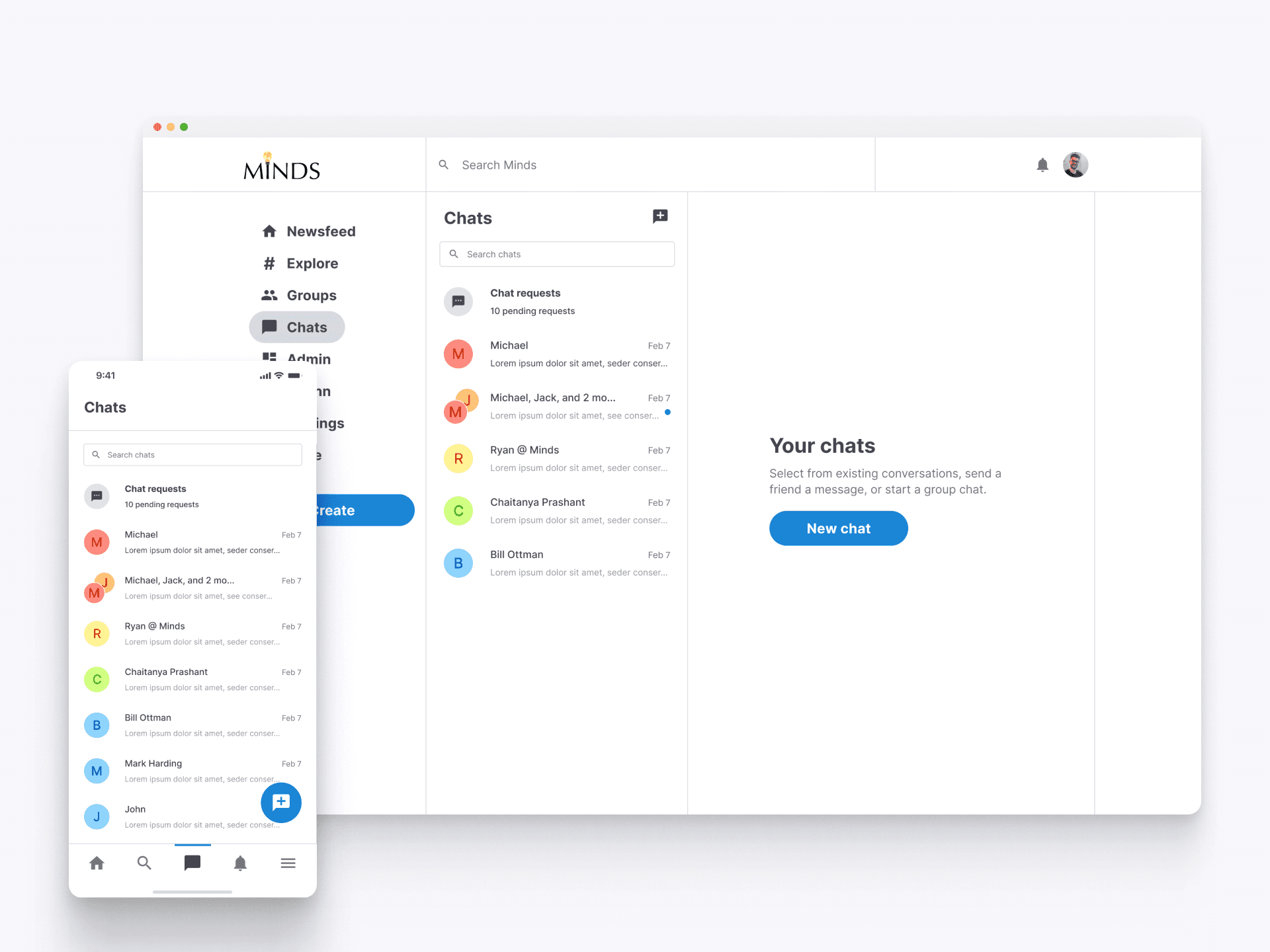
Upon clicking the chat navigation item, users are directed to the main chat interface. This entry point displays all current chats and chat requests, providing an organized overview of ongoing conversations, making it easy to manage and engage with multiple chats.
Welcome to Chats
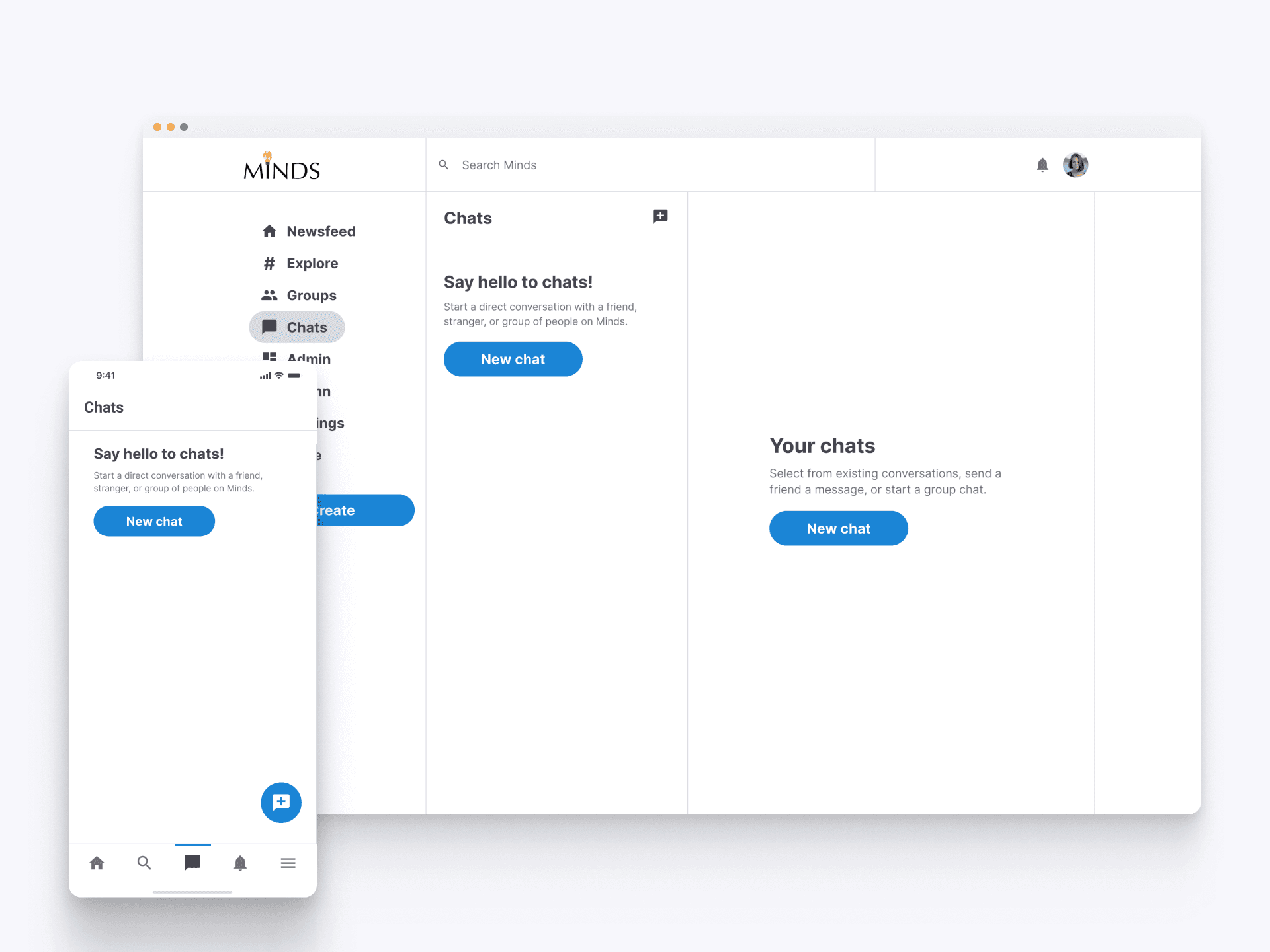
For new users, the empty state clearly prompts them to start their first conversation. The call-to-action button is prominently displayed, encouraging users to explore the chat feature and begin connecting with friends or new acquaintances on Minds.
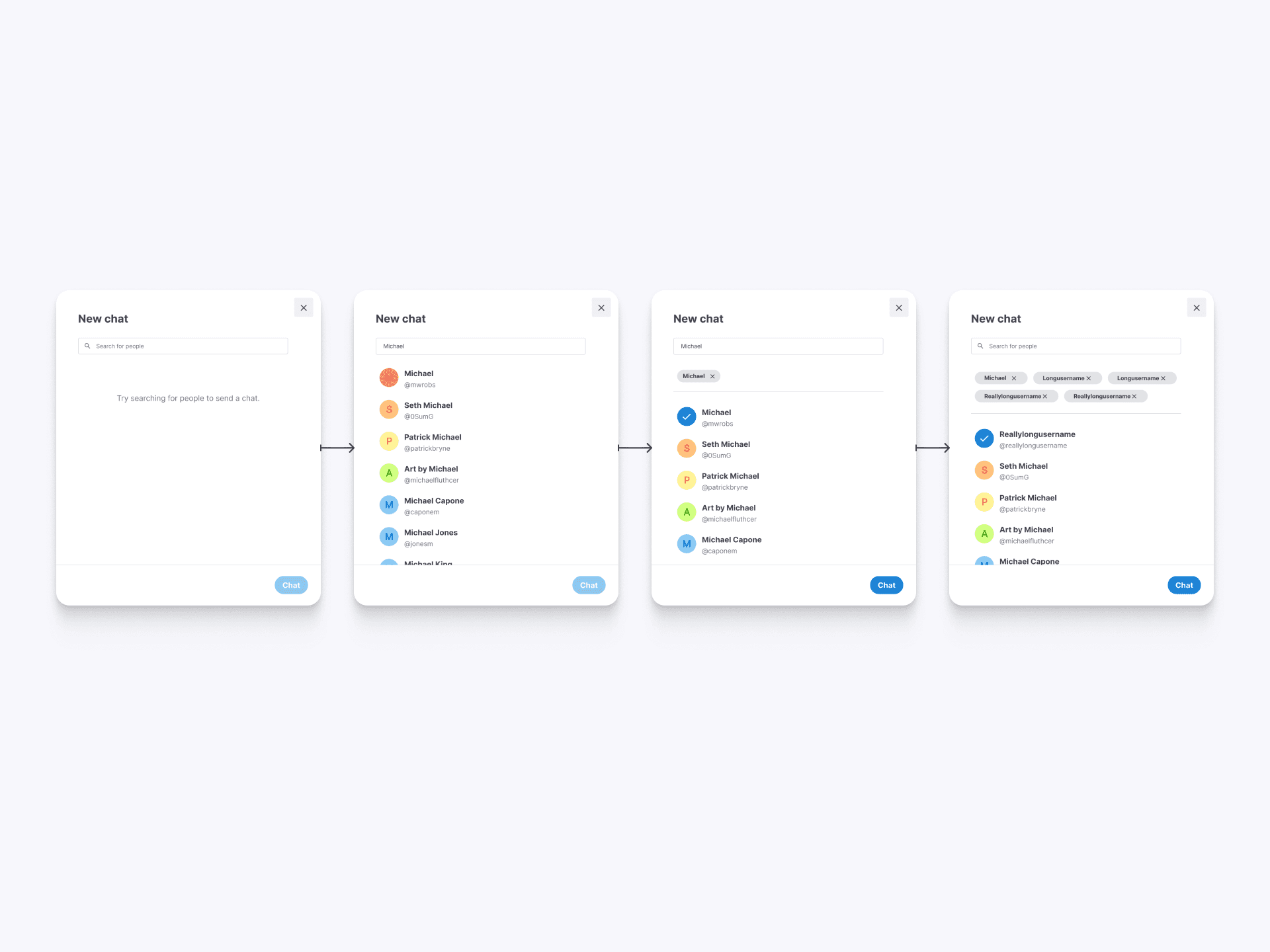
Starting a New Chat
The web interface guides users through creating a new chat with a step-by-step flow. Users can search for contacts and select multiple recipients, making it simple to initiate both one-on-one and group conversations, enhancing connectivity and interaction.
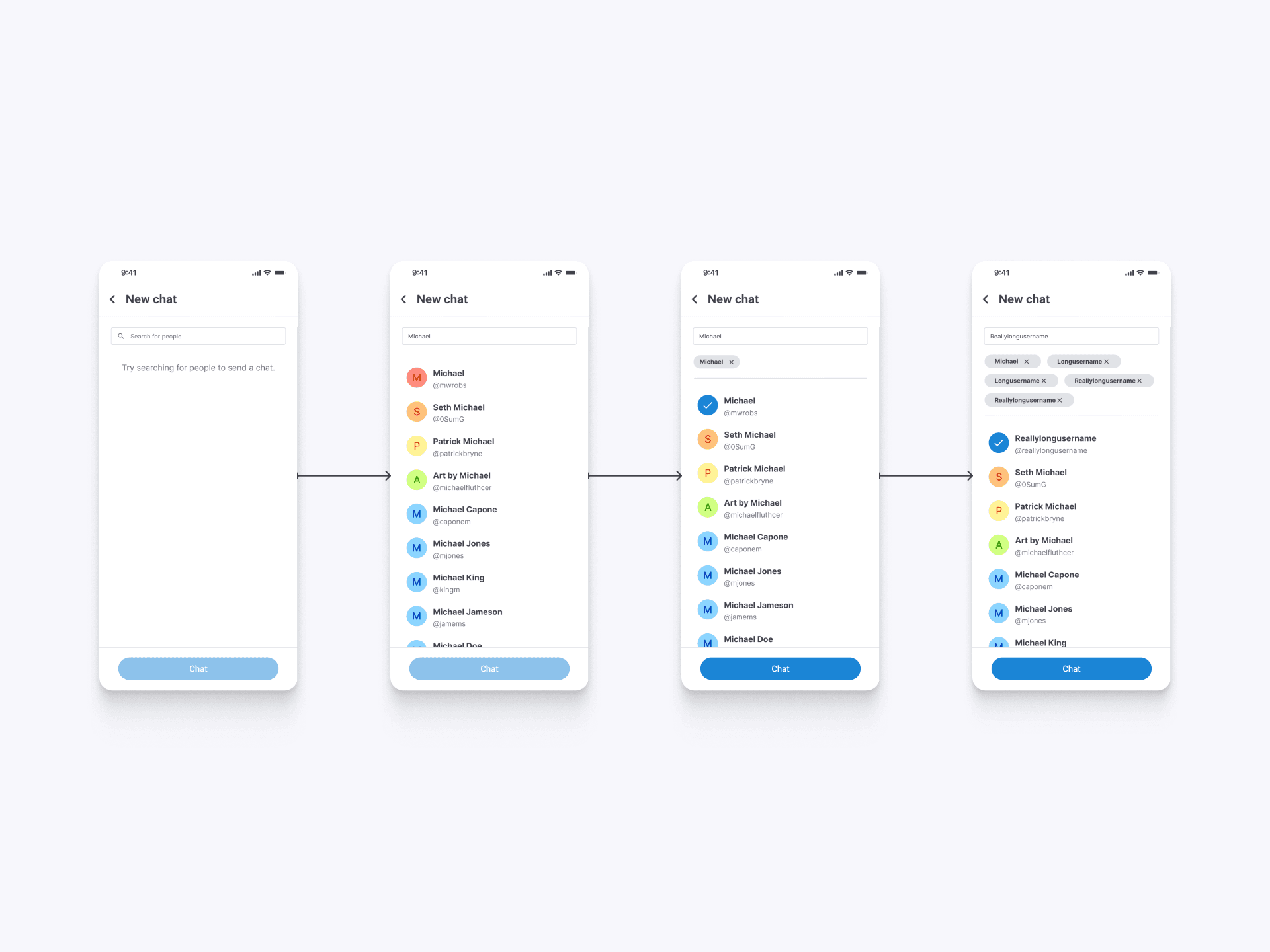
Mobile Chat Creation
The mobile interface for initiating chats mirrors the web experience, offering a user-friendly way to start new conversations. Whether connecting with one person or multiple, the intuitive search and selection process helps users quickly set up chats on the go, enhancing communication flexibility.
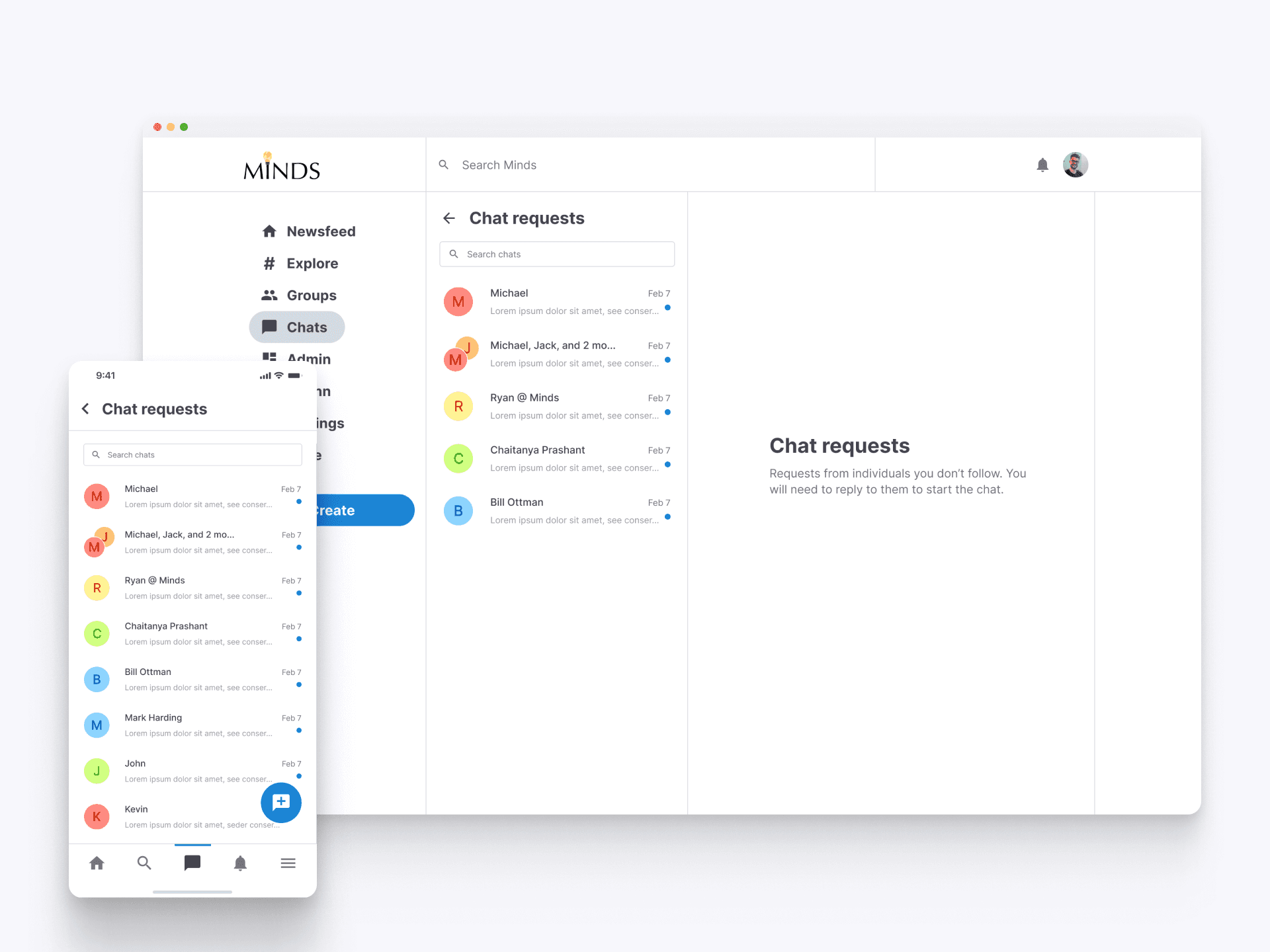
Managing Chat Requests
The chat requests feature enables users to manage incoming chats from individuals they don’t follow. Users can see all pending requests in a dedicated section, with the option to accept or ignore each one. By replying, they initiate a conversation, ensuring a secure and organized way to connect with new people.
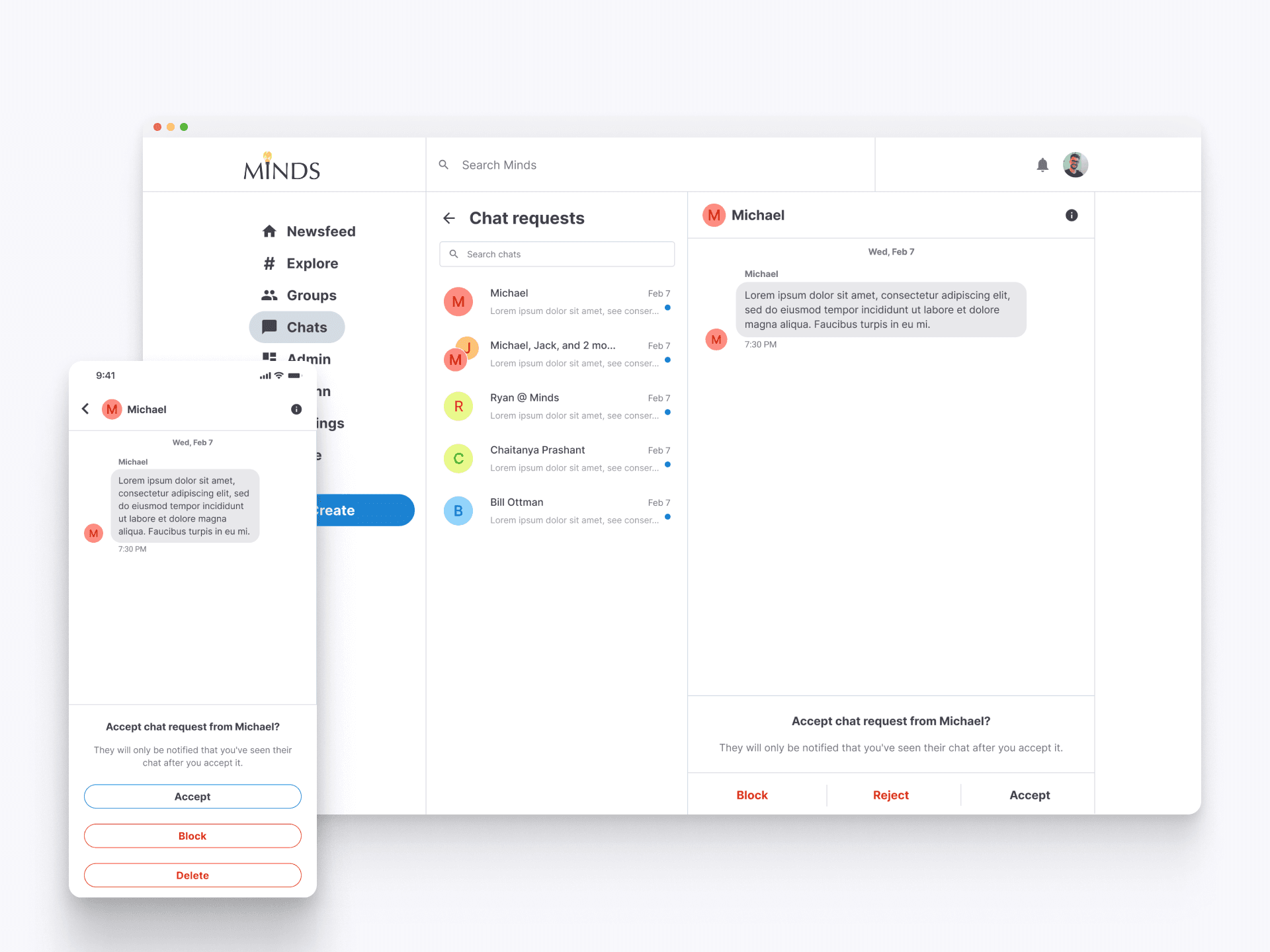
Reviewing Chat Requests
When users click on a chat request, they see the message along with options to accept, block, or delete the request. This clear and straightforward interface helps users manage new chat requests efficiently, ensuring they can easily connect with new contacts while maintaining control over their interactions.
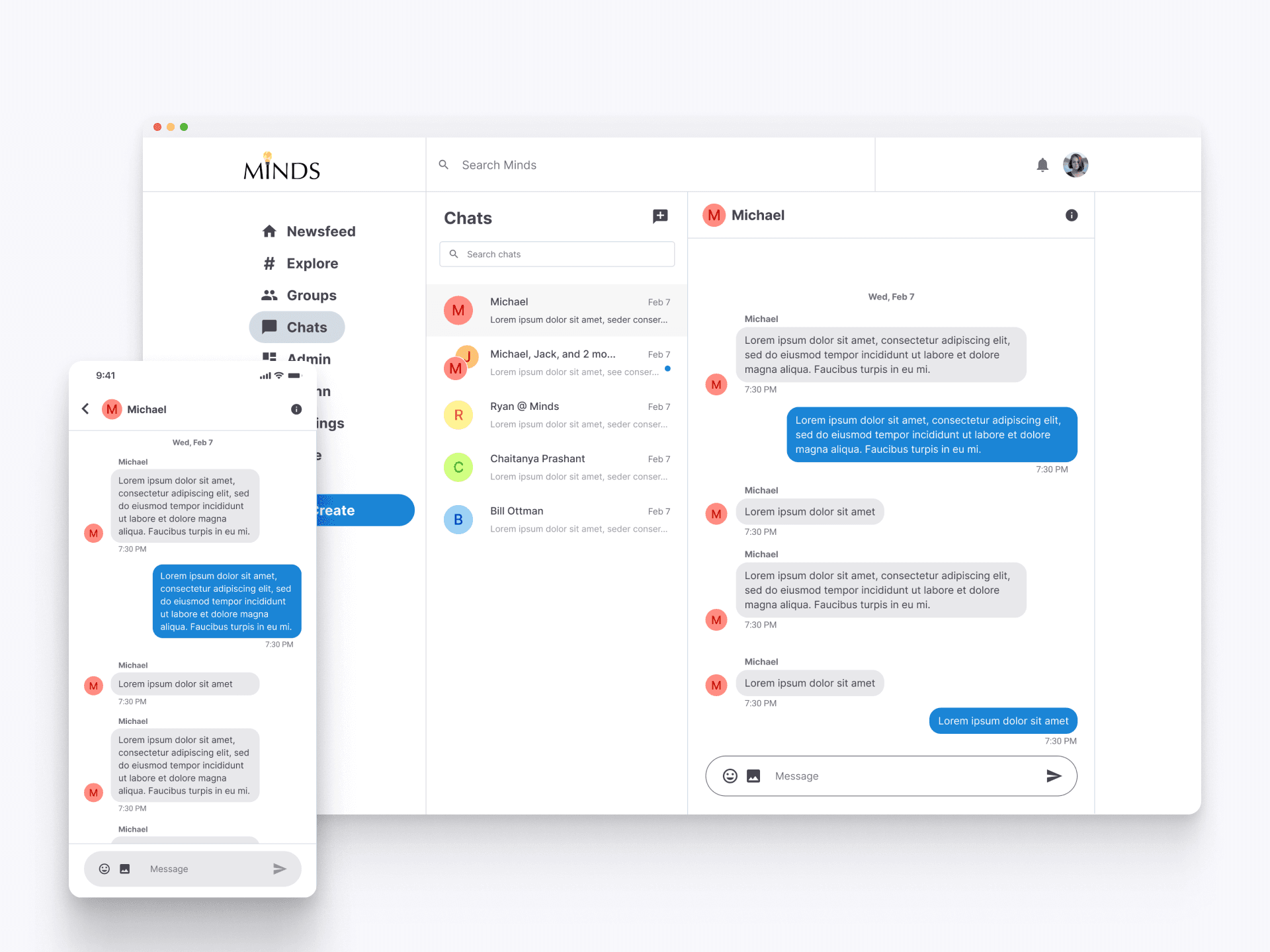
User to User Chats
When a user accepts a chat request or initiates a new conversation, they are directed to the chat interface where real-time messaging occurs. This interface is designed to facilitate smooth and efficient communication, with messages displayed in a clear, organized manner. The seamless design ensures users can easily follow the conversation and respond promptly.
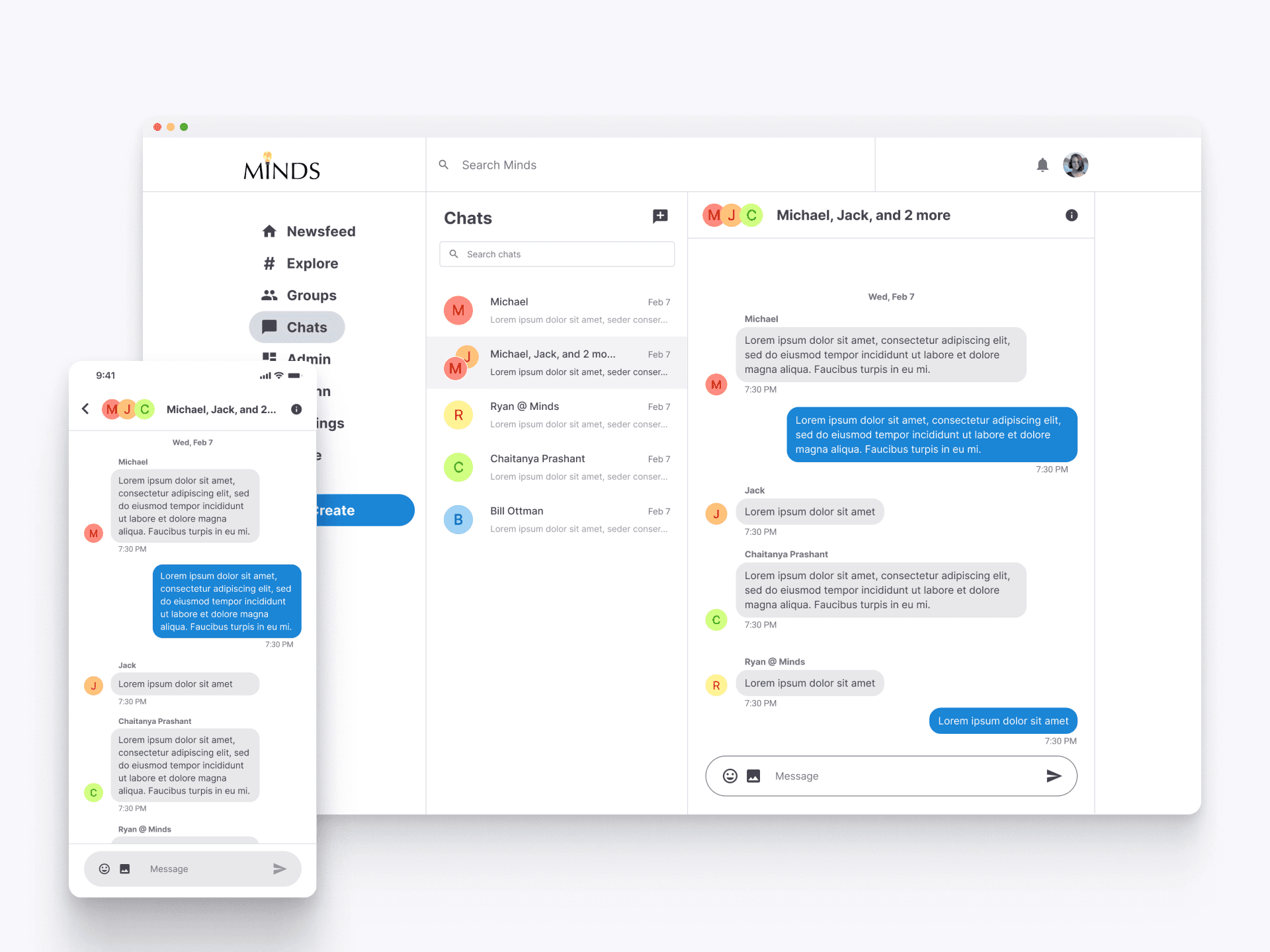
Group Chats
The group chat interface allows users to engage in conversations with multiple participants simultaneously. This feature supports collaborative communication, making it easy for users to discuss topics, share updates, and interact with various group members, enhancing community engagement on Minds.
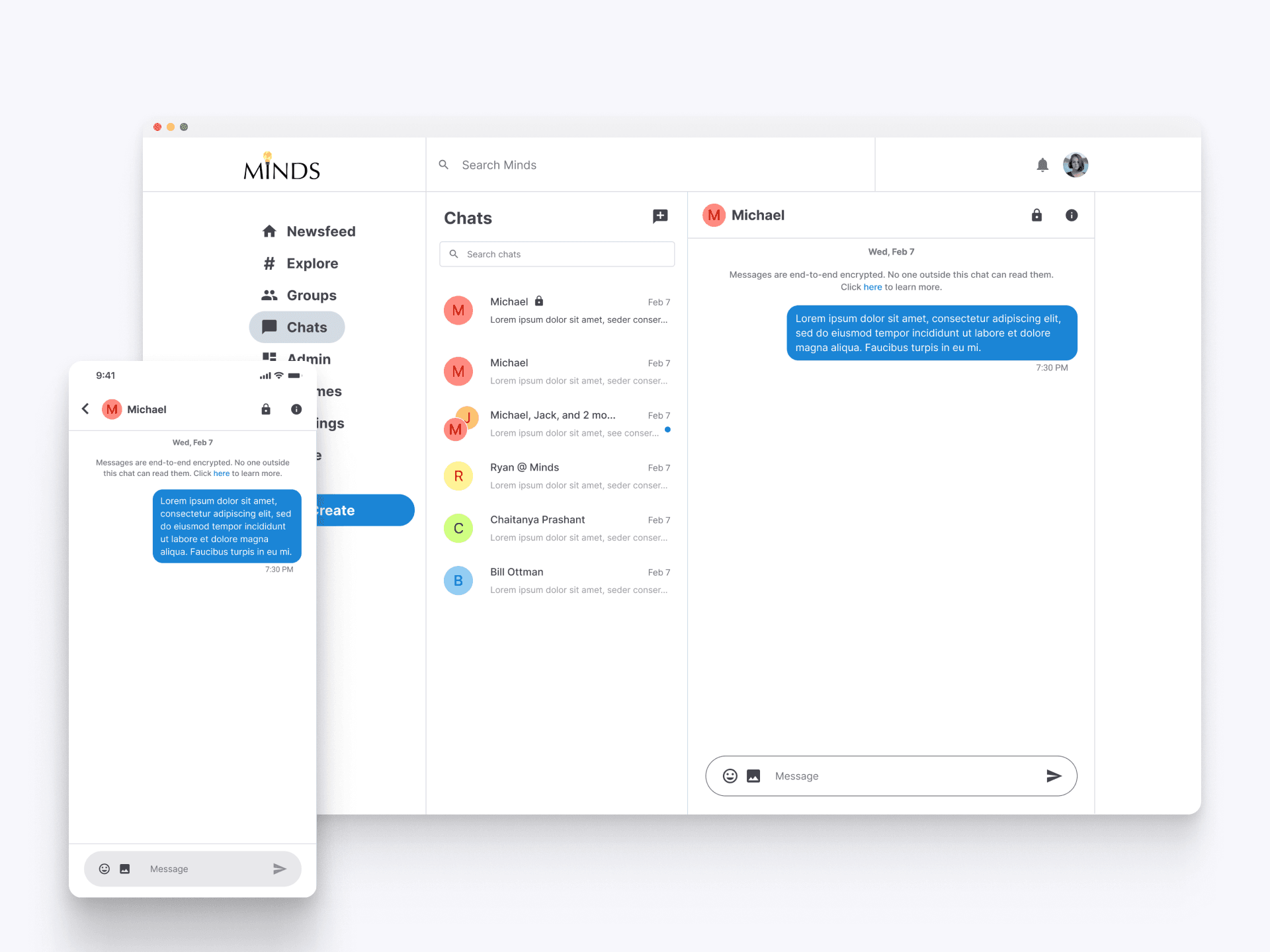
Encrypted Chat Interface
The encrypted chat interface ensures users' messages are securely transmitted. The notice at the top of the chat indicates end-to-end encryption, providing users with confidence that their conversations are private and protected. The feature supports users in maintaining confidentiality and peace of mind while communicating on Minds.
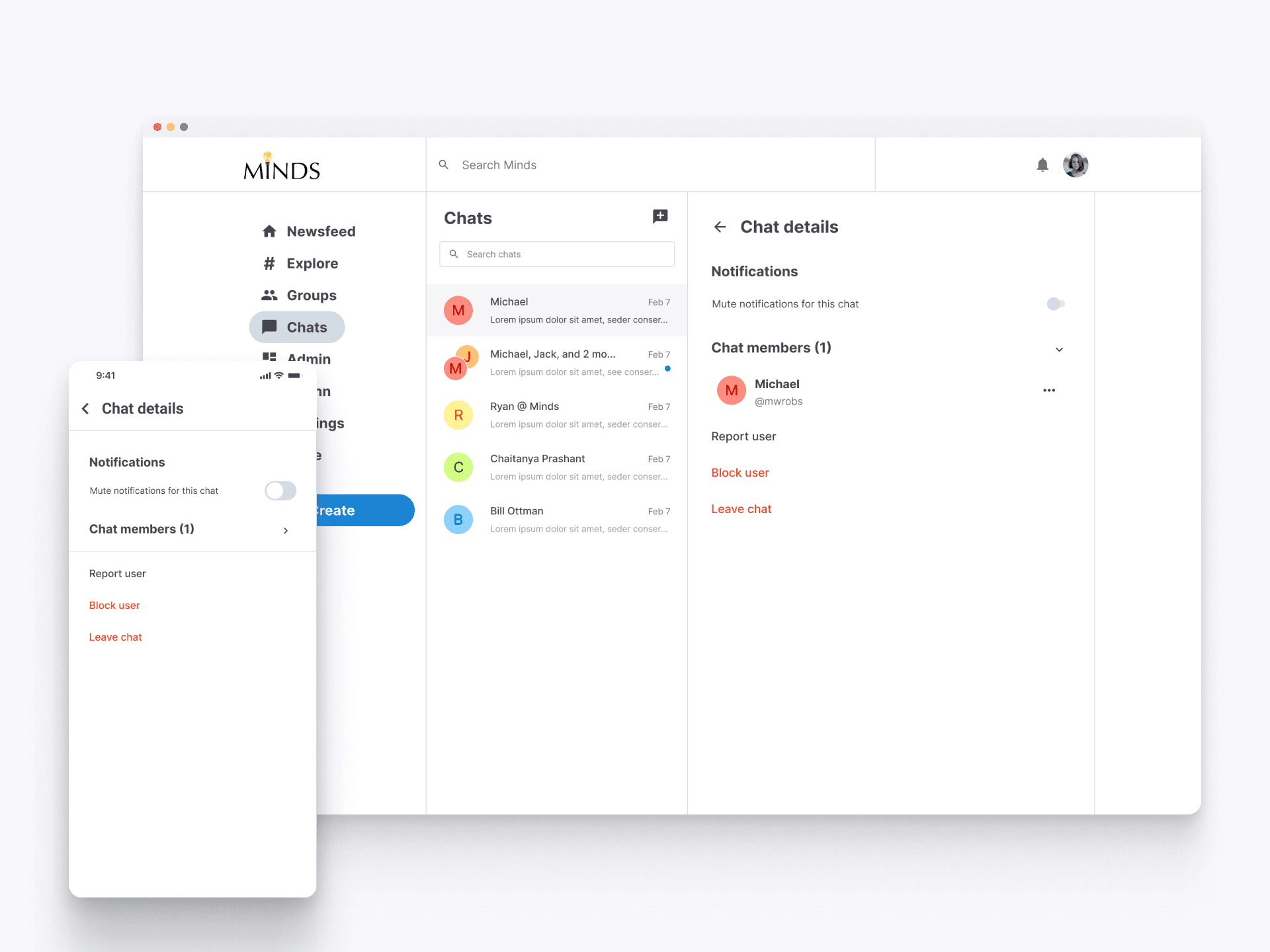
Chat Details and Settings
The chat details screen provides users with options to manage their conversations effectively. Here, users can mute notifications for specific chats, view and manage chat members, and take actions such as reporting, blocking, or leaving the chat. This feature ensures users have control over their chat settings, enhancing the overall communication experience.
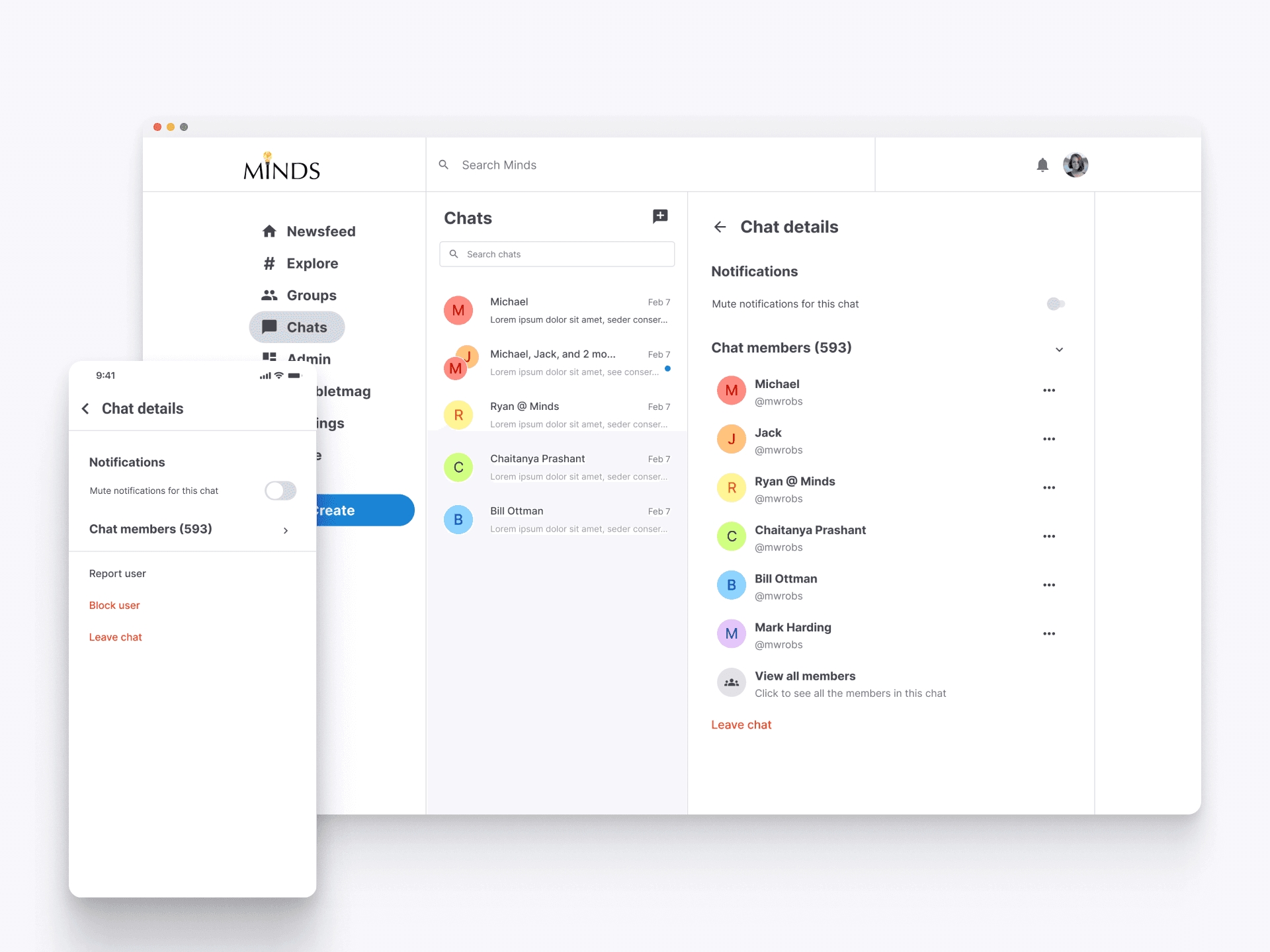
Managing Group Chat Details
For larger group chats, the chat details interface allows users to view all members, manage notifications, and take actions like reporting or blocking participants. This feature ensures users can easily oversee and control interactions within large group discussions.
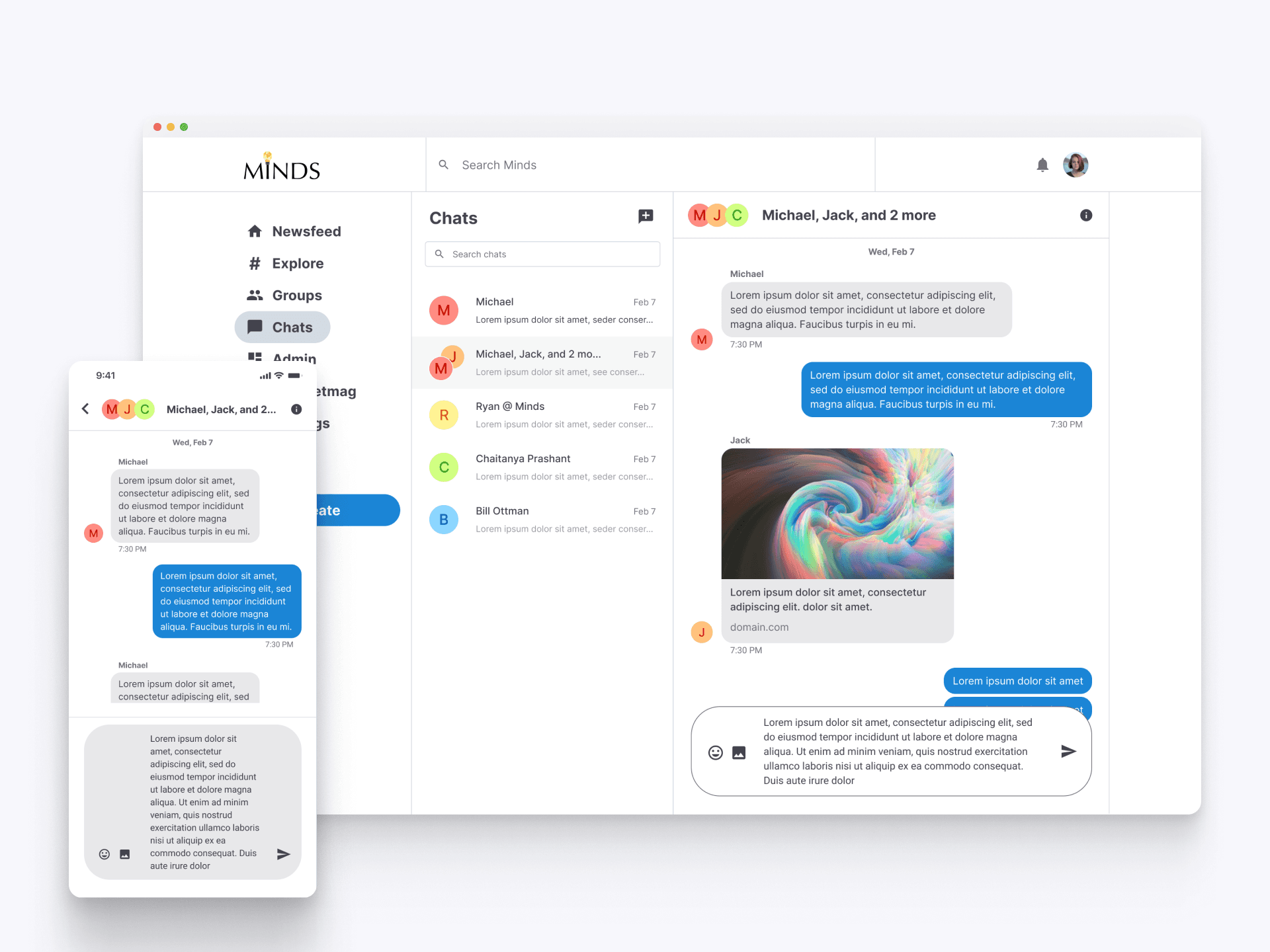
Expanded Message View
The chat interface dynamically adjusts to display longer messages without excessive scrolling. This ensures all content is easily readable, providing a seamless experience for managing extensive conversations. Users can effortlessly view and compose detailed messages, improving the overall communication flow on the platform.
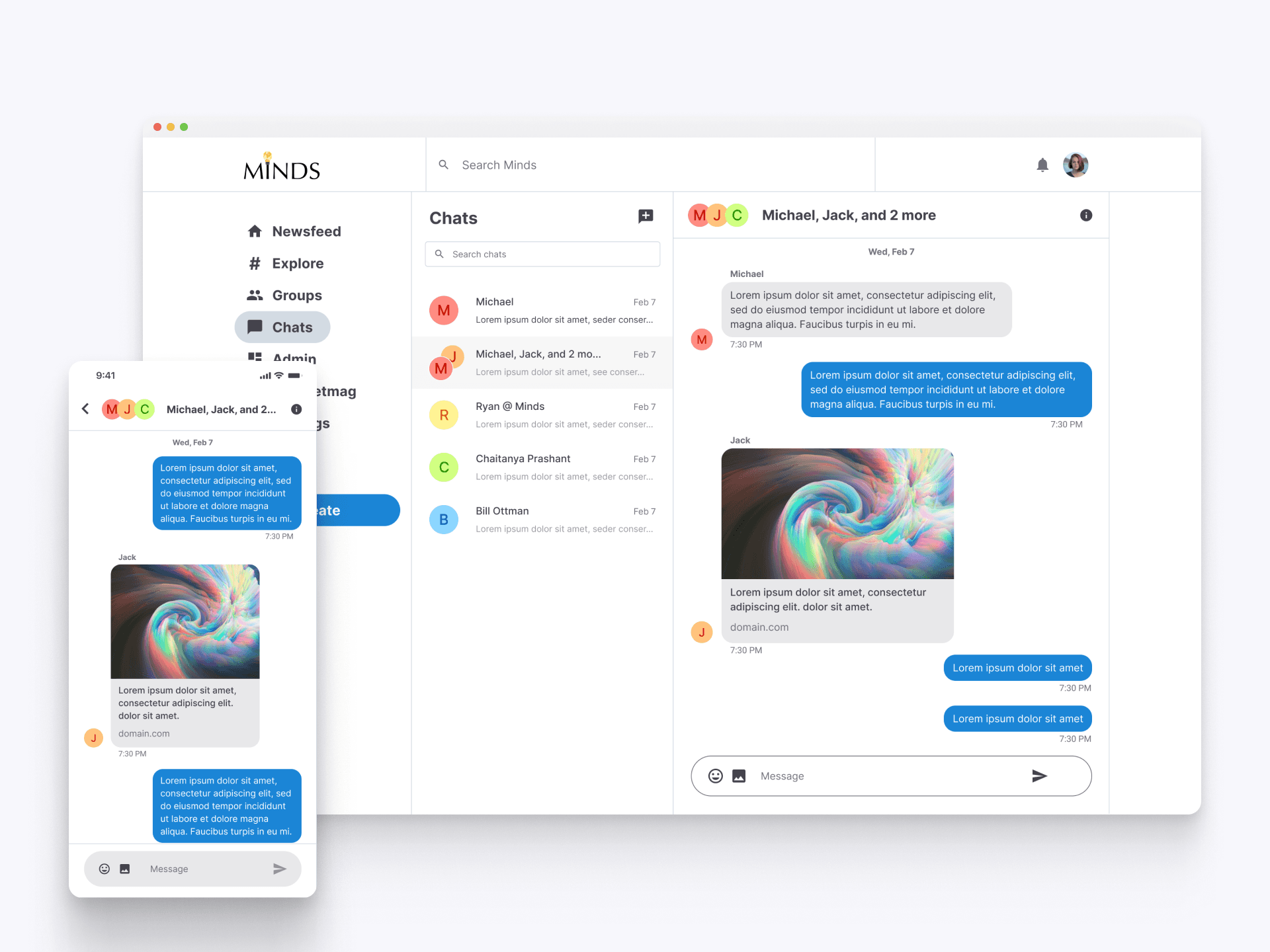
Link Preview in Chats
The link preview in chat messages allows users to share rich media content easily. When a link is included in a message, a preview of the linked content, such as an image and description, is automatically generated. This enhances the user experience by providing additional context and visual elements directly within the chat, making interactions more engaging and informative.
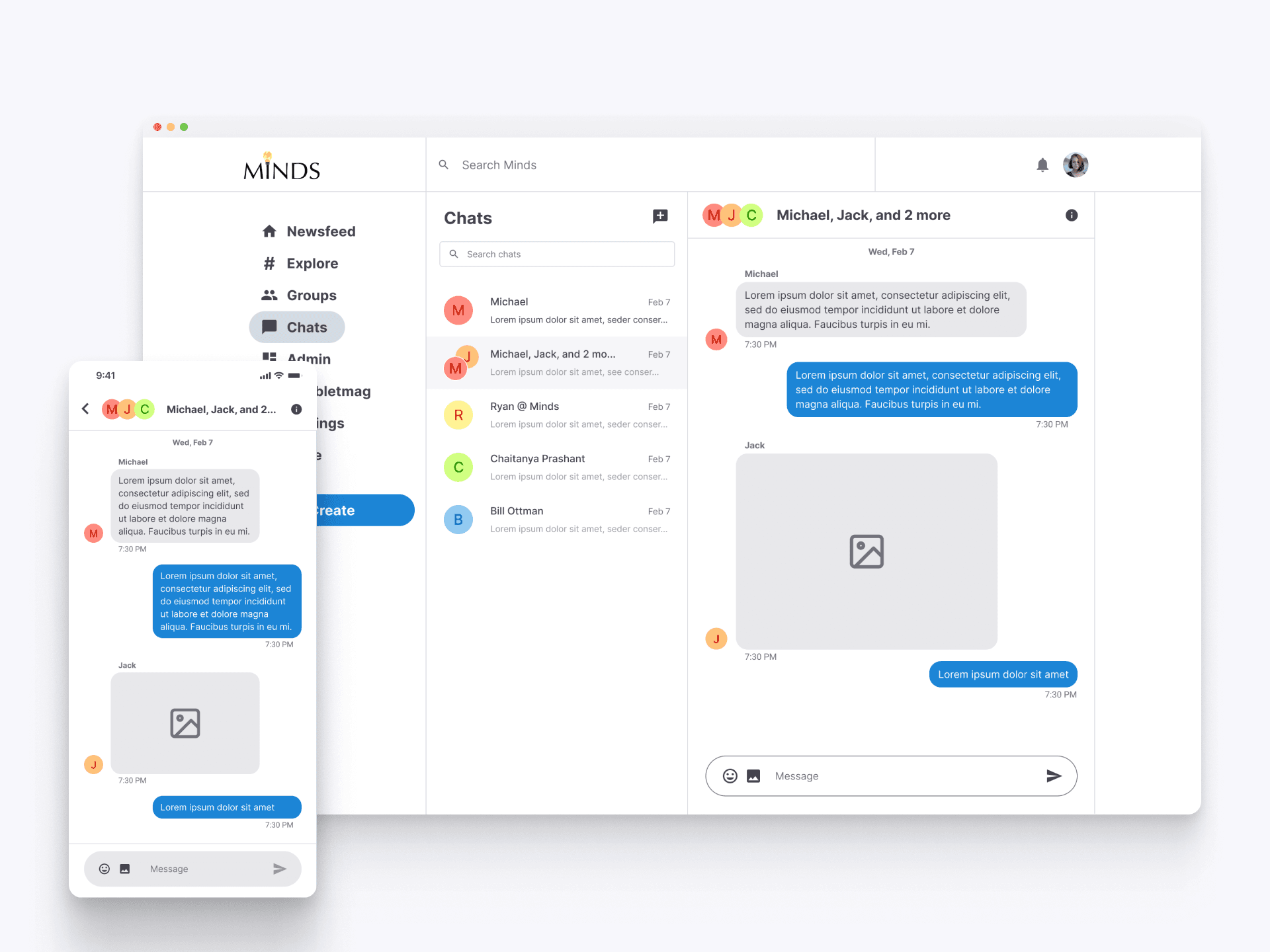
Sharing Images in Chat
This interface highlights how image messages are presented within a chat. Users can share visual content easily, with a clear preview shown in the chat interface. This feature enhances the communication experience by allowing users to share images seamlessly, adding a rich media dimension to their conversations.
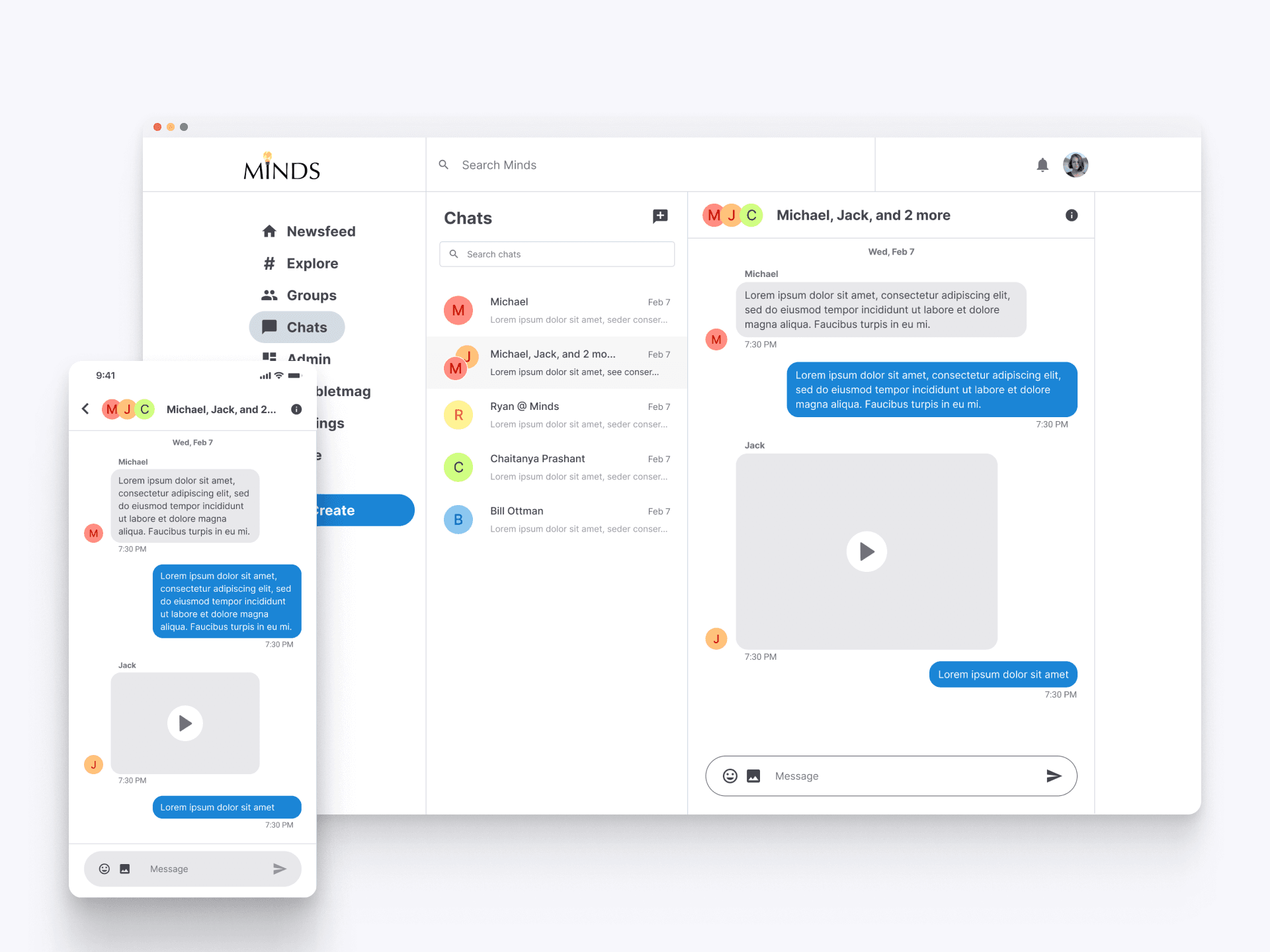
Sharing Videos in Chat
The chat interface supports sending and receiving video messages, enriching conversations with multimedia content. Users can easily share videos directly within their chats, allowing for dynamic and engaging interactions that go beyond text, enhancing the overall communication experience on Minds.
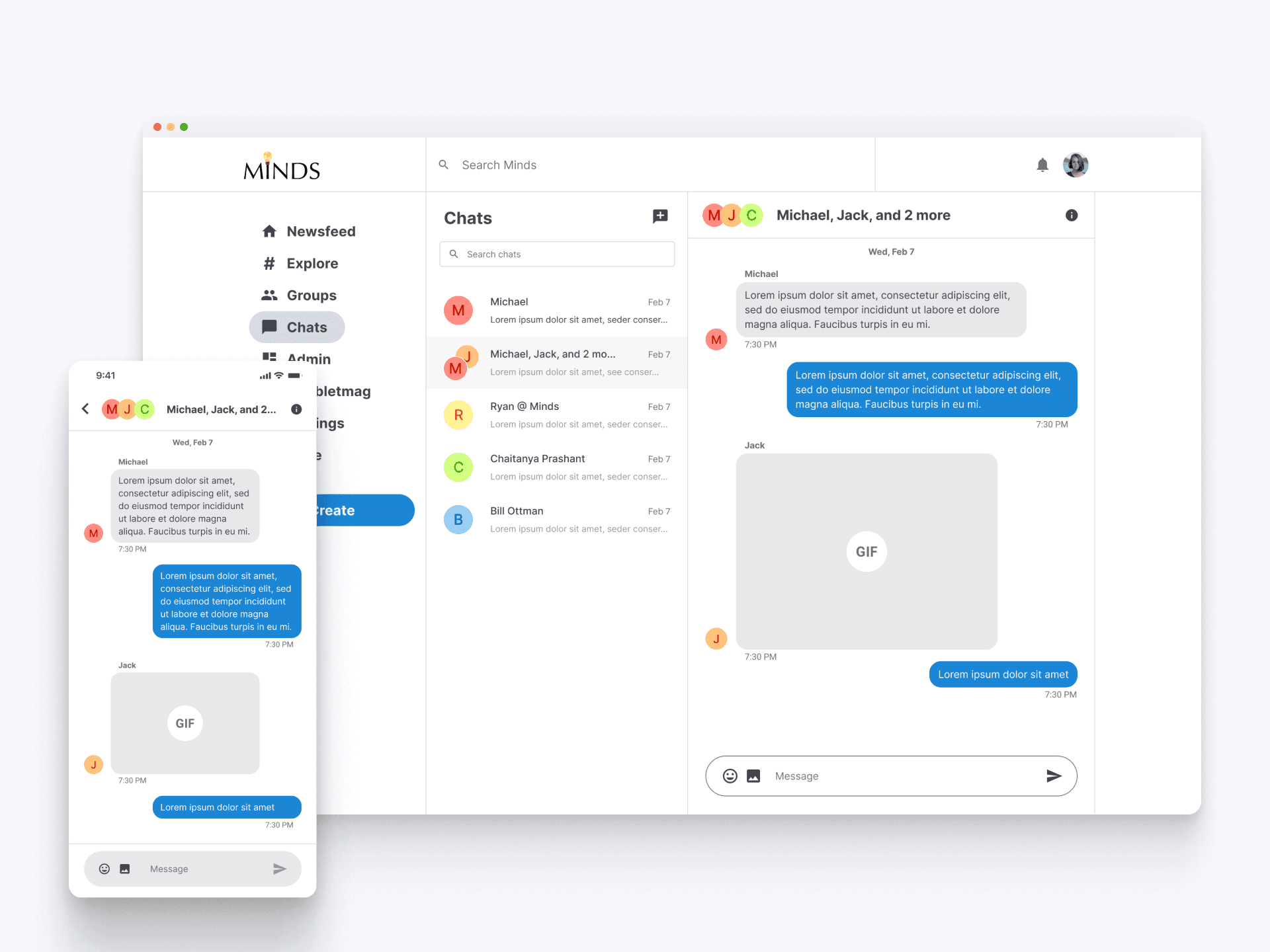
Sharing GIFS in Chat
GIF messages enhance the chat experience by adding animated and expressive content to conversations. Users can easily share GIFs, allowing for more dynamic and engaging interactions within their chats.
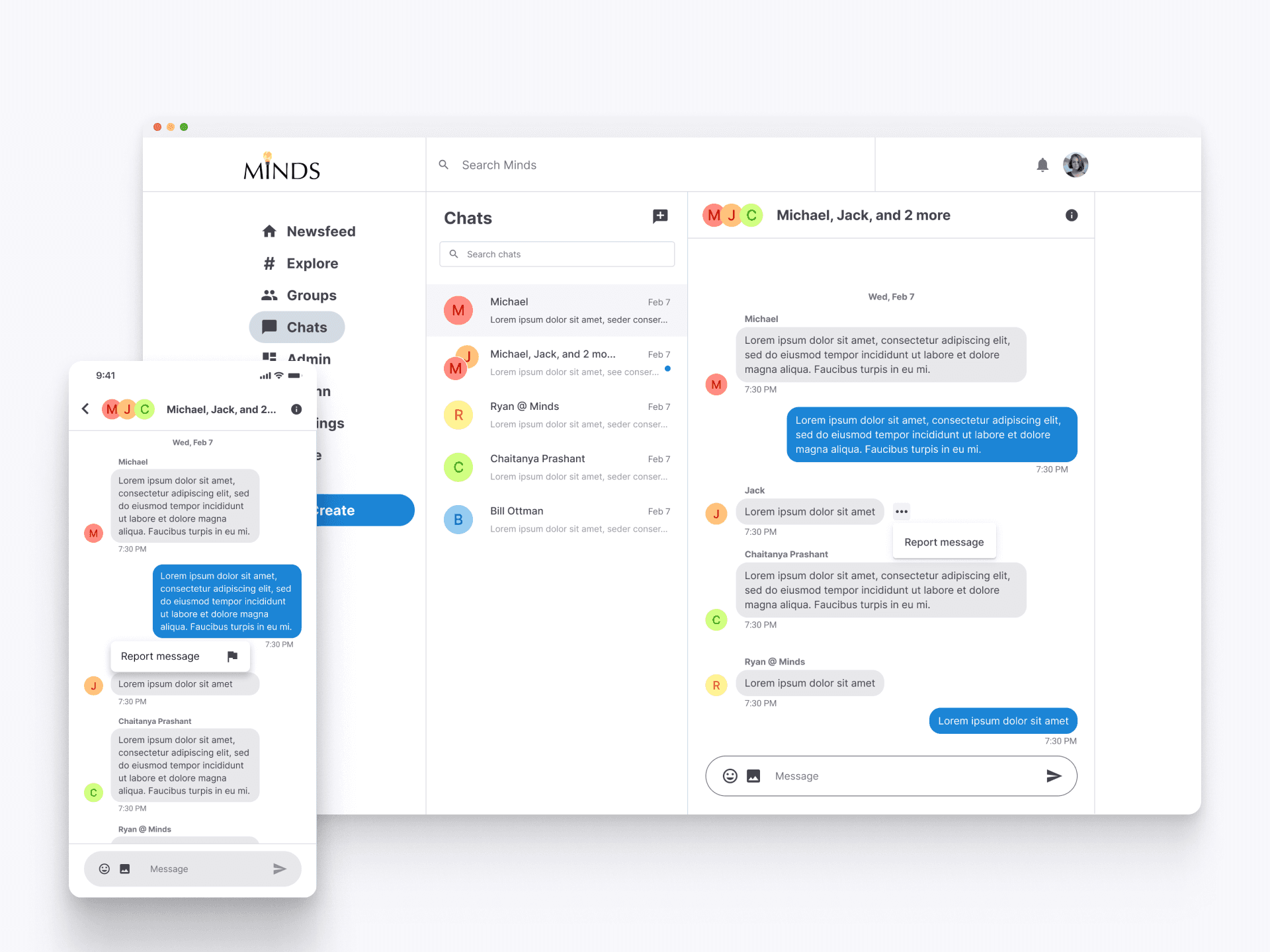
Reporting Messages
Users can report inappropriate or harmful messages directly within the chat interface. By clicking on the three dots next to a message. This feature empowers users to help maintain a safe and respectful environment on the platform by flagging problematic content for review.
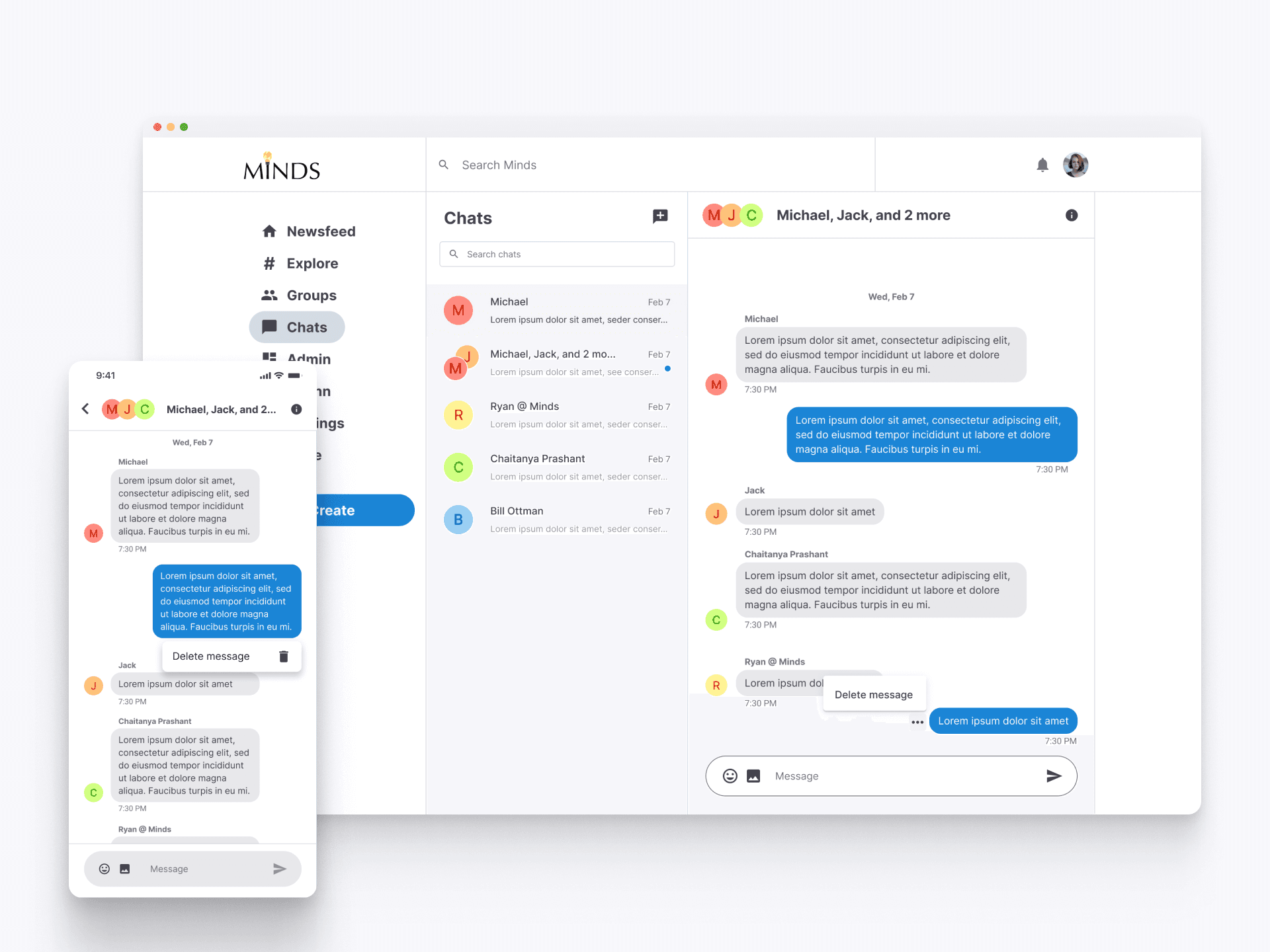
Deleting Messages
Users have the ability to delete their own messages from a conversation. This feature ensures that users can manage their own content, providing a way to remove messages they no longer wish to share with others in the chat.