Minds Onboarding & Retention
About the project
Timeline
Aug - Oct 2023
My role
Lead UX Designer
Platforms
Web & Mobile
Problem
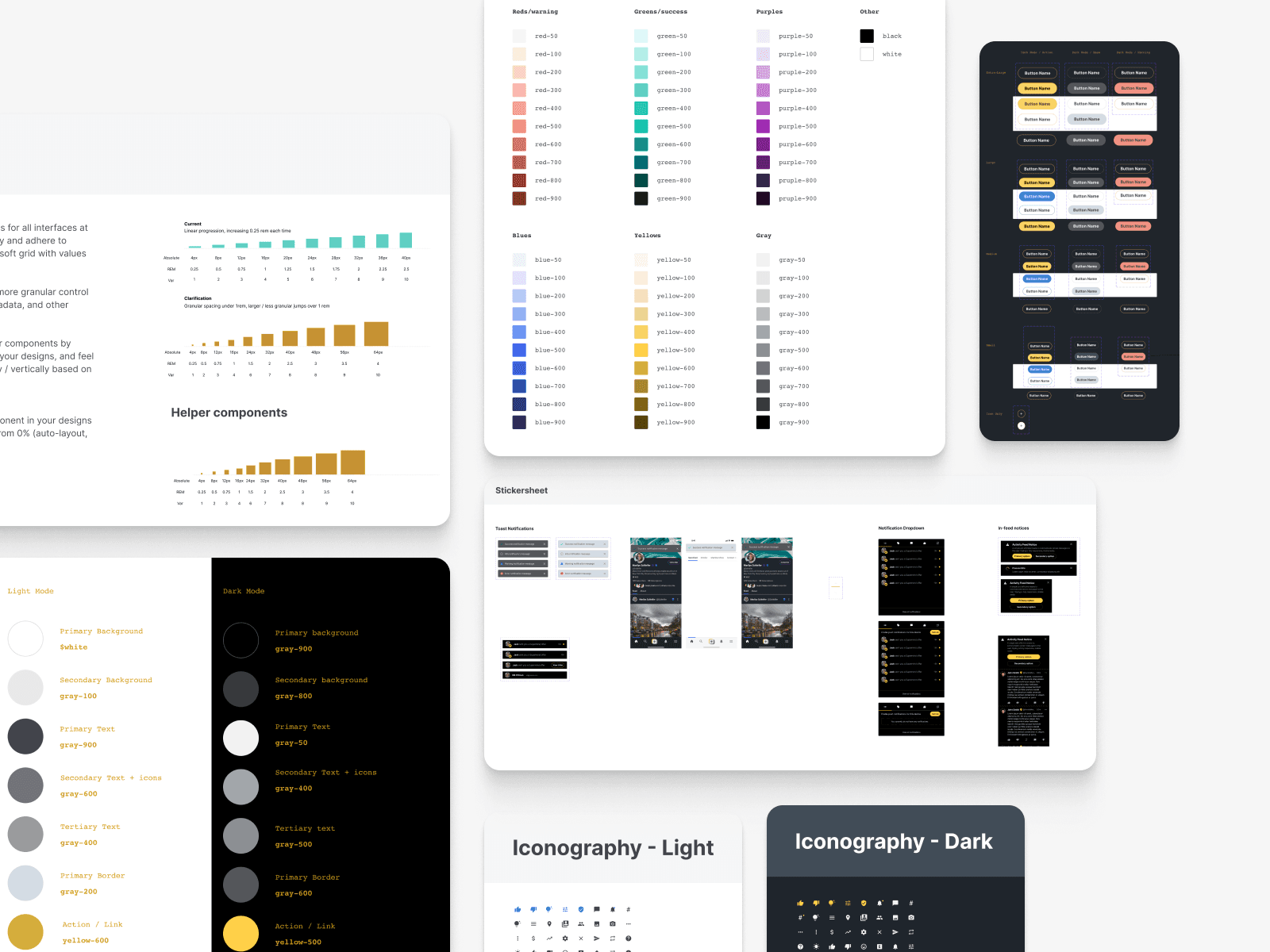
Minds lacked a cohesive design system, leading to inconsistent UI components across web and mobile platforms. This inconsistency resulted in inefficiencies in both the design and development processes, with teams spending excessive time creating and maintaining disparate UI elements.
Goal
I aimed to create a unified design system encompassing web and mobile UI components, a new color palette, and typography system. My objective was to establish company principles and foundations that aligned with brand cohesion, ultimately reducing the time spent on building new UI components and increasing efficiency in producing mockups.
Outcomes & Results
Enhanced Productivity
Reduced UI component development time by 67% and accelerated the design process by 42%, allowing the design team to produce mockups more quickly.
Improved Efficiency
Increased overall project delivery speed by 36% and decreased the time spent on UI maintenance by 27%, allowing for faster updates and improvements.
Brand Consistency
Improved brand consistency, user experience, and team collaboration, resulting in a more unified approach to design and development.
Key Learnings
Importance of Documentation
Comprehensive documentation of design elements and guidelines is essential for consistency and ease of use across teams.
User Experience Impact
A cohesive design system not only improves internal efficiency but also enhances the end-user experience by providing a unified and intuitive interface.
Adaptability
The design system must be flexible to accommodate future changes and growth, ensuring it remains relevant and useful as the platform evolves.
"How might we develop a comprehensive design system that supports both the design and development teams?"
Engaging Guest Mode Interface
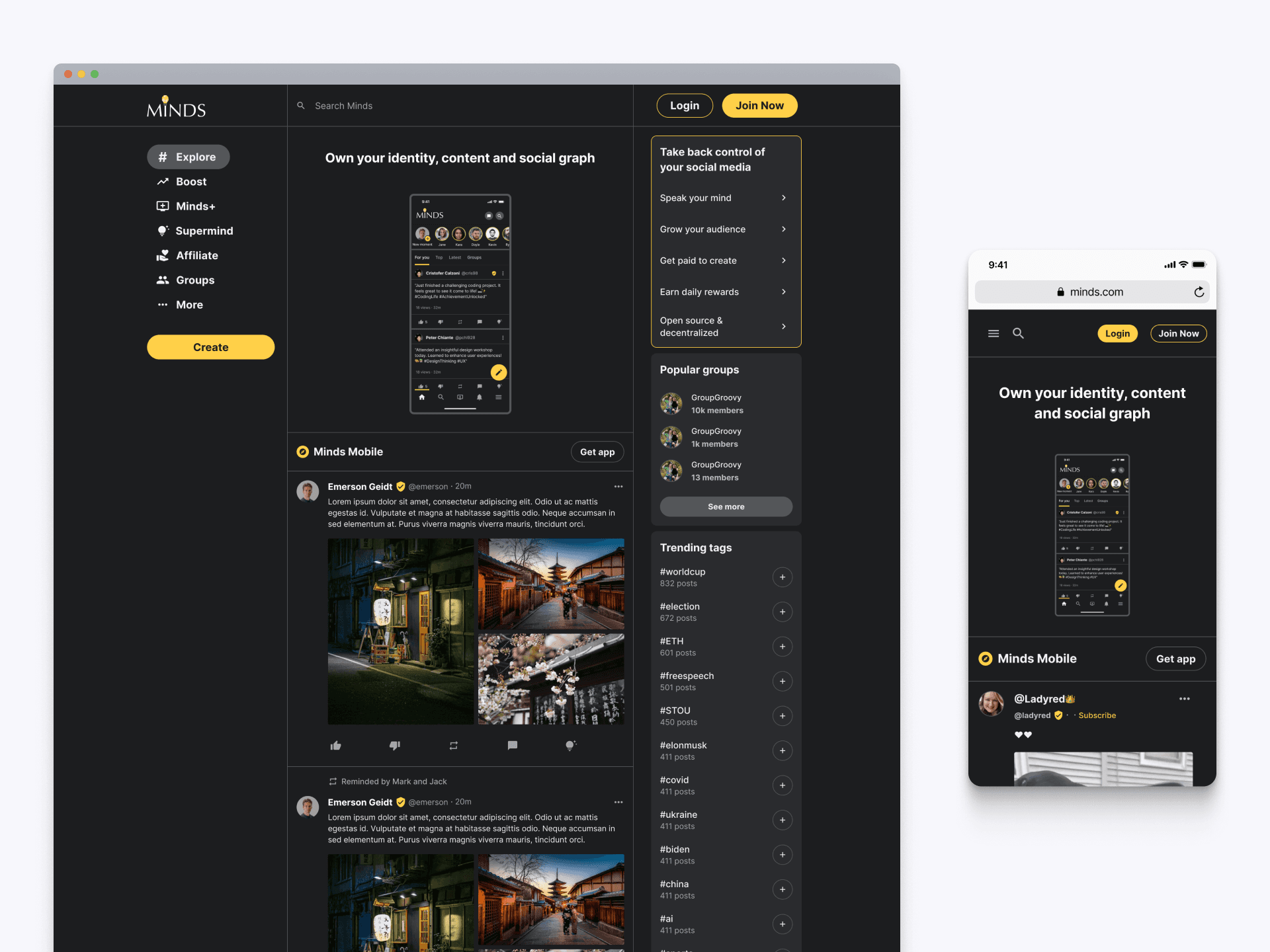
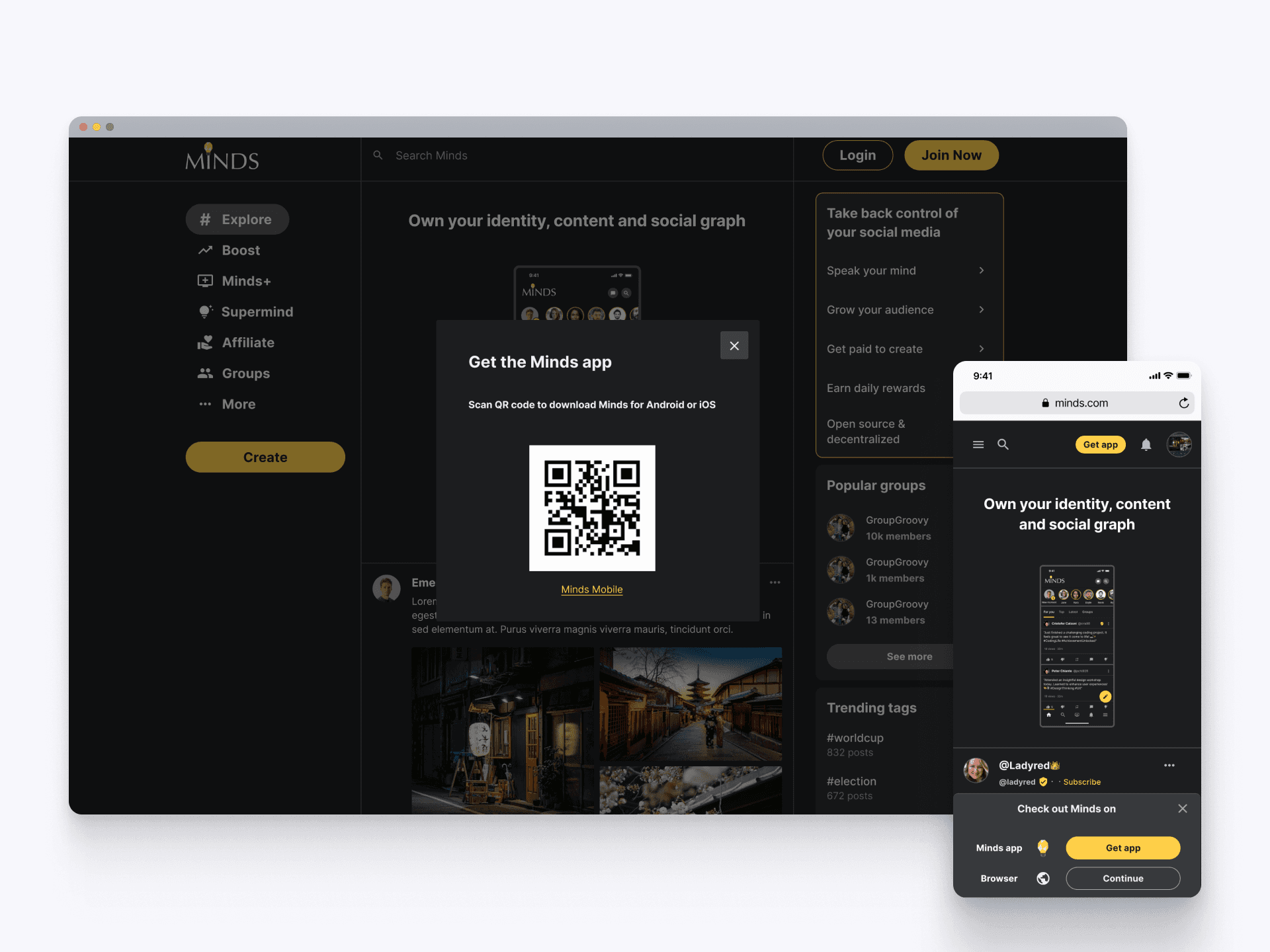
When users first land on Minds.com, they are greeted with a guest mode interface that highlights the platform's core features. Both the web and mobile versions showcase key aspects like user identity, content control, and social graph. These welcoming touchpoint ensures users feel intrigued by the platform's offerings, setting the stage for an engaging onboarding experience.
Instant App Access
The integration of a QR code simplifies the process of downloading the Minds app, providing users with instant access to the platform on their mobile devices. Both the web and mobile versions prominently display this feature, making it convenient for users to transition seamlessly between devices. This quick and easy access promotes continuous interaction and engagement, enhancing the overall user experience from the very beginning.
Effortless Sign-Up Process
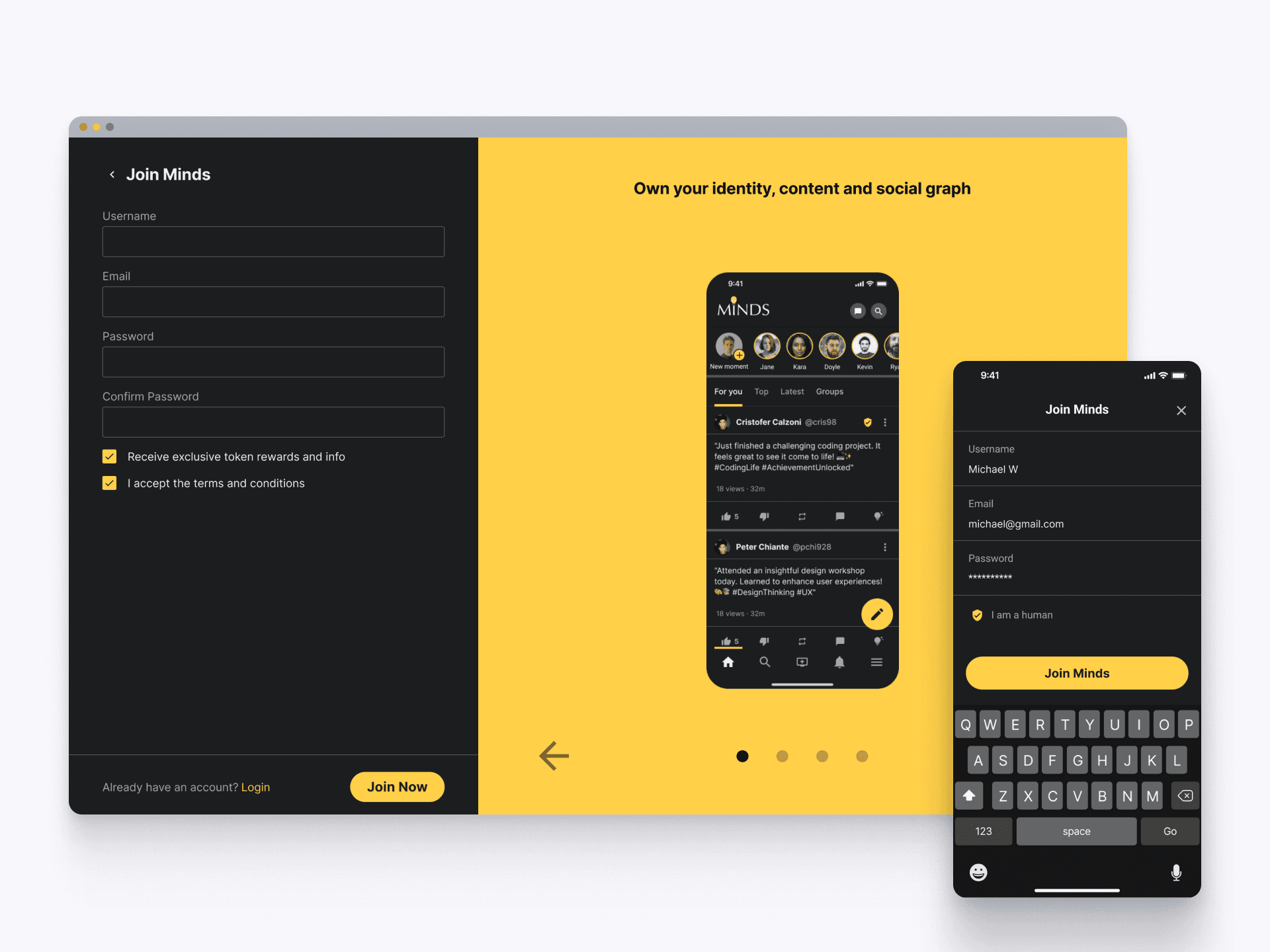
The updated onboarding flow simplifies the sign-up process with a clean, intuitive interface for both web and mobile users. New members can quickly join Minds.com by filling in minimal fields such as username, email, and password. Clear prompts and a straightforward layout ensure a hassle-free experience, encouraging users to start exploring the platform immediately.
Secure Email Verification
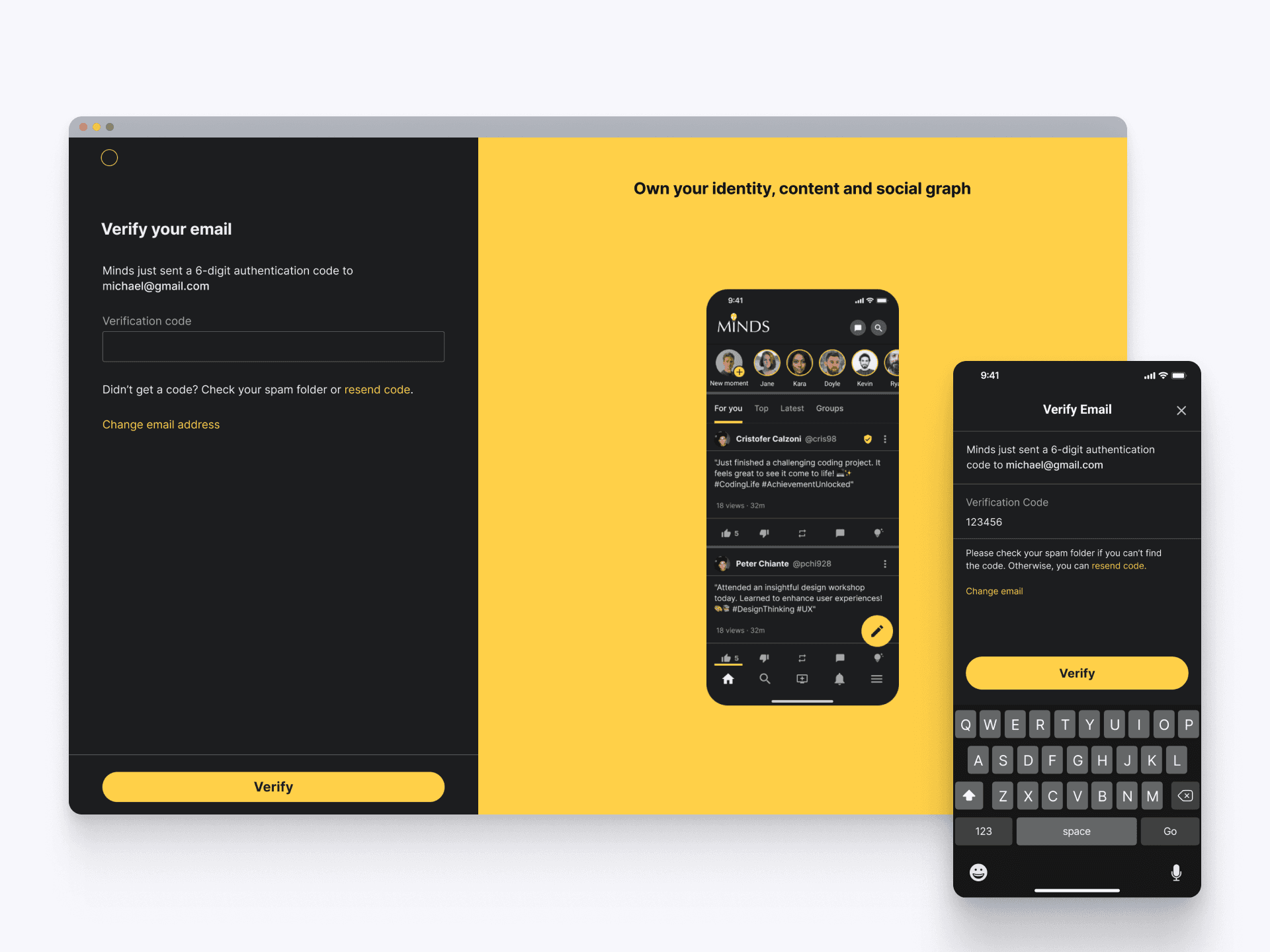
After signing up, users proceed to email verification to ensure account security. A 6-digit authentication code is sent to their email, which they enter in the provided field. Clear instructions and options to resend the code if needed are available on both web and mobile versions. This step verifies user identity, enhancing trust and security while maintaining a smooth onboarding experience.
Personalized Content Selection
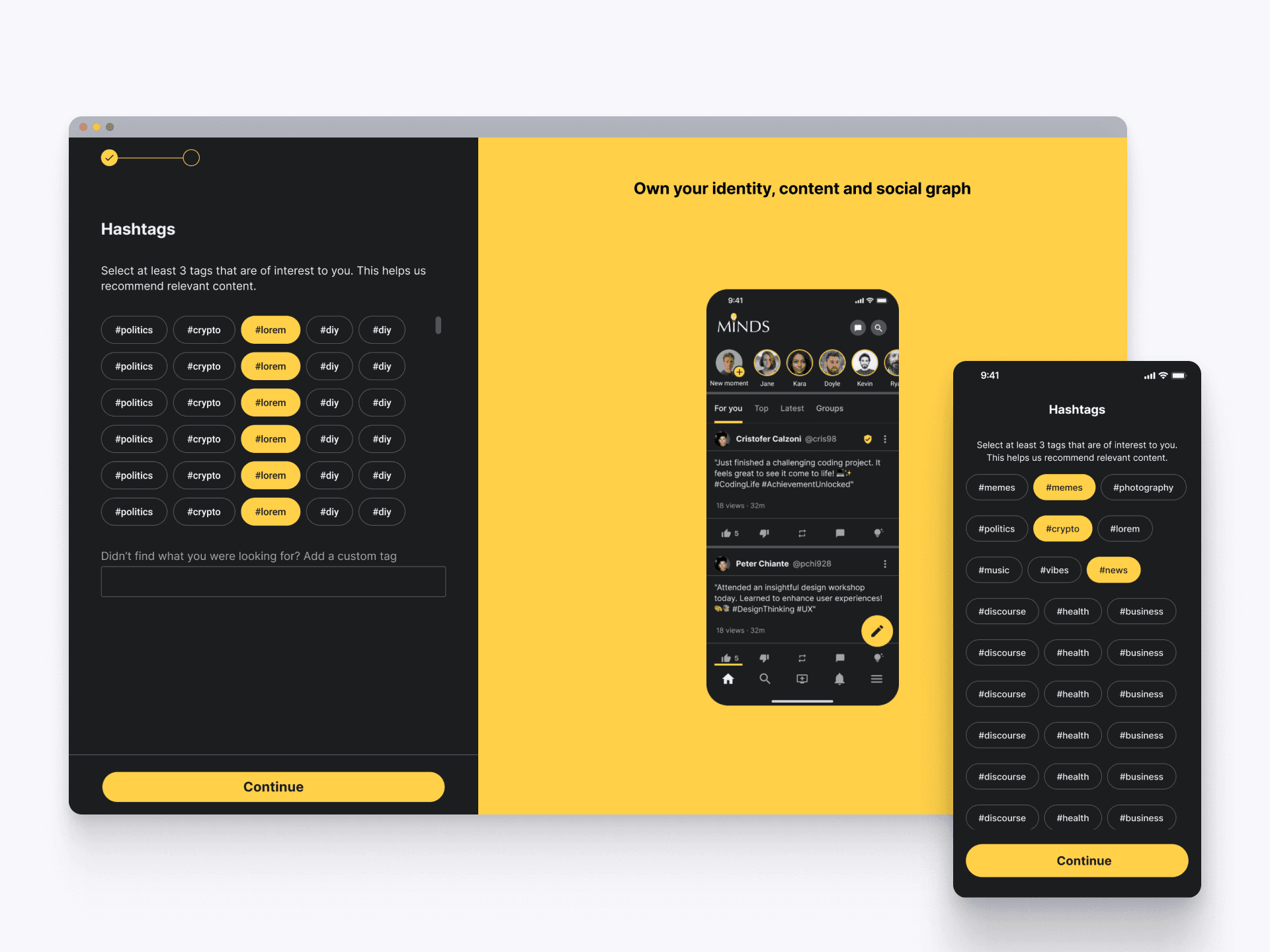
The next step in the onboarding process involves selecting hashtags that match user interests. Both web and mobile interfaces prompt users to choose at least three tags, ensuring Minds.com can recommend relevant content. This personalization enhances user engagement by tailoring their feed to their specific interests right from the start. Users can easily add custom tags if they don't find what they're looking for, making the experience more flexible and user-centric.
Personalized Onboarding Goals
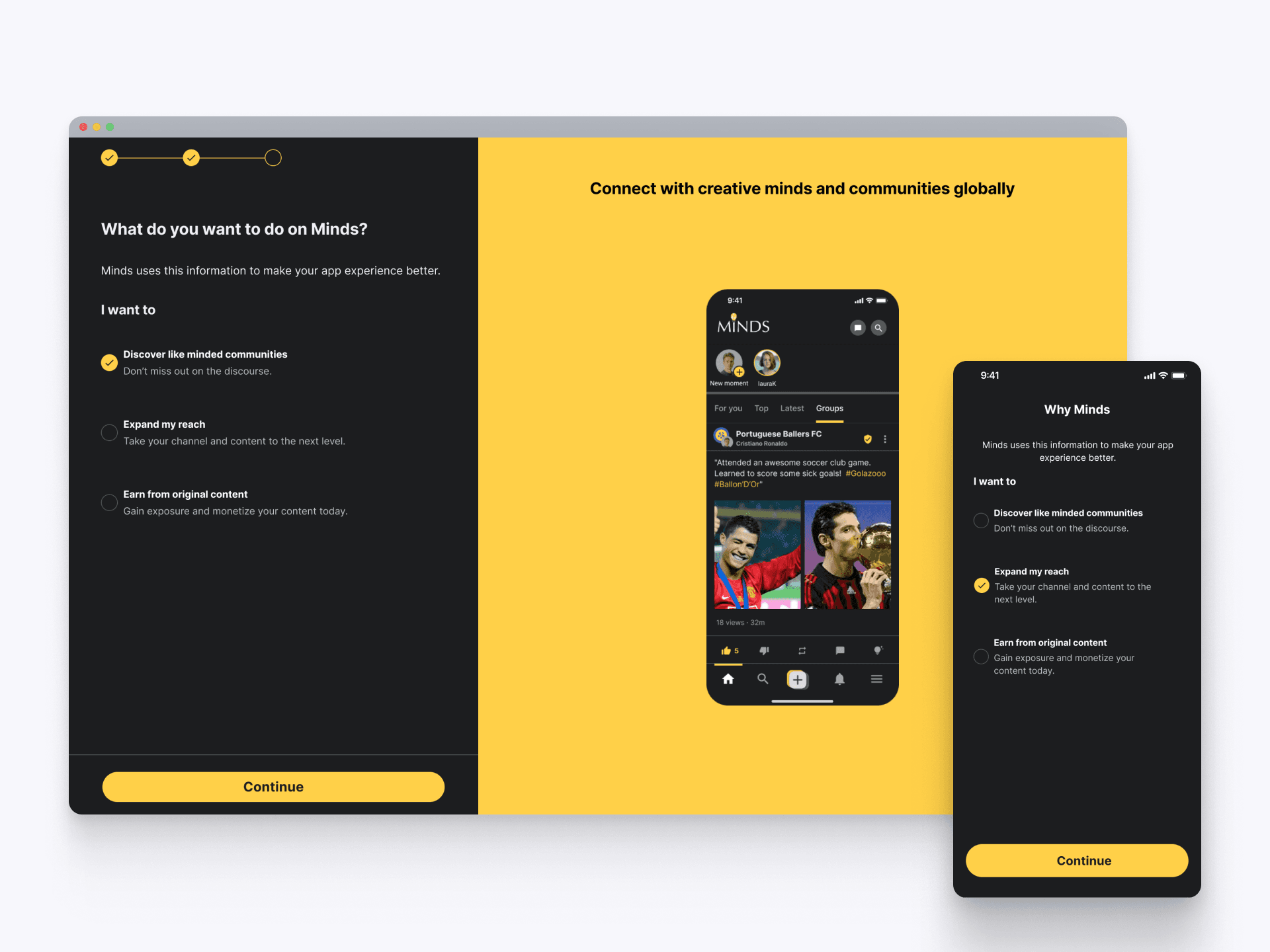
Users are guided to select their primary goals on Minds, such as discovering like-minded communities, expanding their reach, or earning from original content. This step helps tailor the platform experience to individual user needs. By understanding user intentions, Minds can provide a more relevant and engaging experience, ensuring users feel connected and motivated to achieve their objectives.
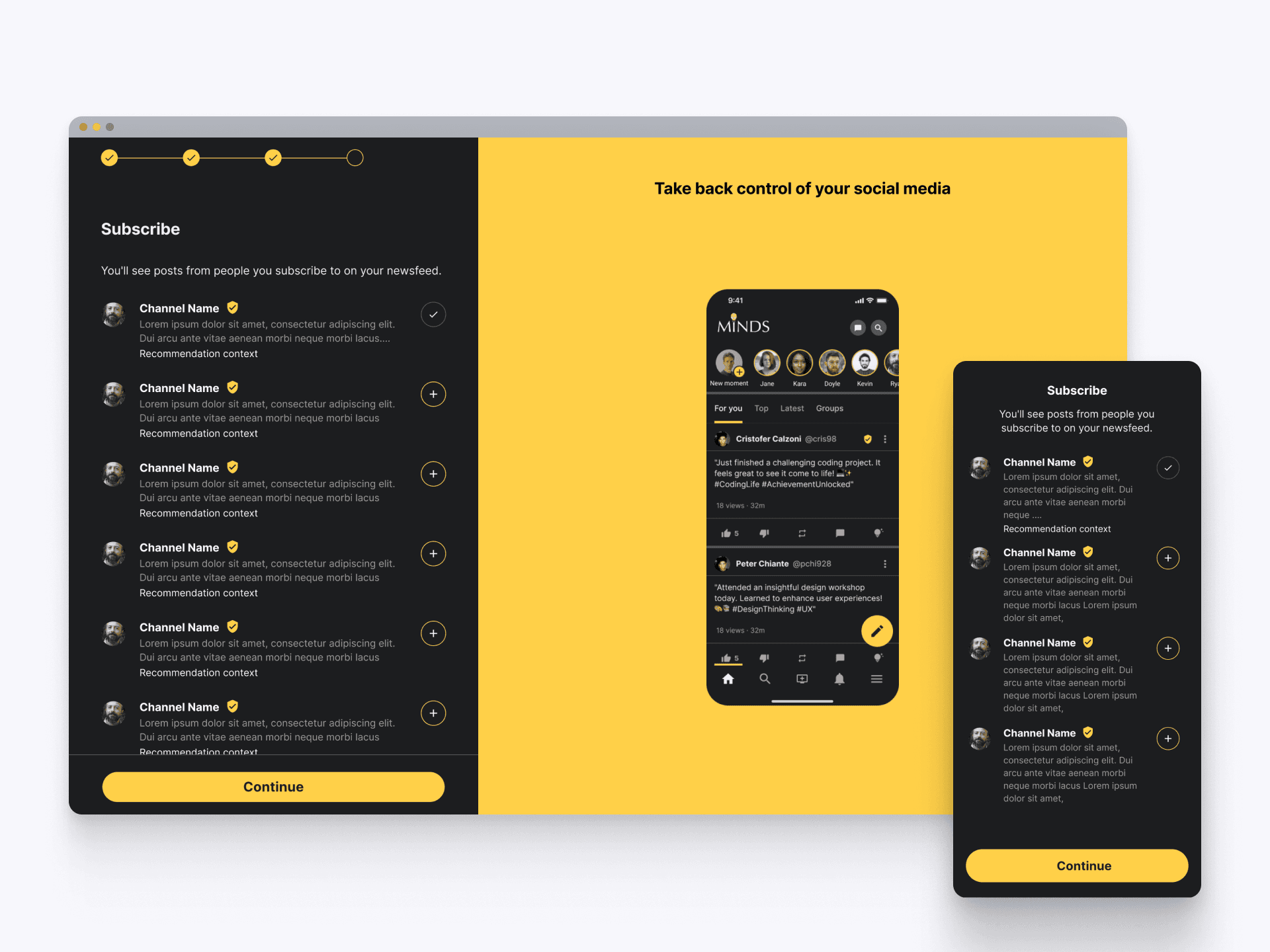
Curated Subscription Choices
Users are prompted to subscribe to channels and influencers that match their interests, creating a personalized content feed. Users are shown a curated list of recommendations, allowing users to easily select their preferences. This step ensures that new users receive relevant and engaging content from the start, enhancing their experience and encouraging continued interaction.
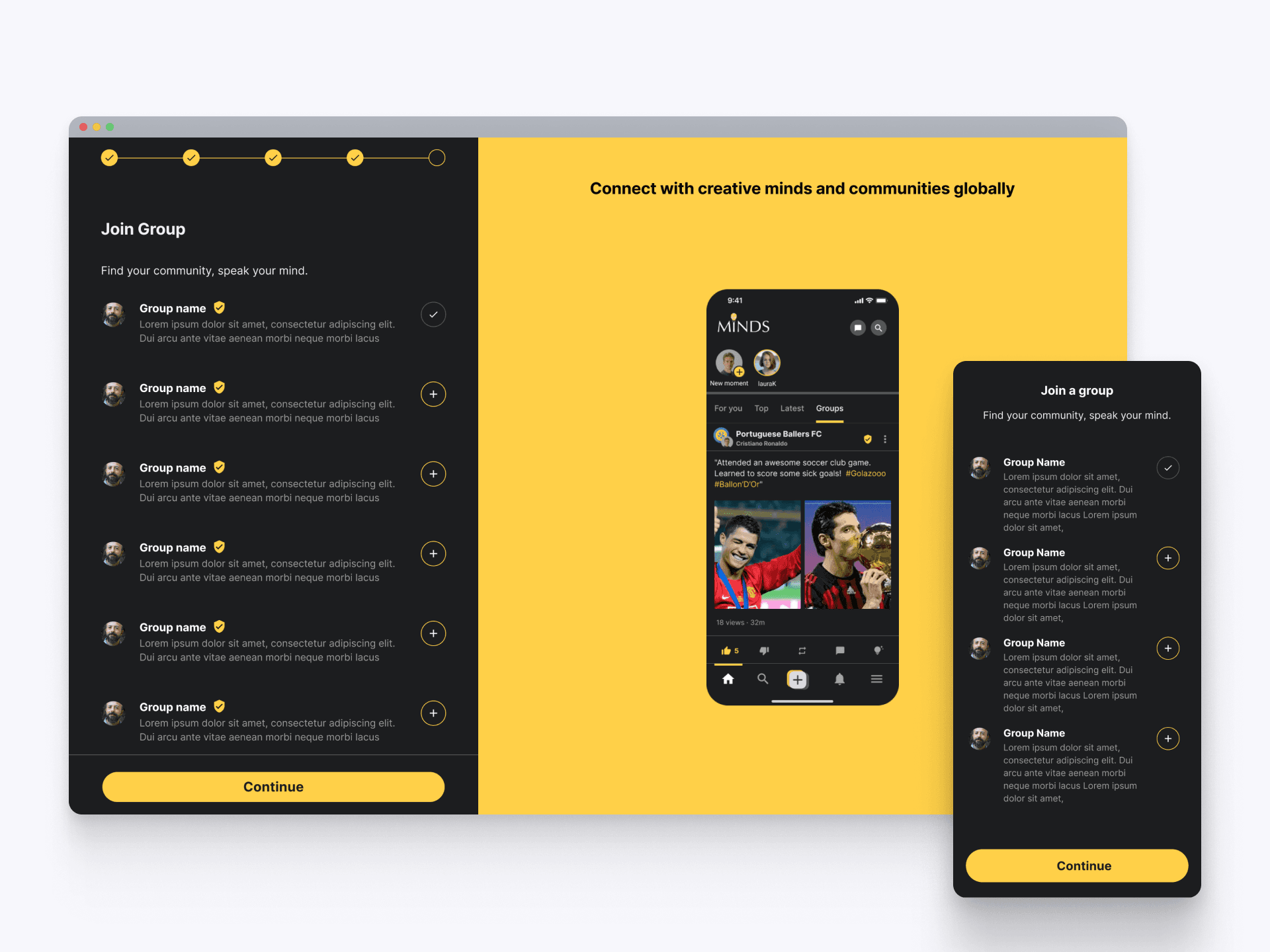
Joining Interest Groups
Lastly, users are encouraged to join groups that align with their interests. Users are presented a list of recommended groups, making it easy for users to find and connect with like-minded communities. This feature fosters a sense of belonging and promotes active participation from the start. By joining groups, users can engage in meaningful discussions, share content, and build connections, enhancing their overall experience on Minds.
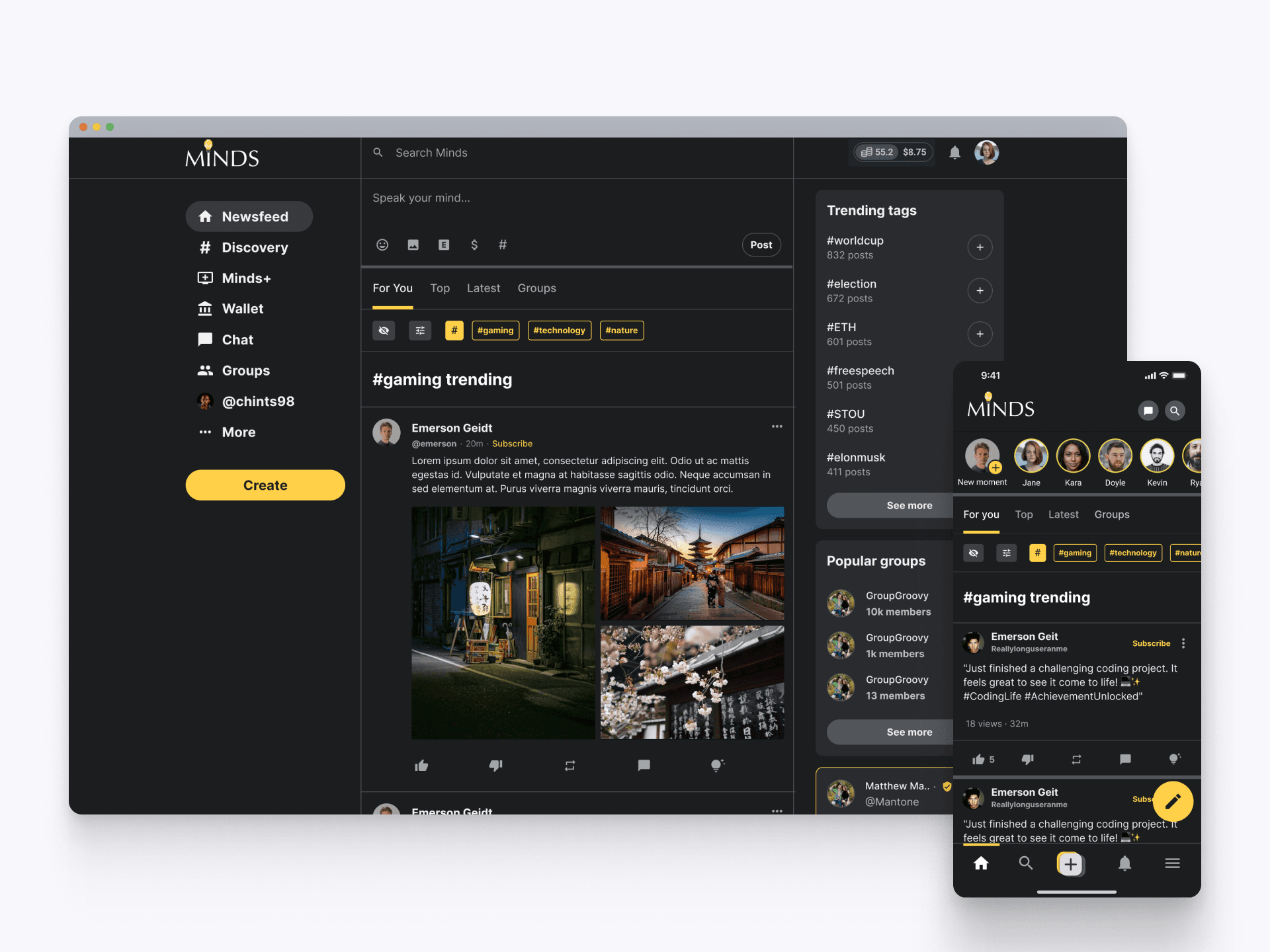
Personalized Content Discovery
Upon completing onboarding, users are greeted with a personalized content feed designed to tackle the cold start problem. Features highlighted are trending topics, popular groups, and tailored recommendations based on user preferences. Feed filters allow users to curate their feed further, ensuring they see the most relevant content. This approach keeps users engaged from the start, enhancing their experience and encouraging active participation on Minds. The intuitive layout promotes easy navigation and discoverability, helping users quickly find content that resonates with them.
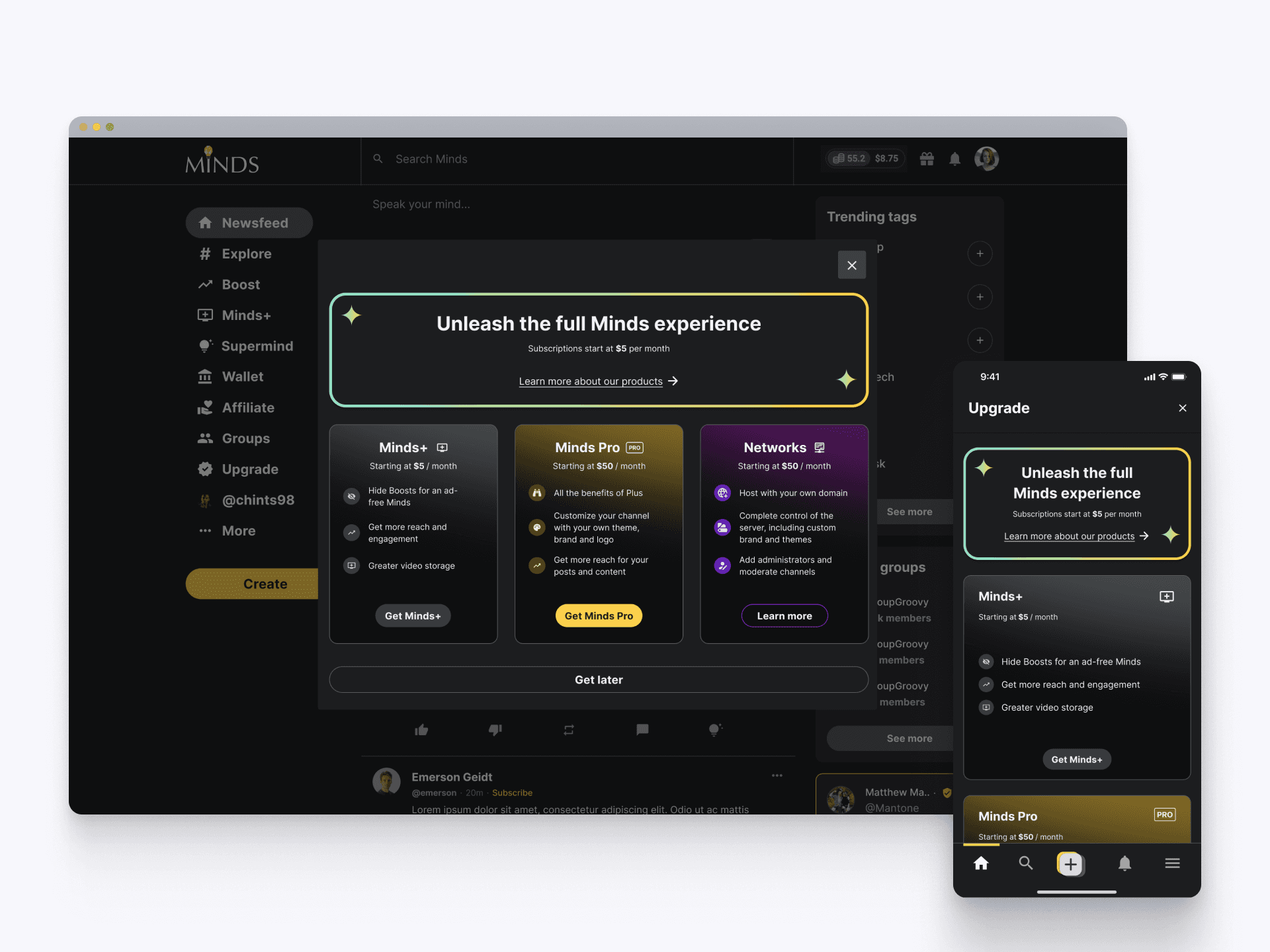
Unlock Premium Features
On their first visit premium subscription options are displayed that enhance their Minds experience. The interface clearly present the benefits and pricing, encouraging users to upgrade and take full advantage of the platform. The straightforward layout and enticing benefits make it easy for users to see the value in upgrading, enhancing their overall engagement and satisfaction.
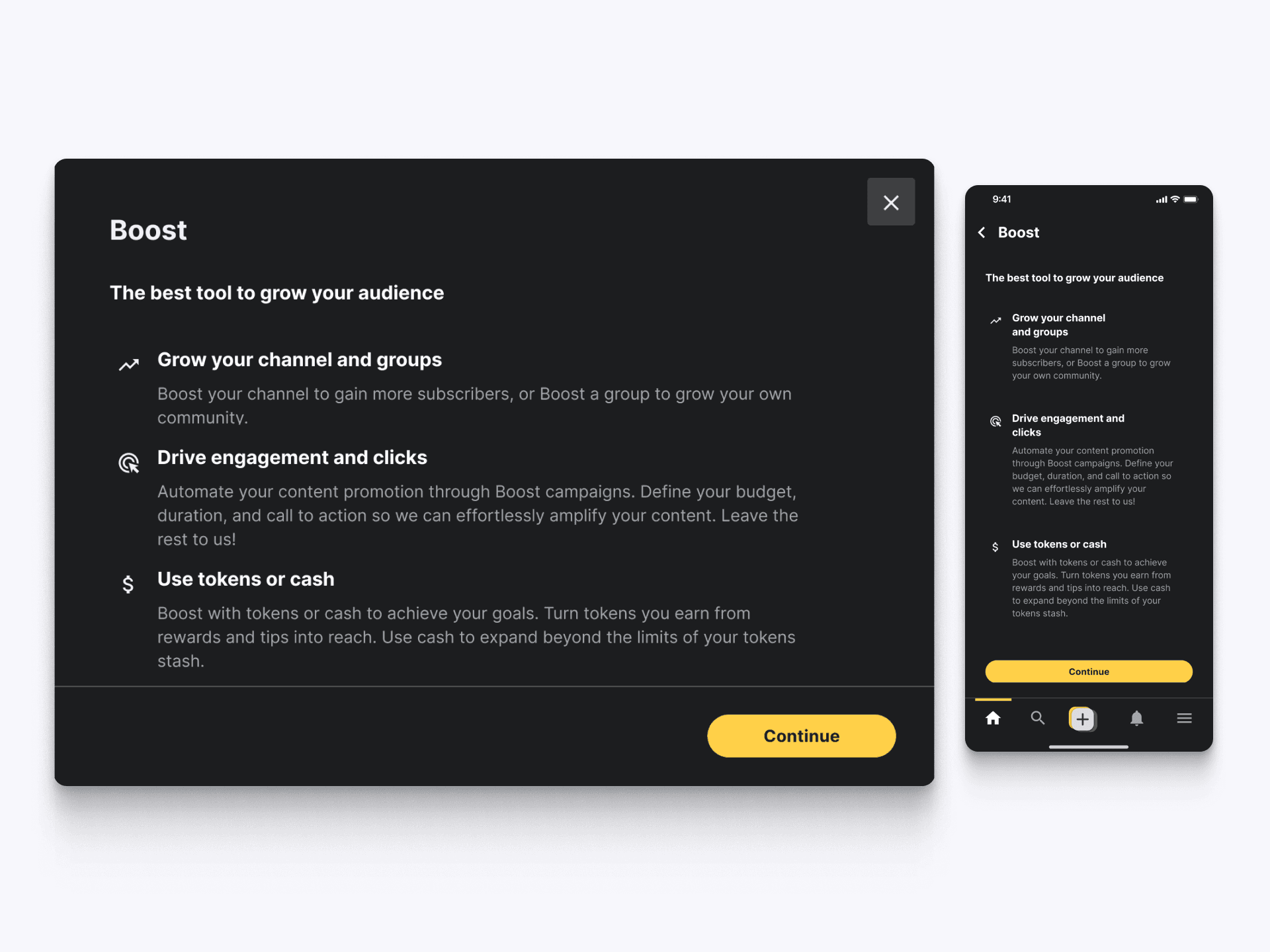
Feature Explainer
This screen introduces new users to the various features available on Minds, ensuring they understand the value and use cases. Each feature is clearly described, detailing how users can benefit from them. This helps users quickly learn how to navigate and utilize the platform's tools to enhance their experience. By providing a clear and concise overview, these explainer screens support users in getting the most out of Minds from their very first interaction.
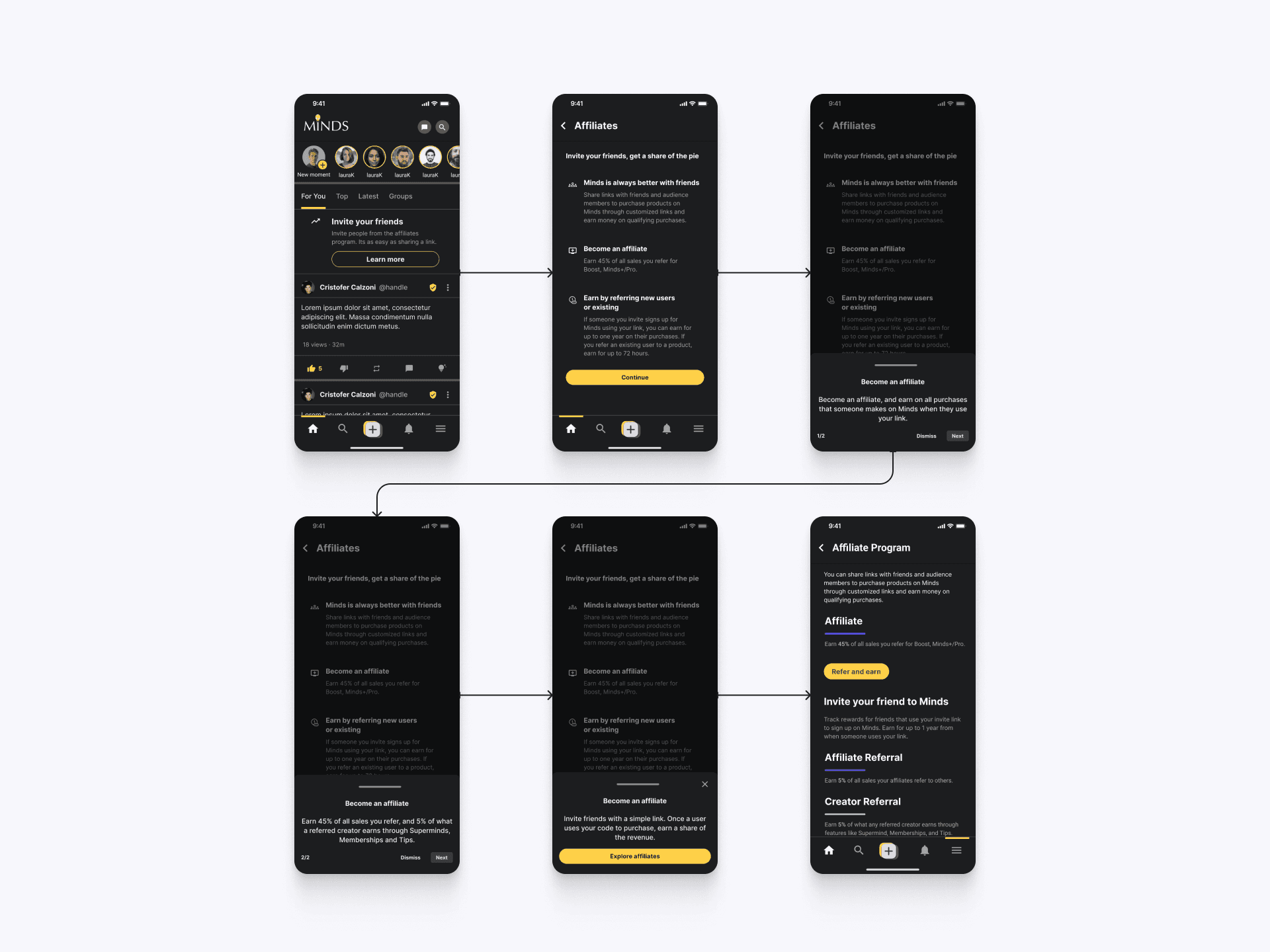
Discovering the Affiliate Program
This user flow illustrates how users interact with the in-feed notice for Minds' Affiliate Program. By following a clear and intuitive path, users can quickly learn about the benefits of becoming an affiliate, including earning rewards for referring new users. The flow provides detailed information and easy steps to sign up, ensuring users understand the value and process of the program. This design helps users seamlessly engage with the affiliate feature, promoting participation and enhancing their overall experience on Minds.
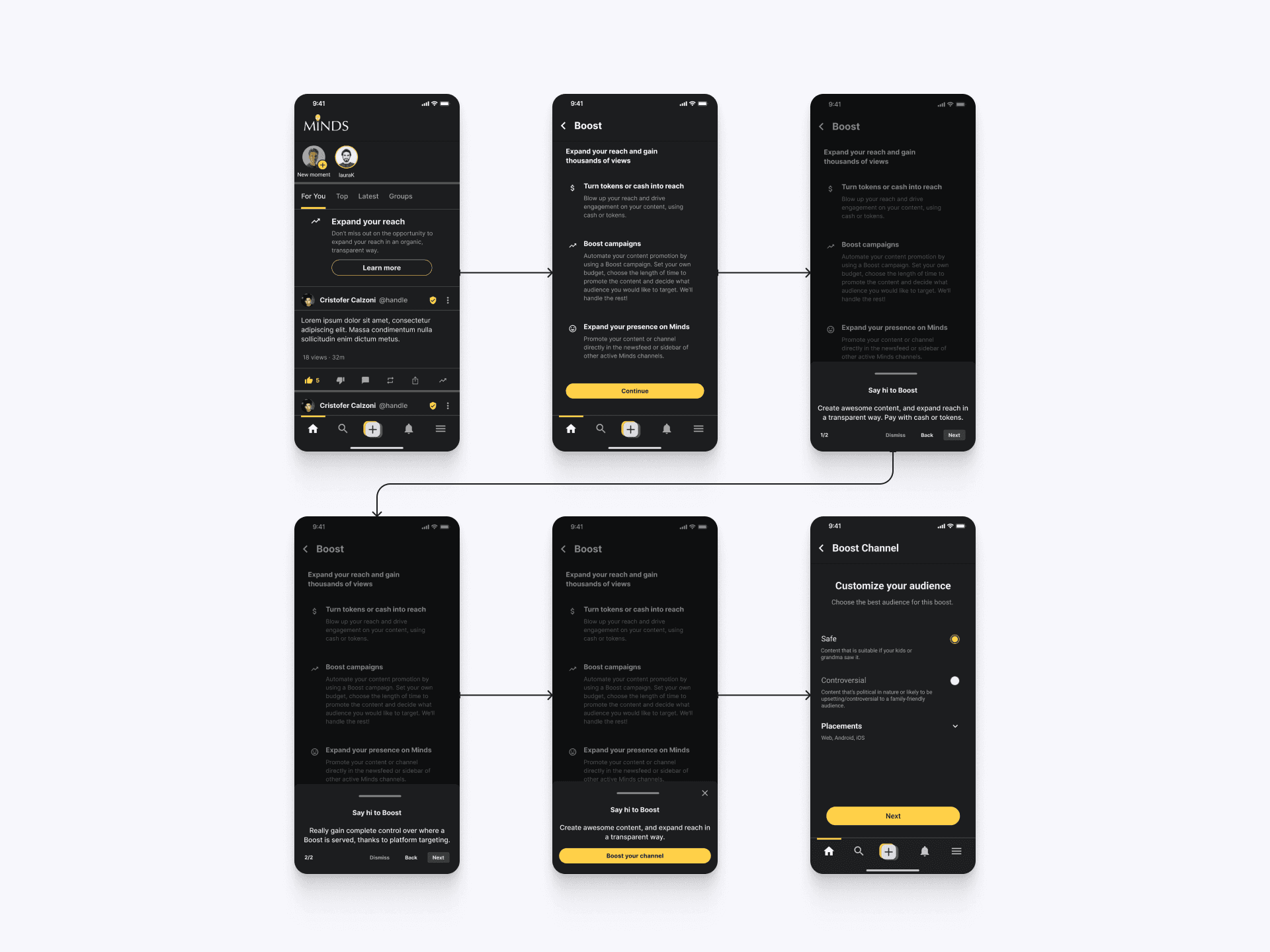
Expanded Reach for New Users
Our Boost feature is designed to help new users maximize their visibility and engagement. By using tokens or cash, users can effortlessly promote their content, gain more followers, and expand their community. This user-friendly tool simplifies the process of content promotion, allowing new members to quickly increase their reach and influence on the platform.
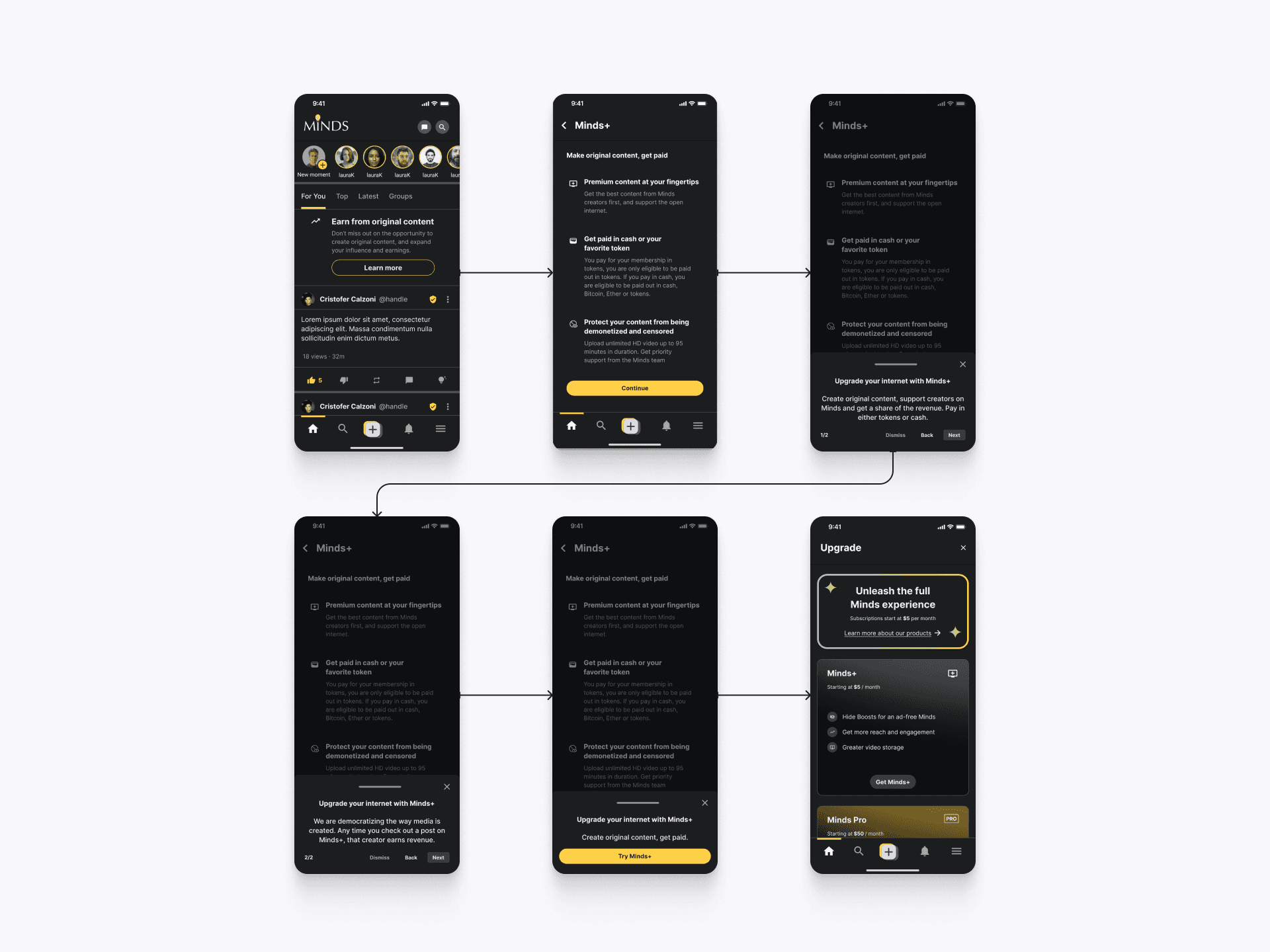
Empowering New Content Creators
The Minds+ feature is designed to help new users start earning from their original content immediately. By joining Minds+, users gain access to premium content creation tools, the ability to get paid in cash or their favorite tokens, and protection from censorship. This feature not only supports content creators financially but also fosters a more engaging and rewarding community.
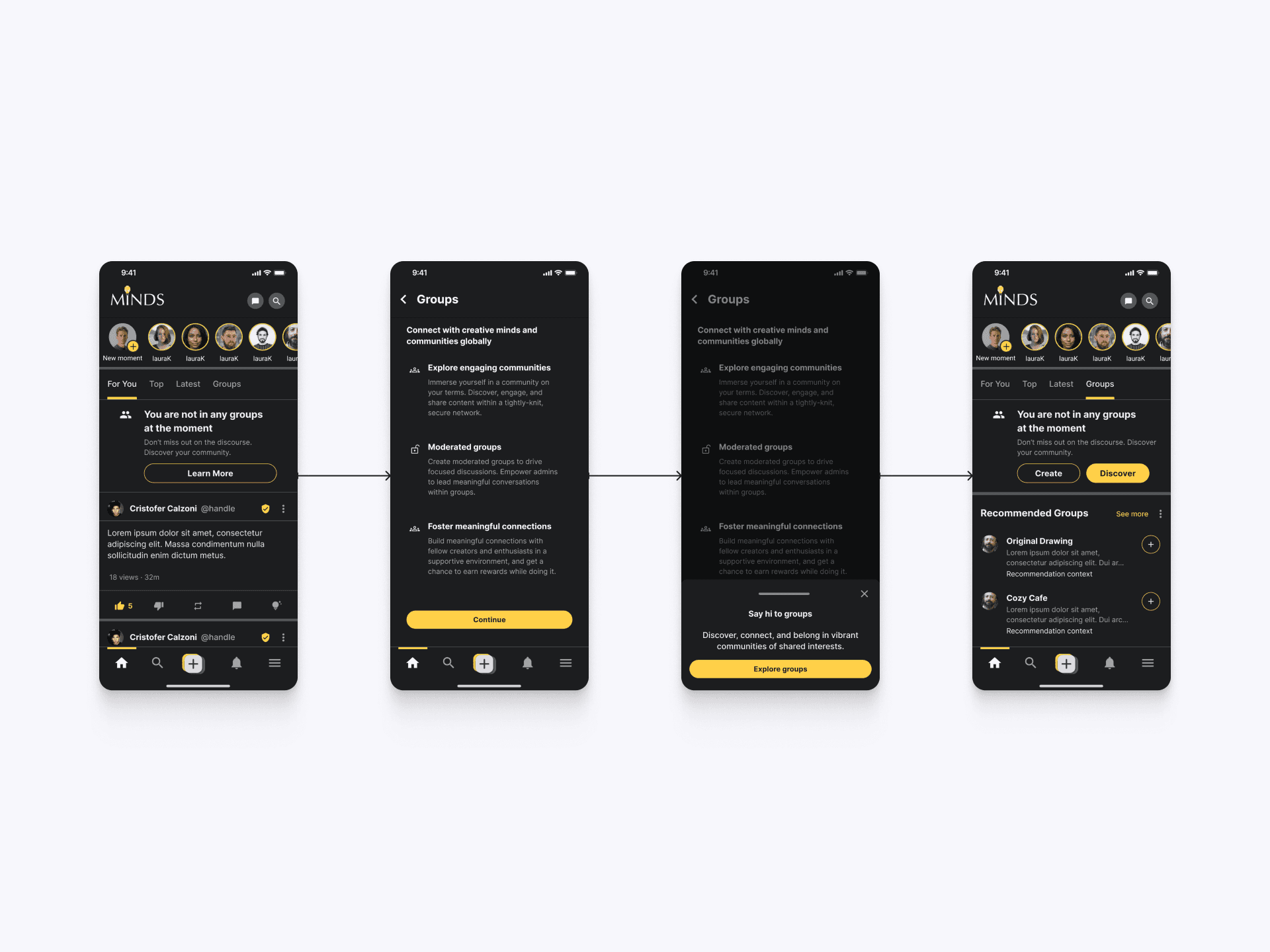
Group Discovery and Engagement
Groups connects users with like-minded communities. Users can explore engaging communities, join moderated groups, and foster meaningful connections. Recommendations help users quickly find and join groups that match their interests, ensuring a connected and interactive experience on Minds.