People Games
About the project
Timeline
Oct '25 - May '26
My role
Lead Product Designer
Platforms
Mobile
Problem
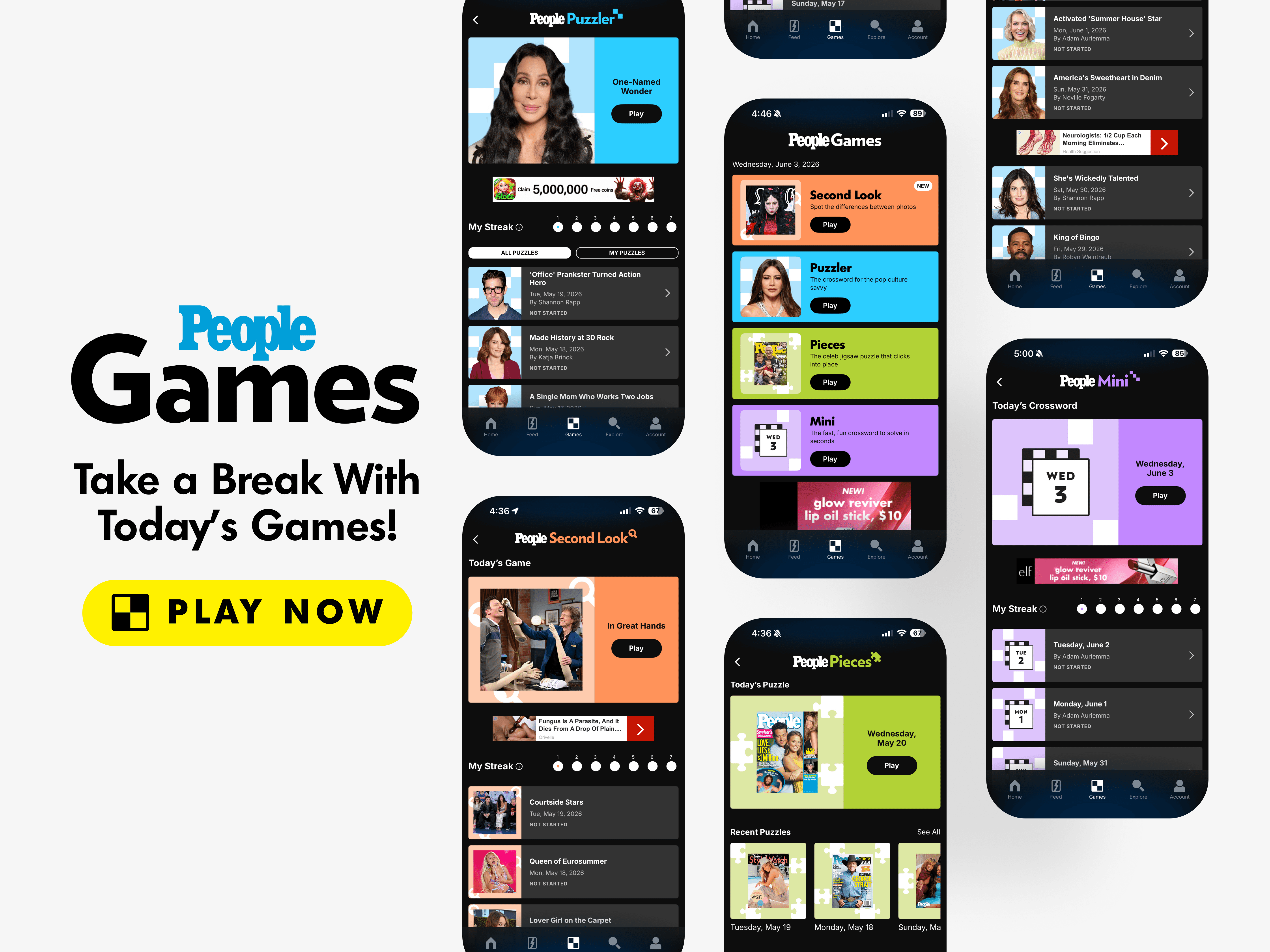
The PEOPLE App was originally centered on content consumption, but users needed more reasons to return when they were not actively reading or browsing stories. After the launch of our first game, Puzzler, showed a major increase in engagement (400%), the team saw an opportunity to build a stronger games ecosystem that could improve retention and give users a new daily habit inside the app.
Goal
Create a scalable games ecosystem inside the PEOPLE App that could support daily play, archives, special packs, and multiple game formats. The experience needed to leverage PEOPLE’s celebrity coverage, exclusive photography, magazine covers, and editorial library while giving each game its own identity within a shared system.
Outcomes & Results
Puzzler became the foundation for PEOPLE’s games strategy, increasing average session time from roughly 5 minutes to over 25 minutes, a 400% increase, and proving that games could significantly improve retention inside the app. This success helped shift the product roadmap toward interactive entertainment and led to a dedicated games team focused on expanding the ecosystem.
The games platform grew from one daily crossword into five daily games across Puzzler, Pieces, Mini, Second Look, and most recently Groupies, each with daily content, playable archives, and special packs. The work helped reposition the PEOPLE App as both a content and gaming destination, giving the company a new path beyond traditional publishing.
Key Learnings
Games Create Daily Habits
Articles, scenes, collections, and games could not feel like separate areas competing for attention. Connecting them through shared discovery patterns helped the app feel more cohesive and gave users more reasons to keep exploring.
Discovery Should Connect Features
Articles, scenes, collections, and games could not feel like separate areas competing for attention. Connecting them through shared discovery patterns helped the app feel more cohesive and gave users more reasons to keep exploring.
Redesigns Should Expand Value
Bringing PEOPLE.com articles into the app required more than making web content available on mobile. The reading experience needed to feel native, scannable, and easy to move through without competing with the app’s more visual content formats.
"How might we turn PEOPLE’s content library into a daily games ecosystem that keeps users engaged beyond reading and browsing?"
Second Look: Games Hub & Game Landing Page
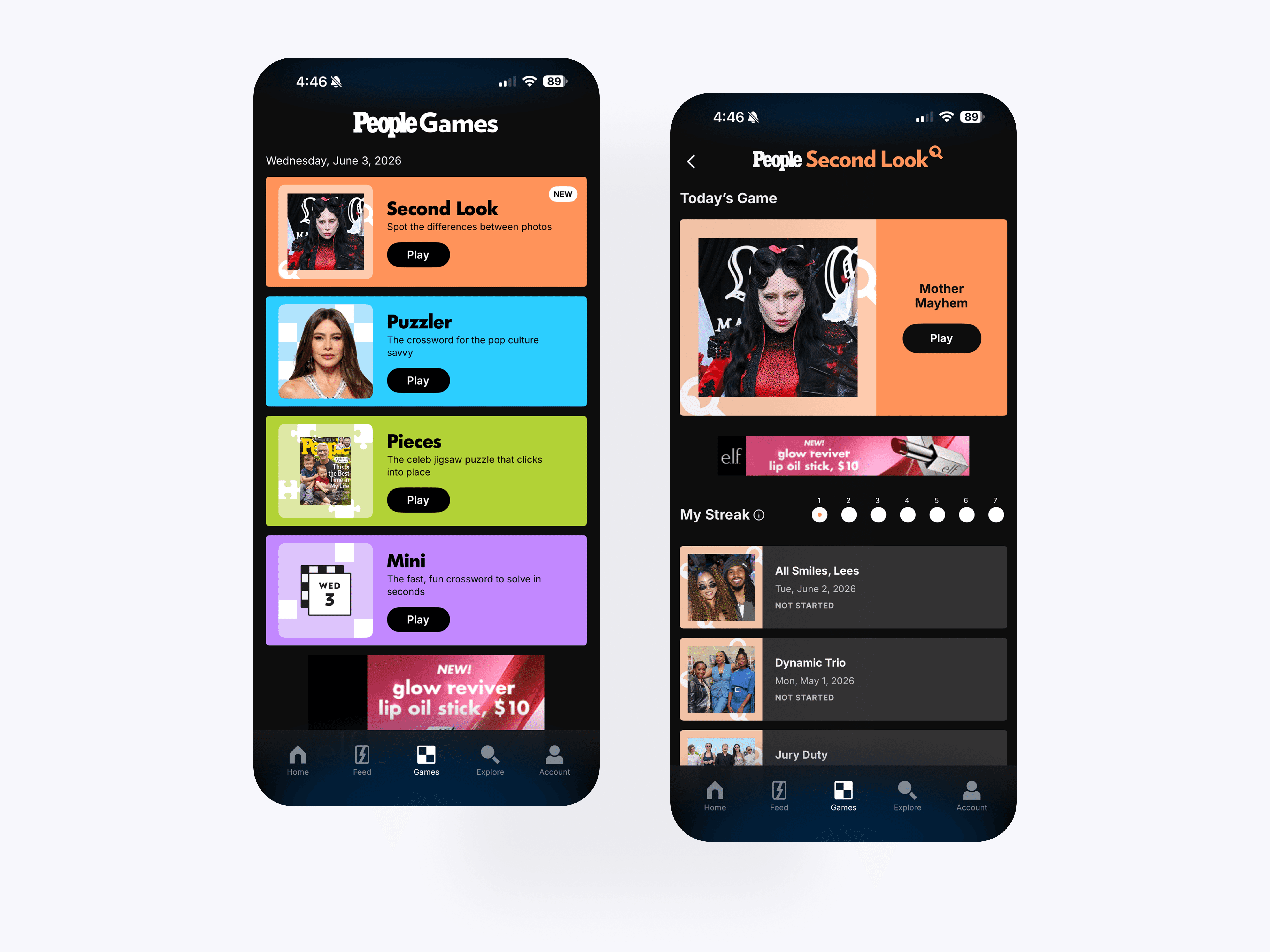
The Games Hub creates a central destination for PEOPLE’s daily games, while the Second Look hub introduces the newest game with today’s challenge, streak tracking, and a playable archive.
Second Look: Game Progress Indicators
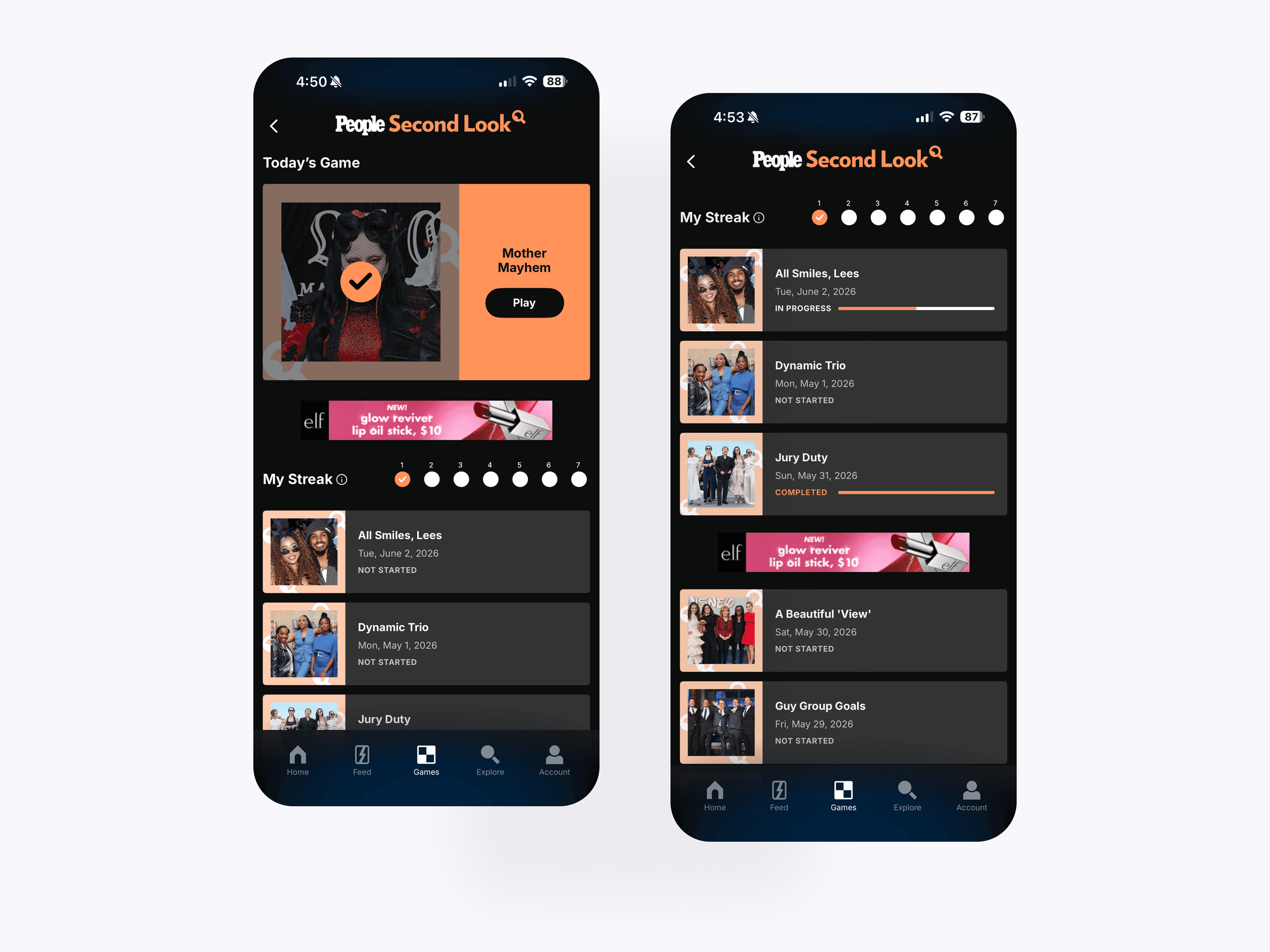
The Second Look archive gives users a clear way to browse past puzzles, track completion states, and continue unfinished games. Daily streaks and progress indicators help encourage repeat play across the game library.

Second Look: Gameplay
The Second Look gameplay screen turns PEOPLE photography into an interactive spot-the-difference game. Users compare two images, tap differences, receive immediate feedback, and track progress through each puzzle.
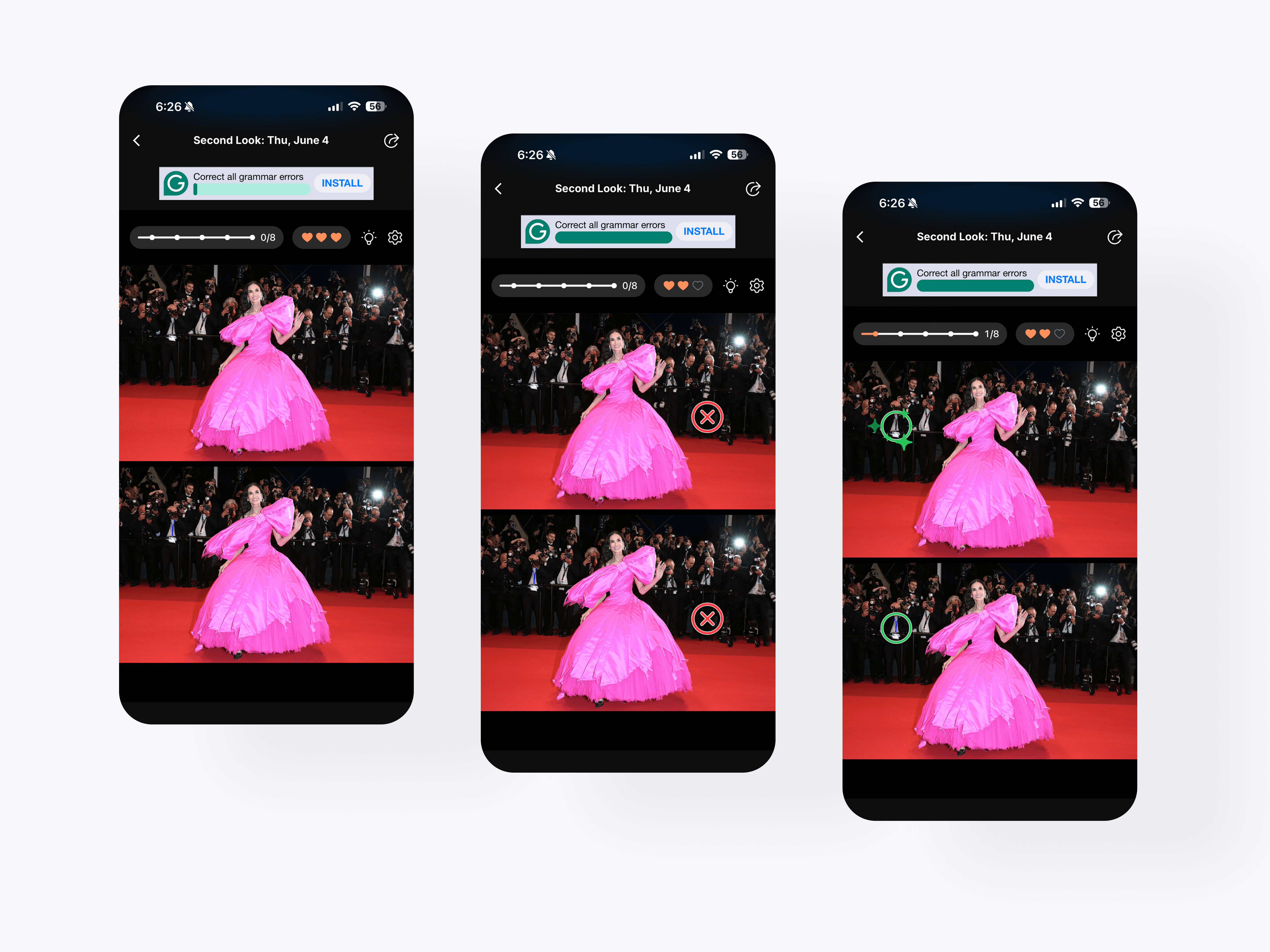
Second Look: Pro Mode Difficulty
Pro Mode adds a higher-stakes version of Second Look by giving users three lives to complete the puzzle. Each incorrect tap removes a life, while correct selections mark real differences and move users closer to completing the game.
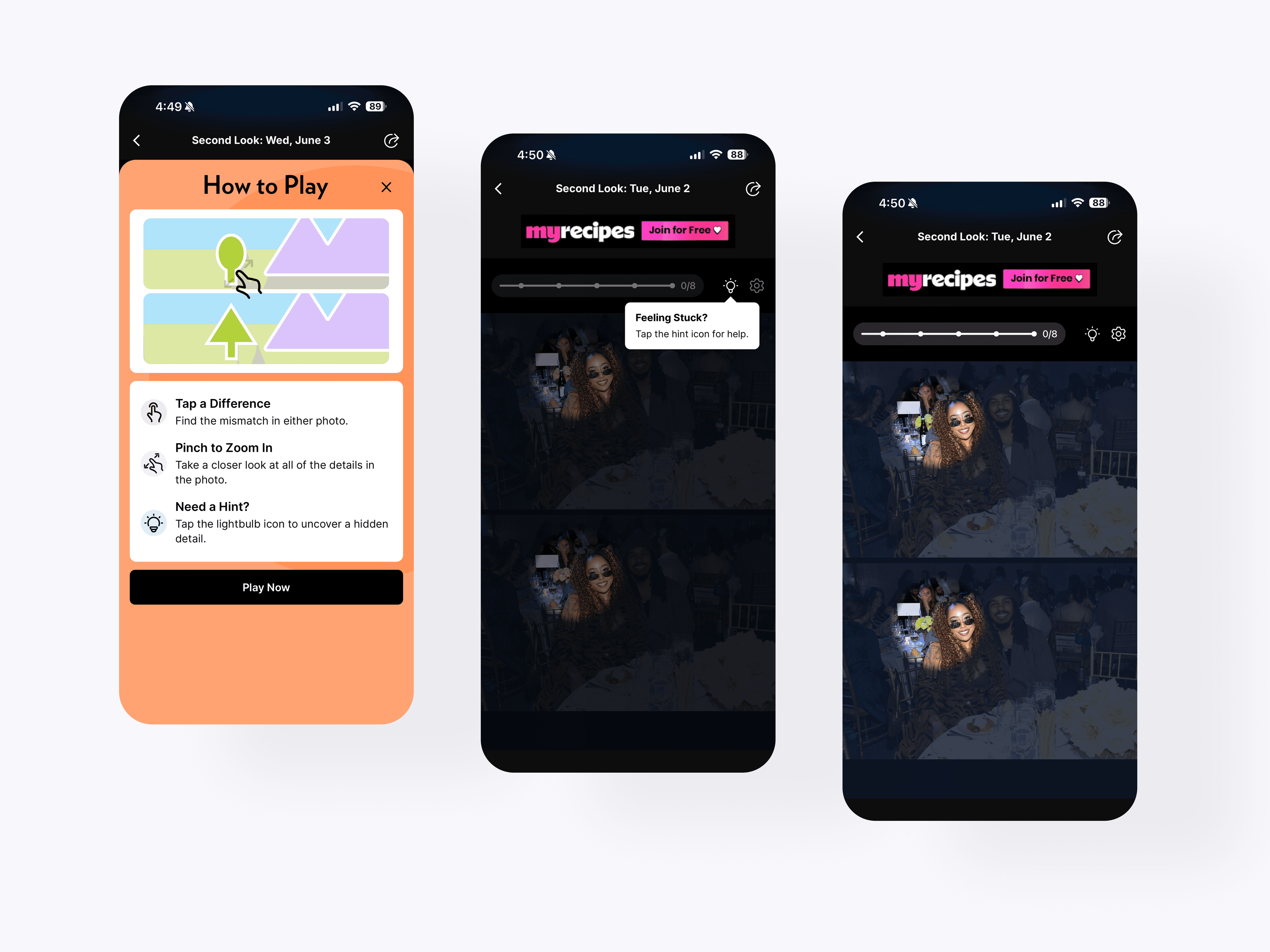
Second Look: Onboarding / Tutorial
The onboarding and hint system teaches users how to play without interrupting the game flow. Clear instructions, gesture guidance, and contextual tooltips help users understand tapping, zooming, and hint behavior.
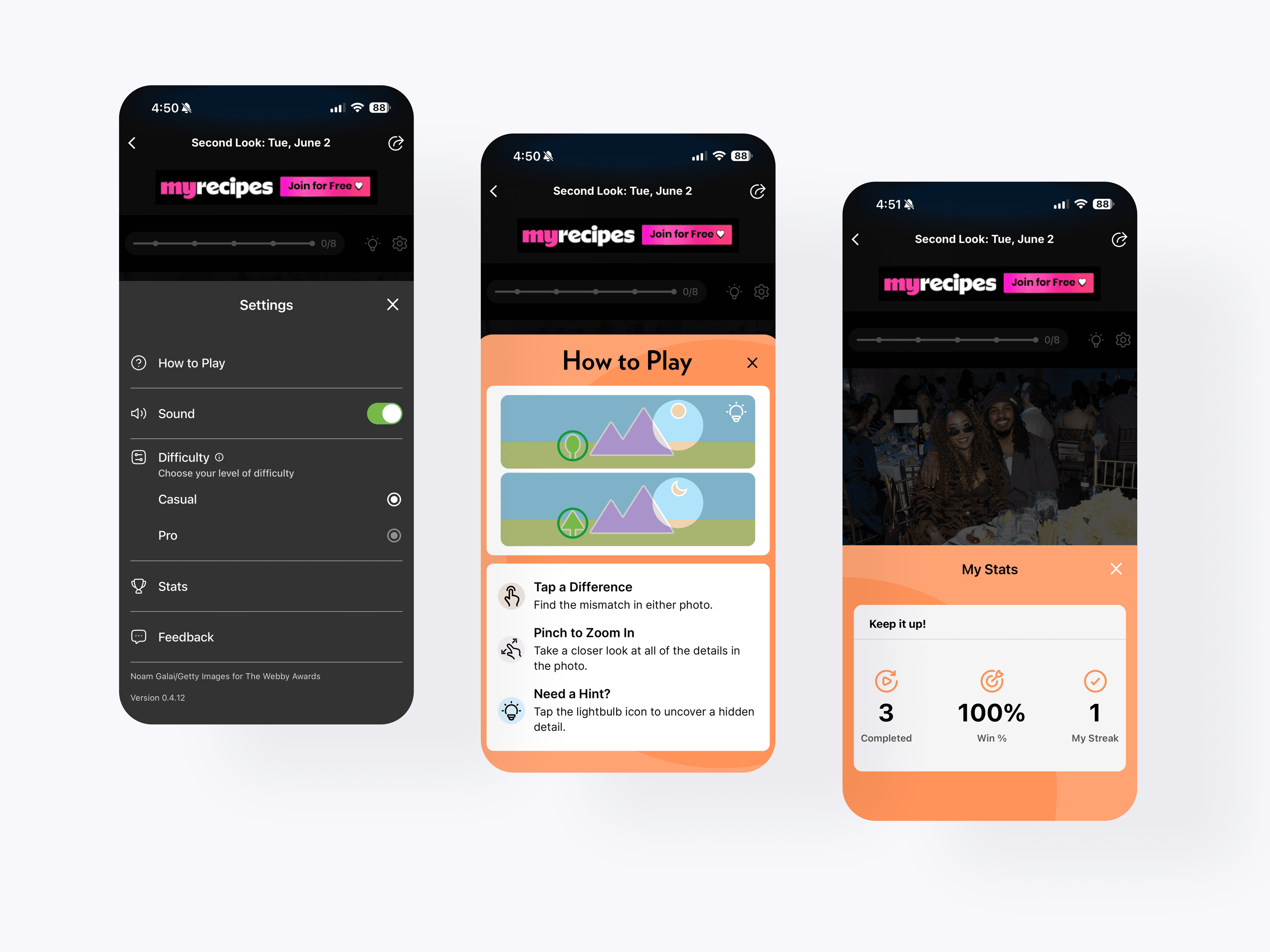
Second Look: Settings
The settings and stats flows give users control over their gameplay experience. Players can adjust sound, choose difficulty, view instructions, send feedback, and track performance after completing a game.
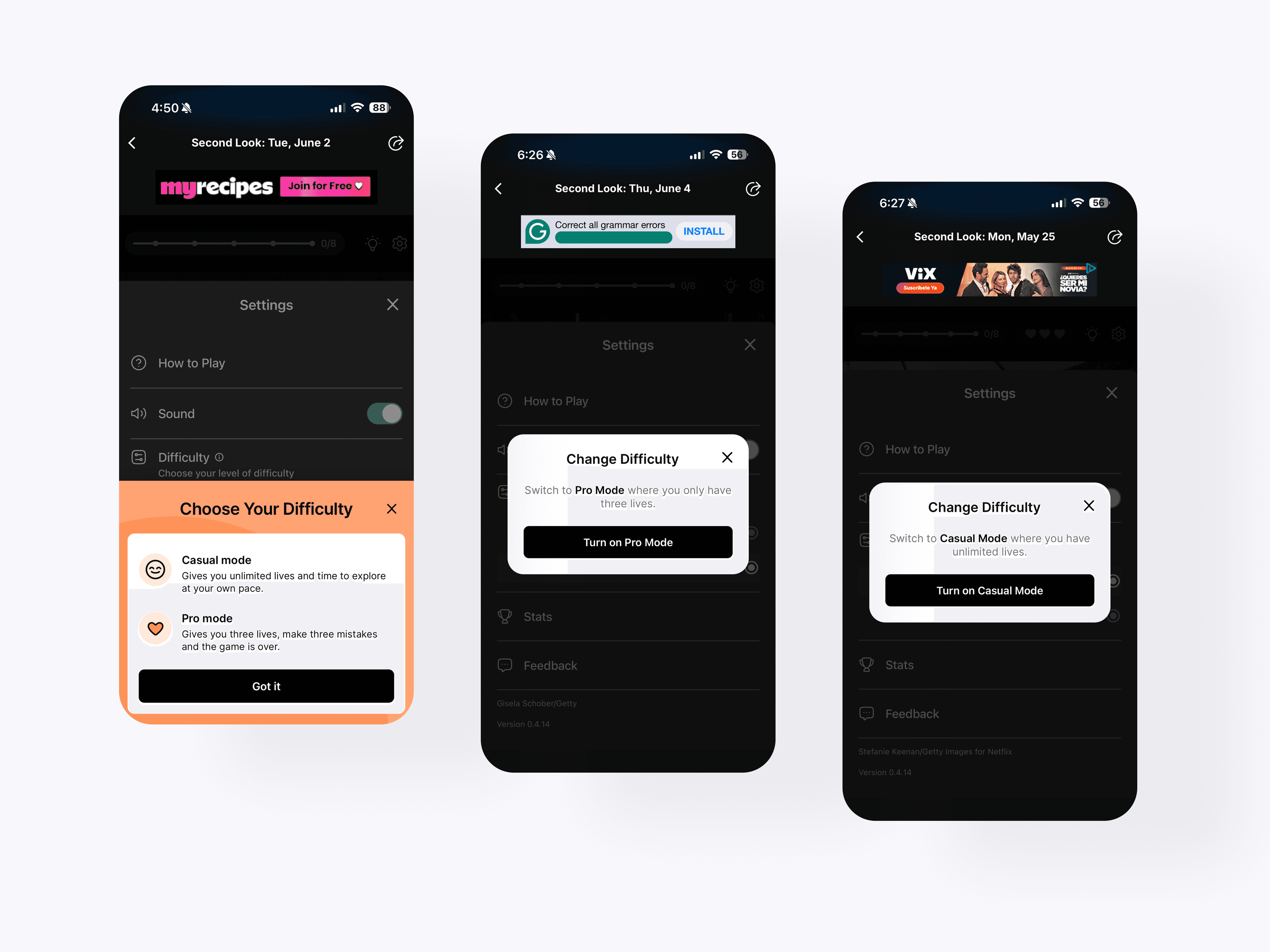
Second Look: Difficulty Modes
The difficulty system gives Second Look two ways to play: a casual mode for relaxed discovery and a pro mode with limited lives. Confirmation states help users understand the impact before switching modes.

Second Look: Results Screen
The completion flow celebrates wins and losses while keeping users inside the games ecosystem. Stats, archive links, sharing, and cross-promotion to other daily games create clear next steps after each session.
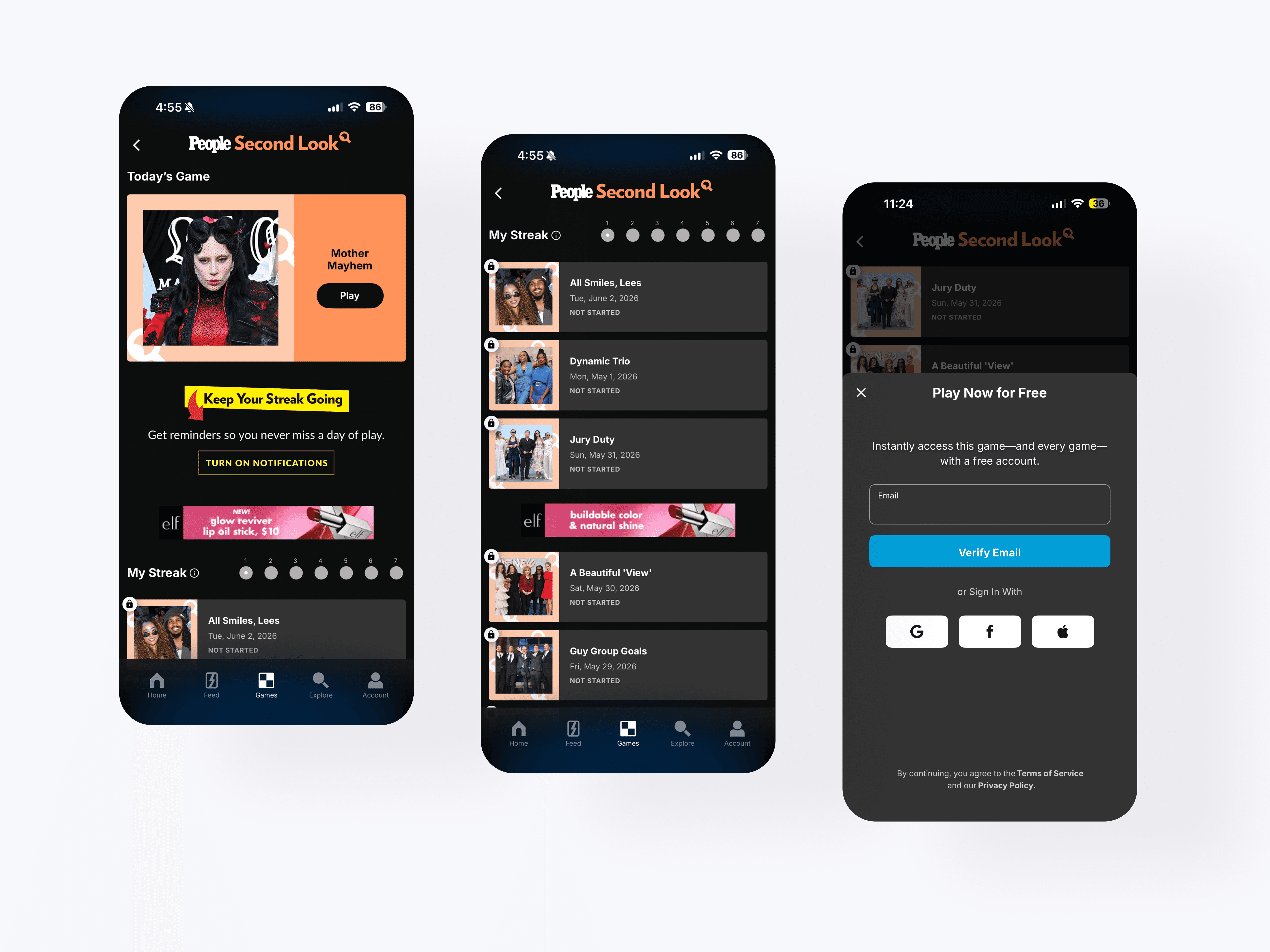
Second Look: Guest Mode
The retention system uses streak reminders, locked archive states, and lightweight sign-up prompts to encourage repeat play. Users can keep playing for free while creating an account to unlock progress tracking and full access.

Second Look: Guest Mode Results Screen
The guest completion state lets users finish a game while clearly showing the value of signing up. Blurred stats and unlock messaging create a natural account prompt without blocking the core play experience.
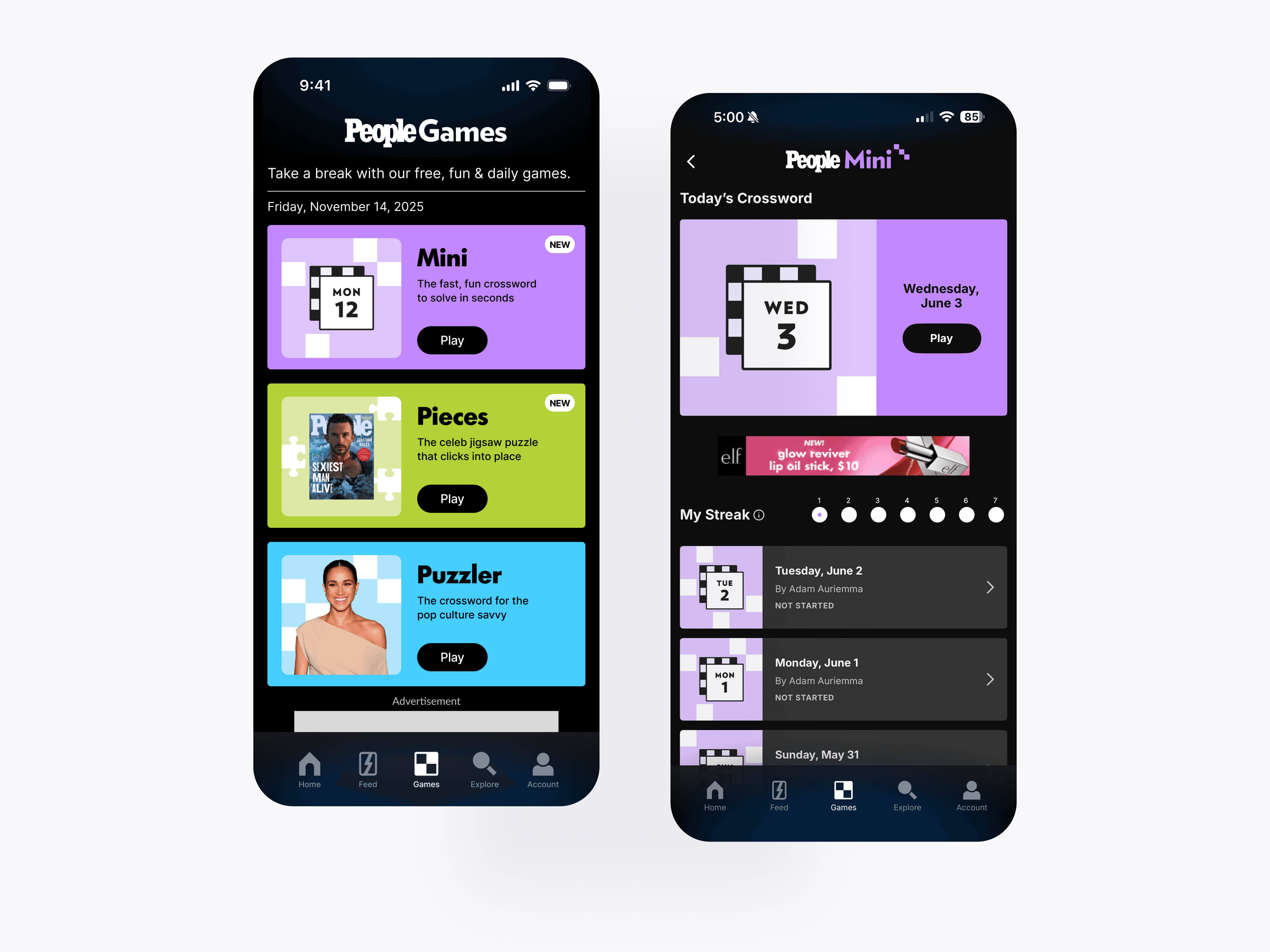
Mini: Games Hub & Game Landing Page
The Mini hub introduces PEOPLE’s fast daily crossword experience with a dedicated game card, streak tracking, and archive access. The layout keeps the game lightweight while matching the broader PEOPLE Games system.
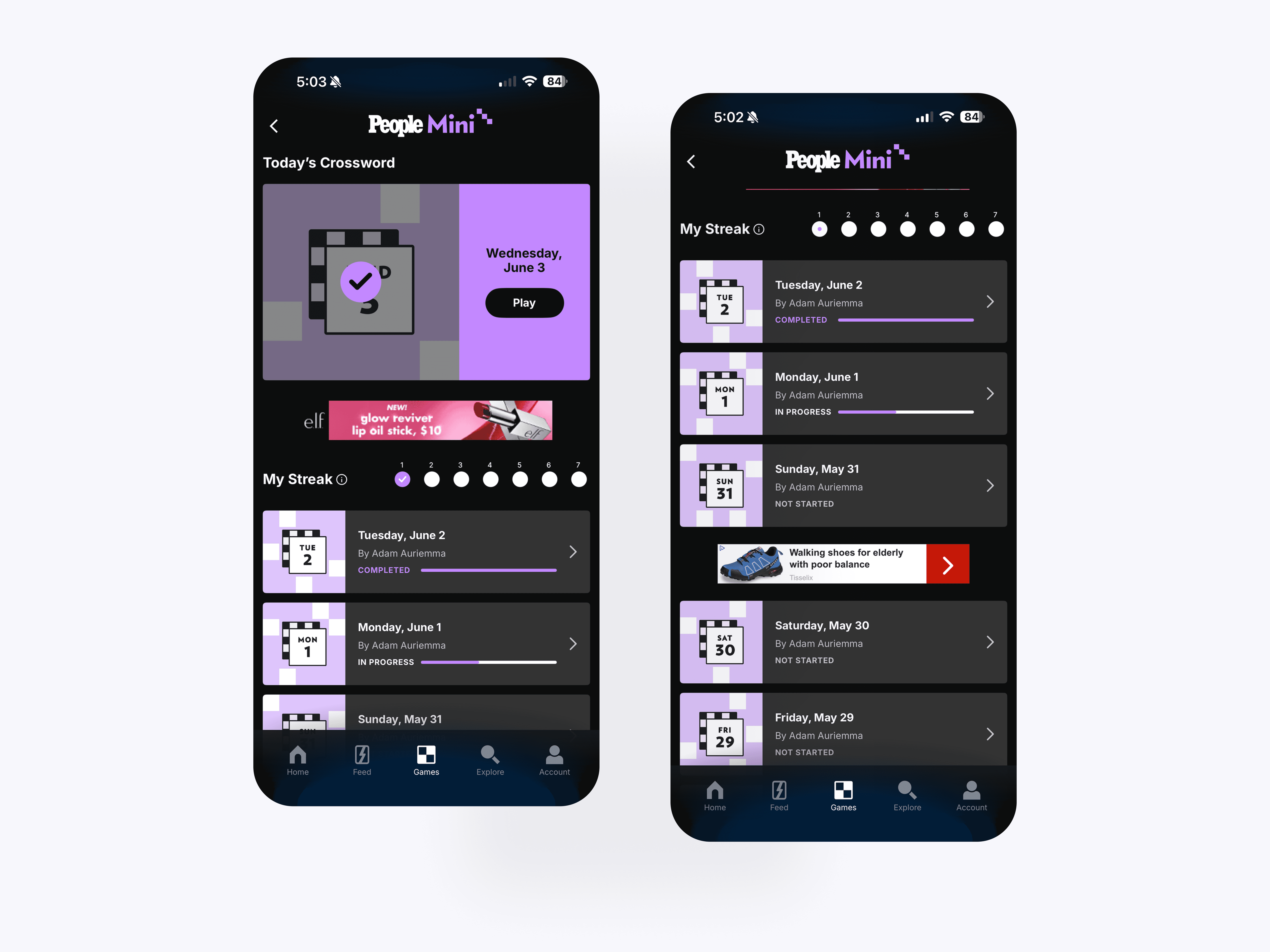
Mini: Game Progress Indicators
The Mini archive lets users browse previous crossword puzzles, see completion status, and return to in-progress games. The structure supports daily engagement while giving players a backlog to continue exploring.
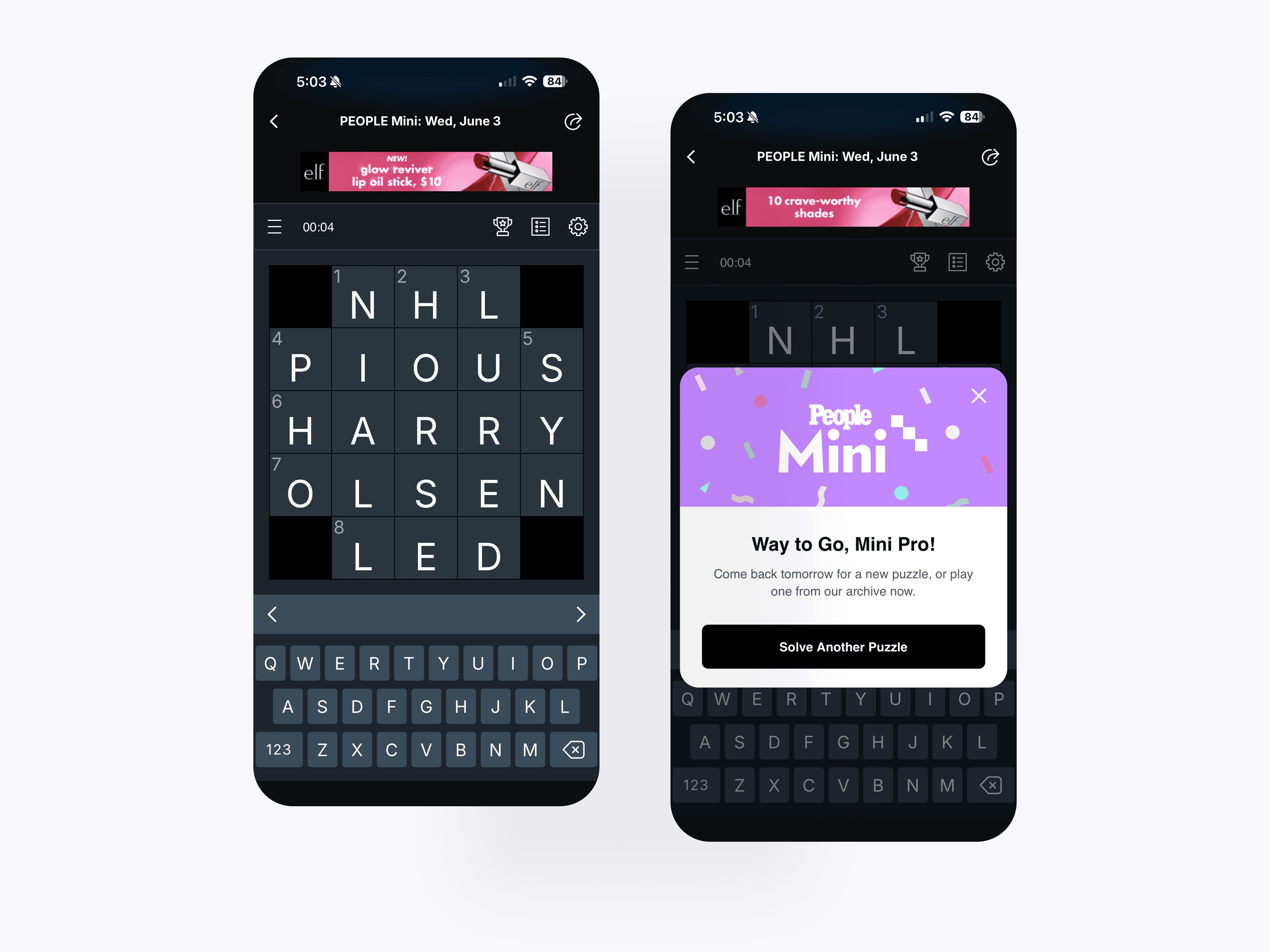
Mini: Gameplay
The Mini gameplay experience adapts a compact crossword into a mobile-first interaction pattern. Keyboard input, clue navigation, completion feedback, and win states create a fast puzzle loop built for short daily sessions.
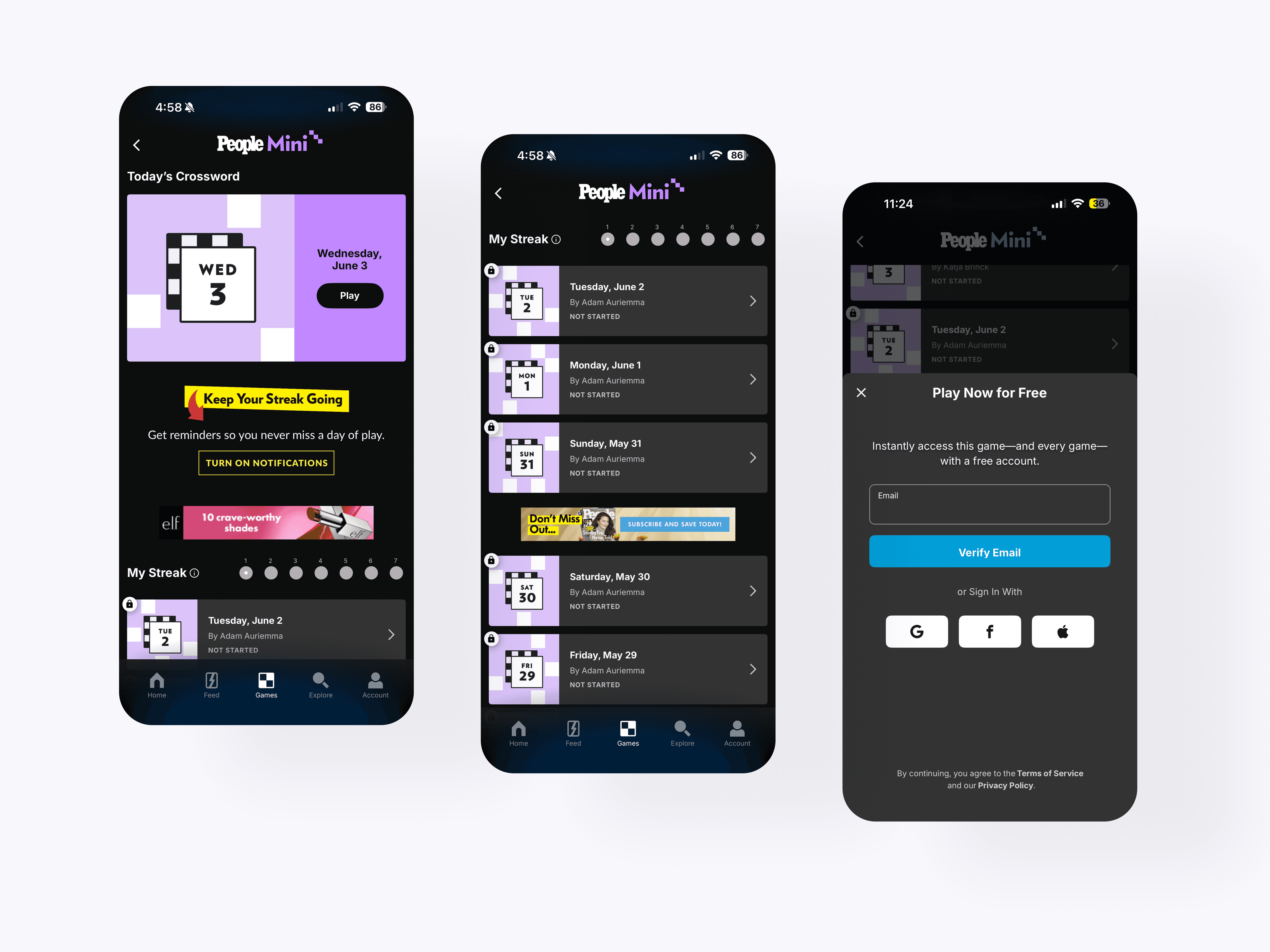
Mini: Guest Mode
The Mini retention flow mirrors the broader games system with streak reminders, locked archive states, and account prompts. This helped create consistency across games while supporting progress tracking and repeat play.
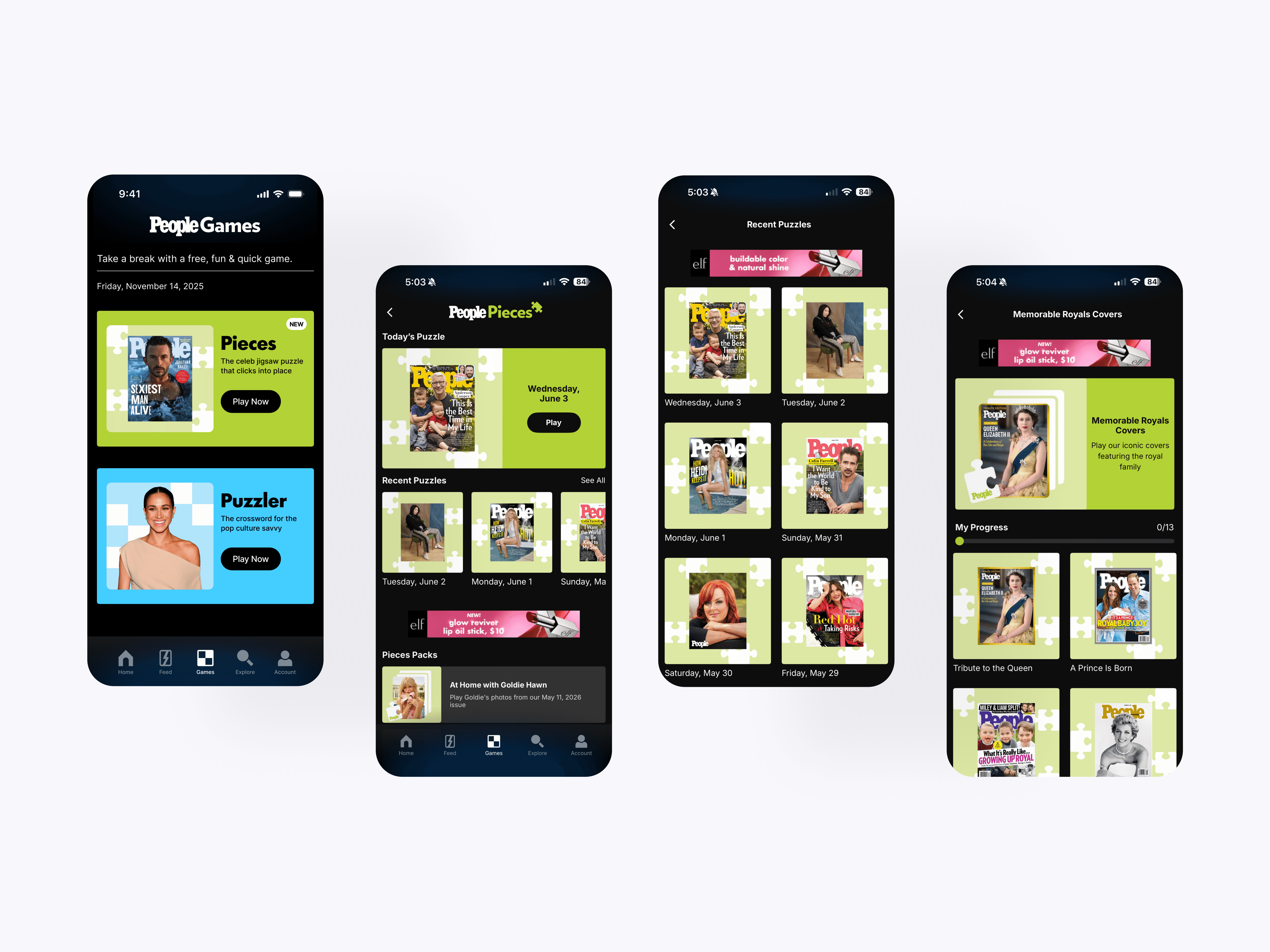
Pieces: Games Hub & Game Landing Page
The Pieces experience brings PEOPLE magazine covers and exclusive imagery into a daily jigsaw format. Recent puzzles and themed packs give users multiple ways to play through archive content beyond the daily puzzle.
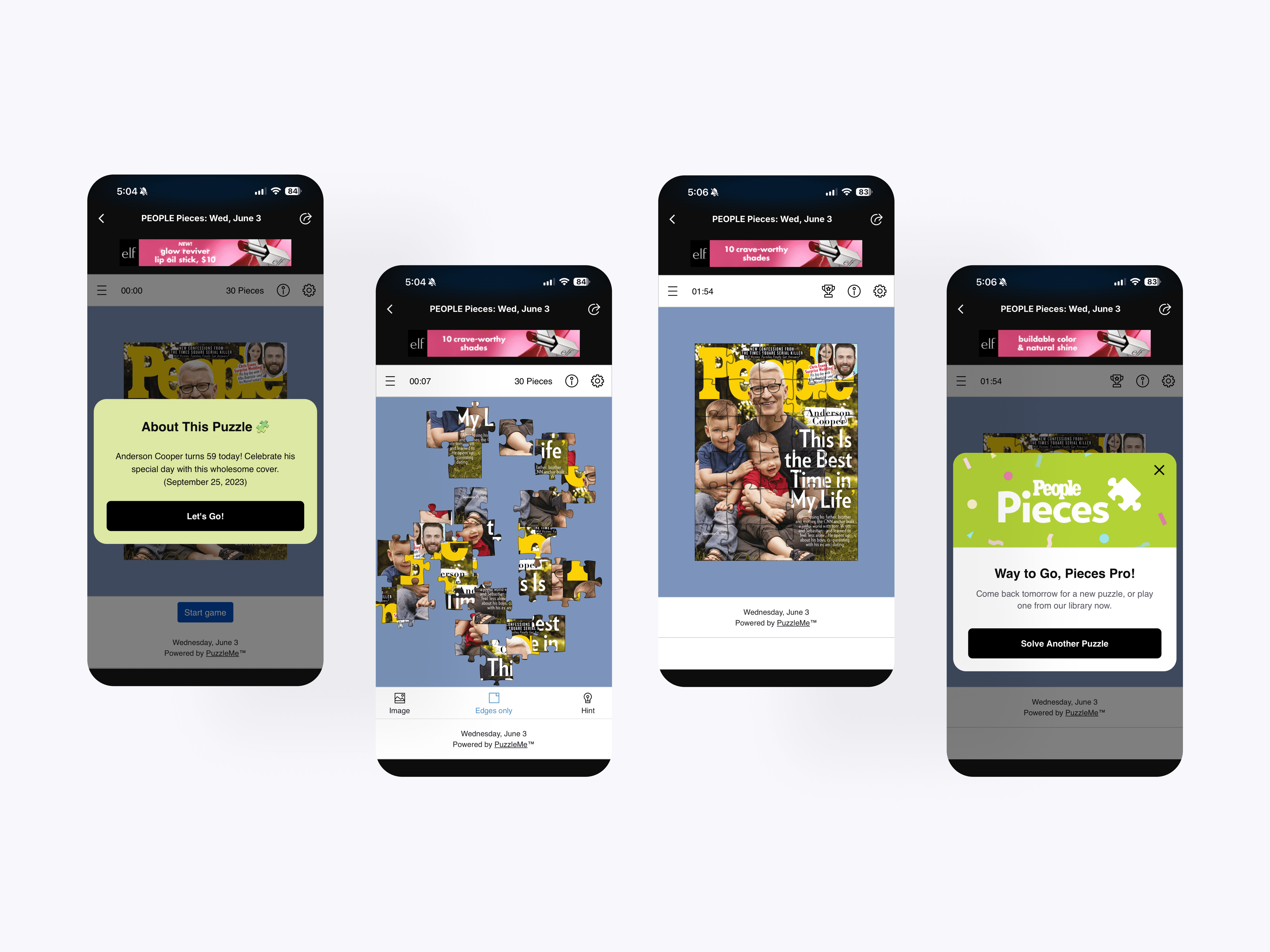
Pieces: Gameplay
The Pieces gameplay flow turns PEOPLE cover art into an interactive jigsaw puzzle. Users can start with puzzle context, assemble pieces, switch viewing modes, use hints, and complete the puzzle through a guided mobile experience.
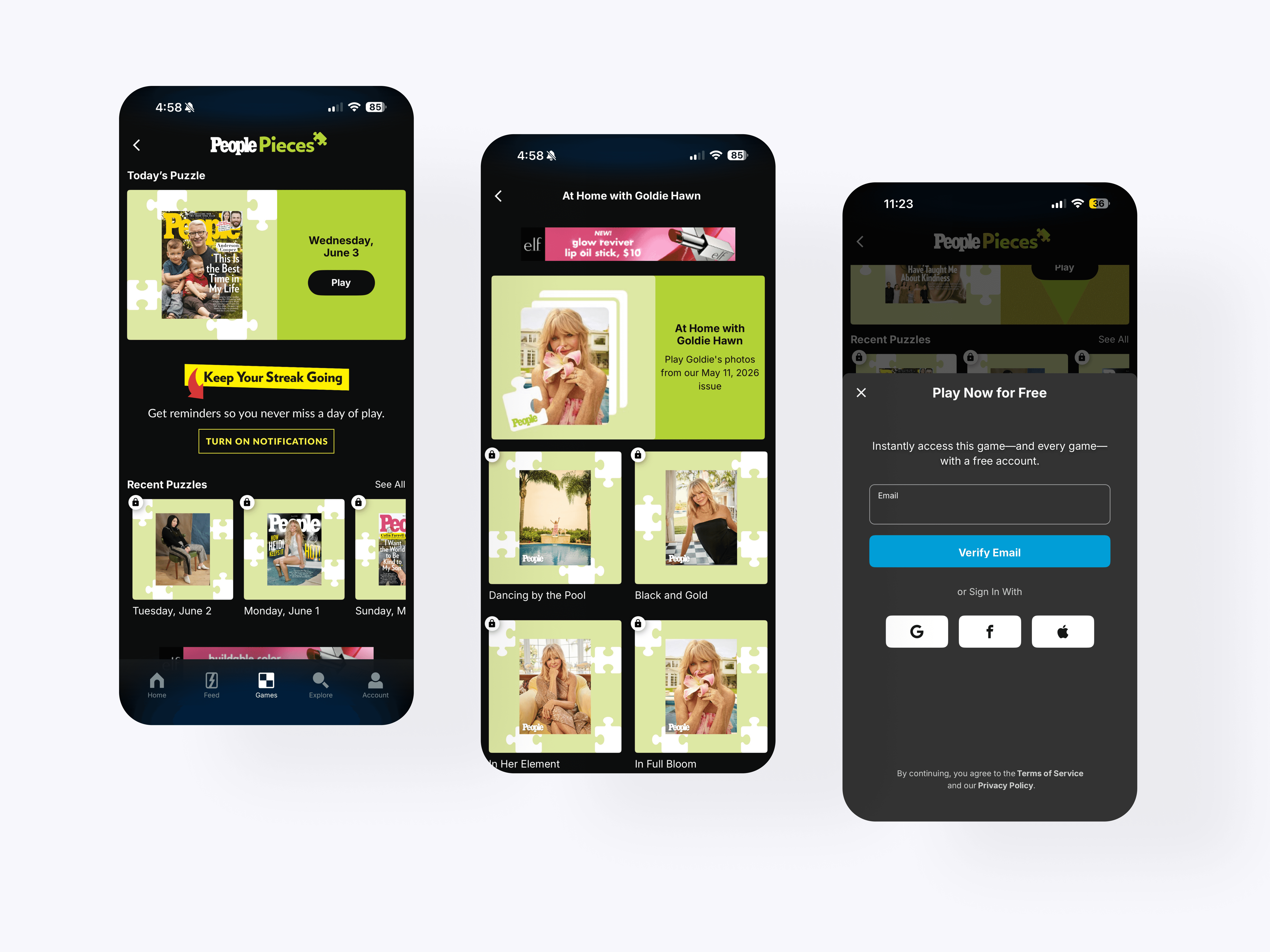
Pieces: Guest Mode
The Pieces packs system organizes themed puzzle collections around PEOPLE’s editorial library. Users can browse special sets, track progress, and unlock more content through account-based access.
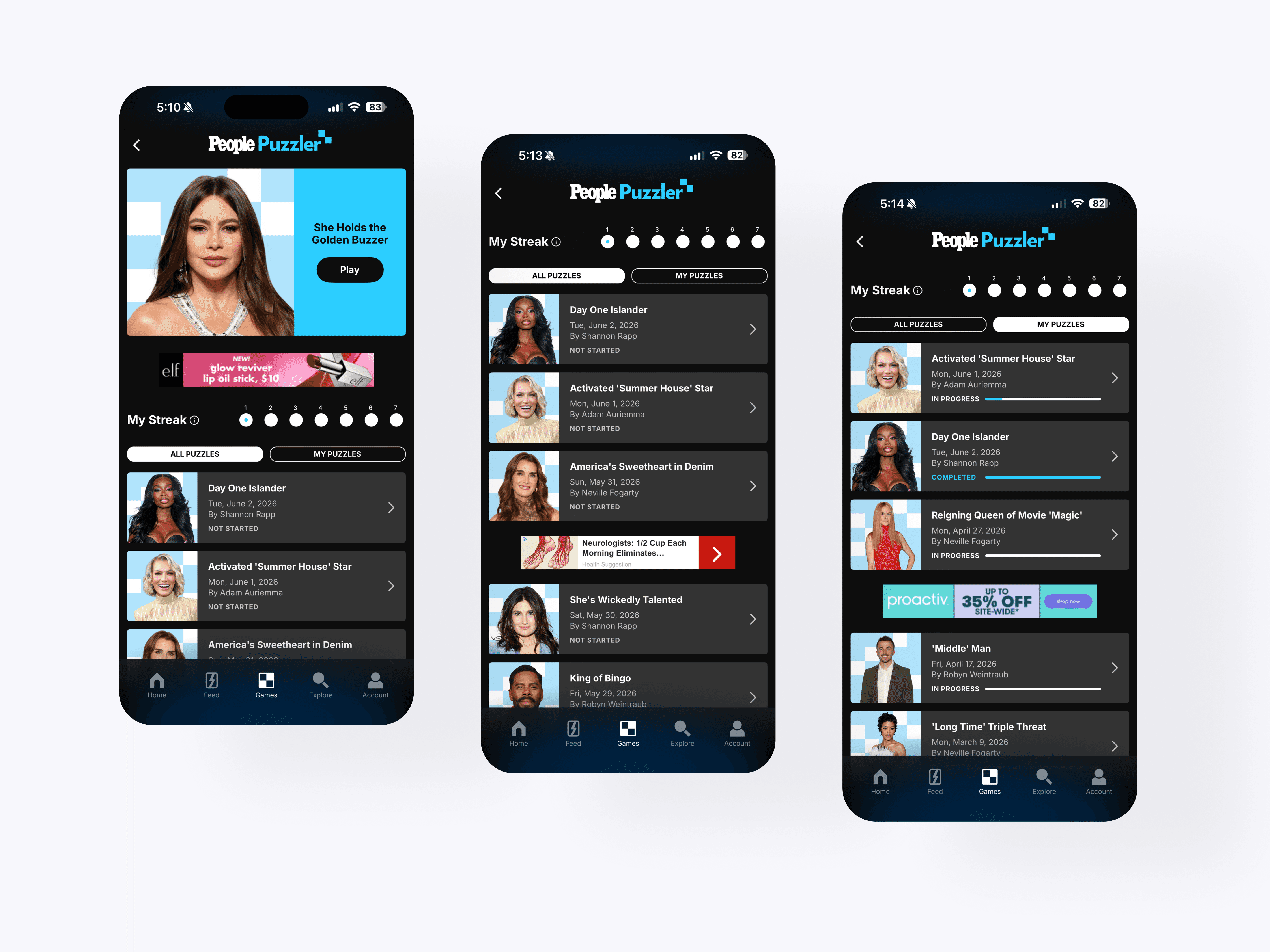
Puzzler: Games Hub & Game Landing Page
The Puzzler hub adapts PEOPLE’s crossword into a daily mobile game with a featured puzzle, streak tracking, and archive browsing. Filters for all puzzles and saved puzzles help users manage a larger crossword library.
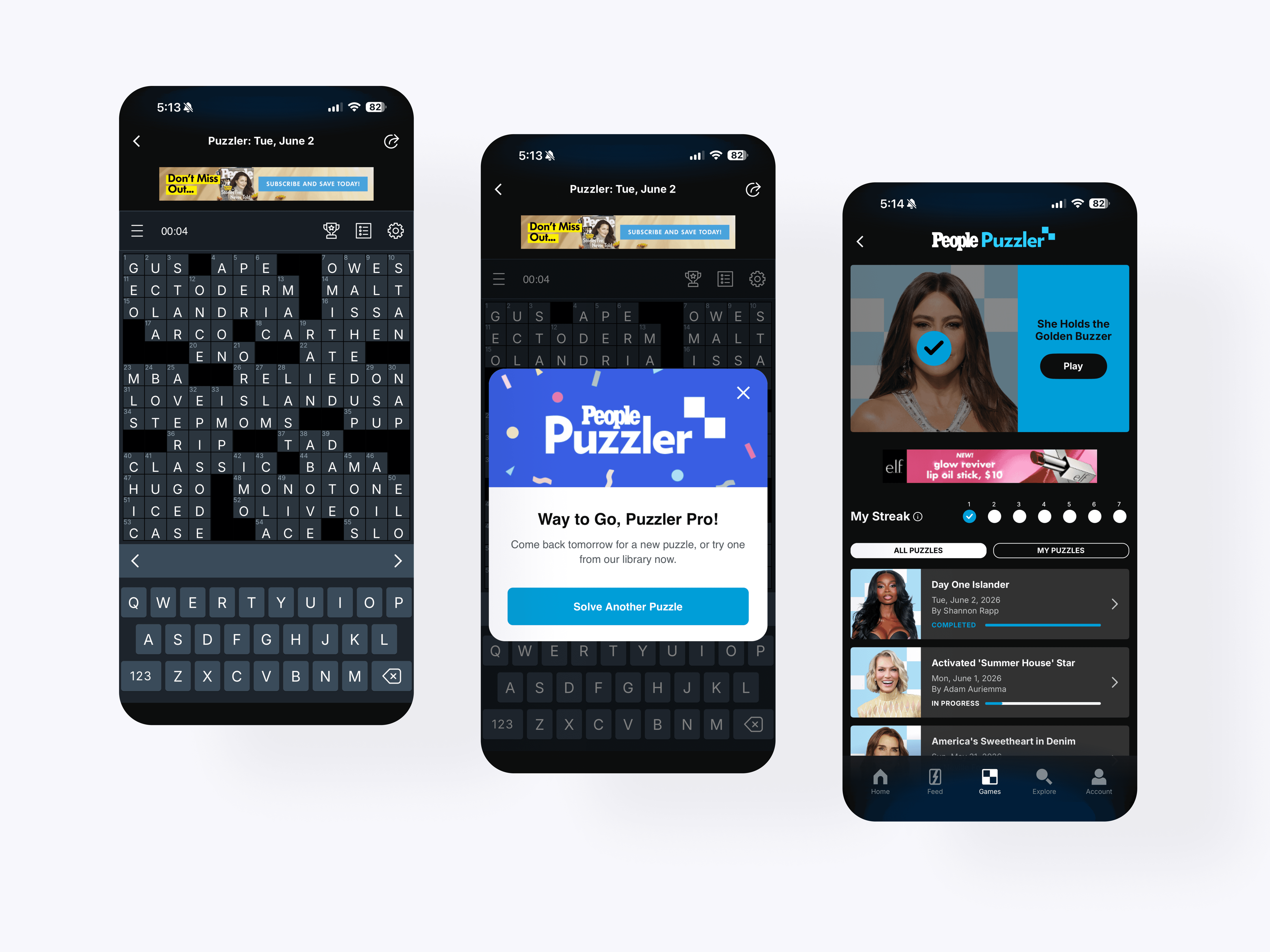
Puzzler: Gameplay
The Puzzler gameplay experience brings a full crossword into a mobile-first format. Users can solve with keyboard input, move through clues, track progress, and complete puzzles through a focused daily play loop.
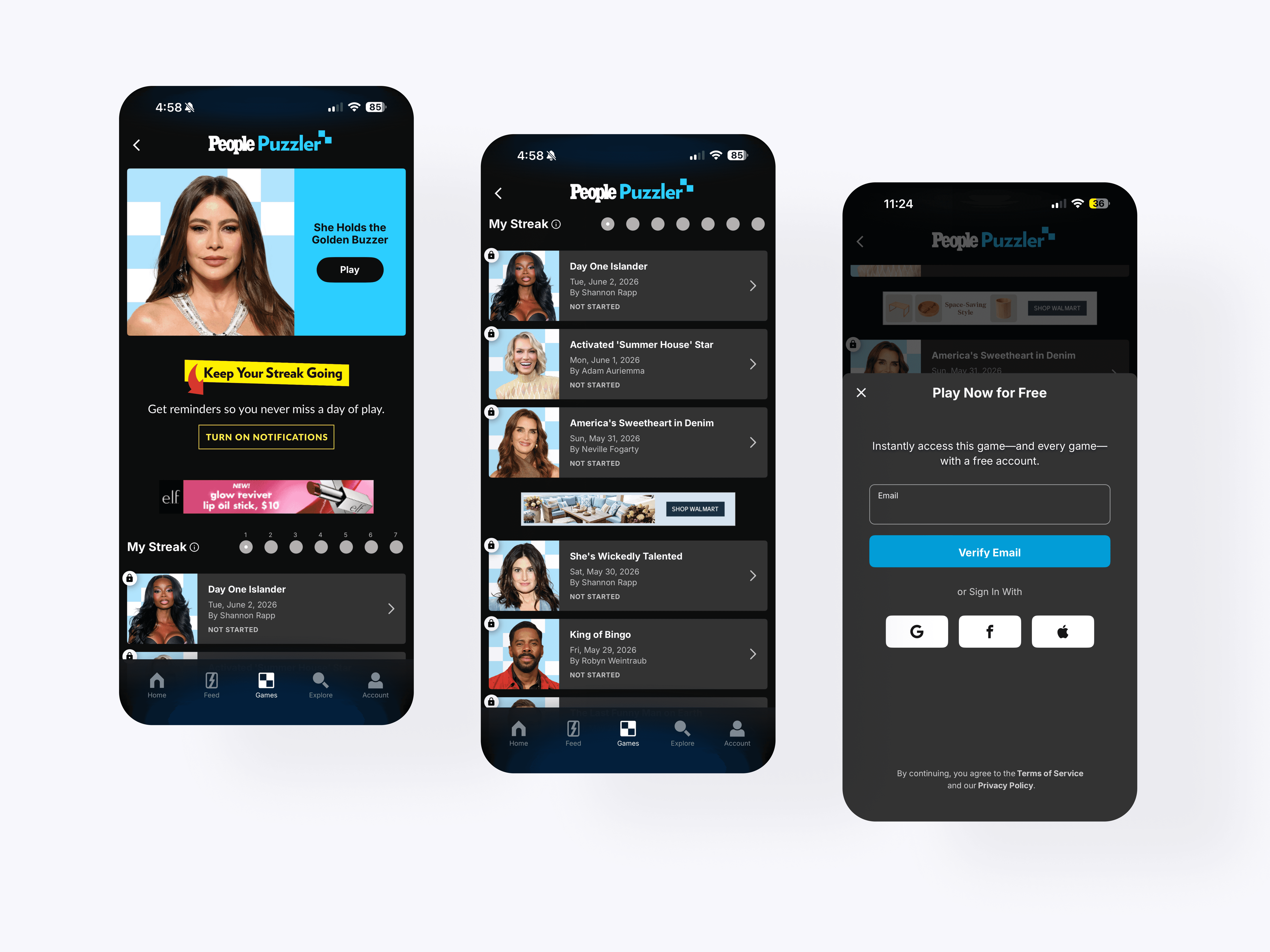
Puzzler: Guest Mode
The Puzzler access flow supports free play while encouraging account creation for deeper archive use. Locked states, sign-up prompts, and saved progress patterns help extend engagement beyond the daily crossword.